Connected CMMS

 Connected Buildings
 Connected Refrigeration


 Download ebook

 Read case study


 Watch now


 Retail
 Healthcare
 FM Services
 Commercial Portfolios
 Corporate Facilities
 Education
 Data-driven Portfolio Ops
 Facility Management Software
 360° Asset Lifecycle
 Continuous Sustainability

 Blogs
Blogs
 Help docs
 Knowledge Hub
 ROI Calculator
 Ebooks & Guides
 Webinars
 Videos
 Case studies


 About us
 Newsroom
 Careers
 Contact us
 Partners
 Events



A broken air conditioner in a plant is a work order. A broken air conditioner in a guest room at 11pm is a refund, a moved guest, and a one-star review before checkout.
That single difference is why hotel facilities management software is its own buying decision, and why the tool that fits a 40-room independent is rarely the one that fits a 30-property group.
Quick answer: The best hotel facilities management software for a multi-property operator in 2026 are 1. Facilio, 2. Infraspeak, 3. Transcendent by Actabl, 4. hotelkit, 5. HotSOS by Amadeus, 6. Quore, 7. Flexkeeping, 8. MaintainX, 9. UpKeep, and 10. Snapfix.
Each platform below gets honest strengths and sourced limitations, matched to how you actually operate: a single property, a franchise group, or an owned portfolio of hotels, resorts, and venues. The tools split into three groups that solve genuinely different problems, so the right shortlist depends on your scale before it depends on any feature list. Facilio appears first because it is built for the multi-property operator, but every tool below earns its place for a specific kind of hotel.
Top 10 hotel facilities management software for 2026
- Facilio: Best overall for multi-property hotel groups and owned portfolios that want maintenance, assets, vendors, and energy on one connected platform.
- Infraspeak: Best connected facilities platform for European and global hotel estates that need intelligent maintenance plus supplier management.
- Transcendent by Actabl: Best for hotel asset management and capital expenditure planning at large full-service brands.
- hotelkit: Best hospitality-native back-of-house platform that wraps maintenance inside daily operations and team communication.
- HotSOS by Amadeus: Best for large resorts and enterprise properties that need guest-request handling and engineering in one incumbent system.
- Quore: Best for US select-service and franchise groups that need brand-standard preventive maintenance and simple work orders.
- Flexkeeping: Best for housekeeping-led maintenance coordination where room status and defects drive the workflow.
- MaintainX: Best mobile-first CMMS for hotel maintenance teams that want fast adoption on the floor.
- UpKeep: Best general-purpose hotel work order app for small engineering teams getting off paper.
- Snapfix: Best simple, photo-based tool for independent hotels that want a traffic-light task list, not a platform.
Hotel facilities management software, often called a hotel CMMS software (Computerized Maintenance Management System), centralizes maintenance, asset, and service operations across a property or portfolio. It replaces spreadsheets, radios, and group chats with one system for work orders, preventive maintenance, guest and staff requests, vendor coordination, inventory, and reporting. For an owner or group, it is the layer that turns scattered engineering activity into something you can measure, standardize, and prove.
The stakes are not abstract. The US lodging industry runs more than 64,000 properties and 5.7 million guest rooms, according to the American Hotel & Lodging Association, and guest perception maps directly to revenue. Research by Chris Anderson at the Cornell Center for Hospitality Research found that raising a hotel review score by one point on a five-point scale supports an 11.2 percent higher room rate at the same occupancy. Room condition is one of the fastest ways to move that score in either direction, which is why the upkeep that used to sit in a back-office binder is now a revenue decision.
The ranking above is oriented to the multi-property operator. If you run a single independent property, the honest answer is that a lighter hospitality-native tool often serves you better than a portfolio platform, and the selection criteria below say exactly when. For the enterprise buyer, the deeper question is whether a tool treats your hotel as a building to maintain or as one node in a portfolio to operate.
What is hotel facilities management software?
Hotel facilities management software is a digital platform that plans, tracks, and records all the physical upkeep of a hotel: reactive repairs, planned preventive maintenance, guest-room readiness, assets and their history, parts and inventory, inspections, and vendor work. It gives the engineering department a single place to receive requests, assign them, complete them on mobile, and report on them, which is the core job of any facility management software. The category is growing with the need: the CMMS market is projected to expand from $1.40 billion in 2025 to $2.15 billion by 2030, a 9 percent annual rate with North America holding the largest share, according to Mordor Intelligence.
Three terms get used loosely in this market, and the difference decides your shortlist:
- PMS (Property Management System): This runs the front of house: reservations, check-in and check-out, rates, billing, and room status. Oracle OPERA, Cloudbeds, and Mews are examples. A PMS is not maintenance software. A good maintenance platform integrates with your PMS, it does not replace it.
- Hotel maintenance software or hotel CMMS: This runs the back of house: work orders, preventive maintenance, assets, and inspections, and it is the focus of the ten platforms reviewed below. For the fundamentals first, see what is CMMS and what is maintenance management.
- Connected CMMS or CaFM (Computer-Aided Facility Management, the term more common in UK and Middle East markets): This runs maintenance plus the building systems around it: energy, HVAC fault detection, vendor SLAs, and portfolio analytics across many properties. This is where a hotel group gets an advantage that a single-property tool cannot provide.
Hold on to that last distinction, because it is the one most hotel maintenance tools quietly ignore.
Two decisions to make before you shortlist
Buyers who regret their choice almost always skipped one of these two questions.
1. One property or a portfolio? A single hotel needs fast work orders, reliable mobile, and preventive maintenance the chief engineer can trust. A group needs all of that plus something harder: a way to see which property burns the maintenance budget, which asset class fails most often, whether preventive maintenance compliance holds across every flag, and how vendors perform site by site. Point tools answer the first need well and the second barely at all.
2. Hospitality-native or facilities-first? Hospitality-native platforms (hotelkit, Quore, Flexkeeping) wrap maintenance inside housekeeping, guest-request, and staff-communication workflows, and they connect to your PMS out of the box. Facilities-first platforms and connected CMMS (Facilio, Infraspeak, and horizontal tools like MaintainX) treat the hotel as a building portfolio where assets, contractors, compliance, and energy come first. Independents usually want the former. Owner-operators and asset managers usually need the latter.
The honest reading of both questions: if you manage one property and a small team, you will be happier with a hospitality-native tool than with an enterprise platform you only half-use. If you manage a portfolio, a tool built around a single property will leave you stitching spreadsheets back together at the group level. Match the tier to your operation and most of the shortlist decides itself.
What matters most for your hotel maintenance?
Select all that apply
How many properties do you run?
Pick the closest fit
What best describes how you operate?
Pick the closest fit
Comparing the top hotel facilities management software platforms for 2026
| Platform | Category | Best for | Standout strength | Honest limitation | Pricing model |
|---|---|---|---|---|---|
| Facilio | Connected CMMS (portfolio layer) | Multi-property groups, owned estates, mixed hotel and venue portfolios | Connects maintenance, vendors, energy, and AI operations across every site | Entry price and procurement cycle are heavier than a single-property tool | Portfolio-based, quote |
| Infraspeak | Connected CMMS / FM | European and global hotel estates needing maintenance plus supplier management | Intelligent maintenance with strong supplier and SLA workflows | Less US hospitality presence; onboarding depth for complex estates | Quote-based, modular |
| Transcendent (Actabl) | Hotel asset management | Capital planning and asset preservation at large brands | Asset lifecycle and CapEx depth tuned to full-service hotels | Narrower day-to-day work-order and comms workflow than hotel-ops suites | Quote-based enterprise |
| hotelkit | Hospitality-native ops | Property-level maintenance plus back-of-house collaboration | Maintenance lives inside daily operations and staff communication | Portfolio analytics and vendor SLAs are lighter than FM platforms | Quote-based, per property |
| HotSOS (Amadeus) | Hospitality-native ops | Large resorts and enterprise guest-request plus engineering | Mature guest-request and engineering handling at scale | Dated interface, strong WiFi dependence, high implementation cost | Quote-based enterprise |
| Quore | Hospitality-native ops | US select-service and franchise groups | Brand-standard preventive maintenance and simple work orders | Mobile app reliability and search are common complaints | Per-room, per month |
| Flexkeeping | Hospitality-native ops | Housekeeping-led maintenance coordination | Ties room status and defects into one operations flow | Less depth for asset lifecycle and multi-vendor management | Quote-based, per property |
| MaintainX | Horizontal CMMS | Mobile-first maintenance teams at single or multi properties | Fast adoption, strong mobile work orders and procedures | Not hotel-native; portfolio FM, energy, and tenant workflows are thin | Per-user, per month |
| UpKeep | Horizontal CMMS | Small hotel engineering teams moving off paper | Simple work orders with a strong mobile-first design | SMB-focused; limited enterprise config and no occupant portal | Per-user, per month |
| Snapfix | Dedicated hotel tool | Independent hotels wanting a photo-first task list | Traffic-light, photo-based simplicity anyone can use day one | Not built for portfolio analytics or deep asset management | Per-room or quote |
Group the market this way and the pattern is clear: hospitality-native tools own the single property, horizontal CMMS own the small mobile team, and connected CMMS own the portfolio. The reviews below go deeper on each, including where a competitor genuinely beats the others.
The 10 best hotel facilities management software, reviewed
1. Facilio
Best for: Multi-property hotel groups, owned portfolios, and mixed estates of hotels, resorts, and event venues that want maintenance, assets, vendors, and energy operated from one connected platform.
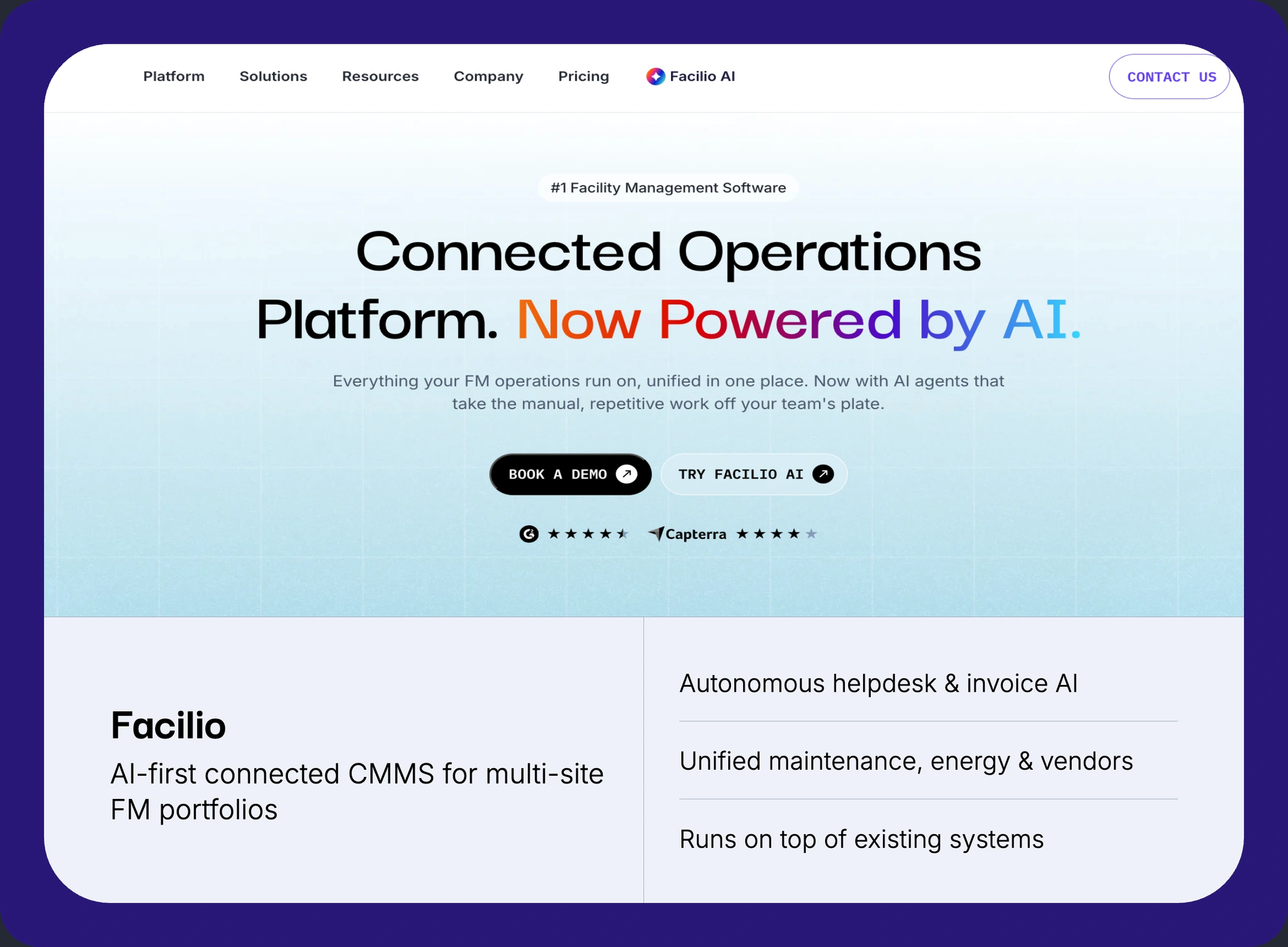
Facilio is a connected CMMS, which means it does what a hotel maintenance tool does and then adds the layer a group actually needs: portfolio-wide visibility, building-systems integration, and automation across properties. Rather than treating each hotel as an island with its own work-order list, it treats the estate as one operation where a regional engineering director can compare preventive maintenance compliance, reactive-call volume, and asset health across every property, then drill into a single guest-room asset. It is designed to connect and unify the systems a hotel already runs rather than replace them.
Key features
- Work orders and preventive maintenance: Reactive and planned maintenance with priority routing, so a guest-impacting fault jumps the queue while a scheduled filter change stays on plan, built on Facilio work order software.
- Brand-standard preventive maintenance: Build a franchisor preventive maintenance library once and publish it across every property, with completion proof, using preventive maintenance software that records who did what and when.
- Asset lifecycle and CapEx: Full enterprise asset management software from procurement to retirement, with condition and cost history feeding repair-versus-replace and capital-planning decisions.
- Vendor and contract management: Multi-vendor orchestration with SLA tracking, compliance checks, and performance scoring across locations through vendor management software, so contractor accountability is visible site by site.
- Inspections and compliance: Mobile inspections, brand and safety audits, and fire, elevator, and pool compliance tracking via inspection management software.
- Energy, HVAC, and fault detection: Portfolio-wide energy management software with fault detection diagnostics software that turns HVAC and plant anomalies into work orders before a guest feels them, keeping HVAC preventive maintenance on plan.
- Building-systems integration: No-code connection to BMS, IoT, and existing tools so live building management system data drives operations rather than sitting in a separate screen.
- Offline-first mobile: Engineers keep working in stairwells and plant rooms where WiFi drops, with full functionality through mobile CMMS offline support.
Facilio AI capabilities: Facilio offers an agentic AI suite that acts on operations rather than only charting them. Its helpdesk agent captures requests by call, chat, and email and converts them into assigned work orders, its invoice agent cross-checks vendor invoices against work orders and contract rates before approval, and its reporting agent assembles SLA and maintenance summaries without anyone pulling a dashboard.
Pros
- Portfolio-based pricing with no per-seat fees keeps cost predictable as you add engineers and properties across the estate.
- It unifies maintenance, vendors, energy, and compliance in one platform, so a group stops stitching separate point tools together at the corporate level.
- Deployment runs in weeks by connecting to existing systems rather than rebuilding operations, which lowers the switching risk for a live, revenue-generating hotel.
- No-code configuration lets operations teams adapt workflows, approvals, and dashboards to brand standards without a developer or a paid integration partner.
- Offline-first mobile keeps engineers productive in stairwells, plant rooms, and basements where WiFi drops, closing the reliability gap that frustrates teams on other apps.
Cons
- The entry price and procurement cycle are heavier than a single-property hospitality tool, so a small independent will find it more than it needs.
- The public review pool is smaller and more enterprise-weighted than mobile-first tools like MaintainX, so there is less peer-review volume to browse.
- It is built for buildings and portfolios, not for heavy-industrial reliability programs centered on vibration analysis and machine diagnostics.
- Guest-request and housekeeping flows are configured rather than shipped as hospitality presets, so hotel-native tools feel more turnkey on day one for a single property.
Pricing: Portfolio-based with no per-seat fees; pricing is by quote. Compare approaches in Facilio's CMMS pricing guide.
Customer proof: As of 2026, Facilio reports managing roughly 150M square feet of built space across four continents. At ICD Brookfield Place, a Grade A tower, the team reports a 40 percent reduction in asset downtime with fault-detection rules running against live building data. Property Operations Manager Haithem Ibraheem describes Facilio as "a key enabler in our digital transformation journey," with performance "consistently exceeding SLA and KPI expectations." At Dubai World Trade Centre, a convention and exhibition venue, Facilio supports energy and operations across the One Central estate, which is the closest public proof point to large hospitality and event operations. A dedicated hotel reference is the one piece of proof this story still needs.
Verdict: If you run more than a handful of properties, or you own the real estate and carry the capital risk, Facilio is the platform that treats your hotels as the portfolio they are. For a single small property, it is more than you need, and the tools below will serve you faster.
80%
Helpdesk requests resolved autonomously: 276 calls in 30 days
FM service provider · UAE · 9,000+ workforce · Multi-client portfolio
Berkeley UAE · Read case study →40%
Reduction in asset downtime · 1,250+ spaces centralized · 120+ automated FDD rules
Commercial office · Dubai · 54-storey · 990,000 sq ft Grade A space
ICD Brookfield Place · Read case study →10,000+
Retail stores unified on one O&M platform across North & Latin America
Retail FM · North America · Multi-site convenience stores · IoT-connected
Tuten Labs · Read case study →Facilio is portfolio-based, with no per-seat fees.
See maintenance, assets, vendors, and energy on one connected platform, deployed in weeks.
2. Infraspeak
Best for: European and global hotel estates that want intelligent maintenance with strong supplier and SLA management.
Infraspeak is the connected FM platform closest to Facilio in positioning, and the one a serious portfolio buyer should weigh against it. It combines maintenance management with supplier coordination, IoT and BMS integrations, and analytics, and it has built a visible presence in hospitality with named hotel and resort customers across Europe and the Middle East.
Key features
- Intelligent maintenance: Planned and reactive maintenance with an assistant that recommends next actions from asset data, history, and failure patterns.
- Supplier and SLA management: Contractor onboarding, SLA tracking, and performance scoring, a genuine strength for estates that outsource most of their trades.
- IoT and BMS integrations: Connections to building sensors and systems such as Siemens Desigo CC and Wattsense for condition-aware maintenance.
- Multi-site analytics: Dashboards spanning every property with drill-down to a single asset or open work order.
- Mobile app: Technician-facing mobile for work orders, checklists, and asset QR scanning out on the floor.
- Marketplace and network: A supplier and app network that extends the platform without custom development work.
Pros
- Strong supplier and SLA workflows make it a natural fit for hotel groups that run heavily on external maintenance contractors.
- The modular design lets an estate start with core maintenance and add building intelligence over time without a disruptive rebuild.
- An established hospitality presence means its workflows already reflect how real hotels and resorts run engineering.
- Analyst recognition and named hotel customers give it third-party credibility that most tools on this list cannot claim.
Cons
- Its presence and support footprint are strongest in Europe, so a US-centric group should test regional support and references carefully.
- Depth for the most complex mixed estates can require longer configuration than the marketing suggests, per practitioner reviews.
- Automation that executes work end to end, rather than assisting a human, is less developed than a connected CMMS moving toward agentic operations.
- Pricing is quote-only with limited public transparency, which slows early budgeting for a property-level buyer.
Pricing: Quote-based and modular, scaling with assets and features.
3. Transcendent by Actabl
Best for: Capital planning and asset preservation at large full-service hotels and brands.
Transcendent, part of the Actabl hospitality suite, is built around the asset rather than the ticket. It is the strongest pick on this list for owners and asset managers whose real question is not "what broke today" but "which assets are aging, what will they cost to replace, and when." For a group with heavy furniture, fixtures, and equipment (FF&E) and real capital cycles, that focus matters.
Key features
- Asset management and lifecycle tracking: Deep asset registers with condition, cost, and depreciation context built for long-horizon capital planning.
- Preventive maintenance: Scheduled, asset-linked maintenance aligned to brand standards and manufacturer service intervals.
- Capital expenditure planning: Forecasting and budgeting tools that project replacement timing and cost across a portfolio.
- Mobile inspections: Field capture with photo and QR verification that proves a technician reached the asset.
- Actabl suite integration: Connections to the Actabl labor and revenue products that many full-service brands already operate.
Pros
- Asset lifecycle and CapEx depth are tuned to full-service hotels in a way most work-order tools never attempt.
- As part of a broader hospitality suite, it connects to labor and revenue tools brands already run, reducing data silos.
- It fits owners and asset managers who think in multi-year replacement cycles rather than only daily tickets.
- Inspection and QR verification give brands auditable proof of asset condition for capital and warranty decisions.
Cons
- Day-to-day work-order and team-communication workflows are lighter than hospitality-ops suites like hotelkit or Quore.
- Enterprise contracts and implementation effort suit larger brands far more than independent or small-group properties.
- Energy, HVAC fault detection, and building-systems depth are narrower than a connected CMMS built around live building data.
- Much of its value assumes adoption of the wider Actabl suite, which raises the commitment for a maintenance-only buyer.
Pricing: Quote-based enterprise contracts.
4. hotelkit
Best for: Property-level maintenance that lives inside back-of-house collaboration and daily operations.
hotelkit is a hospitality-native platform that treats maintenance as one part of running the whole back of house. Front desk, housekeeping, and engineering all work in the same system, so a defect a room attendant spots becomes a tracked repair order without a phone call. It is consistently one of the highest-rated hotel operations tools in the category.
Key features
- Repair tickets and task management: Any department raises a ticket, and engineering tracks it to completion with reminders and escalation.
- Preventive maintenance: Recurring maintenance with alerts, plus NFC or QR asset tagging on supported plans for proof of service.
- Back-of-house collaboration: Shift handovers, checklists, and announcements in one place so information survives staff turnover.
- Housekeeping coordination: Room status and cleaning workflows that pass defects straight to engineering without a phone call.
- PMS integration: Connections to major property management systems for live room and reservation context.
- Knowledge and onboarding: A shared knowledge base and templates that shorten training for new back-of-house staff.
Pros
- Maintenance sits inside the daily operations staff already use, which drives adoption that standalone tools struggle to match.
- Strong cross-department communication cuts the phone and radio traffic between housekeeping, front desk, and engineering.
- It suits both independents and chains that want operations and maintenance together in one hospitality-native system.
- High review scores and hospitality awards give it credibility with hotel buyers evaluating back-of-house tools.
Cons
- Portfolio-level analytics and vendor SLA management are lighter than dedicated facilities-management platforms.
- Some users report that once everything lives in hotelkit, finding a specific item gets harder as content grows.
- Energy monitoring, fault detection, and capital planning sit outside its core scope entirely.
- Asset lifecycle depth is thinner than asset-first tools, so capital-heavy owners may eventually outgrow it.
Pricing: Quote-based, priced per property.
5. HotSOS by Amadeus
Best for: Large resorts and enterprise properties that want guest-request handling and engineering in one established system.
HotSOS (Hotel Service Optimization System) is the incumbent that most modern tools are measured against. It has handled guest requests, work orders, and preventive maintenance at large resorts and enterprise properties for years, and its depth at scale is real. It is also the clearest example of why interface and mobile quality now matter as much as features.
Key features
- Guest-request management: Captures and routes guest issues to the right department with response-time tracking and escalation.
- Work orders and preventive maintenance: Engineering workflows with trend tracking that feeds major-work and capital planning.
- Real-time notifications: Cross-department alerts that cut radio traffic and speed response to guest-facing issues.
- Enterprise reporting: Operational reporting and dashboards tuned to large properties and multi-brand portfolios.
- PMS and telephony integration: Connections to property management systems and the PBX or service center for request intake.
Pros
- Mature guest-request and engineering handling proven at large-resort and enterprise scale over many years.
- Trend tracking gives engineering leaders the history to justify major repairs and capital spend.
- A deep brand and enterprise footprint means broad integration options and a large support ecosystem.
- Real-time notifications and response tracking keep guest-facing issues from slipping between departments.
Cons
- Reviewers consistently cite a dated interface where common actions, like starting a new work order, are hard to find.
- Strong WiFi dependence means the app can log engineers out as they roam coverage, a real problem in back-of-house areas.
- Consulting and implementation costs are high, with some reviewers citing day rates that smaller properties cannot approve.
- Account-management response can be slow, with users reporting waits of weeks for a callback.
- The product has drawn criticism for lagging the redesigns of newer competitors, leaving an older look and feel.
Pricing: Quote-based enterprise contracts.
6. Quore
Best for: US select-service and franchise groups that need brand-standard preventive maintenance and straightforward work orders.
Quore is the default pick across a large share of US select-service and midscale hotels, and for good reason: it maps cleanly to how a franchise property runs, with preventive maintenance, work orders, and daily logs built around brand standards. For a group standardizing operations across many flagged properties, that fit is the main attraction.
Key features
- Preventive maintenance: Brand-standard preventive maintenance with recurring schedules, accountability, and completion records.
- Work orders and defects: Simple ticketing any department can raise, with status tracking through to completion.
- Daily logs and readings: Equipment readings, pool and boiler logs, and shift records that support compliance.
- Multi-property management: Group-level views for operators running several flagged properties at once.
- Guest requests and lost-and-found: Guest issue tracking and lost-and-found workflows alongside engineering tasks.
- Cleanings and projects: Deep-clean scheduling and project tracking tied to specific rooms and assets.
Pros
- It is built around brand-standard workflows, which makes it a natural fit for franchise and select-service groups.
- The interface is approachable enough that high-turnover teams can learn it quickly, a real advantage in hospitality.
- Per-room pricing is predictable and easy to approve at the property level without a capital request.
- Wide adoption across US select-service brands means staff often already know it, shortening onboarding across a group.
Cons
- Mobile app reliability and push notifications draw repeated complaints, with some users reinstalling to restore alerts.
- Weak in-app search makes finding a specific record slower than teams want at hotel pace.
- Rooms-accountability gaps frustrate larger operations that need tighter proof of completed room work.
- Reporting and analytics depth trail dedicated FM platforms once a group needs portfolio-level insight.
- Asset lifecycle and capital-planning features are limited, so owners carrying real CapEx will look elsewhere.
Pricing: Per-room, per month.
7. Flexkeeping
Best for: Housekeeping-led operations where room status and defects should drive the maintenance workflow.
Flexkeeping unifies housekeeping, maintenance, and front-office communication, and its strength is the handoff most hotels fumble: the moment a room attendant flags a defect at turnover. That issue becomes a tracked maintenance task tied to the room, so nothing is lost between departments. For properties where housekeeping volume drives the day, that model fits well.
Key features
- Housekeeping and room status: Real-time room status with maintenance flags raised directly from the floor at turnover.
- Maintenance tasks: Defects become tracked work with assignment, priority, and completion proof.
- Team communication: Messaging, checklists, and standards shared across housekeeping, front office, and engineering.
- PMS integration: Live room and reservation context pulled from the property management system.
- Minibar and lost-and-found: Ancillary housekeeping workflows that keep room-related tasks in one place.
Pros
- It ties room status and defects into one flow, closing the housekeeping-to-engineering gap that loses issues elsewhere.
- Teams report moving from chaos to control within a week, a fast time-to-value that suits lean properties.
- It fits mid-size properties where housekeeping volume sets the operational tempo of the whole day.
- Strong front-line usability keeps adoption high among housekeeping and maintenance staff who are not desk-based.
Cons
- Asset lifecycle tracking and multi-vendor management are lighter than facilities-first platforms.
- Portfolio analytics for large groups are not its focus, so corporate operations may need another layer on top.
- Energy monitoring and building-systems integration sit outside its scope.
- Capital-planning and compliance depth trail tools built specifically for owners and asset managers.
Pricing: Quote-based, priced per property.
8. MaintainX
Best for: Mobile-first maintenance teams at single or multiple properties that want fast adoption.
MaintainX is a horizontal CMMS, not a hotel-born tool, but it has earned a large hospitality following on the strength of its mobile experience and ease of use. For a hotel engineering team that mainly needs reliable work orders, procedures, and asset records in a phone-first app, it is one of the most adopted options on the market.
Key features
- Mobile work orders: Fast creation, assignment, and completion with photos, comments, and time tracking.
- Digital procedures: Reusable checklists and standard operating procedures that bring consistency to repeatable tasks.
- Asset and parts tracking: Asset records with maintenance history and parts usage tied to each work order.
- Reporting and analytics: Dashboards for work-order status, labor time, and daily maintenance priorities.
- Messaging: In-app team messaging that keeps task context with the work rather than in a separate chat app.
- Meters and IoT triggers: Meter readings and sensor triggers that can generate condition-based work orders.
Pros
- Strong mobile-first design and ease of use drive fast adoption among front-line hotel engineering teams.
- A large, active review base gives buyers more peer evidence than almost any tool on this list.
- Digital procedures bring consistency to repeatable maintenance without a heavy configuration project.
- It names large hotel brands among its customers, which gives hospitality buyers confidence it scales.
Cons
- It is not hotel-native, so guest-request, room-status, and housekeeping workflows need configuration rather than shipping built in.
- Some reviewers note the phone view lacks the detail they need when managing work out on the floor.
- Portfolio FM, energy, and occupant or tenant workflows are thin compared with a connected CMMS.
- Deeper analytics and some automation sit behind higher-priced tiers, raising cost as a group scales.
Pricing: Per-user, per month, with a free tier and paid plans.
9. UpKeep
Best for: Small hotel engineering teams getting off paper and spreadsheets.
UpKeep is another horizontal, mobile-first CMMS that suits smaller hotel teams making their first move to software. It covers the fundamentals of work orders, assets, and preventive maintenance with an approachable interface, and it is quick to get running without an implementation project.
Key features
- Work order management: Mobile work orders with assignment, priority, and status tracking through completion.
- Preventive maintenance: Time-based and meter-based maintenance scheduling for recurring tasks.
- Asset management: Asset records with maintenance history, documents, and QR access in the field.
- Inventory: Parts and inventory tracking tied to work orders and reorder points.
- Requests and mobile app: A request portal and mobile-first app that gets a small team off paper quickly.
Pros
- A simple, mobile-first design gets a small engineering team productive within days, not weeks.
- It deploys without a formal implementation project, which suits lean, single-property operations.
- It covers the core maintenance fundamentals most independent hotels need from day one.
- Strong technician-facing mobile keeps field adoption high among non-desk maintenance staff.
Cons
- It is built for small and mid-size teams, so it lacks the configuration and reporting depth an enterprise group needs.
- There is no occupant or vendor portal and limited stateflow automation compared with facilities-management platforms.
- Reporting and analytics stay basic once operations span multiple properties.
- Per-user pricing can climb quickly as headcount grows across a portfolio, eroding the early cost advantage.
Pricing: Per-user, per month across tiers.
10. Snapfix
Best for: Independent hotels that want a simple, photo-based task list rather than a platform.
Snapfix takes the opposite approach to everything above: make it so simple that any staff member can use it on day one. Its traffic-light system (red for a problem, amber for in progress, green for done) runs on photos and messages, and it names real PMS integrations like Oracle OPERA Cloud. For an independent that wants issues logged and closed without training, it is a genuinely good answer.
Key features
- Photo-first task logging: Snap a photo to raise an issue, with no forms to fill, so anyone can report a fault.
- Traffic-light status: Red, amber, and green status that any team member reads instantly, across languages.
- Preventive maintenance: Recurring checklists for routine inspections and scheduled upkeep.
- PMS integration: Named connections including Oracle OPERA Cloud for room and reservation context.
- Messaging and groups: Chat-style task threads that keep the conversation attached to the issue.
Pros
- Radical simplicity means adoption is near-instant, even with high-turnover and multilingual front-line teams.
- Photo-first logging captures issues that would never make it into a formal work-order form.
- Clear PMS integrations make it practical for real hotel operations rather than a generic to-do app.
- Low per-room cost and no training requirement make it easy for an independent to approve and roll out.
Cons
- It is deliberately light on portfolio analytics and deep asset management, which is the trade-off for its simplicity.
- It is not built for the capital-planning and vendor-SLA needs of a large hotel group.
- Reporting depth is limited compared with an enterprise CMMS, so data-led owners will want more.
- Complex, multi-step engineering workflows can outgrow the simple task model as a property scales up.
Pricing: Per-room or quote-based.
How to choose hotel facilities management software
Match the tool to how you operate, not to the longest feature list. Adoption is not a soft concern here: the leisure and hospitality sector separates staff at roughly 5.5 percent of its workforce every month, per the US Bureau of Labor Statistics, which annualizes to about two-thirds of a team in a year. A system your staff cannot learn in a single shift will not survive that churn. Use these criteria in order.
- Property count: One property favors a hospitality-native or simple tool (Snapfix, Flexkeeping, Quore, hotelkit). A portfolio favors a connected CMMS (Facilio, Infraspeak) or an asset-first platform (Transcendent).
- Mobile on the floor: Engineers work in stairwells, plant rooms, and basements where WiFi drops. Test the phone app in those areas before you buy, and ask about offline behavior specifically, because this is the most common post-purchase regret.
- PMS integration: Confirm the tool connects to your property management system (OPERA, Cloudbeds, Mews) and syncs room status. Treat this as a gate, not a bonus.
- Brand-standard preventive maintenance: If you carry a flag, the system must schedule the franchisor preventive maintenance library and prove completion, because a missed task can surface as a brand quality deduction.
- Vendor and SLA accountability: If you outsource trades, you need SLA tracking and performance scoring by site, which is where SLA management software capability separates the tiers.
- Portfolio reporting: Groups should be able to compare preventive versus reactive ratios, maintenance KPIs, and facility management KPIs across properties, with drill-down to one asset.
- Cost model: Per-room and per-user pricing are predictable at one property but can climb across a group; portfolio pricing holds as you scale. Weigh total cost over three years, not the sticker.
If you still want the fundamentals before shortlisting, the broader best CMMS software and enterprise facility management software guides cover the non-hotel-specific ground, and what is facilities management sets the baseline.
Hotel asset management and capital planning
For an owner or asset manager, the daily work-order list is the small part of the job. The expensive part is the assets: the chillers, elevators, roofs, and FF&E that quietly age until they fail at the worst possible time or blow a capital budget nobody planned for. This is where connected CMMS and asset-first tools pull away from simple work-order apps.
Good hotel asset management keeps a complete register with condition, cost, and maintenance history for every major asset, then uses it to drive the asset lifecycle management decisions that actually move money: repair or replace, defer or fund, standardize or customize. Tracking what is MTTR and failure patterns across the portfolio turns a reactive engineering team into one that can forecast. It is the difference between discovering a chiller is finished when a wing loses cooling in July, and having planned its replacement two winters earlier.
Two capabilities make this real. First, condition data has to come from the building itself, not from a clipboard, which is why real estate asset management increasingly depends on live sensor and BMS feeds. Second, the data has to roll up: an owner needs to compare asset health and spend across every property to allocate capital where it earns the most. A single-property tool cannot answer that question, which is the recurring theme of this entire guide.
Brand-standard preventive maintenance and QA audits
For any flagged hotel, preventive maintenance is not just good practice, it is a brand requirement with money attached. A large full-service property can carry hundreds of mandated preventive maintenance tasks a year, and missing them surfaces two ways: as a brand quality deduction during a QA audit, and as the guest-experience damage a deferred repair does to the review score that sets your room rate. The economics favor getting ahead of it. Preventive maintenance saves as much as 12 percent to 18 percent over running equipment to failure, according to the O&M Best Practices guide that Pacific Northwest National Laboratory maintains for the US Department of Energy.
That raises the bar for what preventive maintenance software has to do in a hotel. It is not enough to schedule a task. The system has to publish the franchisor library to every property, prove the task was completed by the right person at the right asset (QR or NFC verification is the practical standard), and surface compliance so a regional director sees a gap before the auditor does. Pair that with maintenance inspections and statutory compliance for facilities management for fire, elevator, and pool requirements, and the audit stops being a scramble.
This is also where the housekeeping-to-engineering handoff earns its keep. The defect a room attendant notices at turnover is the cheapest possible moment to catch a problem. A platform that turns that observation into a tracked, provable task, instead of a radio call that may or may not happen, is doing preventive work in the truest sense. For the task-level detail, the hotel preventive maintenance checklist breaks down what to schedule by area and frequency.
Seeing the whole estate as one operation is the capability most hotel tools lack.
Facilio connects maintenance to the building systems that drive guest comfort and the energy bill.
Portfolio visibility, energy, and building systems
The capability that most hotel maintenance tools structurally lack is also the one that matters most to an owner: seeing the whole estate as one operation and connecting maintenance to the building systems that drive both guest comfort and the energy bill.
Energy is rarely a rounding error in a hotel. Heating, cooling, and hot water run day and night across guest rooms, kitchens, pools, and public areas, and energy accounts for roughly 6 percent of a hotel operating budget, according to ENERGY STAR. When maintenance and energy live in separate systems, a failing HVAC unit shows up twice, once as a guest complaint and once as a spike on the utility bill, and nobody connects the two. A connected platform uses fault detection and diagnostics against live building-system and sensor data, often modelled as digital twins, to catch the fault first, turning it into a work order before the guest in 1412 ever reaches for the phone. This is the layer that smart building facility management and IoT in facilities management describe, and it is what separates a maintenance log from a building that runs itself a little more each year.
At the group level, the same connection produces the numbers an owner runs the business on: which property burns the maintenance budget, which asset class fails most, where preventive maintenance compliance is slipping, and how vendors perform site by site. That is the operating model behind Facilio's work across commercial portfolios and the facility management services providers that run multi-site estates, and it is the reason a portfolio operator should not settle for a tool built for a single front desk.
The cost of staying with disconnected tools is not dramatic, which is exactly why it persists. It shows up as deferred maintenance that becomes capital expense, as energy quietly overspent, as a QA deduction that could have been avoided, and as the one-star review that follows a guest-room failure nobody saw coming. None of that appears on an invoice, but all of it lands on the owner.
The bottom line
Hotel facilities management software is not one category, it is three, and the right choice follows your operation. An independent property is well served by a simple, hospitality-native tool it can adopt in a week. A franchise group needs brand-standard preventive maintenance and clean multi-property management. An owner-operator with real estate and capital risk needs a connected platform that unifies maintenance, assets, vendors, and energy across the portfolio and proves compliance along the way.
For that portfolio operator, Facilio is built for exactly this problem: it treats your hotels as the connected estate they are, runs on top of the systems you already have, and turns scattered engineering activity into something you can measure and act on. If you manage more than a handful of properties, the next step is to see it running against your own portfolio rather than a sandbox.
Your next step
Run more than a handful of properties?
See Facilio on your portfolio.
Facilio treats your hotels as the connected estate they are, runs on top of the systems you already have, and unifies maintenance, assets, vendors, and energy across every site.
FAQ
What is hotel facilities management software?
Hotel facilities management software, or a hotel CMMS, is a platform that manages maintenance across a hotel: work orders, preventive maintenance, assets, inspections, and vendors in one system instead of spreadsheets and radios.
Is hotel maintenance software worth it for an independent property versus a chain?
Yes for both, but the tool differs. An independent is best served by a simple hospitality-native tool. A chain needs multi-property reporting, brand-standard preventive maintenance, and vendor SLA tracking a single-property tool cannot provide.
Does hotel maintenance software integrate with my PMS?
The good ones do. Treat PMS integration (OPERA, Cloudbeds, Mews) as a requirement, not a bonus. A maintenance platform should sync room status with your property management system, not replace it.
What is the difference between a hotel PMS and hotel maintenance software?
A PMS runs the front desk: reservations, check-in, billing, and rates. Hotel maintenance software runs the back of house: work orders, preventive maintenance, and assets. They complement each other and integrate.
How do hotel brands standardize maintenance across franchise properties?
By publishing a brand-standard preventive maintenance library from one system to every property, then tracking completion and compliance centrally. Connected platforms let a regional director see gaps across every flag before an audit does.
What is the best maintenance software for a small hotel?
For a single small property, simple hospitality-native tools like Snapfix, Flexkeeping, or Quore usually beat an enterprise platform, because fast adoption and reliable mobile matter more than portfolio features you will not use.
How does hotel facilities management software reduce costs?
It cuts guest-impacting failures through preventive maintenance, extends asset life with condition-based decisions, catches energy waste through fault detection, and holds vendors to SLAs, so small issues stop becoming capital expenses and bad reviews.
Can hotel engineers use it without reliable WiFi?
Only if it supports offline mode. Engineers work in stairwells and plant rooms where WiFi drops, so offline-first mobile is essential. Test the app in those areas before buying, because connectivity is a common complaint.
About the Author