Connected CMMS

 Connected Buildings
 Connected Refrigeration


 Download ebook

 Read case study


 Watch now


 Retail
 Healthcare
 FM Services
 Commercial Portfolios
 Corporate Facilities
 Education
 Data-driven Portfolio Ops
 Facility Management Software
 360° Asset Lifecycle
 Continuous Sustainability

 Blogs
Blogs
 Help docs
 Knowledge Hub
 ROI Calculator
 Ebooks & Guides
 Webinars
 Case studies


 About us
 Newsroom
 Careers
 Contact us
 Partners
 Events


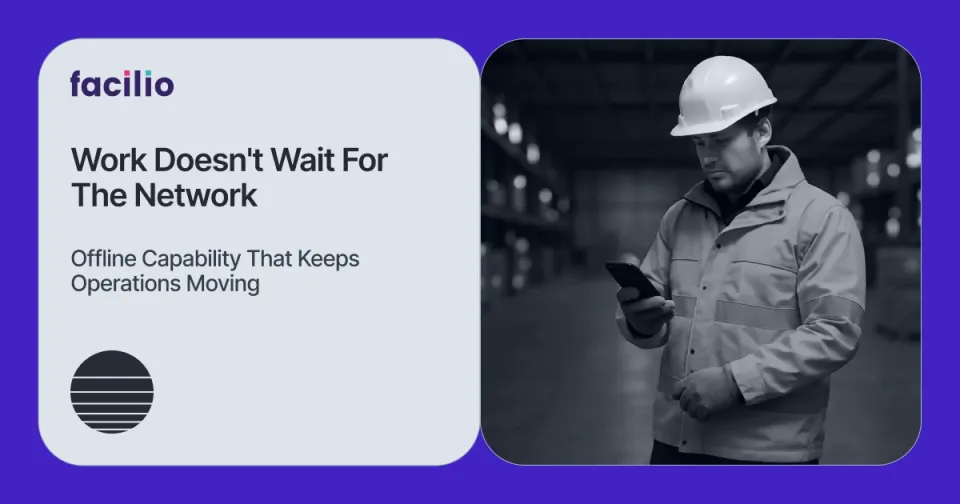

Facility teams rely heavily on mobile apps to manage daily operations, from viewing work orders to completing inspections across multiple sites. But connectivity isn’t always reliable.
Signal drops in basements, equipment rooms, and remote areas are common, and work can’t pause every time the network does.
This is why offline capability has become essential in a modern CMMS mobile app. Technicians need to keep capturing updates, completing checklists, and recording progress without waiting for the internet to catch up.
And organizations need confidence that all this data will remain accurate and sync back seamlessly once the device reconnects.
To understand why this matters and how Facilio enables it, let’s start with the broader challenge behind staying productive in low-connectivity environments.
The connectivity challenge in facility operations
Connectivity gaps create operational risks that go beyond temporary inconvenience.
Here’s what they mean for organizations:
- SLA Tracking: Inconsistent updates make it harder to measure response times and task completion accurately.
- Compliance: Missing or delayed inspection data can lead to gaps in audit trails and regulatory reporting.
- Operational Visibility: Supervisors lose real-time insight into what’s happening across sites, leading to misalignment and delays in decision-making.
- Customer Expectations: Service quality becomes unpredictable when field teams can’t log work consistently.
- Scalability: Large, distributed portfolios face even more variation in connectivity, making uptime unreliable.
These impacts make offline capability in a CMMS mobile app non-negotiable. Work needs to continue smoothly, and data needs to stay intact, regardless of where the technician is.
How offline capability works in a mobile CMMS Software
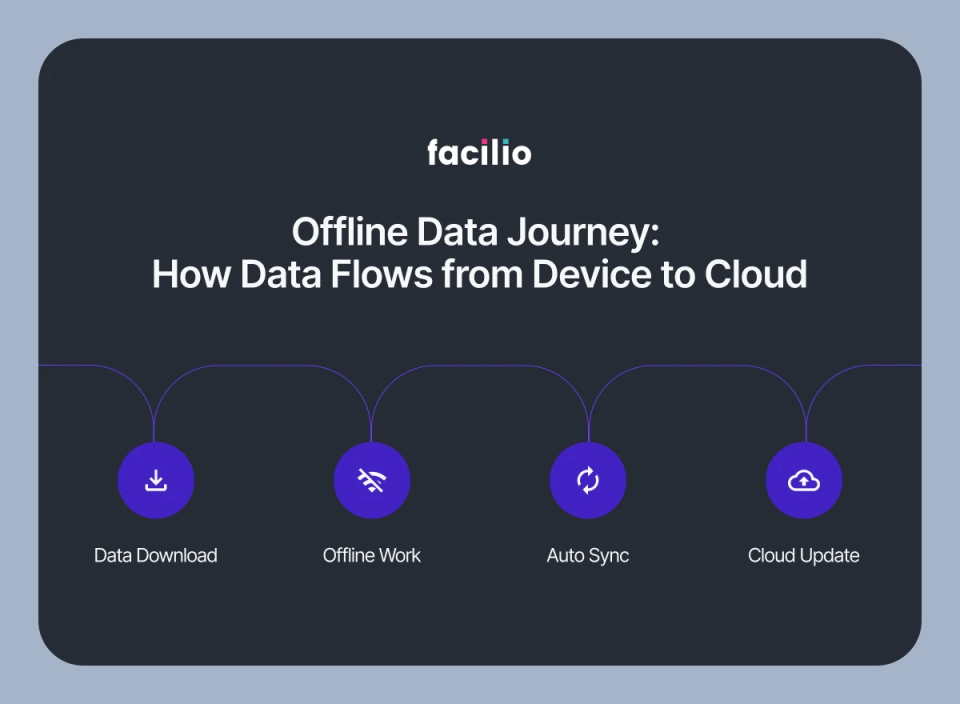
Offline capability enables the mobile app to function reliably even when the network isn’t available. At a high level, here’s how it works:
- Relevant data is preloaded onto the mobile device before the technician enters a low-connectivity area.
- The app continues to function normally offline, allowing updates, checklists, notes, and progress to be recorded without interruption.
- All activity is stored securely on the device until the connection returns.
- Everything syncs automatically once the device is back online, updating the cloud and keeping all records consistent.
- No manual actions are required, ensuring the workflow stays smooth and predictable.
This creates a seamless experience where work continues, and the system stays accurate, regardless of connectivity.
How Facilio enables offline support in the mobile CMMS app
What makes Facilio’s offline support different is not just that it works without connectivity; it’s how intentionally it’s designed for real-world facility operations.
Instead of downloading everything or relying on a basic cache, Facilio uses a briefcase-style model that prepares only the most relevant work data ahead of time.
Facilio uses a briefcase-style model to prepare only the most relevant work data ahead of time.
Here, instead of downloading everything, the app stores a curated set of work orders, inspections, and key details that a technician is likely to need on-site. This keeps the mobile experience fast, focused, and reliable, ensuring essential information is always available even when connectivity isn’t.
This keeps the app responsive, ensures technicians always have the information they need, and avoids unnecessary load on the device.
Facilio’s briefcase approach focuses on:
- Relevance over volume: Only essential work orders, inspections, and supporting details are stored, keeping the experience clean and efficient.
- Consistency across sites: The offline flow behaves predictably whether the technician is in a basement, plant room, or remote asset location.
- Reliable data handling: Updates captured offline are organized and synced back to the cloud in a structured and dependable way.
- A smoother experience than typical CMMS apps: Most tools offer offline mode as a fallback. Facilio treats it as a core part of the mobile experience, ensuring stability instead of compromise.
By tailoring offline support to the realities of field work, Facilio reduces friction, protects data integrity, and helps teams stay productive in any environment, not just ideal network conditions.
Facilio’s offline-first design philosophy: How unique is it?
Facilio’s offline capability is built on an offline-first approach, meaning the mobile app is designed to remain dependable even when connectivity isn’t.
Instead of treating offline use as a fallback, the system prioritizes stability and clarity in every scenario.
This approach includes:
- Smart caching: Only the most relevant data is stored, keeping the app fast and uncluttered.
- Delta sync: The app syncs only what has changed, making updates quicker and more efficient.
- A stable mobile architecture: Designed to handle real-world environments where connectivity fluctuates.
- A field-oriented mindset: Every part of the experience supports technicians who move across diverse sites and signal conditions.

With this foundation in place, offline capability becomes more than a convenience — it becomes a dependable part of everyday operations.
What changes once teams can work without connectivity limits
When technicians no longer have to worry about losing signal, the entire operation benefits. Here’s what teams experience:
- Work keeps moving, even in areas with poor or no connectivity, with a far better mobile workforce management.
- Data stays complete and consistent, without gaps or missing updates.
- Inspections and work orders are finished on time, not delayed by network issues.
- Supervisors get clearer visibility, with accurate information flowing back into the system.
- Compliance improves because records are captured properly the first time.
- Teams stay focused, without switching between offline notes and the CMMS.
- Service quality becomes more predictable across all sites and all technicians.
In short: work becomes smoother, reporting becomes stronger, and the entire operation becomes easier to manage — regardless of network conditions.
How Facilio keeps your operations moving, online or offline
Offline capability ensures that work continues smoothly, even when connectivity doesn’t. It keeps operations reliable, helps technicians stay productive, and protects the accuracy of every work order and inspection. With the right data captured at the right time, organizations gain stronger visibility, better compliance, and more consistent service across all sites.
Facilio brings this to life with an offline approach designed for real field conditions — stable, intentional, and built to keep teams moving without disruption.
See Facilio’s offline capability in action.
Check out a demo and explore how your teams can stay productive anywhere.
Schedule a Live DemoAbout the Author

More from Facilio