 Connected CMMS

 Connected Buildings
 Connected Refrigeration


 Download ebook

 Read case study


 Watch now


 Retail
 Healthcare
 FM Services
 Commercial Portfolios
 Corporate Facilities
 Education
 Data-driven Portfolio Ops
 Facility Management Software
 360° Asset Lifecycle
 Continuous Sustainability

 Blogs
Blogs
 Help docs
 Knowledge Hub
 ROI Calculator
 Ebooks & Guides
 Webinars
 Case studies


 About us
 Newsroom
 Careers
 Contact us
 Partners
 Events



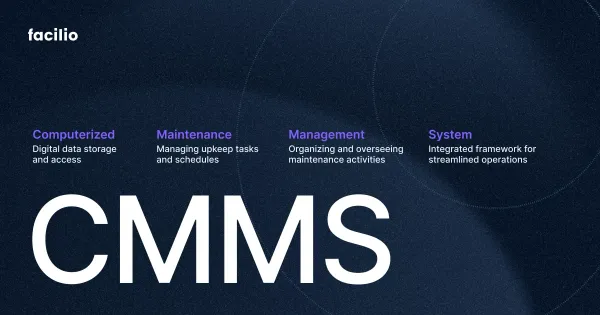
A CMMS (computerized maintenance management system) is software that centralizes maintenance information and automates the work of keeping physical assets running. It typically manages work orders, preventive maintenance schedules, asset records, spare-parts inventory, and reporting from one system, so teams can shift from reactive repairs to planned, data-driven upkeep rather than firefighting.
The category is also large and growing: MarketsandMarkets projects the CMMS market will grow from USD 1.54 billion in 2026 to USD 2.67 billion by 2032, a 9.6% compound annual growth rate, as more operators retire spreadsheets and paper logs. A purpose-built CMMS software platform is what makes that shift practical at any scale.
What does CMMS stand for?
CMMS stands for computerized maintenance management system. In plain terms, it is the digital system of record for everything maintenance related: what assets you own, what work has been done on them, and what needs doing next.
The acronym expands the same way across every industry, and you will see the full term used interchangeably with the short form. Several related labels describe the same software with slightly different wording:
| You may see | What it means |
|---|---|
| CMMS | Computerized maintenance management system (the standard term) |
| Computerized maintenance management software | The software itself, same meaning |
| Computer-aided or computer-based maintenance management system | Older phrasings for the same concept |
| Maintenance management system | A shorthand that usually refers to a CMMS |
If you want a broader starting point on the discipline itself, see the overview of maintenance management, which frames where a CMMS fits within the wider practice.
What is a CMMS? A fuller definition
A CMMS is a central platform that plans, tracks, and records maintenance across equipment, facilities, vehicles, and infrastructure. It replaces paper logs, whiteboards, and spreadsheets with one connected source of truth that every stakeholder can rely on.
Where a spreadsheet goes stale the moment a technician closes a job, a CMMS keeps the record live. A request becomes a tracked work order, the technician logs parts and labor against the correct asset, and that history feeds future scheduling and budgeting. The result is fewer surprises, clearer accountability, and a defensible audit trail.
At the operational level, a CMMS is where facility maintenance actually gets coordinated day to day, and it usually sits inside a broader facility management software stack that also covers space, compliance, and finance.
Signs you need a CMMS
You likely need a CMMS when maintenance has outgrown spreadsheets, memory, and group chats, and work starts slipping through the cracks. The symptoms are consistent across industries.
Common signals include:
- Work orders live in too many places: Requests arrive by email, text, and verbal handoff, and some are simply forgotten.
- Maintenance is mostly reactive: The team spends its days fixing breakdowns instead of preventing them.
- Asset history is missing: Nobody can say when a pump was last serviced or what it has cost over its life.
- Parts run out at the worst time: A critical repair stalls because the spare is not in stock.
- Audits are painful: Pulling compliance records for an inspection takes days of searching.
- Reporting is guesswork: Leaders cannot answer basic questions about downtime, cost, or SLA performance.
The jump from a spreadsheet to a system is the most common first move, and the trade-offs are laid out in this comparison of CMMS vs Excel. For teams responsible for physical premises, the same pain shows up in day-to-day building maintenance, where a missed task can mean a safety or tenant issue.
How does a CMMS work?
A CMMS works by turning every maintenance need into a tracked work order, routing it to the right person, and capturing the data when the job closes. That data then drives preventive scheduling, reporting, and smarter decisions over time.
The everyday lifecycle looks like this:
- Request intake: A fault, inspection finding, or occupant request enters the system through a portal, email, QR scan, or sensor alert.
- Work order creation: The request becomes a work order with the asset, location, priority, and instructions attached.
- Assignment and prioritization: The system routes the work order to a technician or vendor based on skills, availability, and urgency.
- Execution on mobile: The technician receives the job, follows checklists, and logs time, parts, and photos from the field, even offline.
- Close-out and costing: The work order closes with labor hours, parts used, and notes recorded against the asset.
- Reporting and analytics: Closed work feeds dashboards and KPIs so managers can see trends, costs, and compliance.
- Preventive scheduling: The CMMS automatically generates the next round of recurring tasks by date, usage, or condition.
A simple way to picture the flow:
A worked example
Picture a rooftop chiller that trips a high-temperature alarm. In a reactive shop, someone notices when a floor gets warm, calls it in, and the team scrambles. In a CMMS-run operation, the alarm or a tenant request opens a service request that converts to a work order automatically, tagged to the chiller asset with its manuals and warranty attached.
The system routes it to the on-call HVAC technician by skill and location. The technician arrives with the asset history on a phone, replaces a failed sensor, logs the part and ninety minutes of labor, and closes the job. The chiller record updates, the dashboard reflects the downtime, and the next preventive inspection is already scheduled. The request-to-resolution trail, often handled as a maintenance ticketing system, is captured end to end.
The strongest systems extend this loop so routine routing and approvals happen automatically. See how CMMS workflow automation removes the repetitive steps, and how a mobile CMMS app keeps technicians productive when connectivity drops.
Core features and functions of a CMMS
A CMMS brings several maintenance functions into one platform, and most mature systems share the same core set. These are the capabilities that define the category.
| Feature | What it does | Why it matters |
|---|---|---|
| Work order management | Creates, assigns, tracks, and closes maintenance tasks | Gives every job an owner and an audit trail |
| Preventive maintenance | Schedules recurring tasks by date, usage, or condition | Catches issues before they cause downtime |
| Asset management and registry | Holds each asset location, history, warranty, and specs | Supports repair-or-replace decisions |
| Inventory and spare parts | Tracks stock levels, usage, and reorder points | Prevents stockouts and overstocking |
| Reporting and KPIs | Measures MTBF, MTTR, PM compliance, cost per asset | Turns maintenance data into decisions |
| Mobile access | Lets technicians work and close jobs in the field | Keeps work moving without a desk |
| Vendor and contractor management | Tracks subcontractors, SLAs, and compliance | Holds external partners accountable |
Work order management:
Work order management is the heart of any CMMS. It creates, assigns, prioritizes, and closes each repair or service task, with a work order software layer that captures labor, parts, and photos against the right asset. Priority-based routing makes sure an urgent safety issue jumps ahead of routine work, and pre-defined workflows handle reactive maintenance the moment a breakdown is reported.
Preventive maintenance scheduling:
Preventive maintenance generates recurring tasks automatically, so equipment is serviced before it fails. Schedules trigger by calendar (every 90 days), by usage (every 500 operating hours), or by condition. Teams that formalize preventive maintenance move work away from emergencies and toward planned, lower-cost upkeep, managed through dedicated preventive maintenance software.
Asset management and registry:
The asset registry records every piece of equipment with its location, specifications, warranty, and full service history, organized as an asset hierarchy from site down to component. QR-code or barcode tagging, handled through QR code asset tracking software, lets a technician scan a unit and pull up its equipment maintenance log on the spot. That history is what makes repair-or-replace calls defensible.
Inventory and spare-parts management:
A CMMS tracks maintenance, repair, and operations (MRO) inventory: stock levels, reorder points, and which parts were consumed on which job. Connecting parts to work orders, as inventory management with a CMMS shows, prevents both stockouts and dead stock. Dedicated parts and inventory management software extends this to stock requests, while procurement automation software turns a low-stock alert into a purchase order without manual chasing.
Reporting and KPIs:
Reporting converts raw activity into metrics that managers act on: mean time between failures (MTBF), mean time to repair (MTTR), PM compliance, uptime versus downtime, and maintenance cost per asset. No-code dashboards let a facility director answer a cost or SLA question without waiting on IT. These numbers reveal where to invest and where risk is building.
Mobile and inspections:
Mobile work orders let technicians receive jobs, follow checklists, scan codes, attach photos, and log time from the floor. The same mobile foundation powers inspection management software for safety rounds and audits, so a failed inspection item can raise a corrective work order instantly.
Vendor, contractor, and field service:
Most operations rely on outside trades for specialist work. A CMMS tracks subcontractor performance, SLAs, insurance, and licenses through vendor management software, so accountability does not break where in-house work ends. For dispersed teams, field service management software adds smart dispatch by skill, availability, and location.
Key CMMS metrics (KPIs) explained
A CMMS earns its keep by turning maintenance activity into a handful of metrics that leaders trust. These KPIs are the language of a well-run maintenance program.
| KPI | What it measures | How it is calculated |
|---|---|---|
| MTBF (mean time between failures) | Asset reliability | Total operating time / number of failures |
| MTTR (mean time to repair) | Repair speed | Total repair time / number of repairs |
| PM compliance | Discipline of planned work | PMs completed on time / PMs scheduled, as a % |
| Maintenance backlog | Work waiting to be done | Outstanding work hours / available weekly hours |
| Planned maintenance ratio | Proactive vs reactive balance | Planned work hours / total work hours |
| OEE (overall equipment effectiveness) | Productive asset capacity | Availability x Performance x Quality |
Read together, these tell a story: rising MTBF and PM compliance with falling MTTR and backlog is a program moving from reactive to proactive. Tracking them over time is the basis of asset performance management, where maintenance data informs capital and reliability strategy rather than just closing tickets.
Reactive vs preventive vs predictive maintenance
A CMMS supports every maintenance strategy, from fixing things after they break to predicting failures before they happen. Understanding the spectrum explains what a CMMS is actually optimizing toward.
| Strategy | Trigger | Trade-off |
|---|---|---|
| Reactive / corrective | After a failure | Low planning effort, high downtime and cost |
| Preventive (time or usage based) | A fixed schedule | Predictable, but can over-service healthy assets |
| Condition-based | A measured condition threshold | Efficient, needs sensors and data |
| Predictive | A forecast of likely failure | Highest uptime, needs analytics maturity |
At one end sits corrective maintenance, including unplanned breakdown maintenance where repairs happen only after something fails. Moving up the ladder, planned maintenance and proactive maintenance formalize work before failure, while condition-based maintenance and predictive maintenance use live signals and analytics to act only when an asset genuinely needs attention.
Broader frameworks sit on top of these tactics. Reliability-centered maintenance matches the right strategy to each asset by criticality, and total productive maintenance brings operators into daily upkeep. A CMMS is the system that makes any of these repeatable at scale.
Benefits of a CMMS
A CMMS pays off by cutting downtime, extending asset life, and giving managers data they can defend in a budget meeting. The benefits compound as more history accumulates.
| Benefit | What changes |
|---|---|
| Less unplanned downtime | Preventive and condition-based work catches failures early |
| Longer asset life | Consistent servicing protects capital equipment |
| Lower maintenance cost | Planned work costs less than emergency repairs |
| Compliance and audit readiness | Every task is logged with dates, parts, and sign-off |
| Higher technician productivity | Mobile work and clear priorities reduce wasted trips |
| Better decisions | KPIs and asset history replace guesswork |
Compliance is a benefit worth calling out. Maintenance and inspection records are exactly what safety regulators expect to see, and the U.S. Occupational Safety and Health Administration ties many standards to documented upkeep of equipment. A CMMS produces that evidence as a by-product of daily work rather than a scramble before an audit. For a fuller treatment, see this breakdown of the benefits of a CMMS and the specific gains from a formal preventive maintenance program.
The cost of staying reactive
The business case for a CMMS is usually the cost of not having one, because unplanned downtime and emergency repairs are far more expensive than planned work. The numbers at industry scale are stark.
Deloitte has estimated that unplanned downtime costs industrial manufacturers roughly USD 50 billion a year, and the U.S. Department of Energy FEMP O&M Best Practices Guide reports that structured operations and maintenance programs can save 5% to 20% on operating costs without major capital spend.
A simple worked example makes it concrete. Suppose a critical asset suffers eight hours of unplanned downtime a month, and each hour of lost output and emergency response costs USD 1,000:
- Reactive cost: 8 hours x USD 1,000 x 12 months = USD 96,000 a year in downtime alone.
- Shift to planned work: If a preventive program cuts that downtime by half, the operation recovers around USD 48,000 a year, before counting longer asset life and lower overtime.
These figures are illustrative, not a guarantee, but they show why reducing reactive work is the fastest payback a maintenance team can point to.
Types of CMMS
CMMS platforms differ mainly by how they are deployed and how they fit into the wider software stack. Choosing the right type depends on scale, IT resources, and integration needs.
| Type | Best suited for | Trade-off |
|---|---|---|
| Cloud or SaaS CMMS | Most teams, multi-site operations | Subscription cost, needs connectivity (offline mobile mitigates this) |
| On-premise CMMS | Highly restricted IT environments | Higher upfront cost, slower upgrades, heavy IT dependency |
| Standalone CMMS | Maintenance-focused teams | May need integration to reach finance or building systems |
| CMMS module inside an EAM | Asset-intensive enterprises | Broader scope, often heavier to configure |
Cloud deployment is now the default for most buyers because it removes server maintenance, speeds up rollout, and makes multi-site and mobile use straightforward. Mobile-first access matters as much as the deployment model, since a tool only helps if technicians actually use it in the field. The deeper distinction, between a standalone CMMS and a broader asset platform, is covered next.
CMMS vs EAM vs IWMS vs CaFM
A CMMS focuses on maintenance operations, while EAM, IWMS, and CaFM each widen the scope to adjacent parts of asset and facility management. The terms overlap, which is why buyers confuse them.
| System | Primary focus | Scope |
|---|---|---|
| CMMS | Maintenance operations and work orders | Day-to-day upkeep of assets |
| EAM (enterprise asset management) | Full asset lifecycle | Procurement, operation, maintenance, depreciation, disposal |
| IWMS (integrated workplace management system) | Workplace and real estate | Space, leases, projects, plus maintenance |
| CaFM (computer-aided facility management) | Facility operations | Maintenance, space, and services, a term common in UK and Middle East markets |
In short, a CMMS is the maintenance core. Enterprise asset management software extends that core across the entire asset lifecycle, and IWMS or CaFM layer broader facility functions on top.
For the two most-confused options, the side-by-side on CMMS vs EAM and the definition of what is EAM clear up where maintenance ends and lifecycle management begins. On the facility-management side, see what is CaFM, the difference between CaFM and CMMS, and IWMS software. The international standard for managing assets across their lifecycle, ISO 55000, underpins the EAM view of this picture.
Who uses a CMMS?
A CMMS is used by any organization where equipment downtime or asset neglect is costly. That spans manufacturing, facilities, healthcare, and far beyond.
| Industry | Typical use |
|---|---|
| Manufacturing | Production line uptime and equipment reliability |
| Facilities management | Multi-building upkeep and SLA delivery |
| Healthcare | Compliance and uptime of critical equipment |
| Education | Campus-wide maintenance and safety |
| Retail | Refrigeration, store equipment, multi-site rollouts |
| Data centers | Mission-critical reliability and cooling |
The common roles are maintenance managers, facility directors, operations leaders, and the technicians who close the work, and a CMMS often sits alongside broader facility management tools in these settings.
Non-negotiables differ by context. Teams running healthcare facilities prioritize clinical uptime and compliance, education campuses juggle safety across many buildings, retail chains depend on refrigeration set points, and data centers demand mission-critical reliability. Owners of commercial real estate portfolios and FM service providers use a CMMS to prove transparency and hold SLAs across dozens of sites at once.
What does a CMMS look like?
In practice, a CMMS is a set of connected screens: a work order queue, a preventive maintenance calendar, an asset record, and a KPI dashboard. Each view answers a different question for a different person.
- Work order view: A live list of open, in-progress, and overdue jobs, each with an asset, priority, and owner.
- Preventive maintenance calendar: Recurring tasks laid out by date or meter reading, so nothing is missed.
- Asset record: One page per asset with location, specs, warranty, documents, and full repair history.
- KPI dashboard: Downtime, MTTR, PM compliance, and cost rolled up across one site or a whole portfolio.
A technician mostly lives in the mobile work order, while a manager watches the dashboard. When these views share one data model, the numbers on the dashboard are only ever as current as the last closed job, which is the point of running maintenance on a connected system instead of a stack of disconnected tools.
How much does a CMMS cost?
Most modern CMMS products are priced per user, per month, so cost scales with the size of the maintenance team rather than the number of assets. Entry tiers can start low, while enterprise deployments with integrations and advanced analytics cost more.
The main cost drivers are:
- Number of users: Technicians, managers, and requesters may be priced differently.
- Feature tier: Core work orders and PM sit at the bottom, with analytics, fault detection, and automation higher up.
- Integrations: Connecting to building systems, ERP, or finance can affect price and setup.
- Implementation and data migration: Importing assets and history is a one-time effort that varies by scale.
Total cost of ownership also includes training, administration, and the opportunity cost of a slow rollout, which is why a fast, no-code deployment often beats a cheaper license that takes a year to go live. For asset-heavy operators, a CMMS also feeds longer-horizon facility capital planning software by showing which assets are nearing end of life. Because scopes vary so widely, published list prices are only a starting point, and a detailed walk-through of tiers is covered in the CMMS pricing breakdown.
How to choose and implement a CMMS
Choosing a CMMS comes down to fit with the operation, and a successful rollout follows a predictable sequence. Rushing the data step is the most common reason implementations stall.
A practical evaluation checklist:
- Does it match the way the team actually works, including mobile and offline needs?
- Can it schedule preventive maintenance by date, usage, and condition?
- Does it integrate with building systems, ERP, and finance without heavy coding?
- Is reporting configurable without waiting on IT?
- Will it scale across more sites as the portfolio grows?
A typical implementation runs in five steps:
- Asset inventory audit: Catalog equipment into a clear hierarchy.
- Standardize workflows: Define request intake, approvals, and priorities.
- Migrate data: Import assets, parts, and maintenance history.
- Train the team: Get technicians logging time and closing jobs on mobile.
- Monitor and refine: Use KPIs to tune PM intervals and workloads.
Common pitfalls to avoid
Most failed rollouts share the same causes: dumping in dirty asset data, over-engineering workflows before anyone is trained, and treating go-live as the finish line instead of the start. The human side matters as much as the software, and good CMMS change management keeps technicians bought in rather than quietly reverting to paper.
For a deeper walk-through, see the CMMS implementation guide, and plan early for CMMS integrations with the systems the team already uses.
The modern, connected, AI-driven CMMS
The newest generation of CMMS moves beyond a passive system of record into a connected platform that keeps operations moving. Instead of only storing data, it reads live equipment signals, predicts problems, and automates the busywork around each work order.
Legacy CMMS was built to log maintenance and little else. It needed IT support for every integration, offered rigid reporting, and often took a year or more to implement, which is why many teams feel the era of legacy CMMS is over. A connected approach is different by design, and it rests on three shifts:
- People: Executives, technicians, occupants, clients, and vendors all engage through web, mobile, and self-service portals, rather than maintenance operating in a silo.
- Processes: Workflows automate across operations with no-code configuration, so a change does not require a developer.
- Systems: A CMMS connects to the building management system (BMS), HVAC, energy, security, ERP, and finance, on the principle of connect and unify rather than rip and replace.
On top of that foundation, a connected CMMS adds the capabilities legacy tools lack:
- IoT and BMS integration feeds live sensor data straight into the maintenance workflow.
- Condition-based and predictive maintenance trigger work from real asset condition, supported by predictive maintenance software and fault detection and diagnostics.
- Multi-site and portfolio operations use a digital twin to monitor a whole estate or drill to a single asset.
- AI work-order triage intakes, triages, and routes requests automatically. Facilio delivers these through its Atom AI assistants (announced early 2026, with capabilities rolling out across the platform).
This is the category Facilio pioneered as a Connected CMMS, explained in the story of why the team built the first Connected CMMS. As of 2026, Facilio reports outcomes such as 97% SLA adherence and up to 40% reduction in asset downtime across customer deployments, including portfolio operators like Investa (verify current figures against the live case study before reuse). For teams weighing the shift, this is the practical difference between a system that records maintenance and one that helps run it.
Frequently asked questions
What is a CMMS, and what does CMMS stand for?
A CMMS is a computerized maintenance management system: software that centralizes work orders, preventive maintenance, asset records, and spare parts so teams can plan upkeep instead of reacting to breakdowns.
What is CMMS software?
CMMS software is the application that runs maintenance operations from one place. It manages work orders, schedules preventive maintenance, tracks assets and parts, and reports on KPIs like MTTR and PM compliance.
How does a CMMS work?
A CMMS turns each maintenance need into a tracked work order, routes it to the right technician, captures parts and labor at close-out, then uses that data to schedule preventive tasks and report on performance.
What is an example of a CMMS system?
A CMMS typically appears as a work order queue, a preventive maintenance calendar, an asset record, and a KPI dashboard, used across manufacturing plants, hospitals, retail chains, and commercial real estate.
Is SAP a CMMS or an ERP?
SAP is an ERP suite with asset and plant maintenance modules (EAM), not a standalone CMMS. It manages the broader asset lifecycle, whereas a dedicated CMMS focuses on day-to-day maintenance operations.
What is the difference between a CMMS and EAM?
A CMMS manages maintenance operations and work orders. EAM covers the full asset lifecycle, from procurement and depreciation to disposal, with CMMS functionality as one component.
What are the main KPIs a CMMS tracks?
The core metrics are MTBF (reliability), MTTR (repair speed), PM compliance, maintenance backlog, planned maintenance ratio, and overall equipment effectiveness (OEE).
Can a CMMS work offline?
Yes. A modern CMMS uses an offline-first mobile app, so technicians can view jobs, log time, and close work orders in basements or remote sites, then sync automatically when a connection returns.
How much does a CMMS cost?
Most CMMS products are priced per user, per month. Cost depends on the number of users, the feature tier, required integrations, and one-time implementation and data migration effort.
What is the best CMMS software?
The right choice depends on team size, asset count, integrations, and budget. Compare named platforms, strengths, and limitations in the best CMMS software roundup.