Connected CMMS

 Connected Buildings
 Connected Refrigeration


 Download ebook

 Read case study


 Watch now


 Retail
 Healthcare
 FM Services
 Commercial Portfolios
 Corporate Facilities
 Education
 Data-driven Portfolio Ops
 Facility Management Software
 360° Asset Lifecycle
 Continuous Sustainability

 Blogs
Blogs
 Help docs
 Knowledge Hub
 ROI Calculator
 Ebooks & Guides
 Webinars
 Videos
 Case studies


 About us
 Newsroom
 Careers
 Contact us
 Partners
 Events


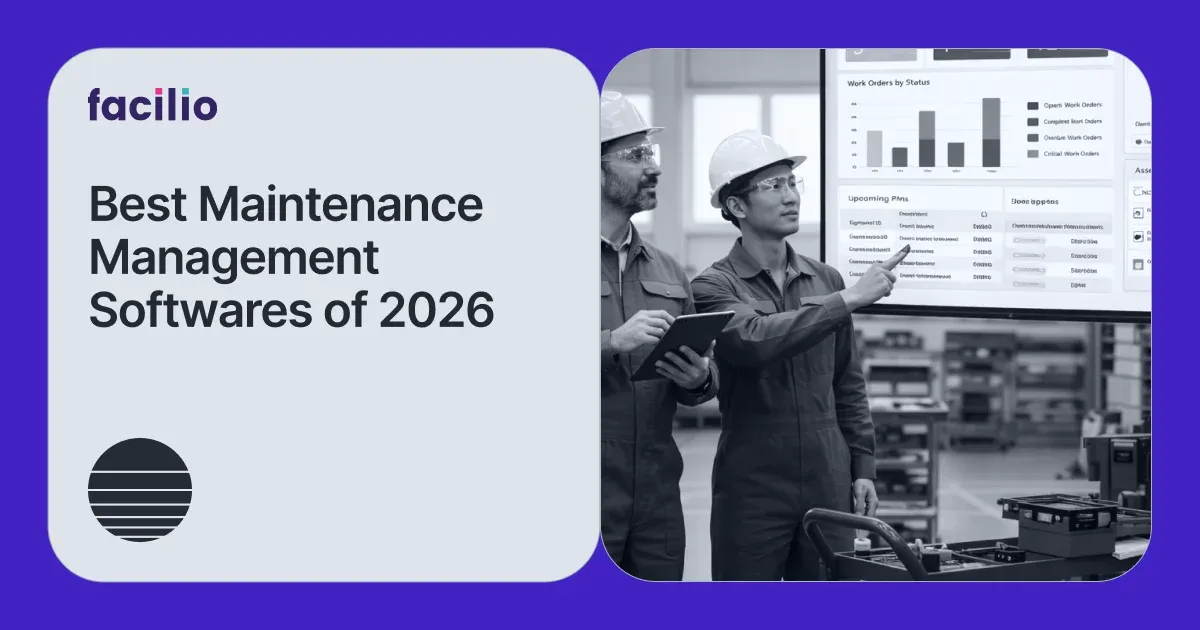

The best maintenance management software in 2026 are 1. Facilio, 2. MaintainX, 3. Limble, 4. UpKeep, 5. IBM Maximo, 6. eMaint, 7. Fiix, 8. Maintenance Connection, 9. ServiceChannel, 10. Corrigo, and 11. Fracttal.
That single ranked line hides the most important decision you will make, though. "Maintenance management software" is really two different products wearing one name. One is built for the plant floor: technicians, spare parts, and heavy equipment on a single site. The other is built for buildings: work orders, vendors, and building systems spread across a whole portfolio. Pick from the wrong half and you will buy a tool your team quietly stops using.
The eleven platforms below are ranked and reviewed, grouped by the kind of operation each one actually serves. Facilio leads for connected, multi-site building operations, and every other tool gets an honest strength and a sourced limitation so you can match the software to your reality.
Top 11 maintenance management software in 2026
- Facilio: Connected CMMS (Computerized Maintenance Management System) that layers over existing building systems, unifying multi-site work orders, vendor SLAs, and native BMS/IoT data on one no-code platform.
- MaintainX: Mobile-first CMMS praised for fast technician adoption, in-app messaging, QR scanning, and quick rollout for deskless frontline teams.
- Limble: Flexible mid-market CMMS strong on preventive maintenance scheduling, custom asset hierarchies, and transparent onboarding.
- UpKeep: Mobile CMMS focused on work orders, parts inventory, and asset lifecycle tracking for small maintenance teams.
- IBM Maximo: Enterprise asset management (EAM) suite (now Maximo Application Suite) for heavy industry, utilities, and complex regulated asset lifecycles.
- eMaint: Configurable CMMS by Fluke Reliability with condition-based monitoring through Fluke vibration and sensor hardware.
- Fiix: Cloud CMMS by Rockwell Automation covering core asset management, PM scheduling, and manufacturing integrations.
- Maintenance Connection: Accruent CMMS/EAM aimed at mid-to-large asset-intensive operations across manufacturing and healthcare.
- ServiceChannel: Vendor and contractor management platform built for retail and multi-location service orchestration.
- Corrigo: JLL Technologies work order and vendor platform for outsourced, contractor-heavy facilities portfolios.
- Fracttal One: Cloud, AI-assisted CMMS with a strong presence in Latin America and Europe for asset-intensive teams.
Maintenance management software helps organizations plan, schedule, and track maintenance work across assets and facilities, replacing spreadsheets, email, and disconnected point tools with one system for work orders, preventive maintenance, asset history, inventory, and compliance. The right choice depends less on the feature checklist and more on what you maintain: a factory full of machines, or a portfolio full of buildings.
What is a maintenance management system?
A maintenance management system is software that centralizes how a team requests, plans, assigns, executes, and reports on maintenance work. In practice most buyers use the term interchangeably with a CMMS, the computerized maintenance management system that automates work orders, preventive maintenance schedules, asset records, parts inventory, and maintenance history.
The core job is simple to state and hard to do well: make sure the right work happens on the right asset at the right time, and leave a trustworthy record behind. A modern maintenance management platform typically covers five things.
- Work order management: Create, assign, prioritize, and track reactive and planned jobs from request to close-out, with mobile updates from the field.
- Preventive maintenance scheduling: Trigger recurring preventive maintenance by time, meter reading, or condition so failures are caught before they happen.
- Asset tracking and history: Maintain a record of every asset, its documents, warranties, costs, and full maintenance history for repair-or-replace decisions.
- Inventory and procurement: Track spare parts, reorder thresholds, and purchase orders so a job is never stalled waiting on a part.
- Reporting and analytics: Surface KPIs like MTTR (Mean Time To Repair), PM compliance, SLA adherence, and cost per asset for the people who fund the work.
CMMS vs CaFM vs EAM vs IWMS: which one do you actually need?
Buyers get stuck here constantly, and the confusion is real enough that whole community threads exist just to untangle it. The four acronyms overlap, but they answer different questions.
| Category | What it optimizes for | Typical buyer |
|---|---|---|
| CMMS | Maintenance execution: work orders, PM, asset history, parts | Maintenance manager, FM team |
| CaFM (Computer-Aided Facility Management) | Building and workplace operations: space, occupants, services | Facilities director, workplace lead |
| EAM | Full asset lifecycle: capital planning, reliability, depreciation | Reliability/asset manager in heavy industry |
| IWMS (Integrated Workplace Management System) | Real estate, leases, space, and maintenance in one suite | Corporate real estate, large enterprise |
The lines blur in modern platforms. A connected CMMS like Facilio carries CaFM-grade building operations and asset-lifecycle depth, which is why it competes across categories rather than sitting neatly in one box. If you want the deeper breakdown, see CMMS vs EAM and the difference between CaFM and CMMS.
The two worlds of maintenance management software
Here is the distinction that decides your shortlist.
World one is asset and plant-floor maintenance. The unit of work is a machine. The buyer is a maintenance manager on a factory floor, keeping conveyors, pumps, and production lines running. Adoption by deskless technicians is everything, and the strongest tools here are mobile-first CMMS platforms like MaintainX, Limble, UpKeep, and Fiix, with IBM Maximo and eMaint at the heavy, condition-based end.
World two is facility and portfolio operations. The unit of work is a building, and there are dozens or hundreds of them. The buyer is an FM director, an operations director, or a facility management service provider answering to clients. The hard problems are different: portfolio-wide visibility, vendor and subcontractor SLAs, occupant requests, compliance across sites, and pulling live data from building management systems without ripping out what is already installed.
Most rankings quietly assume world one. If you live in world two, the generic "best maintenance software" list will steer you wrong, because the tools that win on the plant floor were never built to run a property portfolio. This is exactly where the connected CMMS category, led by Facilio, separates from the pack.
The legacy operating model made this worse. Traditional maintenance software was a system of record: a place to log work orders and store an asset list, with rigid workflows, reporting locked to the vendor, and any integration requiring IT and a long project. It captured what happened. It did nothing to keep operations moving. The shift now underway is from that static record toward a connected platform that unifies people, processes, and building systems, and increasingly acts on the data rather than just storing it.
Image alt text: Two-column diagram comparing plant-floor maintenance software (single site, machines, technicians) with facility portfolio operations (many buildings, vendors, BMS integration) unified by a connected maintenance management platform.
Comparing the top 11 maintenance management platforms for 2026
The table groups the roster by category so you compare like with like. Pricing figures are as reported by third-party sources (G2, Capterra, and vendor pages) as of September 2026 and should be confirmed with each vendor, since several publish quote-based pricing only.
| Platform | Category | Best for | Standout strength | Honest limitation | Pricing model |
|---|---|---|---|---|---|
| Facilio | Connected CMMS | Multi-site building portfolios | Native BMS/IoT integration and no-code portfolio operations | Built for portfolios, so a single-site SMB may not need its depth | Quote-based |
| ServiceChannel | Connected/vendor | Retail and multi-location service | Vendor performance scoring and dispatch | Retail-shaped; lighter on smart-building analytics | Quote-based |
| Corrigo | Connected/vendor | Outsourced, contractor-heavy portfolios | Contractor network, compliance, invoice validation | Tuned to the JLL ecosystem; BMS via middleware | Quote-based |
| IBM Maximo | Legacy EAM | Heavy industry and complex assets | Deep asset lifecycle and predictive maintenance | Steep learning curve; high total cost; dated UX | License + implementation (from ~$3,150/mo reported) |
| eMaint | Legacy/EAM-adjacent | Condition-based industrial maintenance | Fluke sensor integration for CBM | SMB-scoped config; storage fees; limited portals | ~$69–$120/user/mo + storage |
| Maintenance Connection | Legacy/EAM-adjacent | Mid-large asset-intensive teams | Configurable asset and work management | Dated interface; higher per-seat cost | ~$110/user/mo (Professional) |
| MaintainX | SMB/mobile-first | Deskless technician adoption | Category-leading mobile app and messaging | Opaque pricing; thin customization; no occupant portal | Free; ~$21–$65+/user/mo |
| Limble | SMB/mobile-first | Preventive-maintenance-heavy teams | Flexible PM and transparent onboarding | Limited enterprise multi-site config and portals | ~$28–$75/user/mo |
| UpKeep | SMB/mobile-first | Small teams, parts and assets | Simple mobile work orders and inventory | Per-user model gets costly; SMB-scoped | ~$20–$75/user/mo |
| Fiix | SMB/mobile-first | Manufacturing PM and integrations | Rockwell ecosystem and core CMMS | Backlog/history hygiene; reporting limits | Free tier; ~$45–$75/user/mo |
| Fracttal One | SMB/mid-market | Asset-intensive teams (LATAM/EU) | AI-assisted CMMS, modern UI | Smaller large-enterprise footprint | From ~$25/mo reported |
The 11 best maintenance management software, reviewed
The reviews are grouped into the three tiers that actually shape a buying decision: connected and portfolio-grade platforms, legacy EAM and enterprise suites, and current-age SMB and mobile-first CMMS.
Tier 1: Connected and portfolio-grade platforms
These tools are built to run maintenance across many buildings and many stakeholders, not a single plant floor.
1. Facilio
Best for: FM service providers and real-estate owner-operators running maintenance across large, multi-site building portfolios.
Facilio is a connected CMMS, built to sit as an operating layer over the systems already in your buildings rather than replacing them. Instead of treating a work order as a static record, it pulls live data from building management systems and IoT devices, then drives maintenance, vendor, and compliance workflows across an entire portfolio from one place. That "connect and unify, do not rip and replace" approach is the reason it shows up first when the requirement is multi-site operations with real building-system integration.
Key features:
- Native BMS and IoT integration: Hardware-agnostic, two-way connectivity to HVAC, building management systems, and controllers over BACnet, Modbus, and major OEM protocols, with fault detection that can auto-trigger work orders from live telemetry.
- No-code workflow automation: Drag-and-drop stateflows let FM teams configure work order routing, escalations, and approvals themselves, without waiting on IT or developers for every change.
- Portfolio-wide work and asset management: Reactive, planned, and preventive maintenance across every site sit on one unified asset hierarchy with role-based permissions, so leadership sees the whole estate and a technician sees only their site.
- Vendor and subcontractor management: Dedicated vendor portals track induction, licences, insurance, and KPI performance, and can automatically deactivate a vendor that falls out of compliance.
- Occupant and client engagement: A branded Helpdesk and self-service portal let occupants and clients raise and follow requests, with automated escalations and status updates.
- Energy, sustainability, and predictive insight: Energy management, fault detection and diagnostics, and predictive maintenance build on the same live building data rather than a separate system.
- Inspections, audits, and compliance: Mobile inspections, audit trails, and automated compliance reporting run across the whole portfolio, which matters for regulated and multi-client operations.
- Real-time reporting and offline mobile: No-code dashboards and live SLA reporting for leadership, plus an offline-first mobile CMMS app so technicians keep working when connectivity drops.
Pros:
- Unifies fragmented building systems and disconnected point tools into one platform, which is the exact pain multi-site operators describe most.
- Connects to and unifies existing systems instead of replacing them, so you avoid a costly rip-and-replace project.
- Deploys in weeks rather than the year-plus cycles common with legacy suites, because integration is no-code.
- Serves every stakeholder, from technicians and vendors to occupants, clients, and leadership, not just the maintenance desk.
- No-code configuration means the FM team adapts the system as the operation changes, without a vendor services engagement each time.
Cons:
- Built for portfolio-scale operations, so a single-site team with a handful of assets will find more capability than it needs.
- Onboarding is a platform rollout with data migration and system integration, not a five-minute self-serve signup.
Pricing: Quote-based, tailored to portfolio size and modules. Facilio publishes a CMMS ROI calculator and a breakdown of CMMS pricing models to frame the business case.
Customer proof
Investa, one of Australia's largest commercial real-estate operators, adopted Facilio's connected approach to portfolio operations. As Paul Vandervlis, GM Facilities Services, put it, "Facilio's differentiated approach and strong references in the real estate industry convinced us that it was possible to do more with less." Limbach's Director of Product Richard Davis noted, "Facilio is a powerful tool. We're able to scale facility operations and services across large portfolio buildings effectively." Facilio was also named an innovation-driven challenger by analyst firm Verdantix.
Verdict: If you maintain buildings across sites and need real building-system integration, vendor accountability, and one source of truth, Facilio is the strongest fit on this list. If you maintain machines on one plant floor, keep reading.
2. ServiceChannel
Best for: Retail chains and multi-location operators that manage maintenance largely through outside contractors.
ServiceChannel specializes in commercial, multi-site service orchestration, with a deep vendor marketplace and machine-learning tools that score contractor performance against contract terms. For a retail or restaurant portfolio pushing most work to third parties, it offers tight control over dispatch, approvals, and cost.
Key features:
- Contractor network and dispatch: Vendor sourcing and dispatch across a large third-party network, matched to each site by location, trade, and prior performance.
- Performance scorecards: Machine-learning scorecards rate vendors against your exact contract terms, so underperformers surface before they cost you.
- Spend and approval controls: Automated work order routing, approvals, and cost rules keep multi-location service spend inside policy.
- Asset and refrigeration tracking: Equipment and refrigeration data tie back to work history, which matters for retail and food-service compliance.
- Invoice validation: Automated invoice checks and spend analytics across the estate give finance and procurement clear visibility.
Pros:
- Mature vendor and contractor governance built specifically for distributed retail and restaurant estates.
- Strong analytics on contractor performance, response times, and service spend across many sites.
- A large existing provider marketplace shortens the time to find and onboard local vendors.
Cons:
- Shaped around retail and restaurant service models, so it is lighter on smart-building analytics and in-house predictive maintenance.
- BMS and IoT connectivity is API-driven rather than native, per public product documentation, so live building-system data needs extra integration work.
Pricing: Quote-based.
3. Corrigo
Best for: Outsourced, contractor-heavy facilities portfolios that need rigorous compliance and financial governance.
Corrigo, part of JLL Technologies, is engineered for vendor-heavy maintenance coordination across distributed locations. Its strength is the Corrigo Pro Network, geo-fenced contractor check-ins, insurance verification, invoice validation, and strict SLA escalation.
Key features:
- Contractor network: The Corrigo Pro Network sources, dispatches, and manages third-party contractors across distributed portfolios.
- Compliance automation: Geo-fenced contractor check-in, insurance and licence verification, and automated invoice validation reduce manual oversight.
- SLA escalation: Milestone-based SLA tracking escalates automatically when a vendor misses a committed response or resolution time.
- Outsourced work orders: Work order management is tuned for high-volume reactive maintenance run through outside contractors.
Pros:
- Industry-strong controls over third-party contractor networks, compliance, and financial governance.
- A natural fit for portfolios already managed within the JLL ecosystem.
Cons:
- Optimized for the JLL-managed ecosystem, so integrations and workflows outside it can require custom configuration.
- BMS integration typically depends on middleware rather than native connectivity to building systems.
- Less suited to teams that run maintenance largely in-house rather than through outside contractors.
Pricing: Quote-based. See our breakdown of Corrigo CMMS pricing.
Tier 2: Legacy EAM and enterprise suites
Powerful, asset-lifecycle-deep platforms built for heavy industry. Capable, but heavy to deploy and often more than a facilities team needs.
4. IBM Maximo
Best for: Enterprise asset management in heavy industries such as utilities, oil and gas, transportation, and manufacturing.
IBM Maximo (now the Maximo Application Suite) is the established heavyweight for complex, high-value asset lifecycles, with predictive maintenance, compliance auditing, and multi-site regulatory tracking. When you are tracking multi-million-dollar equipment across international sites, few tools go deeper.
Key features:
- Asset lifecycle management: Deep lifecycle management for high-value, long-life equipment across multiple sites and countries.
- Predictive maintenance: Condition monitoring and predictive analytics driven by IoT data and IBM's analytics stack.
- Compliance and safety: Comprehensive audit, safety, and regulatory capabilities for industries like utilities and transport.
- Industry solutions: Purpose-built add-ons for oil and gas, nuclear, aviation, and transportation within the Maximo Application Suite.
- Linear and spatial assets: Reliability tooling for complex networks and linear assets such as pipelines and rail.
Pros:
- Deep, mature asset reliability tooling for the most complex, safety-critical, regulated environments.
- Scales to very large, complex enterprise deployments with thousands of users.
- Strong predictive and reliability analytics once it is fed clean asset data.
Cons:
- Steep learning curve and specialist-led implementation; maintenance practitioners on Reddit report costly renewals and true-ups and uneven support.
- Total cost of ownership runs high once licensing, implementation, and ongoing administration are added together.
- EAM depth is overkill for most facilities teams, and the interface feels dated next to modern platforms (a recurring theme in user reviews on Capterra).
Pricing: License plus implementation, from roughly $3,150/month as reported by third-party sources; not publicly listed. See our IBM Maximo review.
5. eMaint
Best for: Industrial teams that want condition-based maintenance tied to sensor hardware.
eMaint, part of Fluke Reliability, is a configurable CMMS that integrates directly with Fluke vibration and voltage sensors, making it a natural pick for condition-based monitoring on the plant floor.
Key features:
- Configurable maintenance: Work orders, preventive maintenance, and asset records that teams tailor with custom forms and fields.
- Fluke sensor integration: Native connection to Fluke vibration and voltage sensors for genuine condition-based maintenance on the plant floor.
- Dashboards and reporting: Interactive dashboards for KPIs such as PM compliance and cost per asset.
- Mobile and multi-site: Mobile access and multi-site support for technicians logging work in the field.
Pros:
- Real condition-based maintenance through the Fluke hardware ecosystem, which is rare among mid-market tools.
- Highly configurable forms and workflows that adapt to varied industrial use cases.
- Backed by Fluke Reliability, with an established support and training organization behind it.
Cons:
- Scoped for SMB-to-mid operations, so it lacks drag-and-drop stateflows and the vendor or occupant portals multi-site FM needs.
- Storage fees and per-user costs add up at scale, per third-party pricing reports.
Pricing: Roughly $69 to $120 per user per month plus storage, with enterprise custom tiers. See our eMaint review.
6. Maintenance Connection
Best for: Mid-to-large, asset-intensive operations in manufacturing and healthcare.
Maintenance Connection, an Accruent product, is a long-standing CMMS/EAM with configurable asset and work management aimed at reliability-focused teams.
Key features:
- Work and asset management: Configurable work order and asset lifecycle management for reliability-focused maintenance teams.
- Preventive and predictive: Preventive and predictive maintenance modules with condition monitoring.
- Multi-facility support: Multi-site coverage for asset-intensive industries such as manufacturing and healthcare.
- Accruent ecosystem: Integration with the wider Accruent product family for space and asset data.
Pros:
- Solid asset management depth for structured, reliability-driven maintenance programs.
- Fits regulated, asset-heavy environments that need detailed maintenance records.
Cons:
- The interface and workflows feel dated relative to newer platforms, a common note in public reviews.
- Higher per-user cost and heavier configuration than mobile-first CMMS tools.
Pricing: Around $110 per user per month for the Professional tier, with enterprise custom.
Tier 3: Current-age SMB and mobile-first CMMS
The plant-floor favorites. Fast to adopt, mobile-first, and great value for a single site, but scoped for smaller operations rather than building portfolios.
7. MaintainX
Best for: Deskless, mobile-first maintenance teams that need fast adoption.
MaintainX is the mobile-first standard-bearer, with an intuitive app, in-work-order team chat, QR scanning, and AI-assisted procedure ingestion. Technicians pick it up quickly, which is why it leads adoption-driven shortlists.
Key features:
- Mobile-first app: A highly intuitive smartphone app deskless technicians adopt quickly with little training.
- In-work-order messaging: Real-time team chat embedded directly in work orders keeps coordination in one place.
- Digital procedures: QR-code scanning, checklists, and standardized digital procedures for consistent frontline work.
- AI procedure ingestion: AI that turns manuals and documents into usable, structured maintenance workflows.
- Inventory basics: Parts inventory and basic asset management for single-facility operations.
Pros:
- Excellent technician adoption and speed to value, the metric maintenance teams cite most often.
- Strong for reactive work and standard preventive maintenance within a single facility.
- A free tier and fast rollout make it easy to trial without a long procurement cycle.
Cons:
- Higher-tier pricing is quote-gated, and users report it gets expensive as seats and sites grow.
- Thinner customization than Limble on priorities and conditional logic, a recurring theme in user reviews on G2.
- No occupant or tenant portal and limited enterprise reporting, so it does not scale to multi-site FM governance.
Pricing: Free tier; paid plans roughly $21 to $65+ per user per month. See our MaintainX review.
8. Limble
Best for: Teams that live in preventive maintenance and want flexible configuration.
Limble is consistently the best-liked mid-market CMMS, with strong PM scheduling, custom asset hierarchies, and a reputation for transparent onboarding and pricing.
Key features:
- Flexible PM: Preventive maintenance scheduling with custom asset hierarchies and trigger logic.
- Scheduling and requests: Drag-and-drop calendar scheduling, work request portals, and vendor management.
- Custom reporting: Custom dashboards with the conditional formatting users specifically call out.
- Offline mobile: A mobile app with strong offline behavior for technicians in the field.
Pros:
- Deep, flexible preventive maintenance configuration that consistently earns positive user reviews.
- Transparent pricing and onboarding, which maintenance communities repeatedly single out as a differentiator.
- Responsive support and a clean, modern interface that speeds adoption.
Cons:
- Built for single-site and mid-market use, with limited enterprise multi-site configuration and stakeholder portals.
- Less suited to portfolio-wide building-system integration than connected FM platforms.
Pricing: Roughly $28 to $75 per user per month, with enterprise custom. See our Limble review.
9. UpKeep
Best for: Small maintenance teams that need simple mobile work orders, parts, and asset tracking.
UpKeep is a clean, mobile-centric CMMS covering work orders, real-time parts inventory, and asset lifecycle basics, popular with lean teams getting off spreadsheets.
Key features:
- Mobile work orders: Mobile-first work order creation, assignment, and tracking for technicians on the move.
- Parts and inventory: Real-time parts and inventory tracking with depreciation logging.
- Asset history: Asset lifecycle basics and maintenance history for teams leaving spreadsheets behind.
- IoT alerts: Optional IoT sensor integrations for condition-based alerts.
Pros:
- Easy to learn and quick to deploy for small, single-site maintenance teams.
- A clean mobile experience that frontline technicians take to without much training.
Cons:
- The per-user pricing model draws frequent complaints about cost, especially for occasional request submitters (a recurring theme in user reviews).
- Advanced preventive maintenance, analytics, and offline features are gated to higher tiers.
- SMB-scoped, without drag-and-drop stateflows or enterprise reporting for multi-site portfolios.
Pricing: Roughly $20 to $75 per user per month. See our UpKeep review.
10. Fiix
Best for: Manufacturing teams wanting core CMMS inside the Rockwell Automation ecosystem.
Fiix, by Rockwell Automation, covers core asset management, PM scheduling, and manufacturing integrations, with a free tier that lowers the barrier to entry.
Key features:
- Core CMMS with free tier: Core asset management and preventive maintenance scheduling with a free entry-level plan.
- Rockwell integrations: Integrations with manufacturing systems and the wider Rockwell Automation ecosystem.
- AI insights: AI-assisted work order insights and asset risk prediction.
- Mobile access: Mobile logging and close-out for technicians in the field.
Pros:
- Solid, affordable core CMMS for plants running under a few hundred assets.
- Useful manufacturing and Rockwell ecosystem integrations for connected operations.
Cons:
- Users note backlogs and maintenance history can get messy over time, which erodes report quality.
- Report and form configuration is limited compared with more flexible mid-market tools.
- Not built to scale into enterprise, multi-site FM workflows.
Pricing: Free tier; paid plans roughly $45 to $75 per user per month. See our Fiix review.
11. Fracttal One
Best for: Asset-intensive teams, especially in Latin America and Europe, wanting a modern, AI-assisted CMMS.
Fracttal One is a cloud CMMS with a modern interface and AI-assisted features, with a strong regional footprint and growing adoption among mid-market asset teams.
Key features:
- Cloud, AI-assisted CMMS: A modern, mobile platform with AI-assisted maintenance features.
- Assets and IoT: Asset management, preventive maintenance, and IoT connectivity in one place.
- Localization: Multi-language support with a strong footprint across Latin America and Europe.
- Marketplace: Integrations and a marketplace for parts, sensors, and business systems.
Pros:
- Contemporary design and AI features at pricing that is accessible for mid-market teams.
- Strong regional support and localization across LATAM and EU markets.
Cons:
- Smaller large-enterprise footprint and reference base than the category leaders.
- Less depth for complex multi-site FM governance and stakeholder portals.
Pricing: From roughly $25 per month as reported; confirm current tiers with the vendor.
Best maintenance management software by use case
If you would rather start from your problem than a brand, use these buckets. Teams that mainly need to route technicians day to day can also see maintenance dispatch software.
- Best for multi-site building portfolios: Facilio, for portfolio-wide visibility and native building-system integration.
- Best for outsourced, contractor-heavy FM: Corrigo and ServiceChannel, for vendor governance and compliance.
- Best for technician adoption and mobile-first frontline: MaintainX, for the cleanest field app.
- Best for preventive-maintenance-heavy teams: Limble, for flexible PM scheduling.
- Best for parts and asset tracking on a small team: UpKeep.
- Best for enterprise EAM in heavy industry: IBM Maximo.
- Best for condition-based, sensor-driven maintenance: Fluke-backed eMaint and Rockwell-backed Fiix.
- Best for a free or low-cost start: Fiix or MaintainX free tiers.
Best maintenance management software by industry
Industry changes the non-negotiables. These pages go deep on each, so match your context and follow the one that fits.
- Healthcare and hospitals: Uptime and compliance dominate. See healthcare maintenance management software.
- Retail and multi-location: Refrigeration, vendor dispatch, and store-level SLAs. See the best CMMS for retail.
- Commercial real estate and offices: Portfolio visibility and tenant experience. See commercial property maintenance management software.
- Education and campuses: Distributed buildings on constrained budgets. See CMMS for schools.
- UK and international FM: Regional standards and terminology. See the top CMMS solutions in the UK.
King Kullen, a US grocery operator, is a useful example of the retail pattern. As VP of Engineering Stanley Mitchell described it, "With Facilio, we now have full visibility across store assets, and the real-time alerts help us stay on top of events to mitigate any potential compliance risks. All compliance processes are fully automated now."
Signs you have outgrown spreadsheets and manual tracking
Most teams do not start with software. They start with a spreadsheet, a shared inbox, and a whiteboard, and that works until it does not. The honest question is not whether a spreadsheet can technically hold your asset list. It can. The question is what it costs you when the volume grows.
You have likely outgrown manual tracking when several of these are true.
- Preventive maintenance keeps slipping. Recurring tasks live in someone's memory or a calendar reminder, and PMs get skipped whenever a reactive fire breaks out. A preventive maintenance schedule that nobody can see is a schedule that quietly fails.
- You cannot answer basic questions fast. How many open work orders are past due? What did this asset cost to maintain last year? Should we repair or replace it? If the answer takes a day of spreadsheet archaeology, the data is not working for you.
- Requests arrive five different ways. Email, text, phone, a hallway conversation, a sticky note. Nothing is prioritized, and half of it never gets logged.
- Technicians are not updating anything. Field teams will not touch a desktop spreadsheet, so completion, parts used, and time on task go unrecorded. Without mobile, offline maintenance capture, the record is always a step behind reality.
- You are managing more than one site. The moment maintenance spans multiple buildings, a per-site spreadsheet stops giving you a portfolio view, and comparing performance across locations becomes guesswork.
- Compliance is a scramble. Audits mean reconstructing history from memory and email instead of pulling a report.
The transition point is different for a single plant than for a building portfolio. On the plant floor, work order software and a mobile CMMS usually pay for themselves once you pass a few hundred assets or start missing PMs. Across buildings, the trigger is usually the second or third site, when spreadsheets can no longer give leadership one view of the whole estate. For the deeper comparison, see CMMS versus Excel and the full breakdown of the types of maintenance.
How to choose the right maintenance management system
Practitioners are refreshingly blunt about what actually matters. The loudest lesson from maintenance communities is that the tool is the easy part: implementation, process, and clean data decide whether it sticks. Weigh these criteria against your reality.
- Technician adoption and mobile experience: If the field team will not use it, nothing else matters. Test the mobile app with real technicians, including offline conditions.
- Total cost and pricing transparency: Per-user models can balloon, especially when you add request submitters. Get the all-in number, not the headline seat price.
- Fit for your size and asset count: Below a few hundred assets on one site, an enterprise platform is overkill. Across many buildings, an SMB tool will hit a wall on portfolio management.
- Implementation effort and process readiness: A CMMS amplifies the process you already have. Fix the process, then buy the software.
- Multi-site management from one dashboard: If you run a portfolio, insist on a unified asset hierarchy and role-based permissions across sites, not one login per building.
- Data migration and lock-in: Confirm you can import your maintenance history and export it later. Do not trade one silo for another.
- Trustworthy reporting: Reports are only as good as the data. Look for validation, mobile capture, and integrations that reduce manual entry.
- Integration with existing systems: For facilities teams, native BMS and IoT integration via BACnet, Modbus, and open APIs is the difference between live operations and a static logbook.
For a structured approach, our CMMS evaluation guide turns these into a scored buyer checklist, and what condition-based maintenance really requires is worth reading before you pay for sensors.
Implementation and adoption: where maintenance software succeeds or fails
Ask maintenance professionals what went wrong with their last tool and almost nobody blames the feature list. They blame the rollout. The most repeated advice in maintenance communities is that the software is the easy part, and implementation, adoption, and data discipline decide whether it delivers. Three things make the difference.
Start with the process, not the platform. A system inherits whatever process you feed it. If PMs are undefined and assets are unnamed, the software will make the mess faster, not cleaner. Define your asset hierarchy, your PM cadence, and your priority rules first. A structured rollout, covered in our CMMS implementation guide, beats a rushed launch every time.
Win technician adoption or nothing else matters. The single most common failure mode is a tool the field team quietly abandons because it is slow, cluttered, or desktop-bound. Test the mobile app with real technicians before you buy, keep data entry to a few taps, and involve the people who will use it daily. Managing that human side well, the focus of CMMS change management, is what separates a system that sticks from shelfware.
Protect data quality from day one. A frequent complaint is that after a year, run hours are wrong, PMs get closed without being done, and nobody trusts the reports. That is a data-hygiene problem, not a software problem. Standardize asset IDs, validate close-outs, and pull data from connected systems where you can, so the record reflects reality rather than what someone remembered to type. Clean data is what makes maintenance KPIs like PM compliance and MTTR trustworthy enough to act on.
Deployment speed matters too, and it varies wildly by category. A mobile CMMS can be live in days. A legacy EAM suite can take a year or more of specialist-led configuration. Connected platforms sit in between, with fast CMMS deployment measured in weeks because integration is no-code, though a multi-site rollout still includes data migration and system connections. Whatever you choose, budget for the rollout, not just the license.
What maintenance management software costs in 2026
Pricing splits along the same two worlds. Mobile-first CMMS tools publish per-user pricing, typically from around $20 to $115 per user per month across tiers, with free plans at the entry level. Enterprise EAM suites like IBM Maximo and connected platforms like Facilio, ServiceChannel, and Corrigo use quote-based pricing scoped to assets, sites, and modules, because a 300-building portfolio and a single plant are not the same deal.
Two cost traps come up repeatedly. First, per-user pricing that charges for every person who submits a request, which punishes exactly the occupant and vendor engagement a portfolio needs. Second, implementation and add-on fees on legacy suites that dwarf the license. Model the three-year total, not the first invoice.
The real cost of staying on legacy and reactive tools
The maintenance software market is growing for a reason. The computerized maintenance management system market reached an estimated $1.40 billion in 2025 and is forecast to hit $2.15 billion by 2030, according to Mordor Intelligence, as operators move off spreadsheets and disconnected tools. Still on a legacy public-sector CMMS? Compare the best Brightly alternatives.
The pull is the cost of the alternative. Reactive maintenance is the most expensive way to operate: the US Department of Energy's Pacific Northwest National Laboratory reports that a functional preventive maintenance program delivers 12 percent to 18 percent cost savings over reactive maintenance, and that reactive work accounts for as much as 50 percent of maintenance costs at some facilities. At the industrial extreme, Siemens estimates that unplanned downtime costs the world's 500 largest firms about $1.4 trillion a year, roughly 11 percent of revenue.
The community caveat matters here, though, and any honest guide should say it: software alone does not fix reactive maintenance. As practitioners put it, a CMMS amplifies whatever process you already have. The platforms that move the needle are the ones that make the right work easy to schedule, easy to do on mobile, and easy to trust in reporting, and that connect to the building systems generating the signals in the first place. That is the case for moving from reactive maintenance toward planned and, eventually, predictive maintenance built on clean, connected data.
Bottom line
Maintenance management software is two products, and your first decision is which world you live in. If you maintain machines on a plant floor, the mobile-first CMMS tools, MaintainX, Limble, UpKeep, and Fiix, plus IBM Maximo and eMaint at the heavy end, are built for you, and the right pick comes down to adoption, price, and asset depth.
If you maintain buildings across many sites, the buyer's guide flips. You need portfolio visibility, vendor accountability, occupant engagement, and native building-system integration on one platform, which is where connected CMMS platforms lead and Facilio ranks first for the combination of multi-site operations, no-code configuration, and connect-and-unify integration. It is the difference between software that records your maintenance and a platform that helps run it.
The fastest way to know is to see it against your own portfolio.
Book a 30-minute Facilio demo →Frequently asked questions
What is maintenance management software?
Maintenance management software helps organizations plan, schedule, track, and report on maintenance across assets and facilities. It replaces spreadsheets and email with one system for work orders, preventive maintenance, asset history, inventory, and compliance.
Is a maintenance management system the same as a CMMS?
Mostly yes. Most buyers use "maintenance management system" and "CMMS" (computerized maintenance management system) interchangeably. CMMS is the more technical term for the software that automates work orders, PM schedules, and asset records.
What is the best maintenance management software for multi-site building portfolios?
For portfolios of buildings, Facilio ranks first for its native BMS/IoT integration, no-code configuration, and portfolio-wide operations. Corrigo and ServiceChannel are strong for contractor-heavy, outsourced maintenance.
How much does maintenance management software cost?
Mobile-first CMMS tools run roughly $20 to $115 per user per month, often with a free tier. Enterprise EAM and connected platforms use quote-based pricing scoped to assets, sites, and modules. Always model the three-year total cost.
What is the difference between CMMS, CaFM, EAM, and IWMS?
CMMS runs maintenance execution, CaFM runs building and workplace operations, EAM covers full asset lifecycle in heavy industry, and IWMS combines real estate, space, and maintenance. Modern connected platforms increasingly span several of these.
Can maintenance management software integrate with our existing BMS and HVAC?
It depends on the tool. Connected platforms like Facilio offer native, hardware-agnostic BMS/IoT integration via BACnet, Modbus, and open APIs. Many CMMS tools support only API integrations or need middleware, so confirm before you buy.
How long does it take to implement maintenance management software?
SMB CMMS tools can go live in days to weeks. Legacy EAM suites often take many months. Connected platforms like Facilio typically deploy in weeks because integration is no-code, though a portfolio rollout includes data and system setup.
Does a CMMS actually reduce reactive maintenance?
Not on its own. A CMMS amplifies your existing process, so results depend on clean data, technician adoption, and good PM planning. Tools that connect to building systems and make scheduled work easy to execute deliver the biggest reduction in reactive work.
About the Author

More from Facilio