










 Service intake
















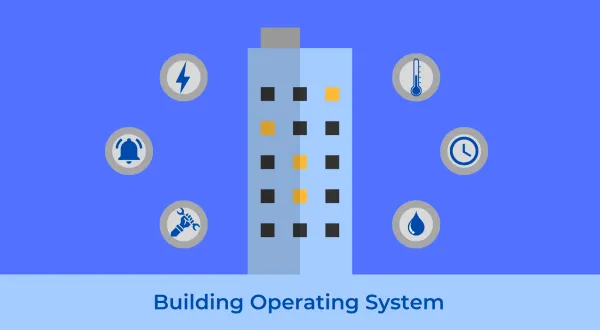
Most large buildings run on a dozen systems that never share data. The HVAC uses one vendor controller, lighting uses another, access control a third, and energy meters a fourth.
Each system works on its own, while none of them connects to the others. The work order history usually sits in a spreadsheet nobody trusts. A building operating system provides the layer that connects all of it.
A building operating system (BOS) is a software platform that connects the separate systems in a building, HVAC, lighting, metering, access control, fire, and sensors, into one unified data layer, then provides that data to applications for monitoring, analytics, automation, and maintenance. It coordinates existing systems rather than replacing them.
The phrase needs one quick clarification, because it carries two meanings. A building operating system is not a computer operating system like Windows or Linux, and it is not something you build from scratch.
In property operations, a BOS is the connective software that sits above the equipment controllers already installed in a building. If you run commercial real estate, the closest term you already know is the building management system. A BOS is not the same thing, and that difference matters when you compare the two.
What is a building operating system?
A building operating system is the software layer that unifies the control systems, meters, and sensors in a building into one shared data model, then lets applications read from and write to that model. It provides operators one place to monitor every system, analyze performance, automate responses, and manage maintenance, whether across one building or a whole portfolio.
The analogy practitioners already use is the central brain for a building. On their own, HVAC, lighting, security, elevators, and metering operate in isolated silos, each with its own controller, protocol, and screen.
A BOS connects those silos so the building can sense, decide, and act as one system rather than a dozen disconnected ones. When a CO2 sensor, the HVAC schedule, and the floor meter all describe the same floor, the platform can see that a half-empty floor is being fully conditioned, and flag the waste.
What a building operating system does
In short, a building operating system:
- Connects multi-vendor equipment and sensors through their native protocols.
- Normalizes every reading into one consistent, tagged data model.
- Provides that data to any application through open APIs, to read and write.
What a building operating system is not
It also helps to be precise about what a BOS is not:
- Not a replacement for your controllers: The direct digital control (DDC) loops that hold a chiller at setpoint stay at the equipment.
- Not a single-vendor stack you have to buy end to end.
- Not a dashboard bolted onto one system.
Because buildings were wired long before anyone planned a data layer, most of this value shows up as integration. A BOS speaks the protocols the building already uses, collects the readings those systems produce, gives every reading a consistent name, and provides it back in a form software can use.
How is a building operating system different from a BMS or BAS?
A building management system (BMS), also called a building automation system (BAS), controls and monitors the physical equipment inside a single building. It runs the HVAC, tracks setpoints, and sequences equipment.
A building operating system sits above one or many of those systems, unifies their data, adds a vendor-neutral data model and open APIs, and serves the whole portfolio, while the BMS keeps running the equipment underneath.
BMS vs BOS: Control versus data
Buyers usually ask whether a BOS is just their BMS by another name. The two overlap in what they show you, while they differ in what they are built for.
A BMS is a control and supervisory system, tightly coupled to the equipment in one building and often to one manufacturer, whereas a BOS is a data and application platform, loosely coupled on purpose so it can span many buildings and many brands of BMS at once.
The terms in this space overlap, so here is the full field side by side. Several categories share features, and the difference is their primary job and their scope.
| System | What it is | Primary job | Scope | Data openness |
|---|---|---|---|---|
| BAS / BMS (building automation / management system) | Controllers plus supervisory software | Run and monitor HVAC, lighting, and plant equipment | One building, often one vendor | Usually closed or vendor-gated |
| EMS (energy management system) | Metering and energy analytics software | Track and reduce energy use | One building or portfolio, energy only | Varies |
| CMMS (computerized maintenance management system) | Maintenance and work order software | Plan, assign, and track maintenance | Assets and work orders | Open via API |
| IWMS (integrated workplace management system) | Real estate and workplace software | Manage leases, space, and facilities | Portfolio, real estate focus | Moderate |
| Digital twin (a live virtual model) | Data model plus 3D or spatial replica | Represent and simulate the building | One building or asset | Depends on the platform |
| BOS (building operating system) | Unifying data and application layer | Connect all systems into one open data model | One building to whole portfolio, any vendor | Open by design |
Read down the openness column and the difference stands out. A BMS or BAS is built to control equipment well, rather than to share data widely, which is why a separate layer exists to do the sharing.
How a BOS and a BMS work together
A BOS does not compete with the BMS. It consumes the BMS, along with the EMS, the meters, and the sensors, and turns the combined output into something a CMMS, an energy model, or a tenant app can use.
For example, a site might run a Johnson Controls Metasys BMS on the chillers, Modbus meters on the switchgear, and a separate access-control system. The BOS reads all three, tags them to the same floors and assets, and provides one view.
On the asset side, enterprise asset management software overlaps with a CMMS, and the CMMS vs EAM difference often confuses buyers. Like the others, EAM reads from the data layer rather than being it.
In practice many teams run a BMS, a unified data layer, and work order software together, each handling the part it does best.
Why do traditional building management systems fall short?
Traditional building management systems fall short because they were designed to control one building with one vendor stack, rather than to share data across many. They use closed or vendor-gated protocols, store data in proprietary formats, and offer limited APIs.
That makes them strong at running equipment while leaving them weak at portfolio visibility, cross-system automation, and feeding modern analytics or maintenance software.
Where legacy building management systems hit their limits
Teams that operate a mixed estate tend to describe the same frustrations:
- Vendor lock-in and closed protocols: Many controllers are locked down so only the manufacturer, or a short list of approved firms, can touch them. Operators describe being "locked into an ecosystem for the life of the building," unable to add a device or switch integrators without going back to the vendor.
- Mixed, multi-vendor portfolios: Inherit fifty sites and you inherit a patchwork, Niagara in some, a different vendor in others, three generations of controller in the rest. There is no single screen for the estate and no shared naming.
- Data silos across BMS, BIM, and maintenance: The control data lives in the BMS, the asset data in a model, and the work history in a maintenance tool, and none of them agree on what an asset is called. A basic question like "which air handlers failed most this year, and what did it cost?" takes days to answer because CMMS integrations to the BMS rarely exist.
- Integration that stays manual: Where APIs exist they are often partial or licensed add-ons, so teams fall back on point-by-point mapping, exports, and spreadsheets. Reading data is hard enough, while writing back to change a setpoint is harder still.
- Retrofit and replacement cost: Rip-and-replace is expensive and disruptive, and most owners cannot justify tearing out working controllers to gain visibility.
The cost of leaving systems siloed
The cost of doing nothing is quieter but real: energy waste a building energy management system would catch, equipment that runs to failure, and maintenance teams working without data.
According to the U.S. Energy Information Administration, commercial buildings account for a large share of national energy use. The U.S. Department of Energy PNNL O&M Best Practices guide reports meaningful savings from shifting reactive maintenance to planned work. The waste sits in the silos, rather than the equipment.
None of this means the BMS is bad at its job. Unifying and opening the data was never its job, and that is the gap a building operating system fills.
How does a building operating system work?
A building operating system works in layers. It connects to the controllers and sensors in a building through their native protocols, normalizes every reading into a consistent data model, stores it with spatial and asset context, and provides it through open APIs. Applications for analytics, energy, maintenance, and tenant experience then run on top of that single, shared layer.
The five layers of a building operating system
Picture a stack, from the physical equipment at the bottom to the applications at the top. Each layer handles a specific job, and the standards named below are where interoperability is won or lost.
- 1. Field and device layer: The equipment itself, chillers, boilers, air handlers, meters, lighting, access control, fire panels, elevators, and IoT sensors. These speak industrial protocols, most commonly BACnet (including BACnet/IP, BACnet MS/TP, and the secure BACnet/SC), Modbus, LonWorks, and KNX. BACnet is maintained as ANSI/ASHRAE Standard 135.
- 2. Connectivity and edge layer: Gateways and edge devices that translate those protocols and move data upward, often over lightweight transports like MQTT or REST. Edge computing handles time-sensitive functions close to the equipment, while newer device standards such as Matter aim to reduce integration friction over time.
- 3. Normalization and semantic data layer: This is the part the whole category is built on, and the part many products skip. Raw points arrive with cryptic names, so a BOS maps them into a consistent model and tags them with meaning using open schemas like Project Haystack, Brick Schema, and RealEstateCore.
- 4. Data and open API layer: A combined time-series and relational store, usually organized as a digital twin that holds spatial and asset hierarchy, so you can monitor a whole portfolio or drill to a single valve. Open REST APIs and webhooks make this the single source of truth.
- 5. Application and intelligence layer: The part people see, dashboards that give a single pane of glass, fault detection and diagnostics, energy analytics, work order engines, tenant apps, and AI. These applications are interchangeable because they read the same normalized data.
| Layer | What it does | Example standards and tech |
|---|---|---|
| Field and device | Run and sense equipment | BACnet (MS/TP, /IP, /SC), Modbus, LonWorks, KNX |
| Connectivity and edge | Translate protocols, process near source | MQTT, REST, edge gateways, Matter |
| Normalization and semantic | Give every point a consistent meaning | Project Haystack, Brick Schema, RealEstateCore |
| Data and open API | Store and serve a single source of truth | Time-series store, digital twin, REST APIs |
| Application and intelligence | Monitor, analyze, automate, maintain | Dashboards, FDD, energy, CMMS, tenant apps, AI |
How normalization turns raw points into usable data
The normalization layer is worth a concrete example. A rooftop air handler might report a point called RTU3_SAT. The normalization layer tags it as the supply air temperature on air handler 3, serving floor 4, so every application understands it without a human decoding the label.
Across industry and academic literature, a BOS is described as a platform that provides standardized APIs over heterogeneous, vendor-specific systems. That is the clearest test of a real BOS: whether it turns many proprietary systems into one open, programmable interface.
What can a building operating system do?
A building operating system turns unified building data into operating capability. Once every system feeds one open data model, the same platform can monitor equipment in real time, detect faults, optimize energy, trigger and track work orders, manage space and tenants, and report across a portfolio, while the data never leaves the layer that normalized it.
Here is the practical capability set, mapped to the outcome each one provides:
| Capability | What it does | Outcome |
|---|---|---|
| Integration and normalization | Connects multi-vendor BMS, meters, and sensors into one data model | Ends manual point mapping and silos |
| Single pane of glass | One portfolio view, drillable to a single asset | Operators stop swivel-chairing between systems |
| Fault detection and diagnostics | Flags equipment faults and drift automatically | Catch problems before failure, rather than after |
| Energy management and optimization | Analyzes meter and equipment data for waste | Lower consumption and demand charges |
| Predictive maintenance | Uses condition data to schedule work by need | Fewer breakdowns, longer asset life |
| Work order automation | Turns faults and requests into tracked jobs | Faster response, measurable SLA adherence |
| Inspections and audits | Runs inspection management software on mobile | Standardized checks, audit evidence |
| Space and occupancy | Reads occupancy and booking signals | Right-size HVAC and space use |
| Tenant experience | Powers self-service portals and requests | Faster, transparent tenant response |
| ESG reporting software | Aggregates energy, water, and emissions data | Audit-ready reporting across the estate |
| Portfolio roll-up | Benchmarks buildings against each other | Spot the worst performers fast |
| Open API | Lets any application read and write data | No lock-in, future apps plug in |
Every capability above runs on the same normalized layer. In a legacy setup each one would be a separate tool with its own integration project. On a BOS they are applications on a shared foundation, which is why adding the next one gets easier rather than harder.
Open or proprietary: What makes a real building operating system?
A real building operating system is open. It speaks standard protocols, normalizes data into an open semantic model, and provides everything through documented APIs you control.
A proprietary system that only connects to equipment from one vendor, or that reads data without letting you write back or export it, is a closed stack with a BOS label, and it recreates the lock-in a BOS is meant to remove.
The pseudo-BOS problem
Building operating system has become a marketing term, and not everything called a BOS behaves like one. The industry has a name for the imitation: the pseudo-BOS, a bundle of one-off custom integrations presented as a platform.
It holds up until the integrator leaves or a vendor changes an API, and then it breaks. The way to check is direct: ask whether you can add a new system, pull your own data out, and write changes back without going through the vendor. If you cannot, it is not open.
Does a building operating system run the building?
Practitioners raise a fair objection: the building runs on its controllers, so you could switch off the data layer and the fans would still turn. That is true, and it is the point.
A BOS does not run the building, the BMS does. A BOS changes what you can see, decide, and improve across the building and the portfolio: where energy is wasted, which assets are failing, whether an SLA was met. The controllers keep the building running, while the operating system provides the visibility to run it well.
What are the benefits of a building operating system?
The benefits of a building operating system come from acting on unified data: lower energy use, less unplanned downtime, higher maintenance productivity, better compliance, and portfolio-wide visibility. Because the platform connects existing systems rather than replacing them, those gains arrive without the cost and disruption of ripping out working controllers.
The business case by stakeholder
The business case lands differently for each stakeholder:
- Energy and sustainability: Continuous fault detection catches drift, scheduling errors, and equipment left running, the quiet waste a once-a-year audit never sees. It feeds sustainable facilities management and a live energy management system with real numbers rather than estimates.
- Maintenance and uptime: Moving from run-to-failure to condition-based maintenance and predictive maintenance reduces breakdowns and extends asset life through asset performance management. Reactive work becomes planned, while planned work is cheaper and safer.
- Labor and response: When a fault becomes a work order automatically, routed to the right technician on a mobile CMMS app, response time drops and the same team covers more buildings. This is where a BOS connects to field service management software and real dispatch.
- Portfolio visibility and compliance: One normalized data layer makes benchmarking, audit trails, and compliance reporting a query rather than a project.
Proof from real deployments
On the numbers, Facilio customer outcomes cited in operator case studies include 40% reduced asset downtime, 40% improved operational visibility across estates, 30% fewer reactive calls, and 97% SLA adherence (as of 2026).
Treat these as evidence from specific deployments, traceable in the connected skyscraper case study, rather than a universal guarantee.
Where does a building operating system deliver the most value?
A building operating system delivers the most value in portfolios where many systems and buildings have to operate as one. The capabilities stay the same across sectors, while the priorities shift by industry, as the examples below show.
Commercial real estate and office portfolios
For office owners and operators, the pressure is energy cost, tenant satisfaction, and emissions compliance at once. A BOS connects meters, HVAC, lighting, and occupancy so the building runs to real use rather than a fixed schedule.
Example: an office tower drops unbooked floors to setback after 6pm. During a summer peak-pricing event it pre-cools, then trims chiller and lighting load for three hours to cut demand charges, while CO2 sensors modulate outdoor air to meet ventilation targets without over-cooling.
For commercial real estate portfolios, the same data rolls each building into an ENERGY STAR score and a Local Law 97 emissions position, so sustainability reporting is continuous rather than a year-end scramble.
Live energy analytics turns that from a report into daily action.
Healthcare and hospital facilities
In healthcare, uptime is non-negotiable and compliance is constant. A BOS watches critical assets, air pressure, and temperature across the estate, and turns a fault into a work order before it reaches a patient area.
Example: a pressure drift in an operating room triggers an alert and a job, while chiller and air-handler health is tracked continuously so a failure does not take a wing offline. A fire event coordinates across systems, shutting air handling to contain smoke while releasing access controls for egress.
For healthcare facility management, the platform also carries the evidence trail that healthcare joint commission compliance and environment-of-care rounds demand.
Large US hospital operators show this in the US healthcare leader case study.
Data centers and mission-critical sites
Data centers depend on cooling and uptime above all else. A BOS unifies cooling units, meters, and sensors so operators can hold tight thermal bands, watch power use, and catch drift early.
Example: fault detection flags a cooling unit losing capacity before a hot aisle forms, while energy data tracks power usage effectiveness as load shifts. Redundancy and remote monitoring mean a site is never run without oversight.
For data center facilities, that continuous visibility is the difference between a caught anomaly and an outage.
Retail and multi-site chains
Retail is a many-site problem: hundreds of stores, mixed equipment, and refrigeration that cannot drift. A BOS standardizes operations across the chain without standardizing the hardware in every store.
Example: refrigeration set-points are enforced centrally, an alarm on a failing compressor opens a work order, and energy is benchmarked store by store to find the worst performers. Connected refrigeration and retail energy management run from one view.
For retail facility management and retail maintenance, that means faster response and lower energy across the estate, as the leading retail chain case study illustrates.
Education campuses
A campus is a portfolio of very different buildings under one budget: lecture halls, labs, dorms, and central plant. A BOS ties them together so energy and maintenance are managed centrally and scheduled around real occupancy.
Example: HVAC follows the class timetable and actual occupancy, dorms run on a different profile from academic buildings, and a growing maintenance backlog is triaged from one work order queue. Deferred maintenance becomes visible rather than hidden.
For education facility management and campus facility management, that means lower energy and a maintenance program that scales across the campus, as the Purdue University Fort Wayne case study shows.
FM service providers across mixed portfolios
Facilities management providers run many clients on many systems, and win or lose on transparency and SLA. A BOS lets one provider operate a mixed estate from a single platform, standardize service across clients, and prove performance with data.
Example: a provider onboards a new client building in days by connecting its existing BMS and meters, applies a standard naming model, and reports SLA adherence to the client from day one. Vendor accountability and margins both improve.
For facility management services, that is the model that turns technology into a competitive edge.
Who needs a building operating system?
A building operating system is for organizations that operate buildings at scale across mixed systems: real estate owner-operators, facilities management service providers, FM and operations directors, and corporate real estate or digital leaders. The common thread is a portfolio of buildings, more than one vendor system, and pressure to cut cost and prove performance with data.
- Real estate owner-operators: Want to own their operational data rather than depend on a vendor, and make repair-versus-replace and energy decisions from evidence.
- FM service providers and integrated facilities management firms: Run many client sites from one platform, deploy fast per client, and prove transparency and SLA performance, including commercial real estate work order management across clients.
- FM and operations directors: Care about SLA, mean time to repair, asset life, and technician productivity, often across enterprise facility management software footprints.
- Mission-critical operators: Data center and healthcare teams where uptime is non-negotiable lean on a BOS for data center facility management and continuous monitoring.
- Corporate real estate and digital leaders: Buying the connected-platform story and treating facilities as a strategic lever rather than a cost line.
A single-building owner with one modern BMS and no portfolio pressure may not need a separate BOS yet. The value compounds with scale and system diversity.
How do you choose a building operating system?
To choose a building operating system, judge it on openness and data ownership rather than features. Ask whether it speaks standard protocols, normalizes data into an open model, lets you write back and export freely, spans multiple vendors and buildings, and keeps you independent of any single supplier. Those criteria separate a real platform from a dashboard or a pseudo-BOS.
A building operating system evaluation checklist
Use these criteria when you shortlist platforms:
- Open protocols: Native support for BACnet, Modbus, LonWorks, and KNX, rather than a single-vendor gateway.
- Open semantic data model: Normalizes and tags data using schemas like Project Haystack, Brick, or RealEstateCore, so the model outlives any one app.
- Write-back, not read-only: Can change setpoints and close loops, rather than only scrape data for display.
- Multi-vendor and multi-site: Runs a mixed portfolio from one view, with a real spatial and asset hierarchy.
- Data ownership and export: Your data is yours, exportable in full, with documented open APIs.
- Deployment fit: Cloud, on-premise, or hybrid to match your security posture.
- OT and IT security: Role-based access, segmentation, and a clear position on operational-technology security.
- Analytics and FDD depth: Built-in fault detection and analytics, rather than just charts.
- Pricing model: Clear per-building or per-portfolio pricing you can forecast, worth comparing against published CMMS pricing models.
- Scalability and vendor independence: Adding a building is configuration, while you can change integrators without permission from the platform vendor.
Red flags of a pseudo-BOS
These signs mark a pseudo-BOS:
- It only connects to equipment from one vendor.
- It can read data but cannot write back.
- It locks your data behind an export fee or a closed format.
- Every new integration needs a custom services engagement.
- The platform is really one hard-coded integration with a dashboard on top.
How do you roll out a building operating system without ripping out your BMS?
You roll out a building operating system as an overlay rather than a replacement. It connects to the BMS and systems already installed, so you add it building by building without tearing out working controllers. A typical rollout starts with one or two sites, maps and normalizes their points, proves value on energy or maintenance, then extends the same model across the portfolio.
The connect-and-unify approach is what makes a BOS practical for existing buildings. Rip-and-replace is rarely justifiable, so a good platform treats the installed BMS, meters, and sensors as inputs.
The early effort is the normalization work: mapping points and agreeing a naming convention, so an air handler in one building and an air handler in another describe themselves the same way. Done once, that model is reusable, which is why the tenth building goes faster than the first.
A phased rollout sequence
A sensible sequence looks like this:
- Pilot on a small cluster: Connect the existing building management software and meters at one or two sites.
- Normalize and tag: Agree a naming standard and map points to the shared model.
- Stand up one or two applications: Start with fault detection or energy, where value is quick and measurable.
- Measure, then templatize: Prove the result, then repeat the template across the portfolio.
Governance matters here. A consistent naming standard and clear data ownership, decided up front, save years of cleanup later.
Where is the building operating system headed?
The building operating system is heading toward more automation and autonomy: AI that detects faults, recommends actions, and eventually coordinates routine responses, plus grid-interactive operation and deeper decarbonization.
The near-term reality is assistive rather than autonomous. The systems that earn trust keep AI read-only and advisory, while a human approves changes to live building systems.
Where AI fits today
Operators have watched smart and AI claims outrun delivery, and they are specific about what they will accept.
They want analytics and diagnostics that run read-only, surface issues, and let a person act on them, with quality control in the loop. Autonomous changes to a live building, without a human check, are not something seasoned teams will hand over yet.
The credible path is AI that helps the operations team work faster and sharper, grounded in the normalized data a BOS already holds.
Platforms that package this as an AI suite, with AI assistants for triage and reporting, are moving in this direction. Confirm what is generally available before relying on any specific capability.
Facilio: A cloud building operating system for real estate
Facilio is a cloud-native platform built on the building operating system idea, which the company frames as building the operating system for real estate.
Rather than replacing your systems, it connects and unifies them. It overlays existing multi-vendor building management systems, meters, and sensors, normalizes the data, and runs operations, energy, and maintenance on one layer across a portfolio.
The contrast with the legacy approach is the point. A legacy building management system provides control of one building and little beyond it: closed data, limited reporting, and a new integration project every time you want to connect something.
Facilio takes the connected approach instead, uniting three things legacy tools keep separate: the people who operate and use the building, the processes that run across operational and IT systems with no-code configuration, and the systems themselves, integrated without a rip-and-replace.
That is the shift from facilities as a cost center to facilities as a source of operational and financial gain.
In practice this shows up as Connected Buildings for energy and smart-building operations and a connected CMMS, delivered as facility management software, for maintenance and work orders, all running on the same unified data.
It is designed for owner-operators who want to own their data and for FM service providers running many client sites, while providing the open protocols, portfolio view, and write-back capability that separate a real building operating system from a dashboard.
If that is the operation you need to run, a 30-minute product walkthrough is the fastest way to see whether the fit is real.