










 Service intake














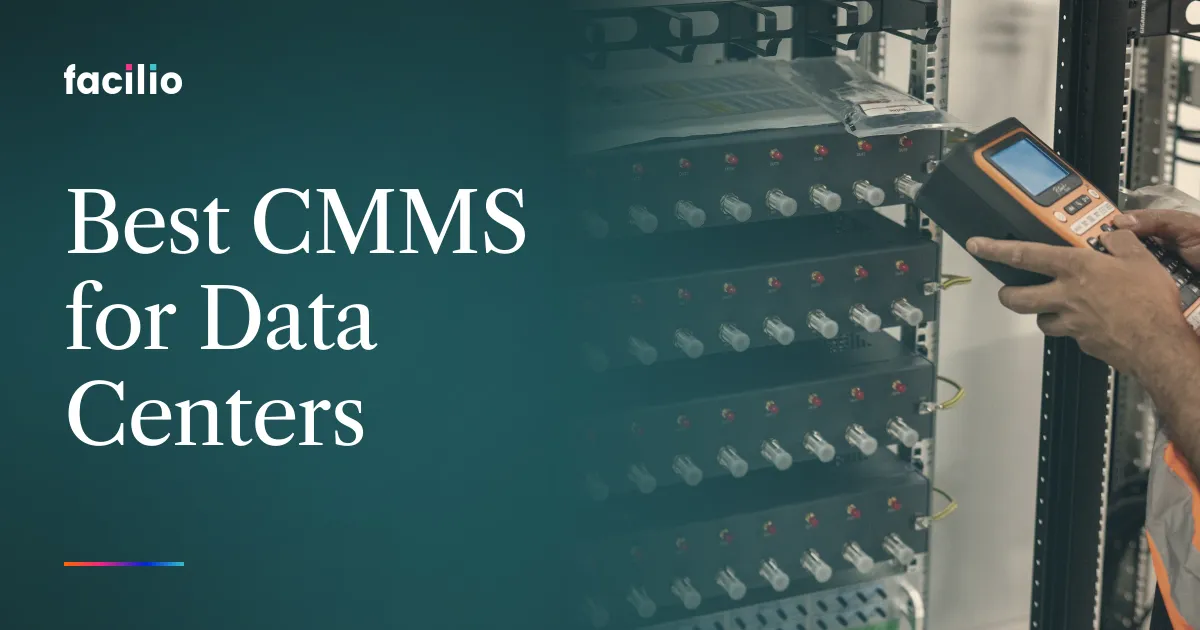
A CMMS for data centers keeps UPS systems, generators, CRAC and CRAH units, switchgear and fire suppression on a tested maintenance schedule with audit-ready proof of every task, so a missed battery check or a failed transfer test never becomes a cascading outage (DCIM tracks racks and power capacity and the BMS runs the plant; the CMMS runs the maintenance work).
This guide narrows the best CMMS software list to the 9 tools that fit critical facilities, compared on critical-asset PM, alarm-to-work-order and audit evidence.
The best CMMS for data centers in 2026 are 1. Facilio, 2. MCIM, 3. IBM Maximo, 4. eMaint, 5. Fiix, 6. MaintainX, 7. Limble, 8. ServiceNow, and 9. Oxmaint.
- Facilio: best for multi-site enterprise and colocation teams that want agents running intake, dispatch, vendor follow-up and audit evidence alongside the DCIM and BMS they keep.
- MCIM: best for operators who want a platform built only for mission-critical sites, with versioned MOPs, rounds and permit to work.
- IBM Maximo: best for hyperscale and asset-intensive owners with reliability engineers and the IT team to run an enterprise EAM.
- eMaint: best for reliability teams mapping deep power and cooling hierarchies and pairing PM with Fluke condition monitoring.
- Fiix: best for single-site or mid-sized data centers that want offline mobile and a free plan to start.
- MaintainX: best for teams that need technicians adopting a mobile CMMS fast, with power and cooling PM templates ready to use.
- Limble: best for mid-sized in-house teams that want PM schedules built quickly and KPI dashboards for leadership.
- ServiceNow: best for organizations that already run IT change management in ServiceNow and want facilities to work there too.
- Oxmaint: best for budget-conscious edge or single-site operators that want a free plan and low per-user pricing.
Data center CMMS software comparison table
Compare all 9 data center CMMS tools side by side on best fit, starting price, rating, offline mobile, alarm-to-work-order and AI before you build a shortlist.
| Tool | Best for | Starting price | Rating | Offline mobile | Alarm to work order | AI and automation |
|---|---|---|---|---|---|---|
| 1. Facilio | Multi-site enterprise and colocation portfolios | Quote | 4.4/5 G2 | Yes, offline mode with auto-sync | BMS and IoT alarms and sensor readings create work orders | Live agents for intake, dispatch, vendors, invoices, compliance and reporting |
| 2. MCIM | Data center specialists, AI/HPC and colocation | Quote; AI and customer portal are add-ons | Too few public reviews | Offline rounds capture | A rounds reading raises the work order; BMS and DCIM data shown alongside | Merin answers and surfaces past incidents; a person decides |
| 3. IBM Maximo | Hyperscale and asset-intensive owners | From under US$40K per component per year | 7.9/10 TrustRadius | Confirm in demo | IoT data feeds Monitor and Health | Assistant creates and updates work orders on request |
| 4. eMaint | Reliability teams with Fluke sensors | Quote (3-user minimum, prepaid annual) | 4.5/5 G2 | Yes, offline work mode | Alerts trigger automatic work orders; DCIM, BMS and ITSM data exchange | AI Suite on Enterprise answers and drafts; people approve |
| 5. Fiix | Single-site and mid-sized data centers | Free; paid from $45/user/mo | 4.6/5 G2 | Yes, all plans | Anomalies create and schedule maintenance | Asset Health creates validated work orders; Foresight suggests |
| 6. MaintainX | Fast technician adoption | Free; paid from $20/user/mo | 4.8/5 G2 | From Premium | Temperature, vibration or runtime thresholds create work orders | Assist (Enterprise) answers but cannot create or edit data |
| 7. Limble | Mid-sized in-house teams | Quote (calculator) | 4.8/5 G2 | From Premium+ | IoT sensor integrations from Premium+, extra cost | PM Builder; anomaly detection flags readings |
| 8. ServiceNow | ITSM-led enterprises | Quote | 4.3/5 G2 | Yes, in the mobile apps | Asset signals become bundled maintenance | AI agents match technicians, source parts and rebalance schedules |
| 9. Oxmaint | Budget edge and single sites | Free; paid from $19/user/mo | No public reviews | Not documented | DCIM alerts create work orders through the API | Agentic plan says AI creates and assigns work orders |
Ratings, prices and features as of November - 2026, taken from each vendor's pricing and product pages and its G2 or TrustRadius profile.
How we evaluate CMMS for data centers
We scored each tool on the maintenance jobs a data center facilities team runs every week, from a UPS battery check to the evidence an auditor asks for.
Critical power and cooling PM: recurring work on UPS systems, generators, transfer switches, switchgear, chillers and CRAC or CRAH units, scheduled by calendar, interval or runtime hours, plus condition triggers.
Asset hierarchy, redundancy and isolation: parent-child links from generator to UPS to PDU to rack, with N+1 and 2N pairings, so a technician sees the upstream and downstream impact before isolating a unit.
Change control: revision-controlled MOPs and SOPs, approvals and permit to work before anyone touches energized or high-risk equipment.
Links to monitoring systems: whether filtered BMS, DCIM, EPMS and sensor alarms become work orders without turning the CMMS into a raw alarm console.
Offline mobile and technician adoption: whether technicians can open, update and close work orders inside low-signal data halls, and how quickly a crew takes to the app.
Spares, warranties and vendor contracts: critical spares with minimum stock and lead times, warranties, service contracts and OEM SLAs in one place.
Audit evidence: timestamped histories, digital sign-offs and redundancy test records for NFPA 110, IEEE 1188, Uptime Institute reviews and customer SOC 2 or ISO 27001 audits.
Multi-site reporting: PM compliance, SLA adherence and downtime and failure trends by hall, site and customer.
AI that acts, not only suggests: whether the AI does the job end to end (logs the request, raises the work order, chases the vendor) or drafts text a coordinator still has to act on.
Ratings come from each vendor's G2, Capterra or TrustRadius profile, prices from vendor pricing pages, and every figure was checked in November 2026.
The 9 best CMMS for data centers, reviewed
Each profile covers fit, a snapshot, features, who it suits and who it does not, pricing and named reviewers where they exist, so all 9 compare like for like.
1. Facilio
Ideal for: multi-site enterprise and colocation data center teams whose maintenance, vendors and audit evidence sit around critical power and cooling.
Why it ranks #1: it is the only tool here with live agents covering intake, dispatch, vendor follow-up, invoices and compliance as one suite, running on Facilio's CMMS or the one you already have, next to your DCIM and BMS.
DCIM watches the racks and the BMS runs the chillers. Facilio, the agentic platform for facilities management, puts agents to work on the maintenance in between, so the UPS battery check, the generator vendor's visit and the audit record land in one place on CMMS software built for buildings.
Delivery is part of the product. FM Ops Engineers map how your sites run today, connect the DCIM, BMS and ERP you already have, then build and tune the agents and stay to run them, so your team needs no technical hires and no training. Facilio's data center facility management software typically goes live in 8 to 12 weeks, and the platform is trusted by 150+ customers across four regions.
Key features:
- Critical power and cooling PM: preventive maintenance software schedules UPS, generator, precision cooling and fire suppression work by calendar, meter or runtime hours, with the right checklist attached before anything breaks.
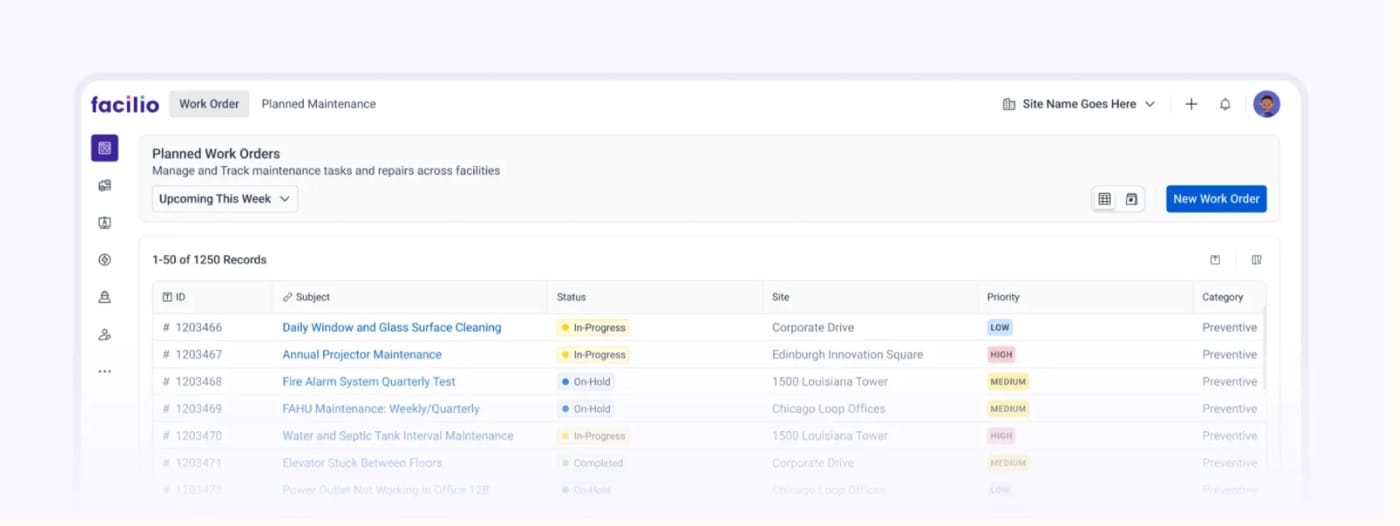
- Work orders and procedures: work order software routes each job by site, hall and trade, with step-by-step checklists, priorities, SLA clocks and sign-off on completion.
- Critical asset register: every generator, UPS module, PDU, CRAH unit and chiller carries QR or RFID tags, warranty data and a complete maintenance history for CapEx decisions and audit review.
- Mobile and offline-first: technicians raise, update and close work orders in a mobile CMMS app that keeps working when the signal drops in a data hall, then syncs, with before-and-after photo validation on closure.
- Compliance and audit trail: checklists mapped to Uptime Institute and ISO requirements log every work order, inspection and contractor visit with a timestamp, and a one-click export builds the audit pack.
- Vendor and OEM SLA control: vendor management software gives generator, UPS and cooling contractors one portal for assignments, digital sign-offs and compliance checklists, with escalation alerts when an SLA slips.
- Critical spares and inventory: parts inventory management software ties batteries, filters and breakers to work orders across sites, with reorder points and purchase orders.
- Connected Buildings and energy: BMS and IoT sensor data trigger condition-based work orders, flag unusual consumption and feed PUE and sustainability reporting through energy analytics.
- AI agent suite: Facilio's AI agents for facility operations take requests on any channel around the clock, send the right technician or vendor, chase quotes and attendance, check invoices against the contract, turn audit findings into work orders and assemble the monthly report, whether you run Facilio's CMMS or keep your own.
Deployment and security: LLM-agnostic, SaaS or behind your firewall, hosting in the US, UK, Australia, UAE and Saudi Arabia, GDPR and regional data residency.
- Colocation operators managing several client environments, each with its own SLA profile, compliance requirements and vendor arrangements.
- Enterprise data center and campus teams that keep their DCIM and BMS and want maintenance, vendors and audit evidence in one record.
- Critical facility service providers who run data centers for clients and need SLA proof and an audit pack per client.
- Teams without spare IT capacity, since FM Ops Engineers build, run and tune the agents and integrations with you.
- A single edge site with one or two technicians that only needs a self-serve work order app; Facilio is built for large, multi-site portfolios.
- Buyers who want a published per-user price; Facilio quotes by portfolio size, users and scope.
Pricing: Standard, Essential and Enterprise plans, each quoted by portfolio size, users and deployment scope; see Facilio pricing. Essential adds inspections, compliance rounds, inventory and procurement, and Enterprise adds vendor management and RFQs, compliance and audit controls, SSO and a dedicated customer success owner.
What reviewers say: rated 4.4/5 on G2.
- "visibility and data that allows me to manage my world in real time" (Kevin K., Director of Maintenance, enterprise, G2, July 10, 2025)
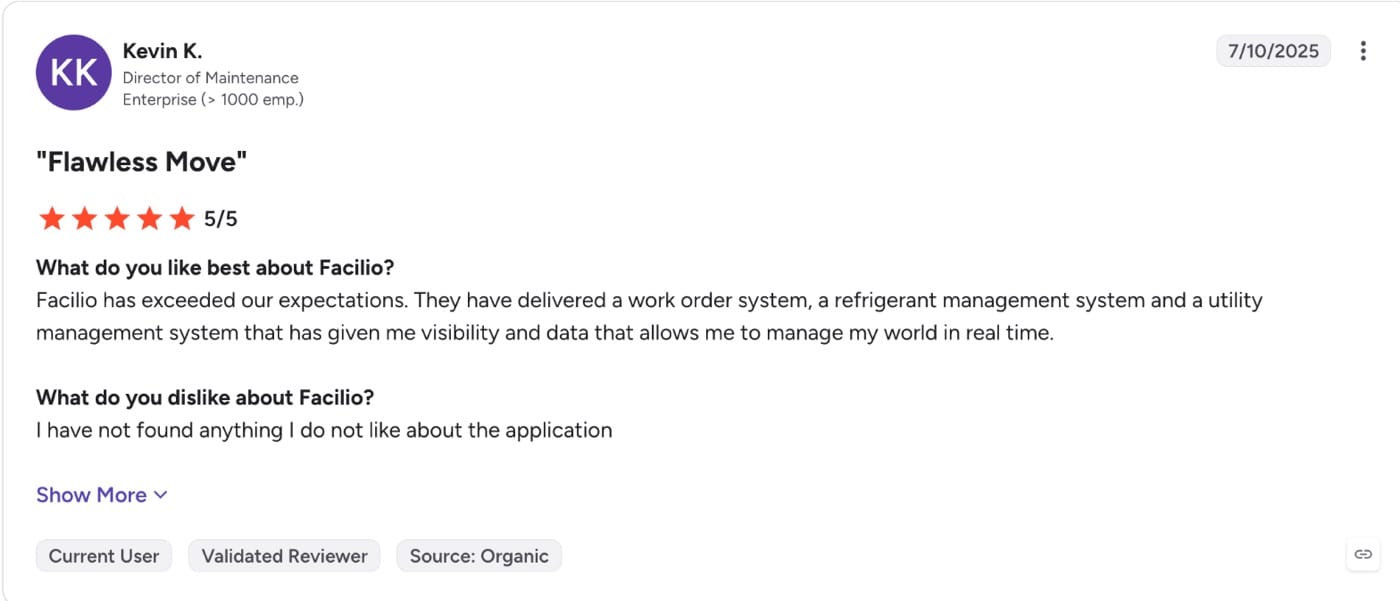
Source: G2, organic review
- "the challenges that we've had with Facilio were more on the implementation period" (Dan B., Vice President of Real Estate and Construction, mid-market, G2, July 23, 2025). If your team is thin, ask how FM Ops Engineers handle asset and data collection in the first weeks.
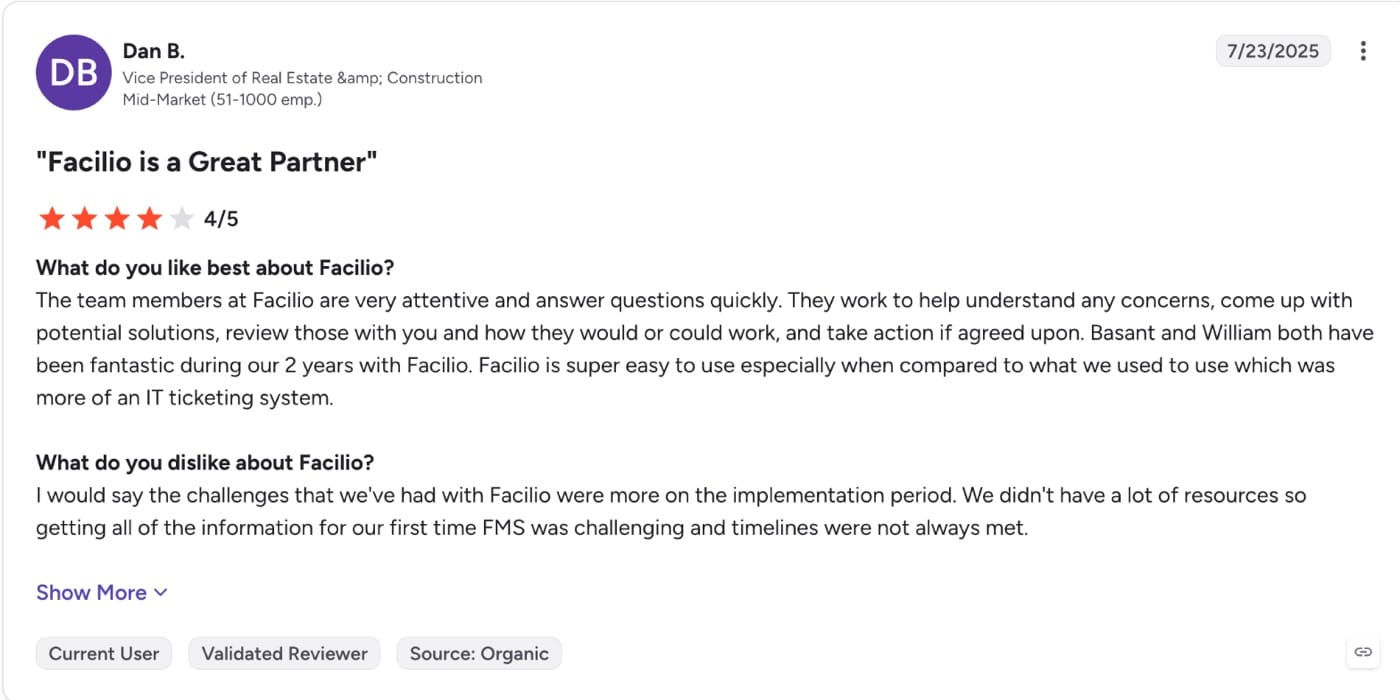
Source: G2, organic review
ICD Brookfield Place in Dubai, a 54-storey office and retail tower, runs MEP, BMS, fire alarms, elevators, IT systems and 24 service providers from one operations command center on Facilio, with 120+ automated fault detection rules driving proactive maintenance across 1,250+ spaces (ICD Brookfield case study, as of November 2026). It is an office tower, not a data center, but it runs the same alarm-to-work-order loop a critical facility depends on.
See it on critical infrastructure: watch a BMS alarm become a dispatched, evidenced work order across a multi-site setup. Request a demo.
Choose it if: the hard part is the vendors, alarms, evidence and coordination around the work order, not only the work order itself.
See how Facilio runs this across your own sites
2. MCIM
Ideal for: colocation, hyperscale and AI/HPC operators that want a platform built only for mission-critical sites.
Why it ranks here: it is the only tool on this list built purely for data centers, with versioned MOPs and SOPs, rounds, permit to work and incident records in one system.
MCIM (Mission Critical Information Management) comes from Fulcrum Collaborations, founded in 2010 in Glen Allen, Virginia, and it sells only to data centers and other mission-critical sites. Its customer list includes NTT, T5, Keppel, Applied Digital and Novva, and the company says three of the top four colocation providers run on it, across more than 7 gigawatts of capacity in 94 countries.
The platform runs on Salesforce's cloud and covers asset management, rounds, incidents, permits and capital planning from a single site to a global portfolio. It does not publish pricing, and its AI is built to answer questions and surface history rather than act, so plan your automation around people.
Key features:
- Version-controlled MOPs and SOPs: procedures for liquid-cooled and high-voltage environments carry revision control, so the switchgear MOP a technician opens is the approved one.
- Rounds monitoring: technicians capture readings in the field even without connectivity, and an out-of-range reading can raise a work order or incident directly, with BMS and DCIM data shown alongside manual readings.
- Permit to work: approvals, routing and escalation make sure work on a UPS or a chiller plant never starts without authorization.
- Incident management: failure tags, near-miss tracking and root-cause records keep every outage and close call audit-ready.
- Liquid cooling and AI/HPC: CDUs are tracked with make, model, capacity, PM and the racks that depend on them, and the platform supports commissioning for direct-to-chip, rear-door and immersion cooling.
- Enterprise asset management: one asset model covers compliance, condition tracking and capital planning, from a single hall to a global portfolio.
- Colocation Customer Portal (add-on): customers see maintenance, incident and compliance data, raise tickets and get SLA alerts, with permissions set by role, region or account.
- Merin AI (add-on): reads incidents, work orders, rounds, change requests, assets and parts plus NETA, ASHRAE and ANSI guidance, then answers questions and surfaces similar past incidents; it does not create work orders, and a person stays part of every decision.
- Colocation and hyperscale operators that want a vendor whose whole product is shaped around data center operations.
- AI/HPC sites adding liquid cooling that need CDU tracking and commissioning records next to classic power and cooling PM.
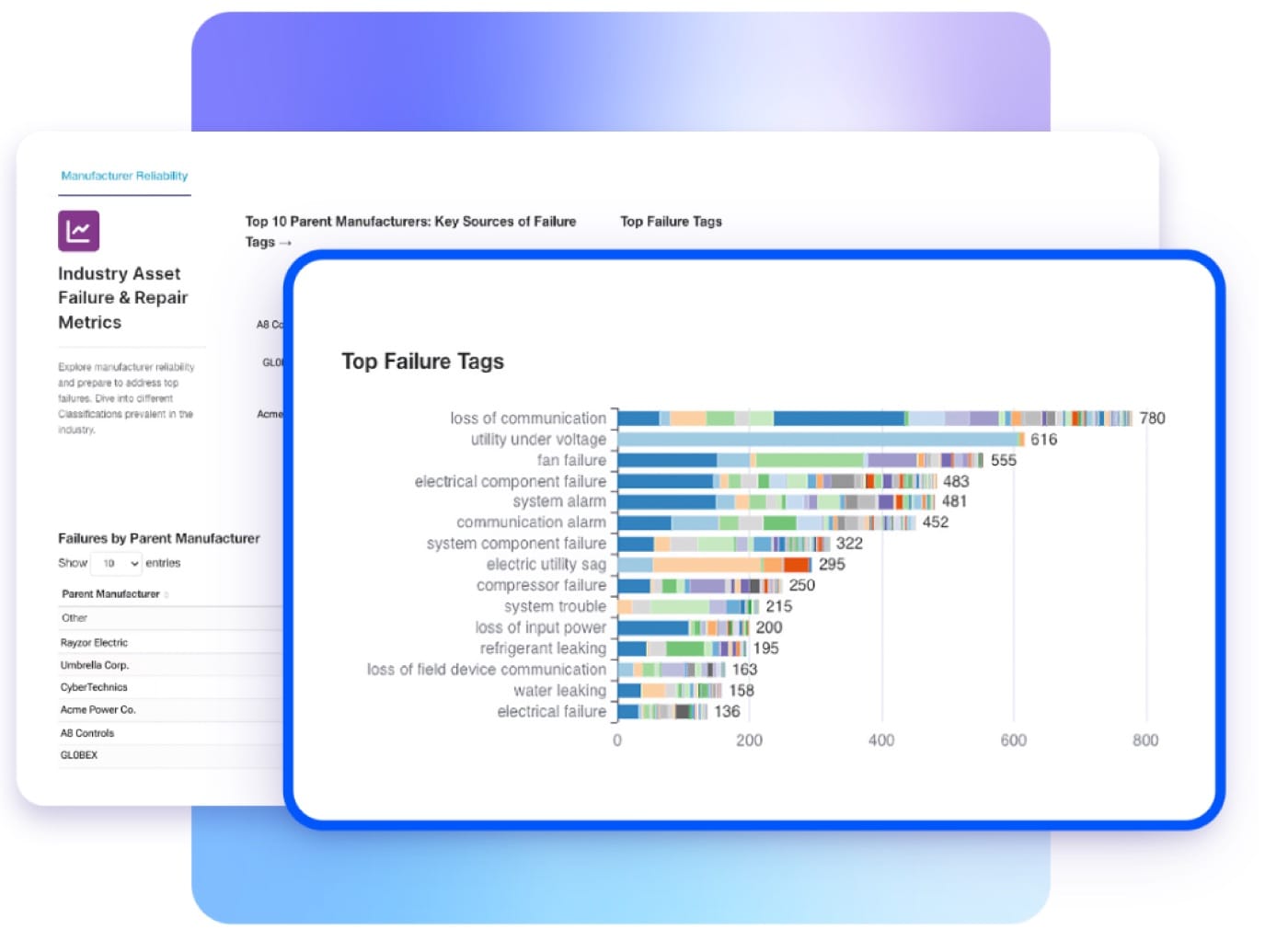
- Teams that want to benchmark failures against a large pool of anonymized data center assets.
- Buyers who want public pricing or a self-serve trial; MCIM is quote-only, and its AI and customer portal cost extra.
- Mixed estates where data centers sit next to offices, retail sites or campus buildings that need the same system.
- Teams that want AI to raise and route work on its own, since Merin answers and suggests but leaves the action to a person.
- Operators who need offline work beyond rounds; confirm mobile coverage for full work orders in the demo.
Pricing: MCIM does not publish prices; Merin and the Colocation Customer Portal are listed as add-ons on the MCIM platform page.
What reviewers say: MCIM has almost no public reviews. G2 lists a single review from December 2022 and Capterra none, so ask for references from an operator your size before you sign.
Choose it if: you want every workflow shaped around the data center and can accept quote-only pricing and an AI that advises rather than acts.
3. IBM Maximo
Ideal for: hyperscale and asset-intensive owners with reliability engineers and an IT team ready to run an enterprise EAM.
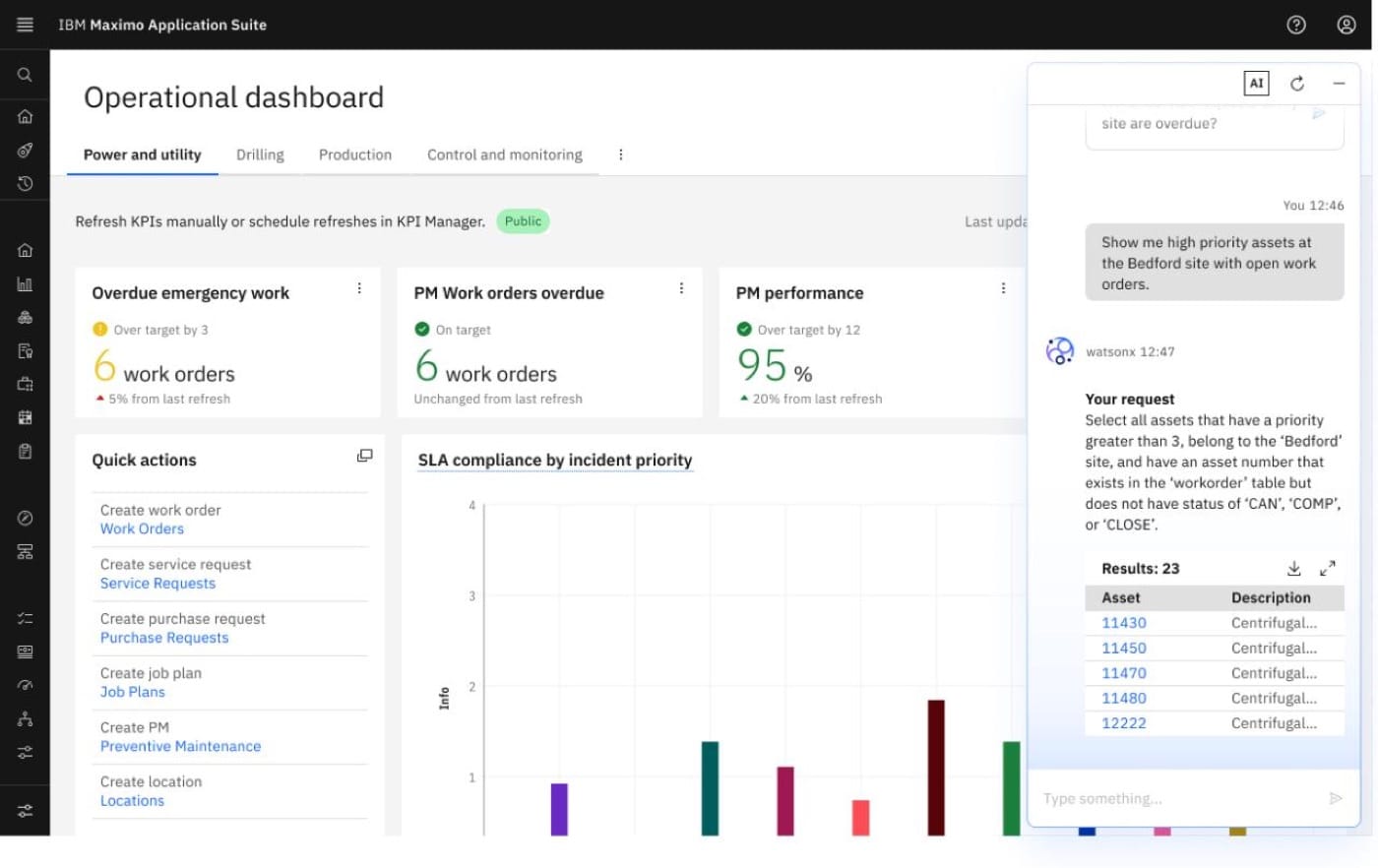
Why it ranks here: it has the deepest reliability toolkit on this list, from IoT monitoring and asset health scores to failure prediction, and its assistant can now create and update work orders on request.
IBM Maximo Application Suite (MAS) brings Manage, Monitor, Health, Predict and Visual Inspection together on one asset model. IBM pitches it to data centers for uptime across servers, heating, cooling and power, with asset health dashboards and integration with ERP, IoT and IBM Apptio.
MAS 9.2, released on June 25, 2026, added agentic workflows to Maximo Assistant and an MCP server so you can plug in your own agents. The trade-off is weight: you buy components on annual AppPoint subscriptions, and most teams need administrators or a partner to run it.
Key features:
- Maximo Manage: work orders, job plans, PM by calendar or meter and asset hierarchies cover every generator, UPS string and chiller across a campus.
- Maximo Monitor: IoT and sensor data from building and power systems streams into dashboards with anomaly alerts on critical equipment.
- Maximo Health: health scores combine condition, age and work history, so you can rank which UPS modules or CRAH units need attention first.
- Maximo Predict: failure prediction models estimate when an asset is likely to fail, which feeds replacement and spares planning.
- Maximo Assistant: since MAS 9.2, technicians can ask in plain language to change a work order status, create a follow-up work order or raise a service request; confirm the approval steps in your demo.
- Visual Inspection: computer vision flags defects and anomalies from cameras, drones and phones, with an iPhone app for field inspections.
- Bring your own agents: an MCP server lets your own AI agents read from and act on Maximo Manage.
- Deployment choice: SaaS on AWS, or client-managed on premises, hybrid or in your own AWS, Azure or Google Cloud account.
- Hyperscale operators with in-house reliability engineers who want condition, health and prediction data in one asset model.
- Owners with strict data control rules who need a client-managed deployment on premises or in their own cloud.
- Organizations that already run Maximo in utilities or manufacturing and want data centers on the same standard.
- Teams that plan to build their own AI agents on top of the maintenance record.
- Small and mid-sized operators, since each Essentials component starts near US$40K a year on a 12-month non-cancellable term.
- Teams without administrators or a partner, because setup, upgrades and integrations take specialist skills.
- Buyers who want a mobile-first rollout for technicians in weeks rather than months.
Pricing: Essentials is sold per component per year (Maintenance under US47K), with Standard and Premium quoted; see IBM Maximo pricing and Facilio's ibm maximo pricing breakdown.
What reviewers say: rated 7.9/10 on TrustRadius.
- "allows for limitless customization to fit your business needs" (Vicki Maxwell, Business Systems Manager, Duke Energy, TrustRadius, October 29, 2026)
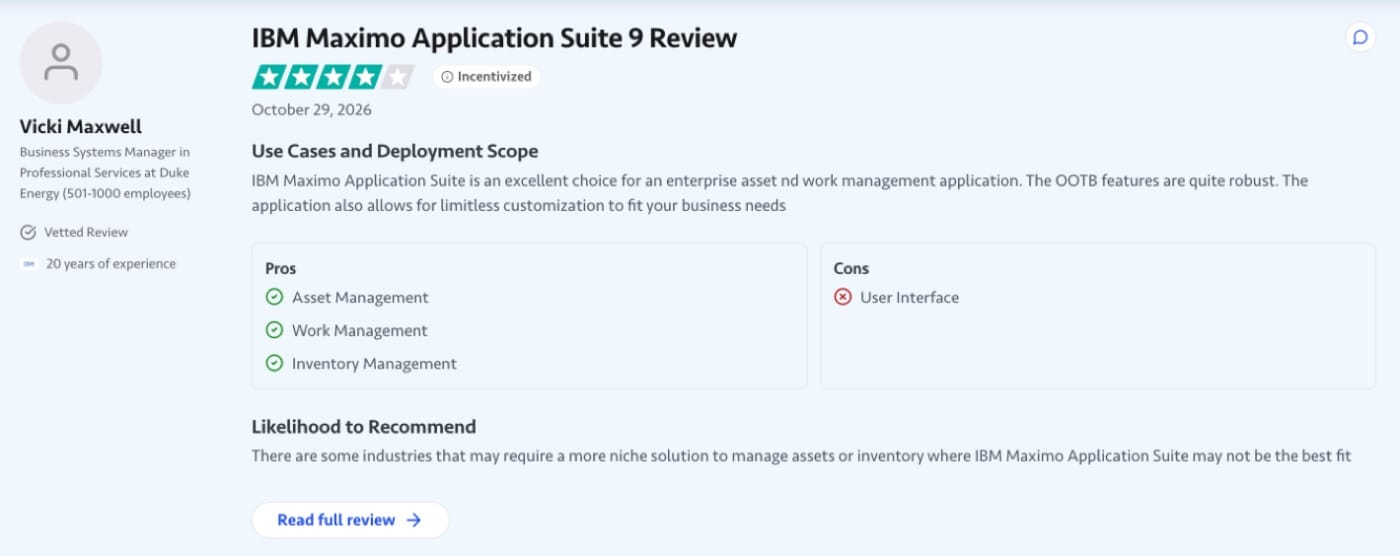
Source: TrustRadius, incentivized review
- "the overall middleware footprint can feel unnecessarily complex and resource-intensive" (mostafa s., Senior Network Security Engineer, enterprise, G2, November 8, 2026)
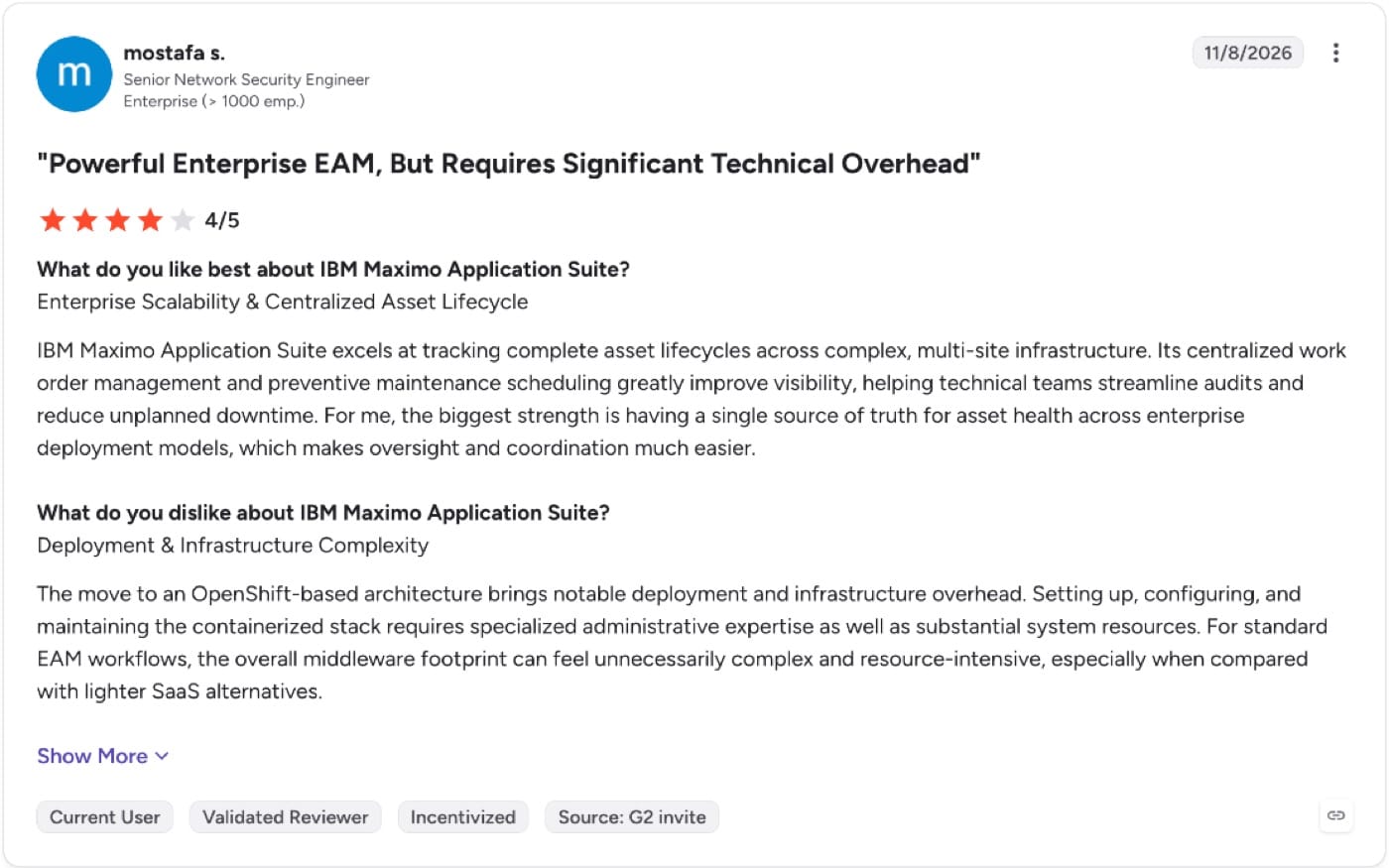
Source: G2, incentivized review
Choose it if: you own hyperscale or asset-intensive sites and have the people to run an enterprise EAM; read the maximo vs facilio comparison if agents and a faster rollout matter more.
4. eMaint
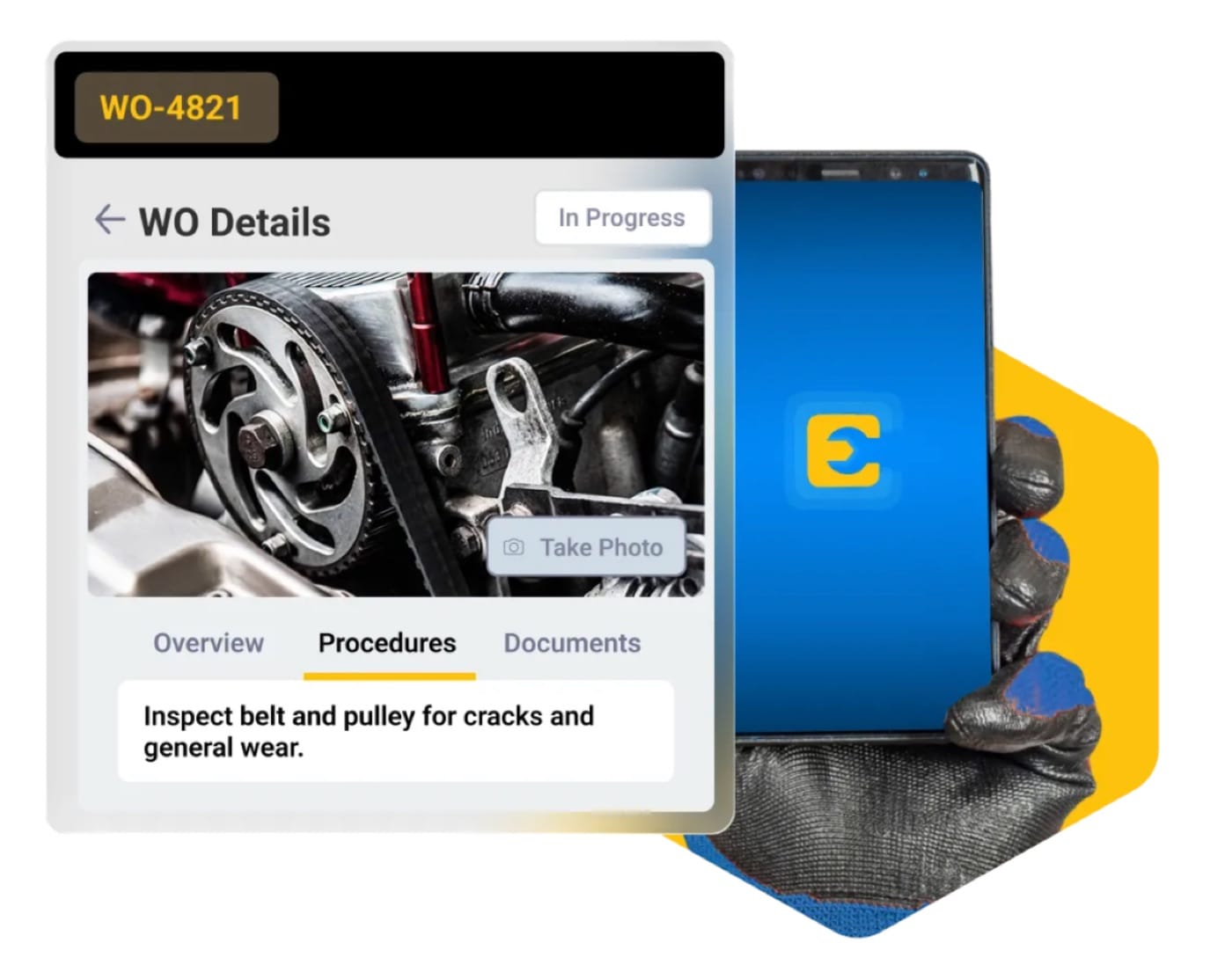
Ideal for: reliability-led data center teams that map UPS, generator, CRAC and PDU hierarchies and want Fluke sensors and the CMMS from one vendor.
Why it ranks here: it names data center assets and controlled change workflows directly, exchanges data with DCIM, BMS and ITSM tools, and pairs the CMMS with Fluke condition monitoring.
eMaint is the CMMS brand of Fluke Reliability, part of Fluke Electronics, with roots back to 1986 and more than 7,400 deployments. Its data center offer covers PM for UPS systems, generators, cooling towers, CRACs, PDUs and batteries with the relationships between them, and it names NTT, with 17 data center campuses, as a customer.
The fit is strongest where reliability engineers already use Fluke tools, since sensor alerts can trigger work orders automatically. Prices stopped appearing on the pricing page in mid-2026, and the AI Suite sits on the Enterprise plan.
Key features:
- Critical infrastructure PM: preventive maintenance for UPS systems, generators, cooling towers, CRACs, PDUs and batteries, with the relationships between assets recorded.
- Controlled change workflows: SOP linkage, controlled change workflows, root-cause analysis and CAPA keep work on live equipment documented.
- Alert-driven work orders: alerts from monitored equipment trigger automatic work orders when an issue comes up.
- Fluke condition monitoring: Fluke sensors feed condition data into the CMMS, a pairing eMaint markets as unique to its stack.
- DCIM, BMS and ITSM exchange: bidirectional data exchange with DCIM, building management and ITSM tools, plus open APIs on Enterprise.
- Offline mobile: technicians work offline with barcode and RFID scanning, and the mobile app with offline work mode is included from Professional.
- eMaint AI Suite (Enterprise): an assistant answers questions about assets, procedures and parts with citations, SOP Builder drafts procedures from manuals, and voice requests become work orders only after a person approves them.
- Reliability and maintenance engineering teams that already run Fluke vibration, thermal or power quality tools.
- Multi-campus operators that want central visibility with site-level autonomy and role-based access.
- Teams that want Uptime Institute Tier and ASHRAE requirements built into their maintenance records.
- Small teams, because Professional starts at three users on a prepaid annual commitment with no published price.
- Buyers who want AI on every plan; the AI Suite, APIs, SSO and global multi-site management sit on Enterprise.
- Teams planning a fast migration from another CMMS without budget for data cleanup and services.
- Operators who want AI to act on its own, since every AI output needs human review before it becomes work.
Pricing: eMaint no longer publishes prices; Professional (3-user minimum) and Enterprise (5-user minimum) are quoted and billed as a prepaid annual commitment. See the eMaint pricing page and Facilio's emaint pricing guide.
What reviewers say: rated 4.5/5 on G2.
- "Even our plant logbook is now completely digital." (Humayoun F., Change Manager, Capterra, November 5, 2026)
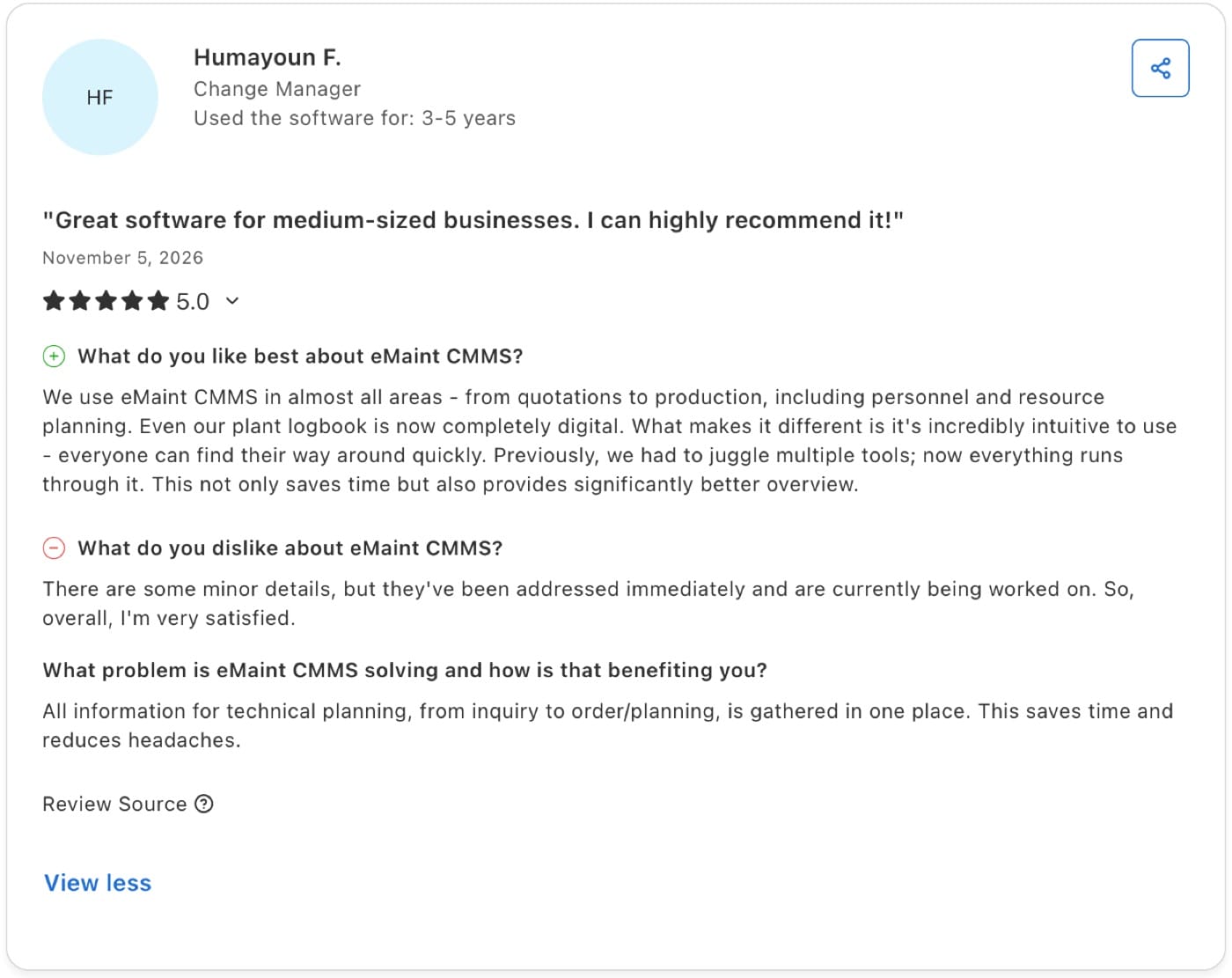
Source: Capterra
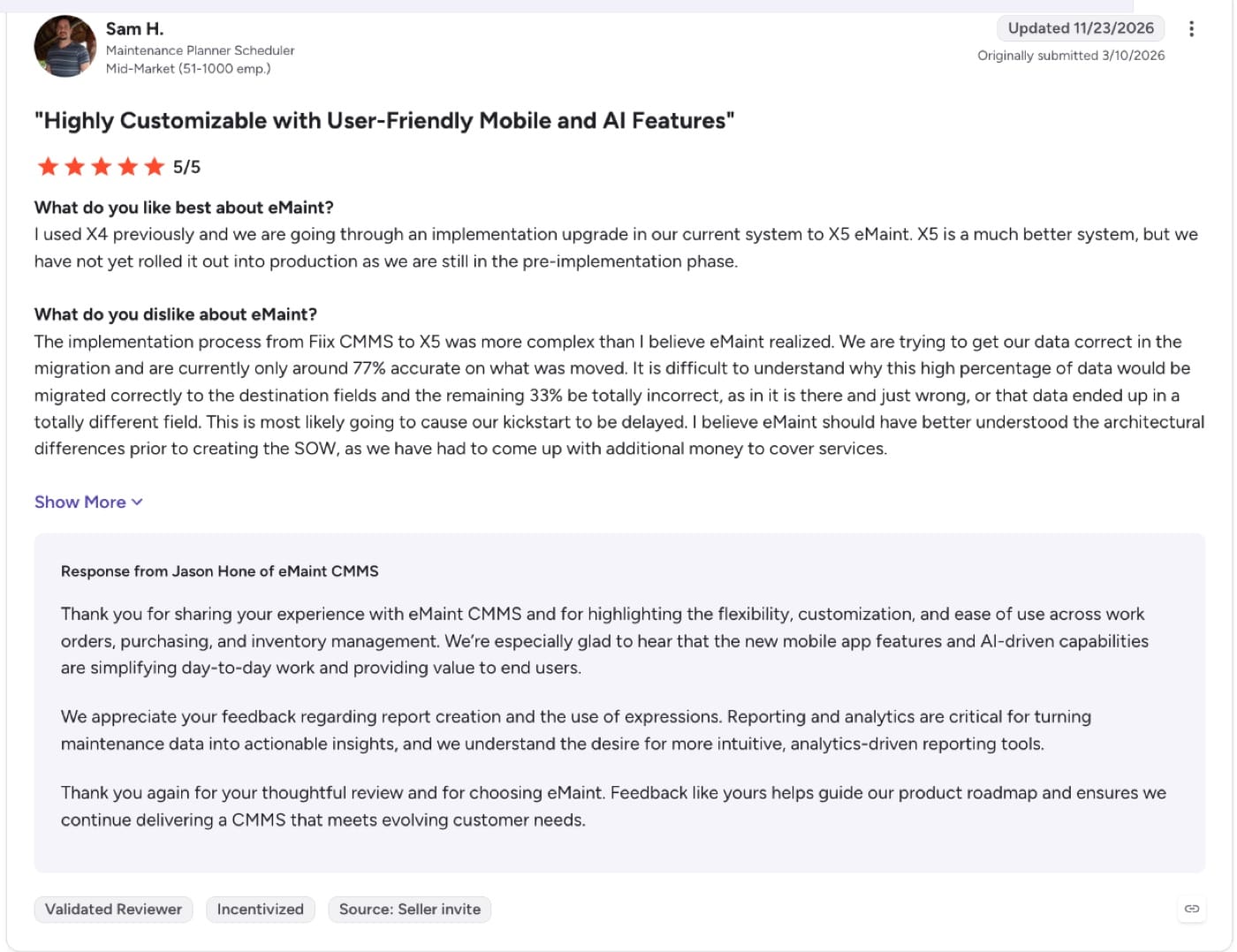
- "The implementation process from Fiix CMMS to X5 was more complex than I believe eMaint realized." (Sam H., Maintenance Planner Scheduler, mid-market, G2, updated November 23, 2026). He added that only about 77 percent of the migrated data landed correctly, which he expected to delay the kickoff and which cost extra in services.
Source: G2, incentivized review (seller invite)
Choose it if: your reliability team already runs Fluke tools and wants sensor alerts and PM in one system; see emaint vs facilio if you need agents to handle the work around the alert.
5. Fiix
Ideal for: single-site or mid-sized enterprise data centers that want offline mobile and a free plan to start.
Why it ranks here: published prices, offline mobile on every plan, a data center customer story and Asset Health with Augury, which creates work orders from validated sensor alarms.
Fiix is a Rockwell Automation company based in Toronto, and its data center offer leans on uptime: offline mobile updates, maintenance created automatically when anomalies are detected, and a multi-site view of open and upcoming work orders. Fiix cites 365 Data Centers, which saved more than 8,000 maintenance hours in a year.
Most of the product was shaped for manufacturing, so data center specifics such as MOPs, redundancy logic and DCIM links are not documented. It is a sound, affordable core CMMS that you will extend with your own procedures.
Key features:
- Fast work orders: create, prioritize and assign work orders quickly, with photos, task lists, manuals and BOMs attached for the technician standing at the CRAC unit.
- Offline mobile: technicians update asset records and work orders on the mobile app even without internet, on every plan.
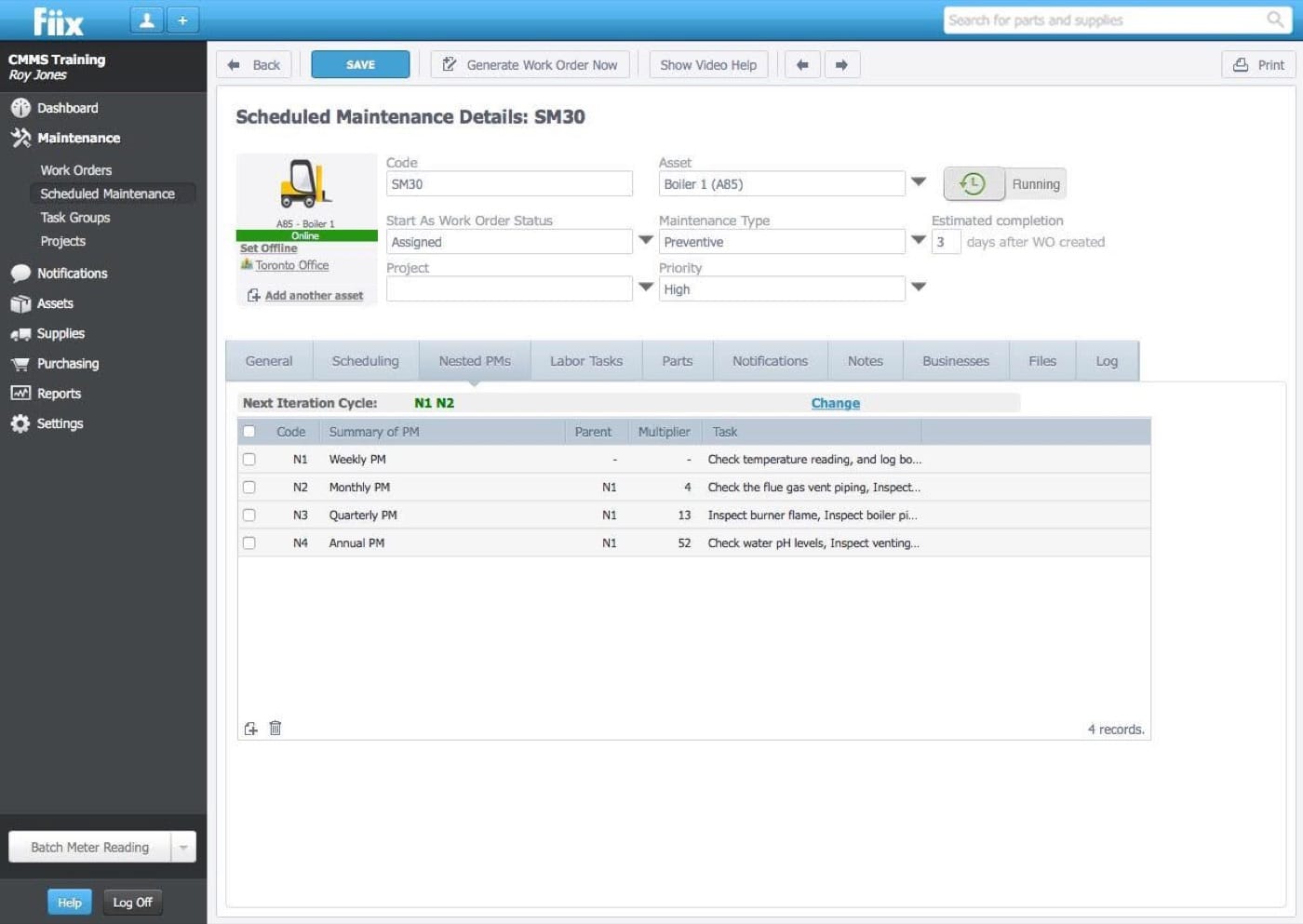
- Nested PM schedules: weekly, monthly, quarterly and annual PMs sit under one schedule, with meter, time and event triggers.
- Multi-site planning: plan and trigger work by time zone and see open and upcoming work orders across every site on Professional.
- Asset Health with Augury: analyst-validated vibration data on chillers, pumps and compressors creates detailed work orders, but only for Alarm and Danger conditions.
- Fiix Foresight: parts forecasting, asset insights and work order insights flag risks and suggest action, on Professional and up.
- Fiix MAX (add-on): a conversational assistant trained on your CMMS data answers questions; it does not change records on its own.
- Compliance records: failure codes, audit trail and e-signatures on Enterprise, with data hosted on AWS under SOC 2 Type 2.
- Single-site enterprise data centers that want to start on a free plan and move up without a sales cycle.
- Teams with rotating equipment such as chillers and pumps that want sensor alarms turned into validated work orders.
- Budget-conscious operators who want published per-user prices for planning.
- Operators who need MOPs, redundancy logic or DCIM integration documented out of the box.
- Teams that lean heavily on the mobile app, given recent reviewer complaints about it.
- Buyers who want Asset Health priced up front, since it is not on the pricing page.
Pricing: Free, Basic at $45 and Professional at $75 per user per month, with Enterprise quoted and MAX sold as an add-on; see Fiix pricing and Facilio's fiix cmms pricing guide.
What reviewers say: rated 4.6/5 on G2.
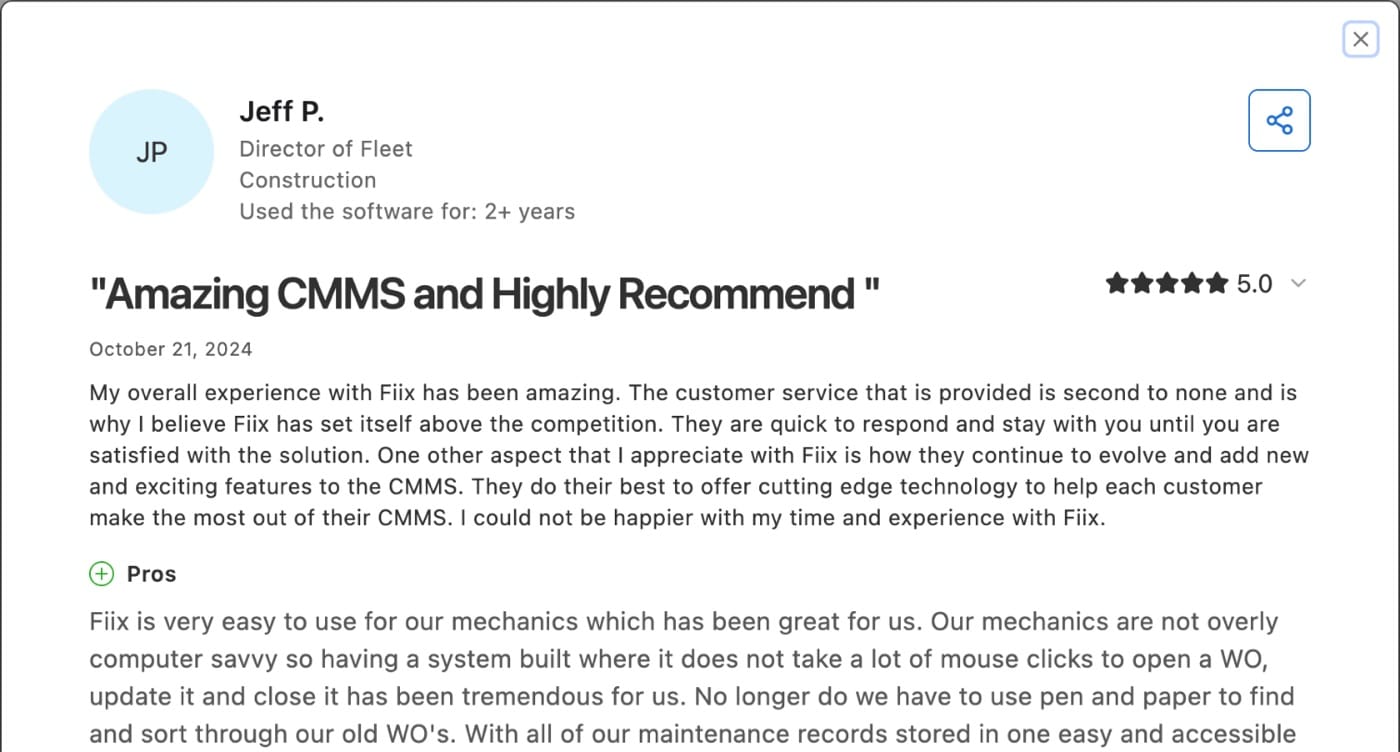
- "The customer service that is provided is second to none." (Jeff P., Director of Fleet, construction, Capterra, October 21, 2024)
Source: Capterra
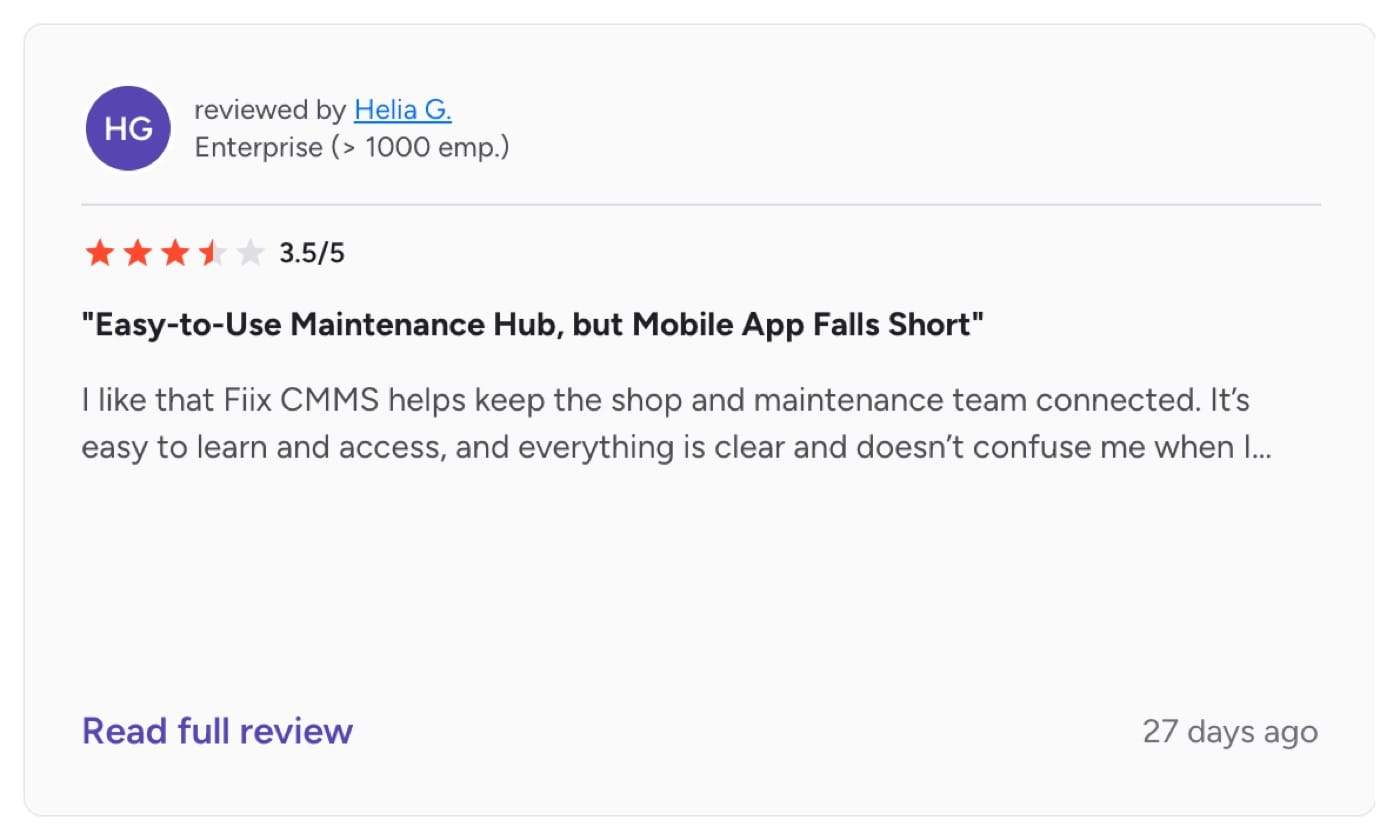
- Helia G., an enterprise reviewer, rated Fiix 3.5/5 on G2 in October 2026 under the headline "Easy-to-Use Maintenance Hub, but Mobile App Falls Short."
Source: G2
Choose it if: you run a single data center and want a free start with published prices; see fiix vs facilio for multi-site and agent needs.
6. MaintainX
Ideal for: data center teams that need technicians adopting a mobile CMMS fast, with power and cooling PM ready to schedule.
Why it ranks here: a dedicated data center offer covering generators, UPS, ATS, switchgear, CRAH and CDUs, with threshold-based work orders and a free plan.
MaintainX, now part of Autodesk after a deal that closed on August 3, 2026, sells a data center edition that names generators, UPS systems, automatic transfer switches, switchgear, chillers, CRAH and CRAC units, liquid cooling loops, CDUs, fire suppression and battery testing. Sensors, building systems and DCIM readings connect through integrations and an open API, so a work order fires when temperature, vibration or runtime crosses a threshold.
Watch the plan lines. Offline mode, condition-based maintenance and the API start at Premium, while multi-site management, anomaly detection and MaintainX Assist are Enterprise only, so a multi-site data center lands on a custom quote.
Key features:
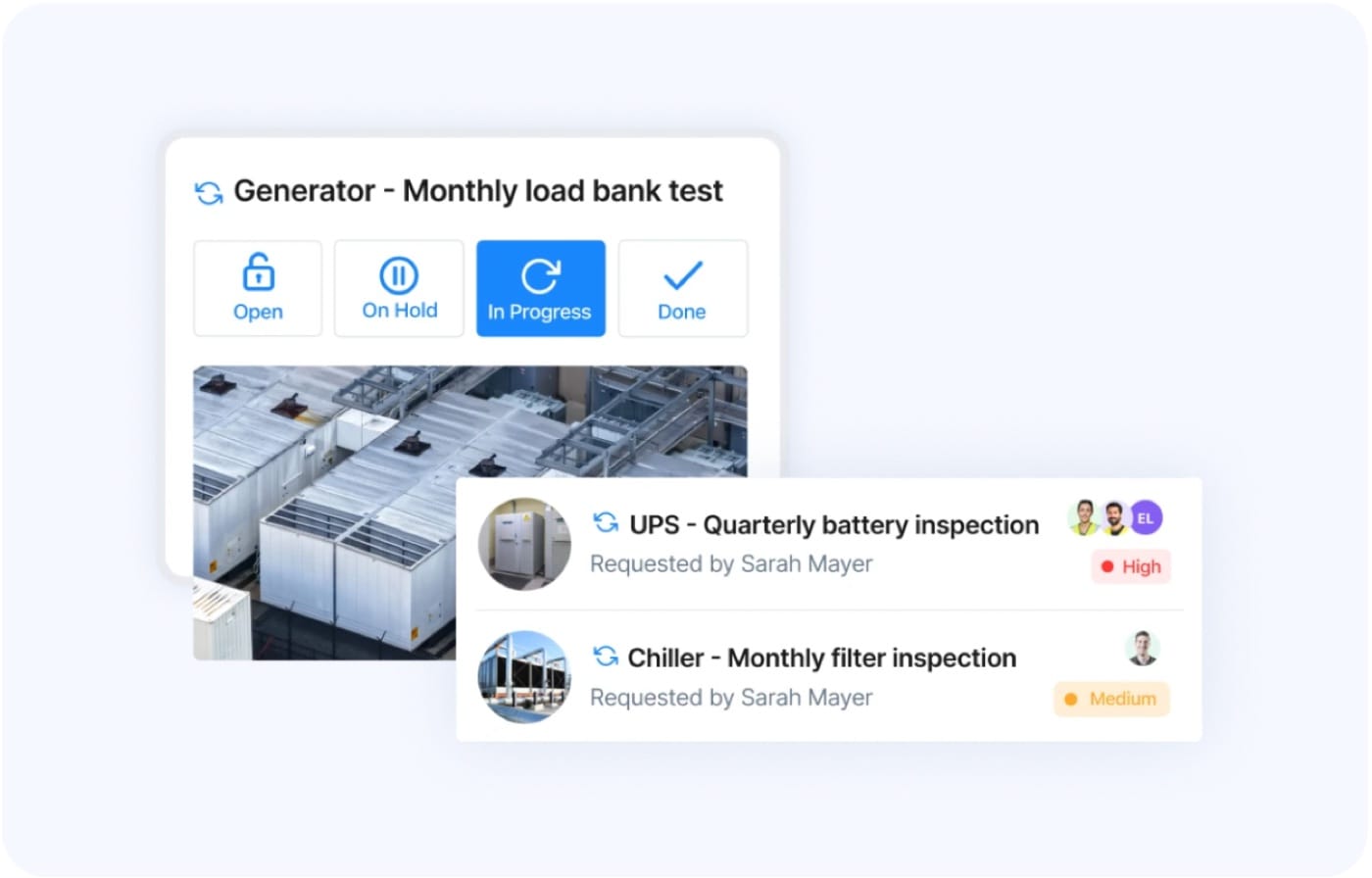
- Data center PM templates: schedule generator load bank tests, UPS battery inspections and chiller filter checks, prioritized by asset criticality and failure history so the assets that cause outages come first.
- Digital procedures and lockout: required steps, lockout steps and multi-person sign-off replace paper as the method of record for energized work on switchgear and PDUs, with full activity tracking.
- Threshold-based work orders: temperature, vibration or runtime readings from sensors, building systems and DCIM trigger a work order through integrations or the open API, from Premium.
- Asset Intelligence (add-on): OT connectors for Ignition, Kepware, AVEVA CONNECT and MQTT bring machine and building data into MaintainX, priced through sales.
- Offline mode: technicians keep working when the signal drops inside the building, from the Premium plan.
- Parts and purchasing: parts inventory and purchase orders sit next to work orders, so a failed UPS fan module can be replaced from stock or ordered from the same record.
- Multi-site reporting: PM compliance, backlog, mean time to repair and maintenance cost compare across facilities side by side, with multi-site management on Enterprise.
- Audit and customer evidence: records support SOC 2 reviews and customer audits, and colocation operators use the same records to prove maintenance to tenants.
- AI features: AI procedure generation runs on every plan, while anomaly detection and MaintainX Assist sit on Enterprise; Assist answers questions and drafts work requests for a person to review, but it cannot create or edit data on its own.
- Teams replacing paper or spreadsheets that need technicians using the app from week one.
- Single-site and smaller multi-site operators that want generator, UPS and chiller PM templates without heavy configuration.
- Colocation teams that need clean, timestamped maintenance records to show tenants and auditors.
- Sites that want sensor or DCIM thresholds to open work orders through an open API.
- Buyers who want a free plan and published per-user prices to start.
- Multi-site portfolios on a budget, since multi-site management and anomaly detection sit on the custom-priced Enterprise plan.
- Teams that need offline mode on the Essential plan, since it starts at Premium.
- Operators who need deep parts tracking or condition monitoring, both flagged by a reviewer below.
- Buyers who want AI agents that complete work on their own, since Assist reads and drafts but does not act.
Pricing: Basic is free, Essential is $20 and Premium is 25 and $75 billed monthly), and Enterprise is custom; see MaintainX pricing and Facilio's maintainx pricing guide.
What reviewers say: rated 4.8/5 on G2.
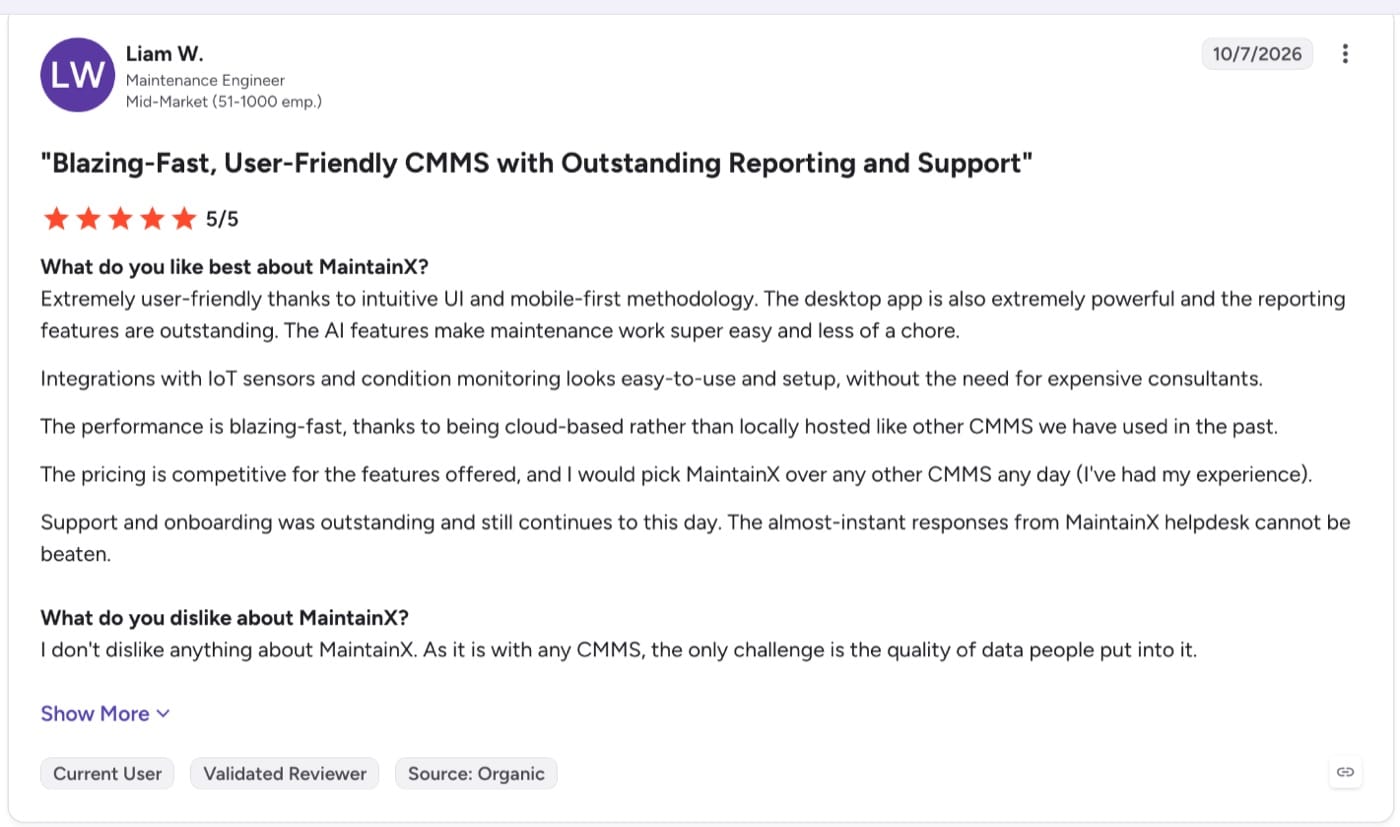
- "Integrations with IoT sensors and condition monitoring looks easy-to-use and setup" (Liam W., Maintenance Engineer, mid-market, G2, October 7, 2026)
Source: G2, organic review
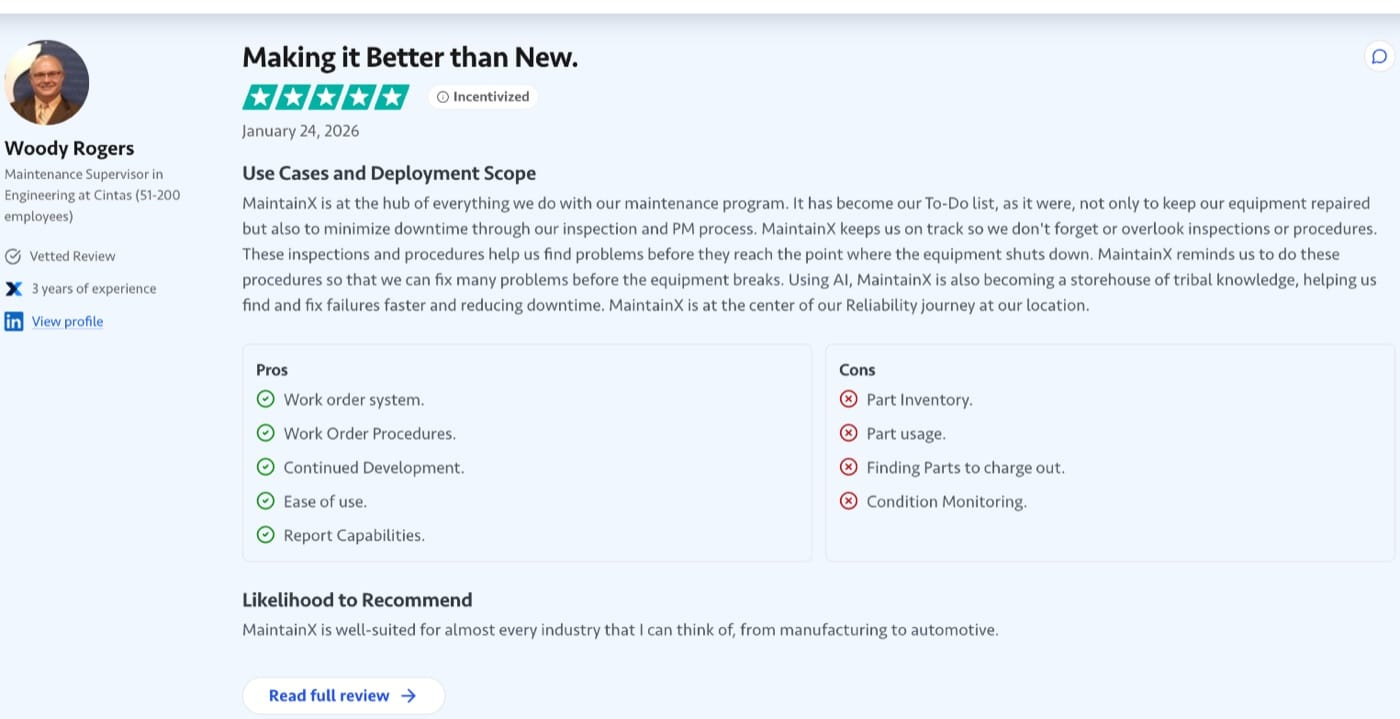
- Woody Rogers, a Maintenance Supervisor in Engineering at Cintas, rated MaintainX 10/10 on TrustRadius in January 2026 but listed "Part Inventory," "Part usage" and "Condition Monitoring" among its cons.
Source: TrustRadius, incentivized review
Choose it if: fast technician adoption matters most and your sites fit a self-serve app; see maintainx vs facilio when you need multi-site coordination and agents.
7. Limble
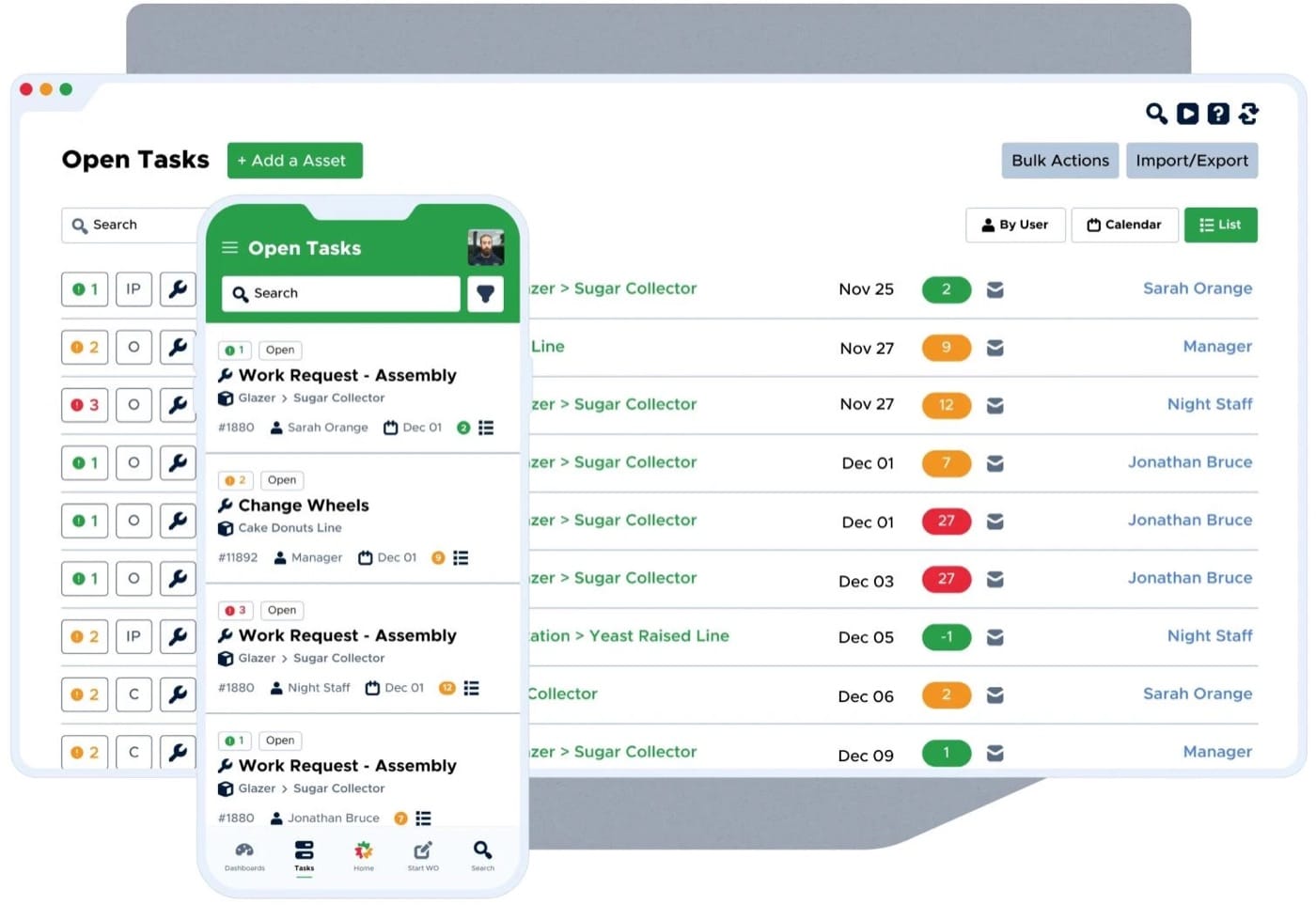
Ideal for: mid-sized in-house data center teams that want PM schedules built quickly and KPI dashboards for leadership.
Why it ranks here: quick to set up, with AI that turns manuals into PM schedules, custom KPI dashboards, and higher tiers that add offline mode, IoT sensor integrations and anomaly detection.
Limble Solutions, based in Lehi, Utah, sells three tiers through a price calculator rather than a public price list. It has no data center page, so its fit comes from general strengths: preventive maintenance setup, custom dashboards and multi-site KPI tracking such as downtime and PM compliance.
The tier lines matter for a data center. Offline mode, IoT sensor integrations, the REST API and MCP start at Premium+, and multi-location management and AI scheduling suggestions arrive only on Enterprise.
Key features:
- AI PM Builder: turns service manuals and asset data into ready-to-use maintenance schedules on every plan, so a new UPS or CRAH unit arrives with a PM plan built from its own manual.
- Work requests for everyone: a work request portal with unlimited requesters on every plan lets security, IT and tenant staff report a leak or a hot spot without a paid seat.
- Meter and threshold PM: schedules trigger from runtime meters and readings as well as the calendar, from Premium+.
- Parts, vendors and purchase orders: spare batteries, filters and belts are tracked alongside vendor records and purchase orders, from Premium+.
- Asset Snap: creates asset records from equipment nameplates, from Premium+, which speeds up loading a hall full of cooling and power gear.
- Anomaly detection and sensors: unusual readings are flagged as they happen from Premium+, IoT sensor integrations carry additional costs, and partner VibeCloud alerts can generate work orders automatically.
- Offline mode: technicians keep working in low-signal areas such as plant rooms and data halls, from Premium+.
- Custom dashboards and KPIs: track downtime, PM compliance and maintenance cost by location, with scheduled reports for leadership.
- Enterprise AI and multi-location: AI scheduling suggestions, duplicate work request checks, multi-location management by region and included SSO arrive on Enterprise, while the REST API and MCP start at Premium+.
- Mid-sized in-house teams moving off spreadsheets that want PM schedules built quickly from equipment manuals.
- Managers who report downtime, PM compliance and maintenance cost to leadership every month.
- Sites where IT, security or tenant staff raise many requests, since requesters are unlimited on every plan.
- Teams that want to add sensor-based alerts and anomaly detection later without changing platforms.
- Operators who want to connect the CMMS to their own AI tools through MCP.
- Multi-site data center portfolios on a budget, since multi-location management and AI scheduling sit on Enterprise.
- Buyers who need data center workflows such as MOPs, permits or redundancy logic documented out of the box.
- Teams that want procedures on most jobs at the entry level, since Standard caps attached procedures and advanced analytics at three a month and offline and parts start at Premium+.
- Buyers who want published prices before they talk to sales, as every tier runs through a calculator.
Pricing: Standard, Premium+ and Enterprise, priced through a calculator; see Limble pricing and Facilio's limble cmms pricing guide.
What reviewers say: rated 4.8/5 on G2.
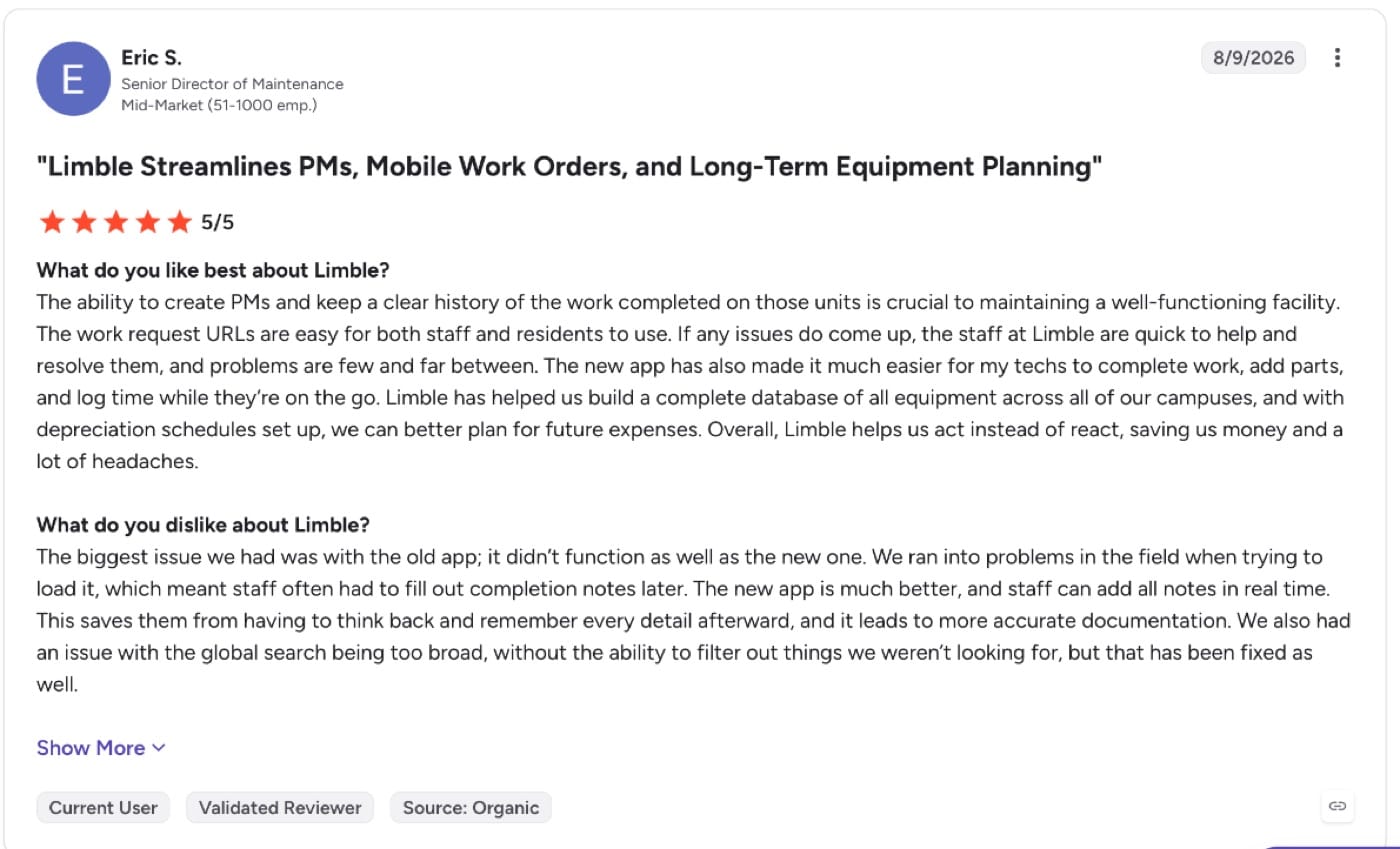
- "The work request URLs are easy for both staff and residents to use." (Eric S., Senior Director of Maintenance, mid-market, G2, August 9, 2026)
Source: G2
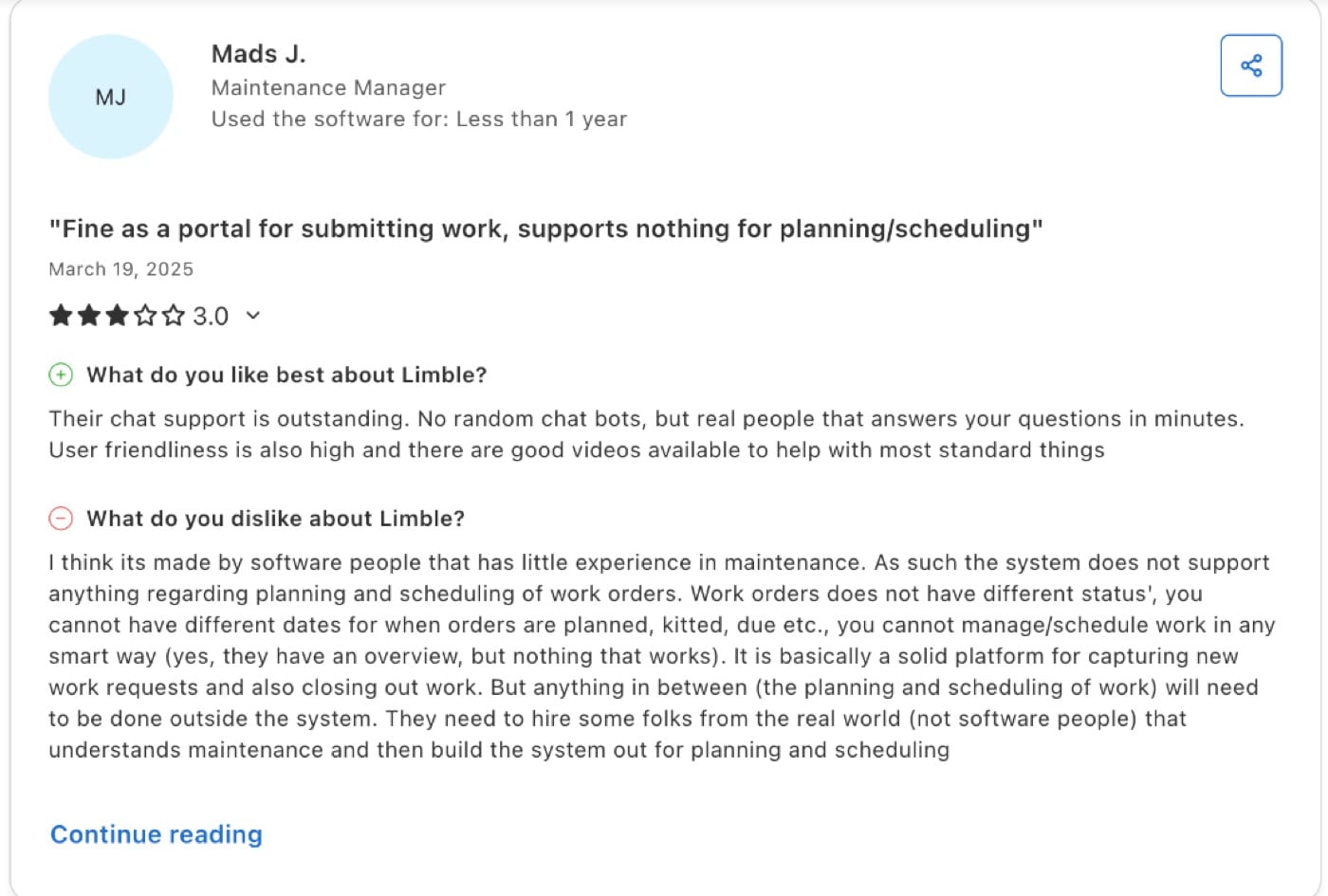
- "the system does not support anything regarding planning and scheduling of work orders" (Mads J., Maintenance Manager, Capterra, March 19, 2025, rated 3/5). Ask to see labor planning and work order scheduling in the demo.
Source: Capterra
Choose it if: you are a mid-sized team that wants PM schedules and KPI dashboards running quickly; see limble vs facilio when you outgrow a single team.
8. ServiceNow
Ideal for: organizations that already run IT service and change management in ServiceNow and want facilities work on the same platform.
Why it ranks here: many data center teams already use it for IT change control, and its Enterprise Asset Management and Field Service Management apps add AI agents that schedule, dispatch and source parts.
ServiceNow, based in Santa Clara, California, is not a CMMS in the classic sense. Data center teams assemble maintenance from Enterprise Asset Management (asset lifecycle, maintenance plans, work orders), Field Service Management (scheduling, dispatch, mobile work) and Workplace Service Delivery (facilities requests and sensors), none of which has a data center page.
The pull is one platform: when a CRAH replacement needs a change window, the maintenance work and the IT change ticket live side by side. The cost is configuration effort and licensing, both of which reviewers raise.
Key features:
- Enterprise Asset Management: asset lifecycle records, maintenance plans and work orders cover generators, UPS systems and cooling units, with AI agents that automate maintenance workflows across the lifecycle.
- AI scheduling and dispatch: Field Service Management schedules jobs and dispatches technicians, and AI agents match people to jobs, source the parts each job needs and rebalance the board as the day changes.
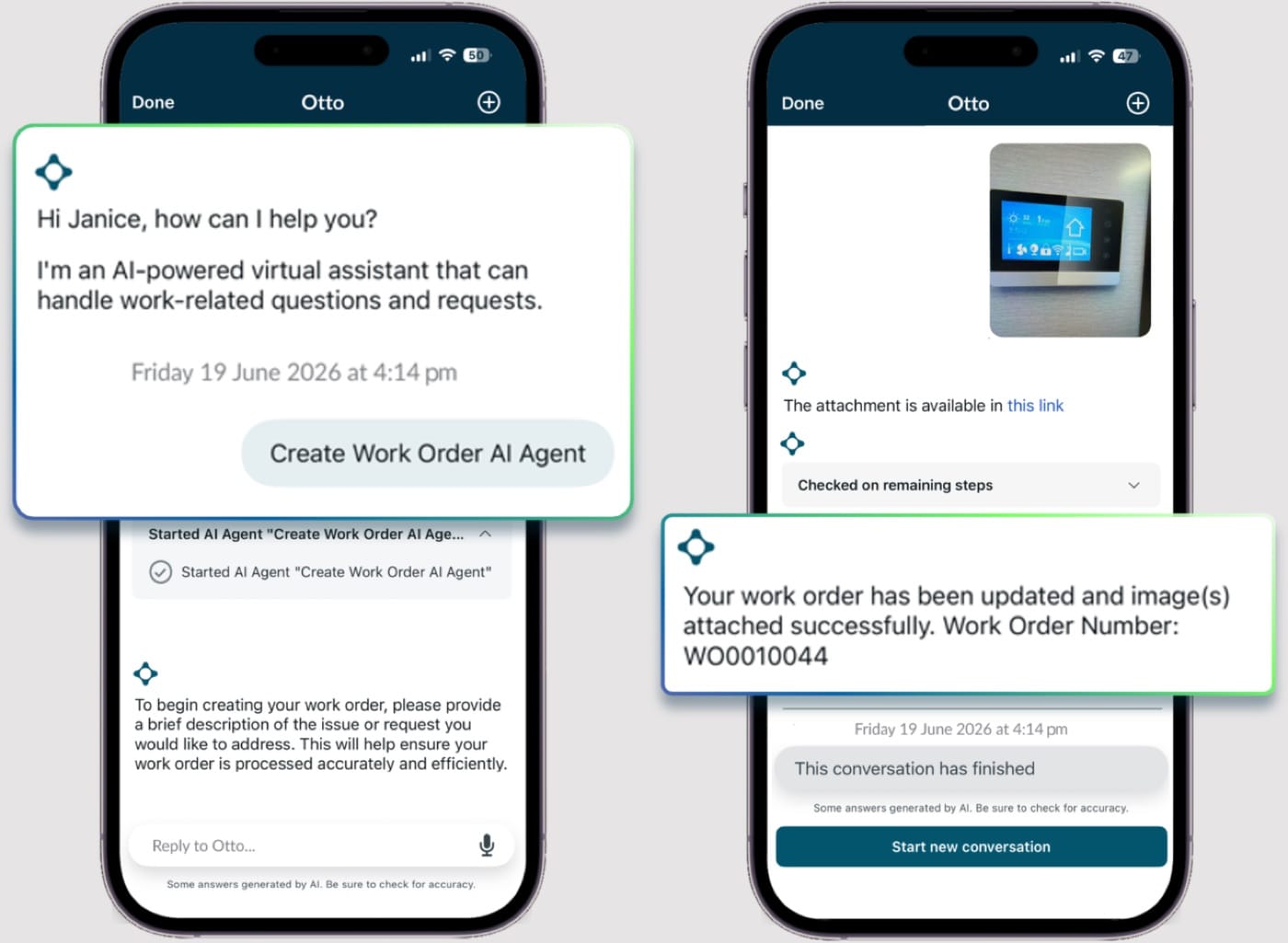
- Create Work Order agent: in the mobile app, a technician describes the issue in a conversation and the agent opens or updates the work order, attaches photos and confirms the work order number.
- Signal-based maintenance: live asset signals turn into bundled maintenance, so related checks on one chiller plant run as a single visit instead of separate tickets.
- Offline technician app: technicians download field service data to the app, work where there is no signal, create work order tasks and sync once reconnected.
- Manager mobile with Now Assist: field service managers get offline mode plus Now Assist through ServiceNow's Otto assistant in the manager app.
- Workplace Service Delivery: facilities requests, space and sensor data drive automated actions and proactive maintenance alerts for the offices and support spaces around the data halls.
- IT change alignment: maintenance windows can follow the same change management process your IT teams already run in ServiceNow, so a CRAH swap and its change ticket share one record.
- Enterprises that already standardize IT service, change and asset management on ServiceNow and want one platform of record.
- Data center operators whose maintenance windows must pass the same change approval process as IT changes.
- Teams with certified ServiceNow admins and developers who can configure workflows, integrations and AI agents in house.
- Large field operations that need AI-assisted scheduling and dispatch across many technicians, vendors and sites.
- Facilities teams without dedicated ServiceNow admin and developer support, since even small workflow changes need an admin.
- Buyers who want UPS and generator PM templates, MOPs or redundancy logic out of the box rather than configured.
- Smaller organizations, given the premium licensing and integration costs that reviewers describe.
- Teams that need published pricing or a quick pilot, since every package is quoted and the plan placement of AI agents is not published.
Pricing: quote-only through a custom quote form; see ServiceNow Field Service Management pricing. Facilio compares it with Maximo in ibm maximo vs servicenow.
What reviewers say: rated 4.3/5 on G2 for Field Service Management.
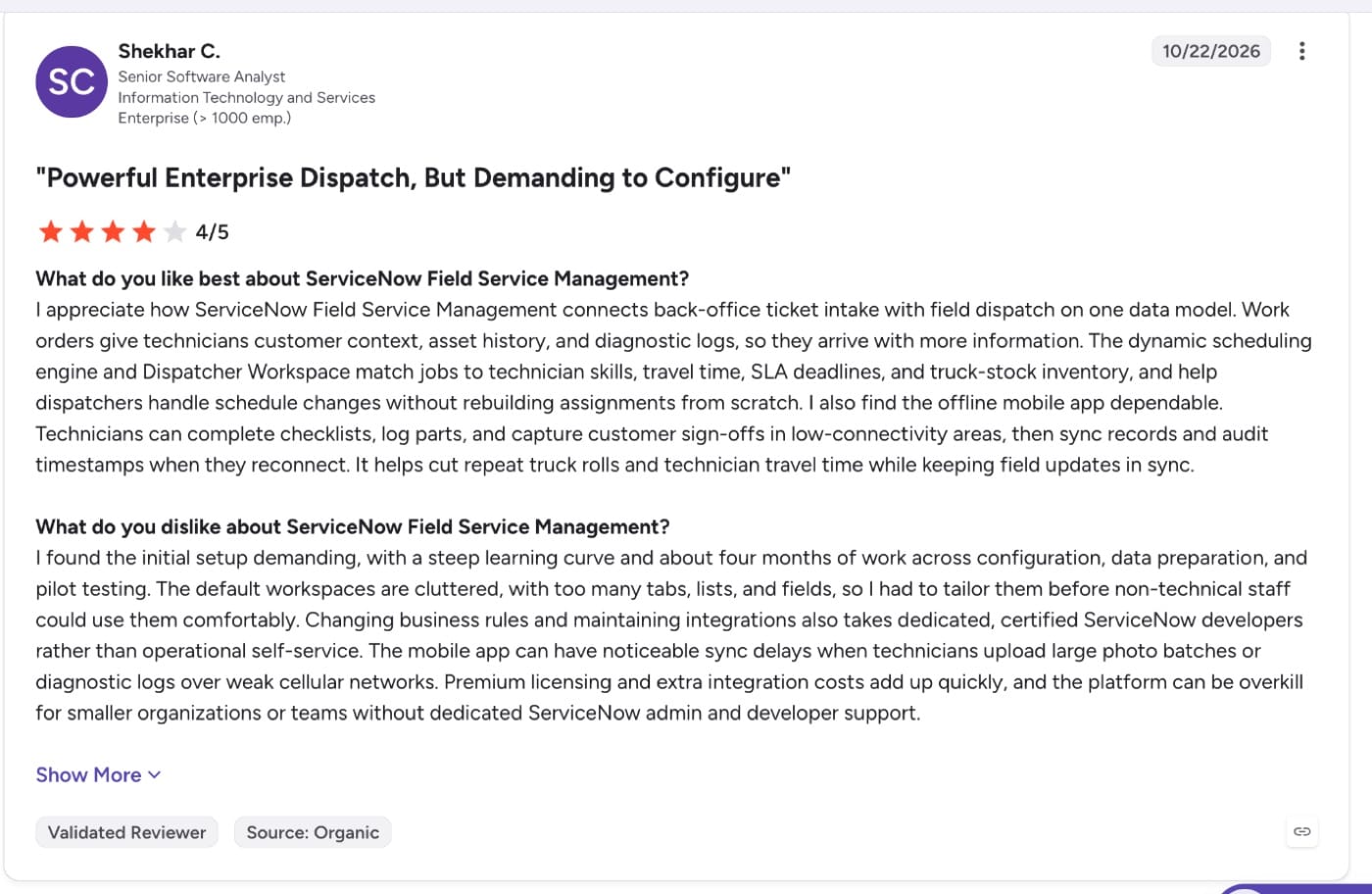
- "I also find the offline mobile app dependable." (Shekhar C., Senior Software Analyst, IT and services, enterprise, G2, October 22, 2026)
Source: G2, organic review
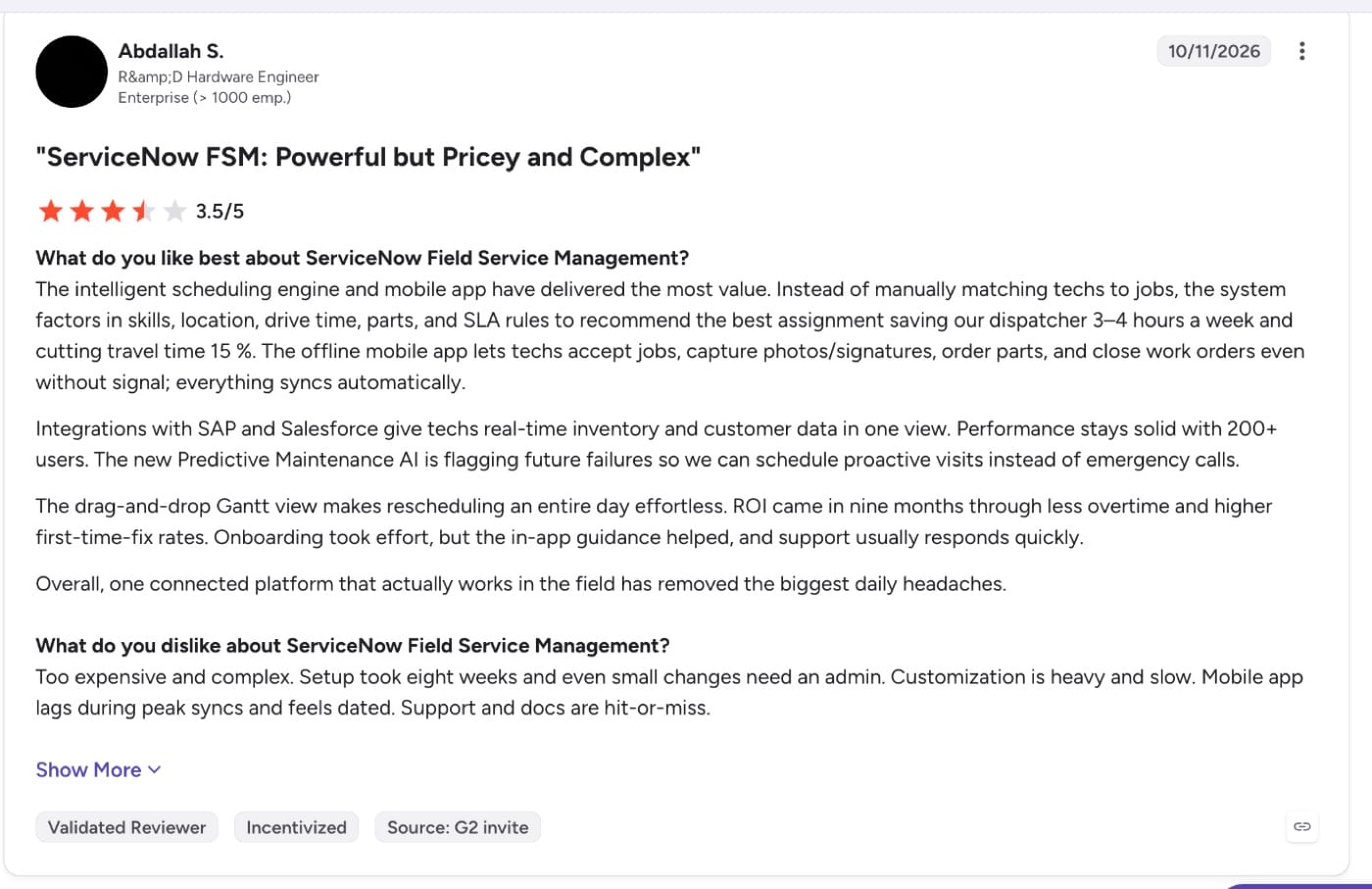
- "Too expensive and complex. Setup took eight weeks and even small changes need an admin." (Abdallah S., R&D Hardware Engineer, enterprise, G2, October 11, 2026, rated 3.5/5)
Source: G2, incentivized review (G2 invite)
Choose it if: ServiceNow already runs your IT operations and you have admins to configure it; otherwise a purpose-built maintenance platform will go live faster.
9. Oxmaint
Ideal for: budget-conscious edge and single-site data centers that want a free plan and low per-user pricing.
Why it ranks here: the lowest published entry price on this list, a data center playbook with digital MOPs and DCIM-triggered work orders, and an AI tier that claims to create and assign work orders.
Oxmaint, based in Sunnyvale, California, is a newer CMMS that publishes prices and pushes AI hard, including an on-premises NVIDIA edge option where no data leaves your site. Its data center pages describe tracking generators, UPS modules and chillers down to the serial number, digital MOP templates with mandatory sign-offs, and DCIM alerts that create work orders through the API.
The gaps are proof and depth. There are no public reviews, offline mobile is not documented, and its compliance pages map features to Uptime Institute, SOC 2, ISO 27001 and TIA-942 rather than claiming certification, so test every claim in a pilot.
Key features:
- Critical asset tracking: generators, UPS modules and chillers are tracked down to the serial number, so every battery string and compressor carries its own maintenance history, warranty and failure record.
- Digital MOP templates: methods of procedure carry mandatory sign-offs and immutable timestamps, so a transfer on a live UPS follows the approved steps and leaves a record an auditor can trust.
- Concurrent maintainability records: Tier III and Tier IV sites keep the maintenance records that show planned work happened without taking critical load offline.
- DCIM-triggered work orders: a DCIM alert creates a CMMS work order through an API integration, so a hot aisle or a failing PDU reading lands with a technician instead of sitting on a dashboard.
- BMS and IoT intake: building management and IoT sensor data feed predictive alerts and condition-based maintenance on cooling and power equipment.
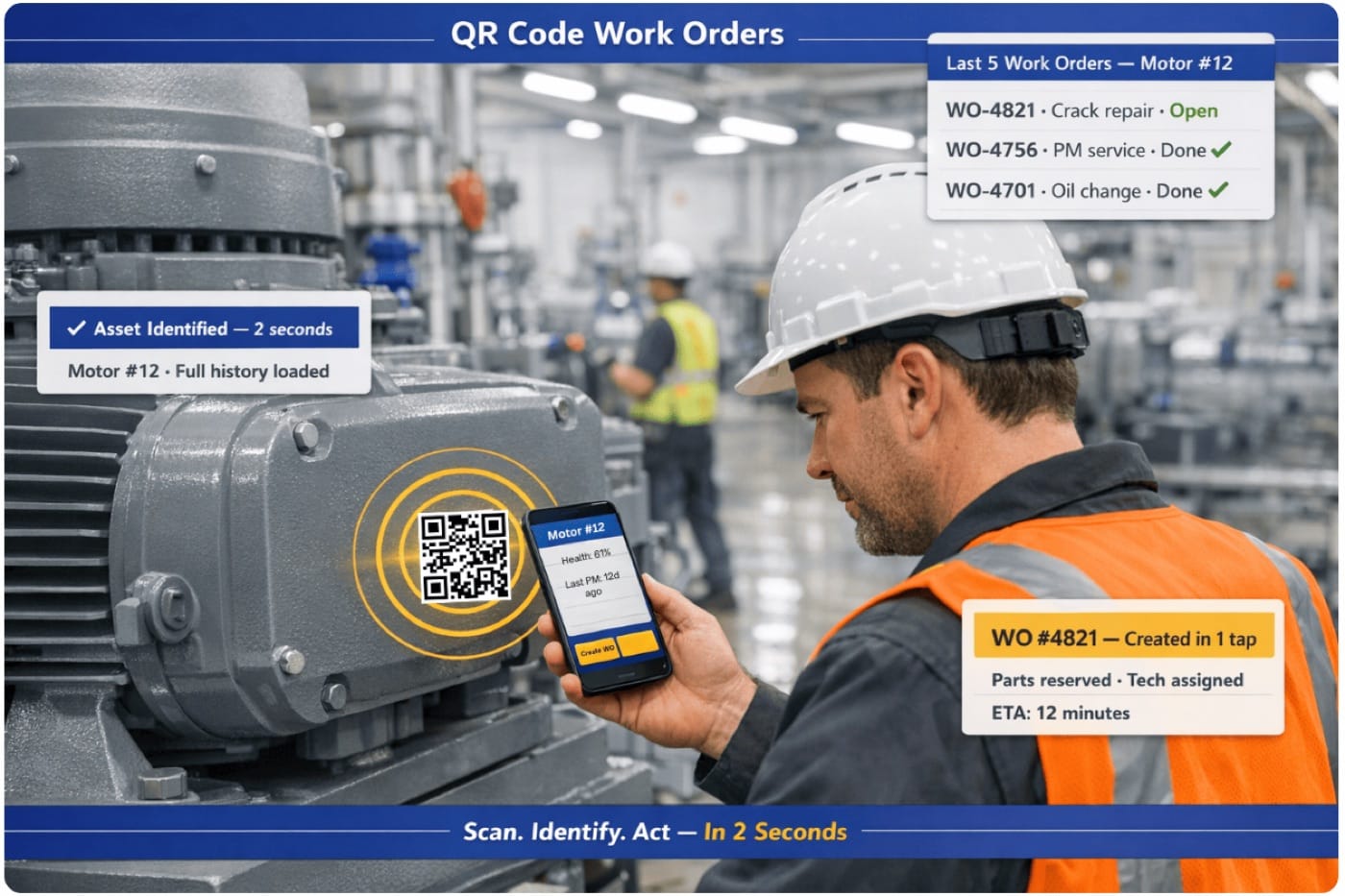
- QR requests and smart checklists: technicians and site staff scan an asset's QR code to report an issue, load its history and run the checklist for that unit.
- AI work orders (Agentic plan): the AI creates work orders from vision detections, predictive alerts or failed inspections, assigns the nearest certified technician and can reserve parts or trigger a purchase order; approval steps are not documented, so test them.
- AI assistant in chat: technicians ask in plain language and the assistant can open and assign a work order, while Oxmaint's automation page shows it asking before it creates one.
- Edge AI and multi-site: an on-premises NVIDIA server runs AI vision locally so camera data stays on site, and multi-location management and the API start on the Pro plan.
- Edge or single-site operators who need to start on a free plan and keep per-user costs low as the team grows.
- Small teams that want ready data center content, such as MOP templates and generator and UPS PM, without a long setup project.
- Buyers who want to test AI that raises and assigns work orders on a free or trial plan before committing budget.
- Sites with strict camera or data rules that want AI vision to run on premises rather than in the cloud.
- Buyers who need customer references, analyst coverage or public reviews before they commit to a vendor.
- Teams that need documented offline mobile for technicians working inside shielded data halls.
- Operators whose customers or auditors expect certified compliance rather than features mapped to Uptime Institute, SOC 2 or TIA-942.
- Colocation providers that need customer-facing portals and per-tenant SLA reporting, which Oxmaint does not document.
Pricing: Lite is free, Pro is $19 and Agentic is 190 and $490 per year), and Enterprise is custom; see Oxmaint pricing.
What reviewers say: Oxmaint has no public reviews yet: there is no G2 listing, and its Capterra listing has none, so ask for references and run a pilot first.
Choose it if: you need a low-cost start at a small or edge site and will validate offline use and the AI claims before you scale.
Data center maintenance use cases a CMMS should handle
These are the jobs a data center CMMS has to run every week, so use them as demo scripts; each one shows quickly whether a tool fits critical facilities.
Critical power: UPS battery inspections and ohmic checks in line with IEEE 1188 for VRLA batteries, weekly generator inspections and monthly exercise runs under NFPA 110, load bank tests, automatic transfer switch tests and switchgear thermal scans. The CMMS must schedule each by calendar or runtime hours, attach the right procedure and keep the test result on the asset record.
Cooling and thermal: CRAC and CRAH filters, coils and belts, chillers and cooling towers, and coolant distribution units on liquid-cooled AI and GPU racks. Look for condition triggers that pull a job forward when predictive maintenance software spots pressure or temperature drift.
Change control and concurrent maintenance: revision-controlled MOPs, SOPs and EOPs, approvals, and a check that the redundant unit is healthy before a UPS or CRAH goes offline. Permit to work software should stop work from starting until every approval is in, and the window should line up with the IT change ticket.
Alarm to work order: a BMS, EPMS or DCIM alarm should become one evidenced work order, not fifty duplicate tickets. Fault detection and diagnostics rules separate nuisance alarms from actionable faults before the work order is raised.
Audit and customer evidence: digital sign-offs, timestamps and redundancy test records for Uptime Institute Tier reviews, TIA-942 assessments and customer SOC 2 or ISO 27001 audits. Inspection management software should turn a failed check into a work order with the evidence attached.
Vendor and OEM service: generator, UPS, fire suppression and cooling OEMs deliver much of the planned work. The CMMS should hold service contracts, warranties and SLAs, track each visit and collect the service report.
Critical spares: UPS batteries, filters, breakers and fan modules need minimum stock levels and known lead times, so an emergency repair never waits on procurement.
Multi-site, colocation and edge reporting: PM compliance, SLA adherence, PUE and downtime trends by site and by customer, with one standard across a campus, a colocation portfolio or dozens of edge sites.
Key features to look for in data center maintenance software
Use this list to score demos: the first group covers the CMMS basics a critical facility needs, and the second covers AI and agent features worth paying for.
Data center CMMS core features:
- Change control and risk: revision-controlled MOPs and SOPs, approvals and permit to work, and evidence capture with digital sign-offs and timestamps that prove work followed the approved sequence.
- Asset and inventory: a hierarchical registry with nameplate data, redundancy and isolation logic across the power chain so technicians see upstream and downstream impact, and spares, warranties and vendor contracts in one place.
- Scheduling and PM: PM by calendar, interval or runtime hours, condition and predictive triggers that adjust timing, and failure codes that feed root-cause analysis.
- Integrations and field mobility: filtered BMS and DCIM alarms passed into work orders, runtime meters synced from monitoring systems, offline mobile inside low-signal data halls, and barcode or QR scanning.
- Reporting and compliance: PM compliance, SLA adherence and downtime and failure trends in CMMS reports and dashboards, plus audit documentation you can export on demand.
AI and agent features:
- Alarm triage: separates nuisance alarms from actionable faults and raises one work order with the evidence attached.
- Condition-based scheduling: moves PM forward or back from EPMS, BMS and sensor data instead of the calendar alone.
- Service intake and dispatch: answers requests on any channel and assigns the right technician or vendor by SLA, skills, location and history.
- Vendor coordination: chases OEM quotes, confirms attendance and collects service reports without a coordinator in the loop.
- Compliance gap flagging: tracks certificates, inspections and statutory tasks and flags the gap before the audit.
- Invoice checks: compares every vendor invoice line with the work order, contract and rate card before it is paid, while CMMS workflow automation handles the approvals around it.
One test sorts the field: does the AI do the job end to end, or only suggest what a person should do next?
CMMS vs DCIM vs BMS: which system runs data center maintenance
Data centers run three overlapping systems, and buyers often expect one to do another's job. Here is what each owns and where the CMMS connects to the others.
| System | What it owns | Examples | Where the CMMS connects |
|---|---|---|---|
| DCIM | Rack space, power chain, capacity and live power, cooling and environmental monitoring across IT and facility assets | Sunbird, Nlyte, Schneider Electric EcoStruxure IT | Capacity and alarm data set maintenance priority and trigger work orders |
| BMS | Control of HVAC, chillers, air handlers and set points, plus building alarms | Siemens Desigo CC, Johnson Controls Metasys, Schneider Electric EcoStruxure Building Operation | Filtered alarms and runtime hours become condition-based work orders |
| EPMS | Power quality, breaker status and electrical events from switchgear to PDU | Eaton and Schneider Electric power monitoring, often on an Ignition SCADA layer | Electrical events trigger inspections and root-cause records |
| CMMS | Work orders, PM schedules, asset histories, procedures, spares, vendors and audit evidence | The 9 tools on this list | The system of record for the maintenance work itself |
DCIM usually pairs with a CMMS rather than replacing it: monitoring systems detect, and the CMMS makes sure someone acts and proves it. If you are writing the business case for a maintenance system, start from what is CMMS and then map which alarms should cross over.
How much does a CMMS for data centers cost?
Data center CMMS pricing runs from free plans to enterprise subscriptions; here is how each model works and what a three-site portfolio pays at list prices.
Most vendors price per user, a few per component or by portfolio, and the plan that unlocks offline mode or multi-site management is rarely the cheapest one. Facilio's CMMS pricing guide covers the wider market.
How the pricing models work:
- Free tiers: Fiix, MaintainX and Oxmaint offer free plans with caps on PMs, work orders or features, which suit a pilot at one site.
- Per user per month: Fiix, MaintainX and Oxmaint publish per-user rates; requesters are usually free, but every technician and planner needs a seat.
- Per component: IBM Maximo Essentials prices each component per year (Maintenance, Inspection and others) on a 12-month minimum.
- Quote by portfolio or users: Facilio, MCIM, eMaint, Limble and ServiceNow quote by users, sites, modules and scope.
- Add-ons and AI: assistants, sensor analytics, customer portals and IoT integrations are often priced separately, as with Fiix MAX, MCIM Merin and Limble's IoT integrations.
| Tool | Plan that fits the scenario | Annual list cost | What to ask about |
|---|---|---|---|
| Oxmaint | Agentic (AI) or Pro (no AI) | $12,250 (Agentic) or $4,750 (Pro) | Offline mobile, multi-site setup and AI approval steps |
| MaintainX | Premium (offline and condition-based PM) | $19,500 | Multi-site management and anomaly detection need Enterprise (custom quote) |
| Fiix | Professional (multi-site and Foresight) | $22,500 | Whether $75 is an annual or monthly rate, plus MAX and Asset Health add-ons |
| IBM Maximo | Essentials Maintenance component | Under $40,000 | Extra components, AppPoints for more users and partner services |
| Facilio, MCIM, eMaint, Limble, ServiceNow | Quote | Quote | Implementation, integrations, AI add-ons and minimum terms |
Annual list cost as of November - 2026 for a three-site data center portfolio with 25 paid technician and planner seats, 10 free requesters and about 4,000 critical assets, using each vendor's published per-user price on annual billing where offered (Fiix does not state its basis). Taxes, implementation, integrations and add-ons excluded.
Hidden costs to ask about:
- Integration work: BMS, DCIM and EPMS connectors are often scoped as services, and sensor integrations can carry extra fees.
- Plan jumps: offline mode, APIs, SSO and multi-site management often sit one tier above the starter plan.
- AI add-ons and credits: assistants and analytics may be paid add-ons or limited by usage.
- Migration and data cleanup: moving asset hierarchies and PM history from another CMMS can need paid services, as one eMaint reviewer found.
- Minimum terms: prepaid annual commitments and minimum user counts lock in spend for a year or more.
How to choose a CMMS for mission-critical data centers
Use this five-step framework to turn a long list into two or three finalists, with each step mapped to the tools that fit the answer you give for your sites.
The 5-Step Data Center CMMS Selection Framework
- Name your operating model: decide whether you run an enterprise data center, a colocation portfolio, AI/HPC halls, hyperscale campuses, edge sites or data centers for clients, then count sites, technicians and vendors. Scale changes everything from licensing to reporting, and very large estates should also read the best enterprise CMMS software guide.
Shortlist: Facilio and MCIM for colocation portfolios, IBM Maximo for hyperscale, and Fiix, MaintainX or Oxmaint for single or edge sites.
- Test the hierarchy and isolation logic: load a generator, UPS, PDU and rack chain into each demo and ask what the system shows before a UPS module goes offline. A flat asset list cannot warn you about downstream impact during concurrent maintenance. Shortlist: MCIM, IBM Maximo, eMaint and Facilio model parent-child relationships in depth.
- Run one alarm-to-closure test: send a BMS or EPMS alarm and follow it to a closed, evidenced work order. Count the clicks, the people and the duplicate tickets along the way. Shortlist: Facilio, eMaint, MaintainX, Fiix and Oxmaint document alarm- or threshold-driven work orders.
- Check the change-control and audit pack: ask for an MOP revision history, a permit approval trail and a redundancy test record you could hand to an Uptime Institute reviewer or a colocation customer. Without them, every audit turns into a scramble. Shortlist: MCIM and eMaint lead on change workflows, while Facilio and MaintainX lead on audit exports and customer evidence.
- Decide who runs it: choose between a self-serve tool your team configures and a platform whose team builds and runs the workflows with you. Without spare admin capacity, configuration-heavy platforms stall after go-live. Shortlist: Fiix, MaintainX, Limble and Oxmaint are self-serve, ServiceNow and IBM Maximo need admins or partners, and Facilio's FM Ops Engineers build and run it with you.
Data center CMMS integrations and compliance standards
A data center CMMS is only as good as its links to monitoring systems and the standards it can prove, so check both carefully before you sign any contract.
Systems to connect:
- BMS: HVAC, chiller and air handler alarms and runtime hours, filtered before they become work orders.
- DCIM: rack, power chain and capacity data that set maintenance priority and confirm redundancy before isolation.
- EPMS and power monitoring: breaker events, power quality and UPS status that trigger inspections.
- IoT sensors: temperature, humidity, leak and vibration readings for condition-based maintenance.
- ITSM: change tickets and maintenance windows in tools such as ServiceNow or Jira Service Management.
- ERP and finance: purchase orders, invoices and spares in SAP or Oracle.
- Identity and SSO: single sign-on for technicians, vendors and auditors.
Ask each vendor for its CMMS integrations list and which connectors are standard versus scoped as paid services.
Standards the CMMS must record:
- Uptime Institute Tier and M&O: maintenance procedures, staffing records and test evidence that support Tier and Management and Operations reviews.
- ANSI/TIA-942: maintenance and documentation records behind infrastructure ratings for power, cooling and telecom.
- ISO/IEC 27001 and SOC 2: access, change and maintenance records that your customers' auditors ask for.
- ISO 50001 and ISO 55001: energy performance and asset management records, from PUE trends to asset lifecycle plans.
- NFPA 110: weekly generator inspections, monthly exercise runs and load test results.
- NFPA 70B: electrical maintenance programs, including thermography and switchgear inspections.
- NFPA 75 and NFPA 76: fire protection records for IT equipment and telecommunications facilities.
- NFPA 2001: clean agent fire suppression inspections and tests.
- IEEE 1188 and IEEE 450: inspection and test records for VRLA and vented lead-acid UPS batteries.
- EPA Section 608: refrigerant handling and leak records for chillers and CRAC units.
Common mistakes when buying data center maintenance management software
These seven mistakes show up again and again in data center CMMS projects; each one costs uptime, audit time or money, and each has a simple demo test.
- Buying a generic CMMS with no change control: the tool tracks work orders but has no revision-controlled MOPs or approvals, so technicians work from printed procedures on live switchgear. One wrong step can drop a load and cost SLA credits. How to avoid it: ask the vendor to show an MOP revision history and a job that cannot start without approval.
- Loading a flat asset list: generators, UPS modules and PDUs are recorded with no parent-child links or redundancy pairs, so nobody sees what goes down when a unit is isolated. Concurrent maintenance then depends on memory. How to avoid it: load one power chain in the demo and ask what the system shows before isolation.
- Treating DCIM as the maintenance system: DCIM shows the alarm, but nobody owns the fix, the vendor visit or the proof, and findings pile up before the next audit. How to avoid it: follow one DCIM alarm to a closed work order with evidence in every demo.
- Piping every raw alarm into work orders: the CMMS turns into an alarm console with hundreds of duplicate tickets, technicians start ignoring them, and actionable faults get lost in the noise. How to avoid it: ask how the tool filters, groups and deduplicates alarms before it raises a work order.
- Trusting a cached "offline" mode: the app shows work orders offline but cannot close them or capture photos inside a shielded data hall, so technicians walk back to the office to finish paperwork, adding hours every week. How to avoid it: put a phone in airplane mode and close a full PM with photos and sign-off.
- Scheduling PM by calendar only: generators that run more hours and UPS strings that age faster get the same schedule as idle units, so you either waste labor or raise the risk of failure. How to avoid it: ask for runtime and condition triggers on a generator and a CRAH unit.
- Paying for AI that only drafts: the assistant summarizes and suggests, but coordinators still log, assign and chase every job, so the headcount problem stays.
How to avoid it: ask the vendor to show the AI raising, assigning and closing the loop on a job without anyone retyping it.
How to switch to a new data center CMMS without downtime
Switching CMMS in a live data center needs a phased cutover; this four-phase plan keeps PM on schedule and evidence intact while the old system winds down.
The 4-Phase Data Center CMMS Cutover
Phase 1, audit assets and history (typically weeks 1 to 3):
- Export assets, nameplate data, PM schedules and 12 to 24 months of work history from the current system.
- Rebuild the power and cooling hierarchy, including redundancy pairs, and remove duplicates.
- Agree which records auditors and customers will ask for, and how they carry over.
Phase 2, rebuild PM, procedures and integrations (typically weeks 3 to 6):
- Load PM schedules with calendar, runtime and condition triggers.
- Rebuild MOPs, SOPs and EOPs with revision control and approvals.
- Connect BMS, DCIM and EPMS alarms with filtering rules, then test them.
- Set up vendor portals, SLAs and spares minimums.
Phase 3, run in parallel in one hall or site (typically weeks 6 to 10):
- Run every PM in both systems for one hall or one site.
- Compare completion rates, alarm-to-work-order times and evidence quality.
- Fix field mapping errors before the next site moves.
- Train technicians on the mobile app inside the data hall, offline.
Phase 4, roll out across the portfolio (typically weeks 10 to 14):
- Move the remaining halls or sites in waves, outside planned change windows.
- Set the old system to read-only for historical audits.
- Run an audit-pack check: MOP history, permits, redundancy tests and PM compliance.
Which CMMS is right for your data center
The right data center CMMS depends on your operating model, how deep your monitoring links need to go and who will run the system day to day after go-live.
If you run a colocation or multi-site enterprise portfolio and the strain is the work around the work order (vendors, alarms, evidence and coordination), Facilio is the strongest fit. MCIM suits operators who want a data-center-only specialist, IBM Maximo suits hyperscale owners with reliability engineers, and eMaint suits Fluke-equipped reliability teams. For single or edge sites, Fiix, MaintainX and Oxmaint offer published prices and free starts, Limble suits mid-sized teams that want fast PM setup, and ServiceNow makes sense when your IT operations already run on it.
See how our agents run a data center maintenance day: a BMS alarm, a UPS vendor visit and an audit export on one platform. Take the product tour.
Want the work done for you?
Our FM Ops Engineers scope your first AI agent on your own sites, then build it, run it and stay with you.
CMMS for data centers FAQs
Short answers to the questions data center teams ask most about CMMS software, from cost and free plans to DCIM, audits and typical implementation timelines.
What is a CMMS for data centers?
A CMMS for data centers is software that plans, tracks and records maintenance on critical power, cooling and fire suppression systems. It schedules PM, runs work orders and procedures, tracks spares and keeps the audit trail that uptime and compliance reviews need.
How is a data center CMMS different from a generic CMMS?
A data center CMMS tracks redundancy setups such as N+1 and 2N, controls MOPs and SOPs for work on live equipment, connects to BMS, DCIM and EPMS alarms, and keeps the test evidence that Uptime Institute and customer audits require.
What software do data centers use for maintenance?
Most data centers combine DCIM for capacity and monitoring, a BMS for building controls, an EPMS for power and a CMMS for maintenance work. Many also run ServiceNow or another ITSM tool for change management.
What is the difference between CMMS and DCIM?
DCIM monitors capacity, power, cooling and environmental conditions across facility and IT assets. A CMMS runs the maintenance work: work orders, PM schedules, spares, vendors and evidence. They work best together, with DCIM alarms creating CMMS work orders.
How much does a CMMS for data centers cost?
Published plans run from free tiers to about 40,000 a year per component. Many data center platforms are quote-only, and integrations, AI add-ons and implementation add to the total.
Is there a free CMMS for data centers?
Yes. Fiix, MaintainX and Oxmaint offer free plans, but each caps PMs, work orders or features, and offline mode or multi-site management usually needs a paid plan. A free plan suits a pilot at one site.
Should a data center use a CMMS or an EAM?
A CMMS fits most data centers that need work orders, PM and evidence. An EAM adds asset health, prediction and capital planning across the full lifecycle, which suits hyperscale owners with reliability teams. Many platforms now cover both.
What is condition-based maintenance for data center infrastructure?
Condition-based maintenance triggers work from measured data, such as UPS battery readings, generator runtime hours or chiller pressure and vibration, instead of the calendar alone, so equipment is serviced when it needs it.
How often should data center generators and UPS systems be maintained?
NFPA 110 calls for weekly generator inspections and monthly exercise runs under load, with load bank tests when needed. UPS batteries follow IEEE 1188 or IEEE 450 schedules, typically monthly and quarterly checks plus annual tests.
Can a CMMS help with Uptime Institute and TIA-942 audits?
Yes. A CMMS keeps the procedures, timestamps, sign-offs and redundancy test records that reviewers ask for, and a good one exports them as an audit pack instead of a scramble through binders and spreadsheets.
Which CMMS works for colocation providers?
Colocation providers need multi-site reporting, per-customer SLAs and evidence they can share with tenants. Facilio and MCIM are built for colocation portfolios, and MaintainX supports tenant-facing maintenance records.
How long does a data center CMMS take to implement?
A phased rollout usually takes 8 to 14 weeks for a multi-site portfolio, from asset audit to parallel run and full cutover. Single sites on self-serve tools can go live in a few weeks, while enterprise EAM projects often take months.
About the Author
