







 Service intake
















A CMMS for corporate facilities keeps work orders, preventive maintenance schedules, asset records and vendors in one place across your HQ, regional offices and campuses, so employee requests and HVAC, elevator and fire safety work stop living in spreadsheets, inboxes and manual tickets (space, lease and desk booking belong to an IWMS, covered below).
This guide narrows the best CMMS software list to the 9 tools that fit corporate portfolios, compared on employee requests, vendor control, offline mobile, AI and cost per site.
The best CMMS for corporate facilities in 2026 are 1. Facilio, 2. Corrigo, 3. ServiceChannel, 4. Planon, 5. Asset Essentials by Siemens, 6. Limble, 7. UpKeep, 8. Fiix, and 9. MPulse.
- Facilio: best for corporate FM teams that want agents to take employee requests, dispatch and vendor follow-up off the desk across HQ, offices and campuses.
- Corrigo: best for corporates whose facilities are run by JLL or by a large outsourced contractor network.
- ServiceChannel: best for vendor-led portfolios with many locations that need a provider network and invoice controls.
- Planon: best for corporate real estate teams that want space, lease and maintenance in one IWMS suite.
- Asset Essentials by Siemens: best for campus-style estates that want preventive maintenance now and long-range capital planning next.
- Limble: best for mid-size in-house teams that want fast setup and free work requesters on every plan.
- UpKeep: best for a single HQ or small office portfolio run by a small in-house team.
- Fiix: best for corporate sites that run labs, R&D or light production next to offices.
- MPulse: best for facilities teams whose IT group wants cloud or self-hosted deployment.
Corporate facilities CMMS software comparison table
Compare all 9 corporate facilities CMMS tools side by side on best fit, starting price, rating, request intake, offline mobile and AI before you shortlist.
| Tool | Best for | Starting price | Rating | Employee request intake | Offline mobile | AI and automation |
|---|---|---|---|---|---|---|
| 1. Facilio | HQ, office and campus portfolios with vendor-heavy work | Quote | 4.4/5 G2 | Portal, QR, email, phone and WhatsApp, answered by an intake agent | Yes, offline mode with auto-sync | Live agents for intake, dispatch, vendors, invoices, compliance and reporting |
| 2. Corrigo | JLL-managed and outsourced FM | Quote (per user or per site) | 4.5/5 G2 | Customer portal | Mobile app; offline not documented | AI scheduling and work order routing |
| 3. ServiceChannel | Vendor-led portfolios with many locations | Quote (per location) | 4.5/5 Capterra | Site staff log work orders | Offline check-in for providers | AI included; agents flag stalled work orders |
| 4. Planon | Workplace-led real estate teams | Quote (UK list from £87/user/mo) | 4.4/5 Capterra | Self-service requests | Mobile field app; offline not documented | None documented for maintenance |
| 5. Asset Essentials by Siemens | Campus-style estates | Quote | 4.2/5 G2 | Request templates | Mobile app; confirm offline in demo | Analytics; AI capital planning sold separately |
| 6. Limble | Mid-size in-house teams | Quote (calculator) | 4.8/5 G2 | Request portal, unlimited requesters on all plans | From Premium+ | Anomaly detection and AI scheduling on higher tiers |
| 7. UpKeep | Single HQ, small team | $24/user/mo | 4.5/5 G2 | External request portal from Professional | From Professional | Nova AI on monthly credits |
| 8. Fiix | Offices next to labs or light production | Free; paid from $45/user/mo | 4.6/5 G2 | Work requests | All plans | Sensor data creates work orders; MAX answers (paid) |
| 9. MPulse | Cloud or self-hosted deployment | $29/user/mo | 4.5/5 Software Advice | Work requests | Add-on | AI analysis listed as coming soon |
Ratings, prices and features as of November - 2026, taken from each vendor's pricing page and its G2, Capterra or Software Advice profile.
Corporate facility maintenance software: which buyer are you?
The same search comes from three corporate buyers, and each needs a different first system. Find your operating model before comparing features or prices.
In-house corporate FM team: your own technicians handle most HVAC, electrical and plumbing work across the HQ and regional offices, and vendors fill gaps. You need fast employee request intake, solid preventive maintenance and an app your technicians will use in plant rooms with no signal.
Vendor-led or IFM-managed portfolio: contractors or an integrated FM provider deliver most of the work, and your small team governs scope, SLAs, certificates of insurance and invoices. You need vendor control and invoice checks more than a deep technician toolkit, and you need someone, or something, to chase every open job.
Workplace-led real estate team: space planning, desk and room booking, leases and moves drive the agenda, and maintenance is one module among several. An IWMS may be your primary system, with a CMMS behind it or built in. The CMMS vs IWMS vs EAM section below shows where that line sits.
How we evaluate CMMS for corporate facilities
We scored each tool on the jobs a corporate FM team does every week, from the first employee request to the paid vendor invoice, across every building.
Employee request intake: how employees report a hot desk that is too cold or a restroom leak (portal, QR code, email, phone, chat), and whether every requester needs a paid seat.
Preventive maintenance on building systems: recurring inspections and servicing for HVAC units, elevators, generators and fire and life safety systems, with job plans per asset class.
Asset histories and warranties: equipment histories, warranties, service logs and spare parts across single or multiple corporate sites.
Vendor and contractor control: third-party contractors, work approvals, certificates of insurance, SLAs, not-to-exceed limits and invoices checked before payment.
Offline mobile: whether technicians can open, update and close work orders in basements, risers and plant rooms with no connection.
Integrations: BMS, IoT sensors, ERP and accounting, and single sign-on for corporate identity.
Multi-site scalability and cost per site: portfolio dashboards, cost per square foot and SLA reporting by building, region and vendor.
AI that acts, not only suggests: whether the AI takes a job end to end (logs the request, dispatches, chases the vendor) or drafts suggestions a coordinator still has to act on.
The list is limited to CMMS and FM platforms a corporate team runs day to day; broader suites are covered in our enterprise facility management software guide. Ratings come from each vendor's G2, Capterra, TrustRadius or Software Advice profile, prices from vendor pricing pages and public price lists, and every figure was checked in November 2026.
The 9 best CMMS for corporate facilities, reviewed
Each profile covers fit, a snapshot, features, who it suits and who it does not, pricing and two named reviewers, so you can compare all 9 on the same terms.
1. Facilio
Ideal for: corporate FM teams running an HQ, regional offices and campuses, with most work delivered by vendors.
Why it ranks #1: it is the only tool here where live agents take the request-to-resolution work, from the employee's first message to the vendor's invoice, on Facilio's CMMS or the one you already run.
Most corporate facilities desks spend the day turning employee emails into work orders and chasing contractors for updates. Facilio, the agentic platform for facilities management, puts agents on that work and runs them on CMMS software built for buildings, so the hot-and-cold call, the elevator PM and the HVAC contractor's invoice all land in one record.
Delivery is part of the product. A pod of FM Ops Engineers maps how your portfolio runs today, builds and tunes the agents against an agreed baseline, and stays to run them, so your team needs no technical hires and no training. Facilio is trusted by 150+ customers across four regions and can sit on top of an existing CMMS when you are not ready to replace it.
Key features:
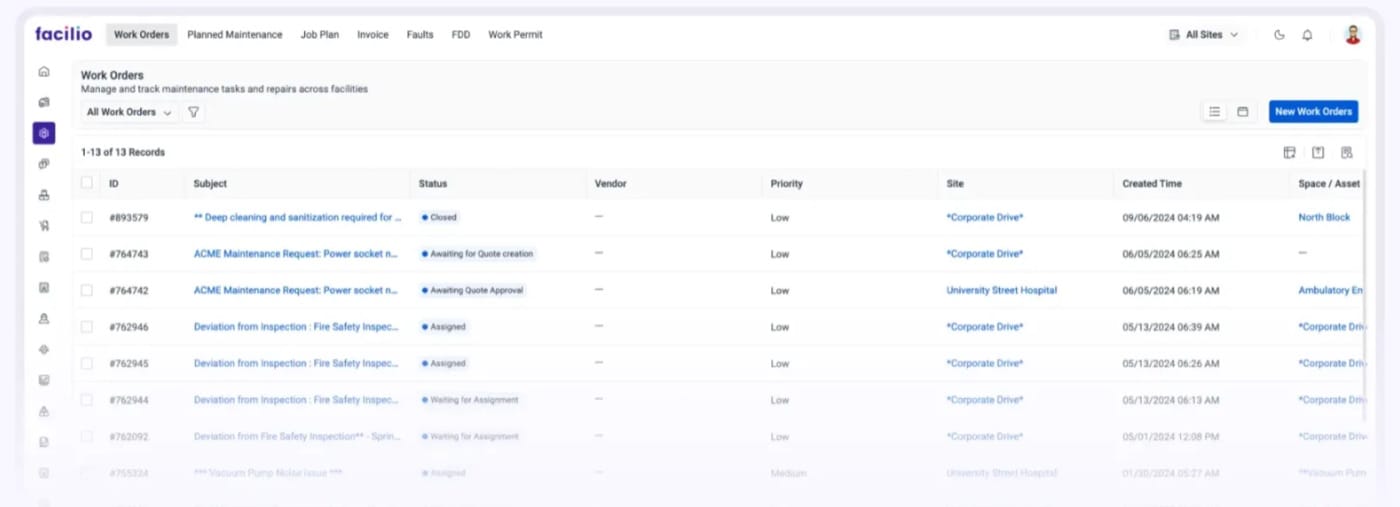
- Work orders and employee requests: requests from a branded portal, QR code, email or phone become routed work order software records by building, floor, space and trade, with SLA clocks running from the first message.
- Planned maintenance: time- and meter-based PPM schedules cover HVAC, elevators, generators, sprinklers and fire alarms, with job plans and checklists for each asset class.
- Asset register and lifecycle: every chiller, air handler, elevator and fire panel sits in an enterprise asset management software register with QR or RFID tags, warranties and full service history across sites.
- Mobile and offline-first: technicians raise, update and close jobs in a mobile CMMS app that keeps working in basements and plant rooms, then syncs, with before-and-after photos on closure.
- Vendor and subcontractor control: vendor management software tracks contracts, licences, insurance certificates, SLA performance and digital sign-off for every janitorial, HVAC and elevator contractor.
- Inspections, compliance and audit trail: inspection management software runs fire, safety and statutory checklists and turns each failed item into a work order with a timestamped trail for auditors.
- Parts, inventory and procurement: parts inventory management software ties stock to work orders across sites, with reorder points, quotes and purchase orders.
- Building data and workplace services: Connected Buildings turns BMS alarms into work orders and tracks utility and energy use, while room and asset booking, visitor check-in and move management run on the same platform.
- AI agent suite: AI agents for facility operations answer and log every request on any channel around the clock, dispatch the right technician or vendor, chase vendor quotes and attendance, check invoices against the contract and rate card, turn audit findings into work orders and build the monthly report, on Facilio's CMMS or the one you already have.
Deployment and security: LLM-agnostic, SaaS or behind your firewall, hosting in the US, UK, Australia, UAE and Saudi Arabia, GDPR and regional data residency.
- Corporate FM directors running an HQ, regional offices and campuses who want the employee request, the vendor visit and the invoice in one record.
- Vendor-led operations where coordinators lose hours chasing quotes, attendance and service reports from janitorial, HVAC and elevator contractors.
- Teams without spare IT capacity, since FM Ops Engineers build, run and tune the agents and applications with you.
- Portfolios that want BMS alarms, utility data and workplace services such as visitor check-in on the same platform as maintenance.
- A single small office with one or two technicians that only needs a self-serve work order app; Facilio is built for large, multi-site portfolios.
- Buyers who want a published price to drop into a spreadsheet; Facilio quotes by portfolio size, users and scope.
Pricing: Standard, Essential and Enterprise plans, each quoted by portfolio size, users and deployment scope; see Facilio pricing.
- Standard: for teams setting up structured maintenance, with work order and service request management, preventive maintenance scheduling, mobile access for field teams, reports and operational dashboards, and core asset and workflow configuration.
- Essential: everything in Standard plus inspections and compliance rounds, inventory and spare parts management, procurement workflows, tenant and stakeholder portals and integration support, for teams managing assets, inventory and procurement at scale.
- Enterprise: everything in Essential plus vendor management and RFQs, compliance and audit controls, SSO and enterprise security controls, a dedicated customer success owner and a sandbox with advanced configuration, for multi-site portfolios with complex vendor and compliance needs.
What reviewers say: rated 4.4/5 on G2.
- "visibility and data that allows me to manage my world in real time" (Kevin K., Director of Maintenance, enterprise, G2, July 10, 2025)
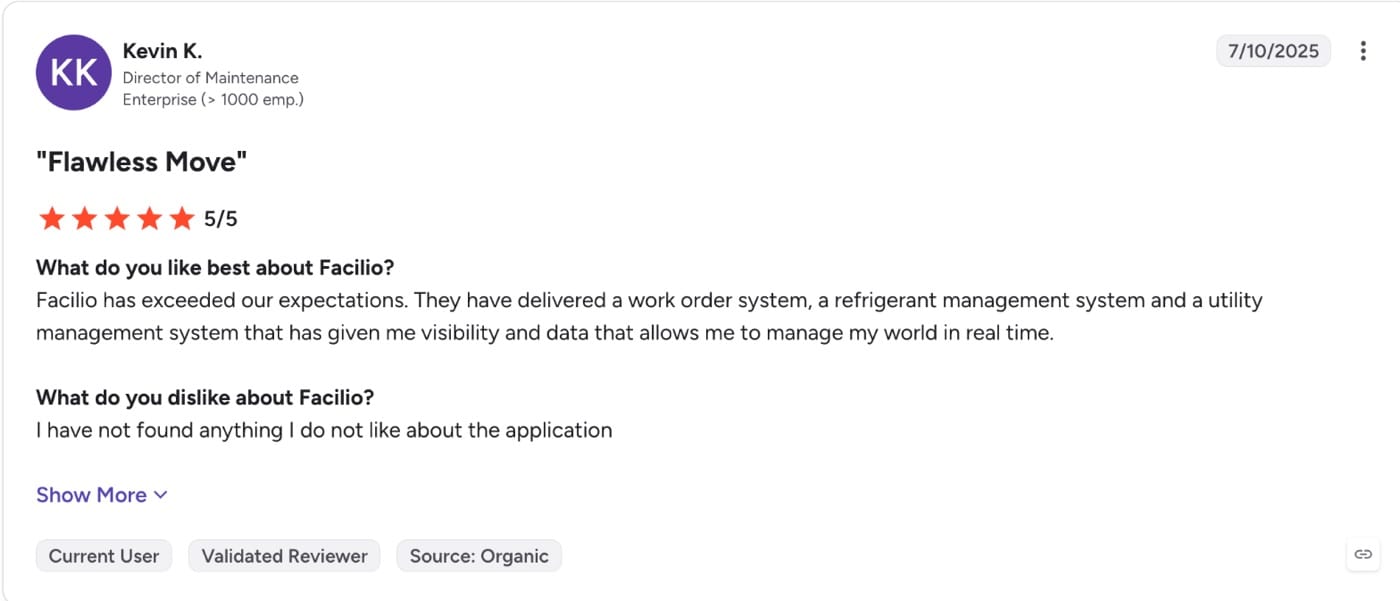
Source: G2, organic review
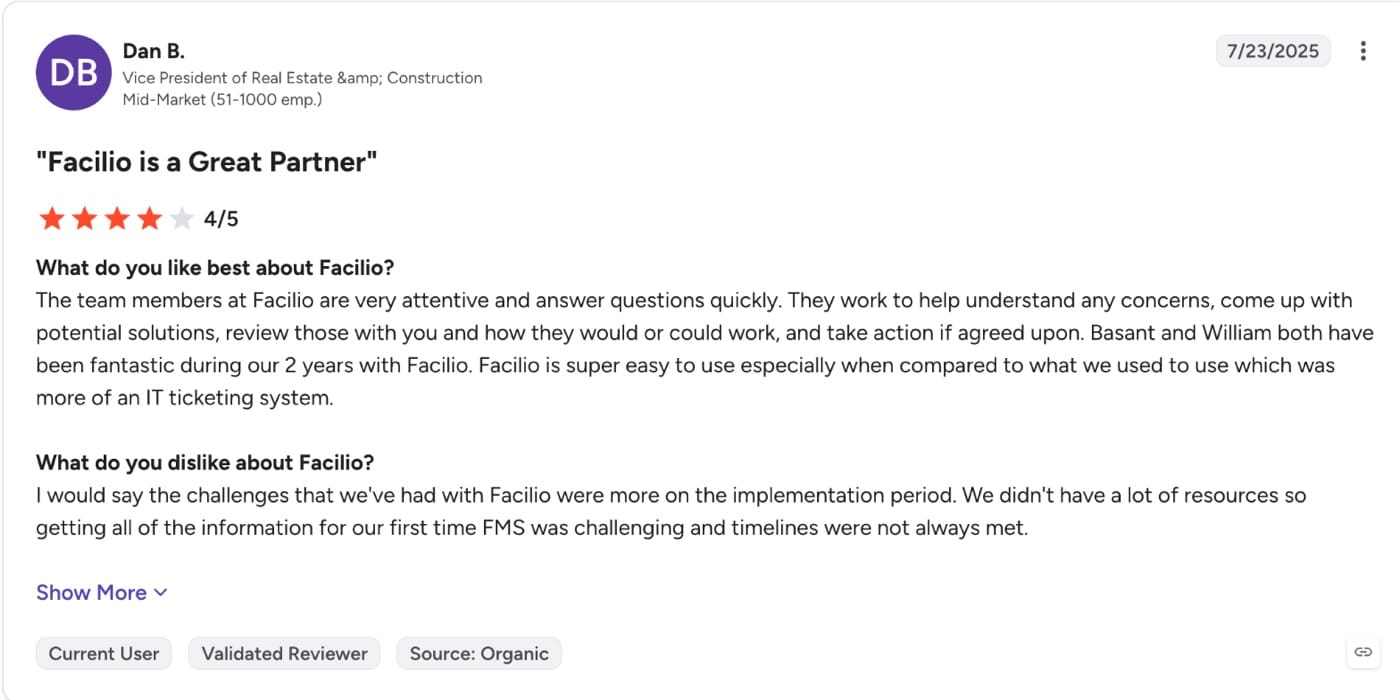
- "the challenges that we've had with Facilio were more on the implementation period" (Dan B., Vice President of Real Estate and Construction, mid-market, G2, July 23, 2025). If your team is thin, ask how the FM Ops pod handles data collection in the first weeks.
Source: G2, organic review
Investa, one of Australia's largest commercial office owners (tenants include Deutsche Bank and Pfizer), had tracked 150+ vendors across three separate databases. On Facilio it manages 5,000+ service contractors with complete portfolio visibility, fewer tenant escalations and better vendor compliance and SLA adherence (Investa case study, as of November 2026).
See it on a corporate portfolio: watch employee intake, vendor follow-up and invoice checks run on a multi-site setup. Request a demo.
Summary: the strongest pick when your problem is the volume of requests, vendors and invoices around the work order, not only the work order itself.
See how Facilio runs this across your own sites
2. Corrigo
Ideal for: corporate occupiers whose facilities are managed by JLL, or teams that run a large outsourced contractor network.
Why it ranks here: JLL's own CMMS, built around the contractor network and spend controls that outsourced corporate FM depends on.
Corrigo is JLL's cloud CMMS, and the design shows it: the product assumes most work goes to contractors. CorrigoPro connects you to a network of 56,000+ service pros who accept, update and invoice jobs in the same system, which suits a corporate occupier with dozens of offices and few in-house trades.
The trade-off is weight. JLL licenses Corrigo per user or per site, sells vendor management and invoice reconciliation as optional modules, and its own product FAQ scopes enterprise implementation at 8 to 20 weeks.
Key features:
- Work order management: requests from the customer portal or app become work orders routed by priority, trade and location, with status visible to the site that raised them.
- CorrigoPro contractor network: service providers accept, update and invoice jobs inside CorrigoPro, so a regional office's HVAC call moves without phone tag.
- Preventive maintenance and asset tagging: recurring PM for HVAC, elevators and life safety equipment across every site, with asset tagging in the field.
- Spend and approval controls: approval workflows with cost validation stop an over-limit repair at a branch office before it is billed.
- Invoice reconciliation: an optional module checks contractor invoices against work orders before approval.
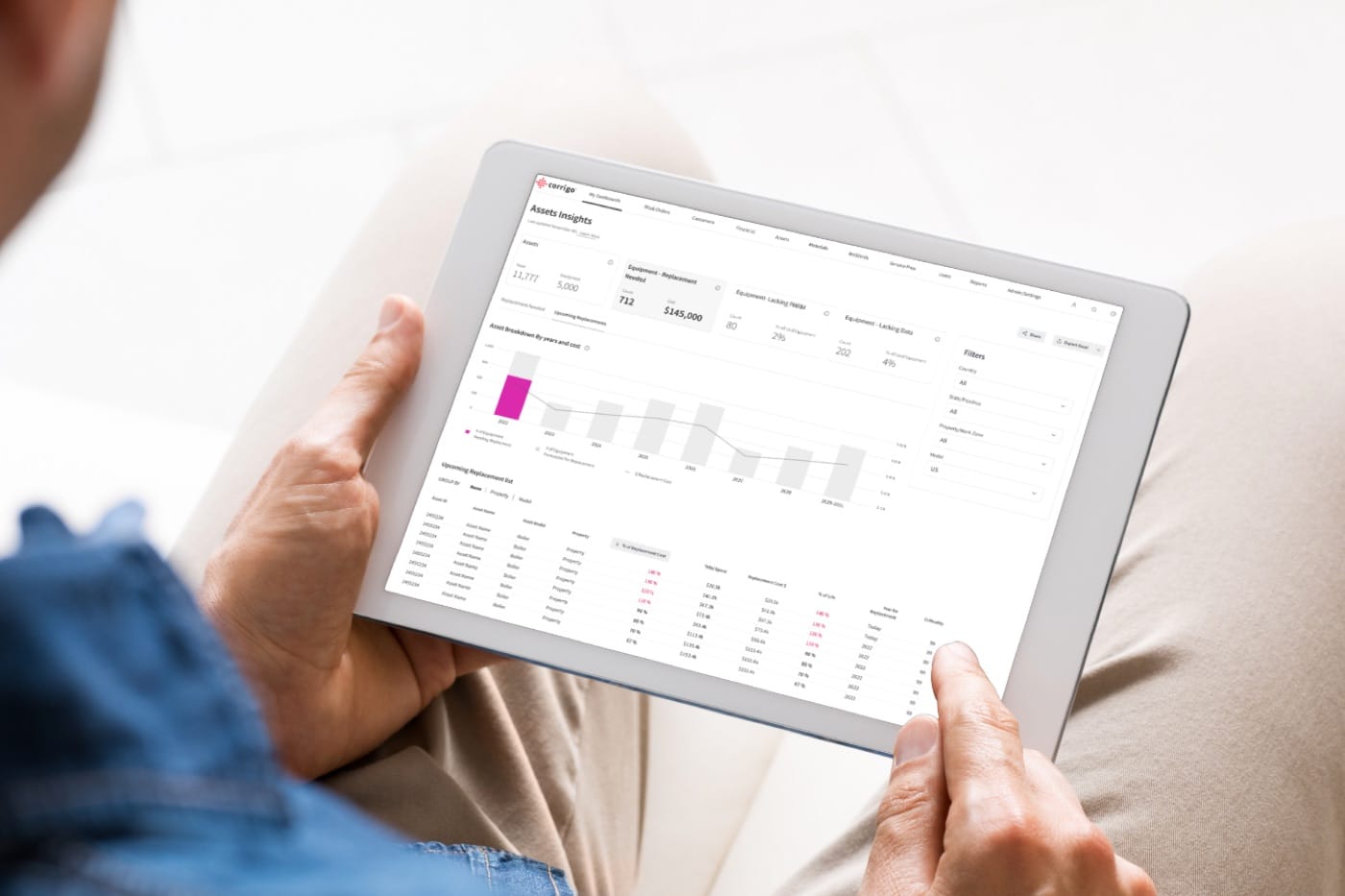
- Asset Insights: dashboards rank equipment that needs replacement, with replacement cost and a multi-year replacement forecast.
- AI scheduling and routing: assigns tasks by priority, technician skills and availability and suggests routing for new work orders, while a coordinator still owns the follow-up.
- Benchmarking and analytics: reports compare maintenance KPIs and spend against JLL facility benchmarking data.
- Corporate occupiers that already outsource facilities to JLL and want provider and client on one system.
- Portfolios of 50+ offices or branches where most repairs go to third-party contractors.
- Finance teams that want approval limits and invoice checks before contractor spend is committed.
- Real estate teams that want replacement forecasts to plan capital spend by building.
- In-house teams that do most work themselves and have no use for a contractor marketplace.
- Buyers who need a fast start, since JLL scopes enterprise implementation at 8 to 20 weeks.
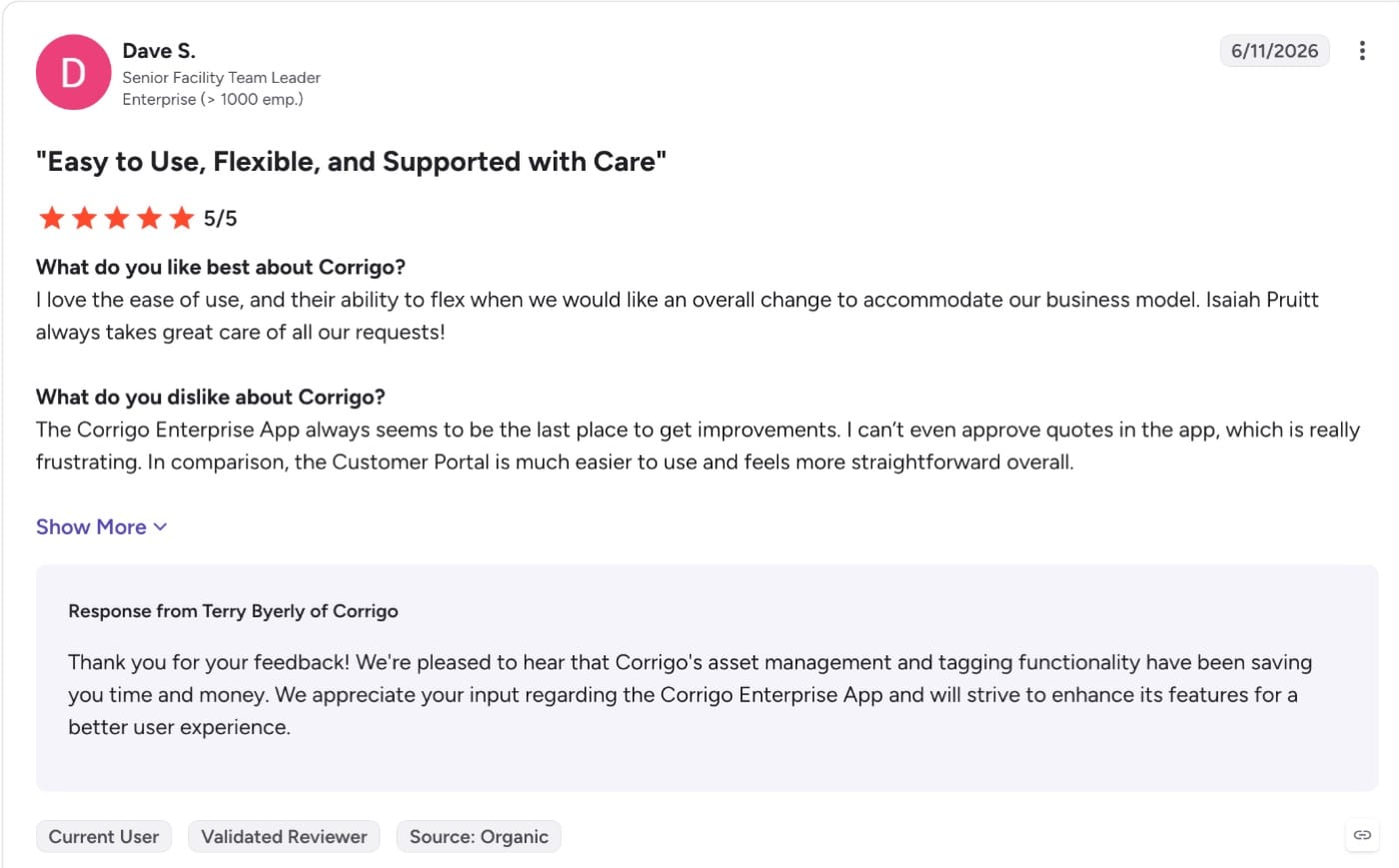
- Teams that run approvals from the mobile app; one enterprise reviewer says quotes cannot be approved there.
- Small local contractors, who pay for CorrigoPro themselves ($99 a month on the PRO tier since April 2026).
Pricing: quote-based, licensed per user or per site with optional modules and implementation fees (JLL Corrigo product FAQ); see the Corrigo CMMS pricing breakdown.
What reviewers say: rated 4.5/5 on G2.
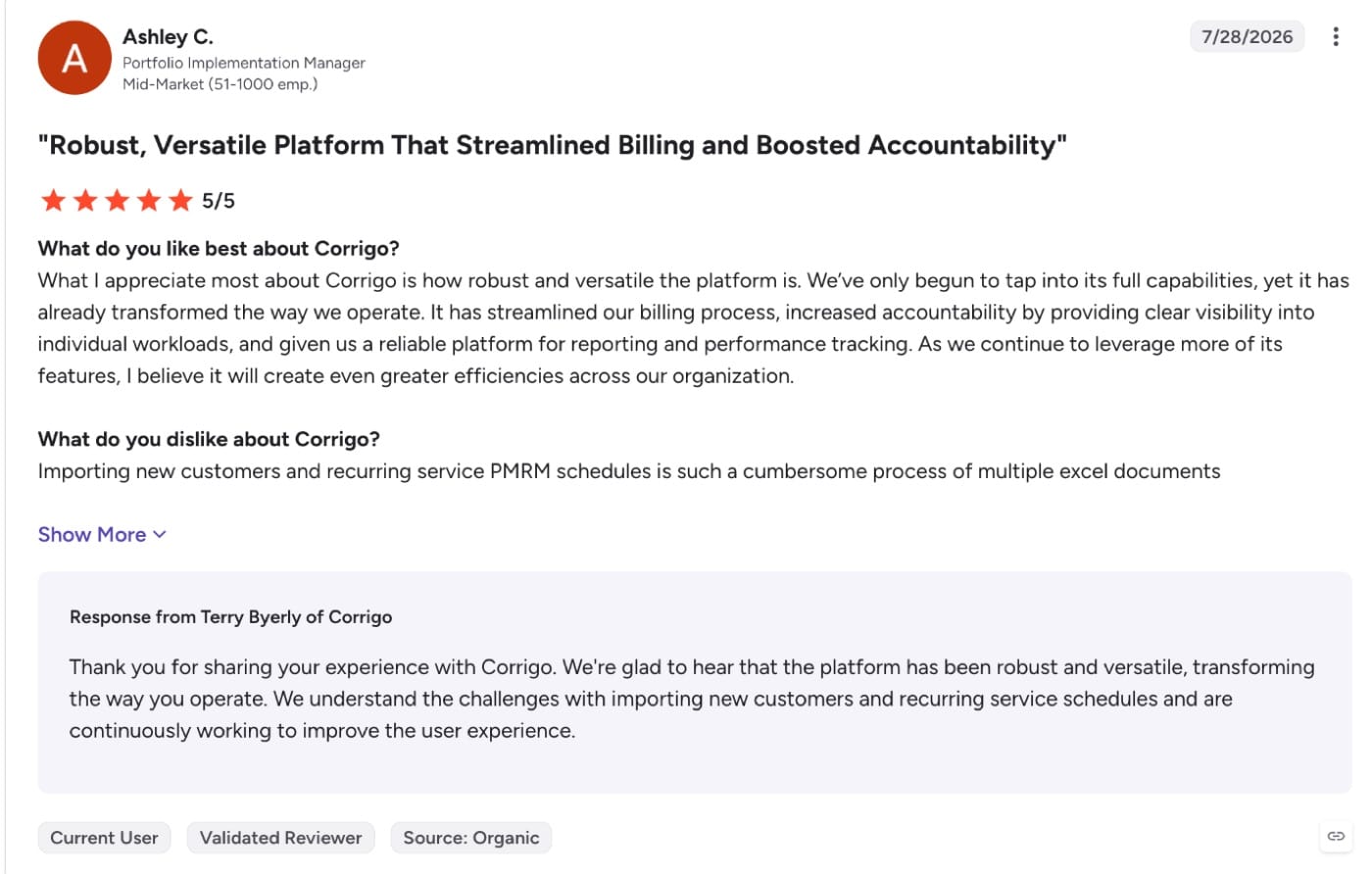
- "increased accountability by providing clear visibility into individual workloads" (Ashley C., Portfolio Implementation Manager, mid-market, G2, July 28, 2026)
Source: G2, organic review
- "I can't even approve quotes in the app, which is really frustrating." (Dave S., Senior Facility Team Leader, enterprise, G2, June 11, 2026)
Source: G2, organic review
Summary: the natural choice when JLL already runs your buildings or contractors do most of the work; heavier than an in-house team needs. See Corrigo vs Facilio.
3. ServiceChannel
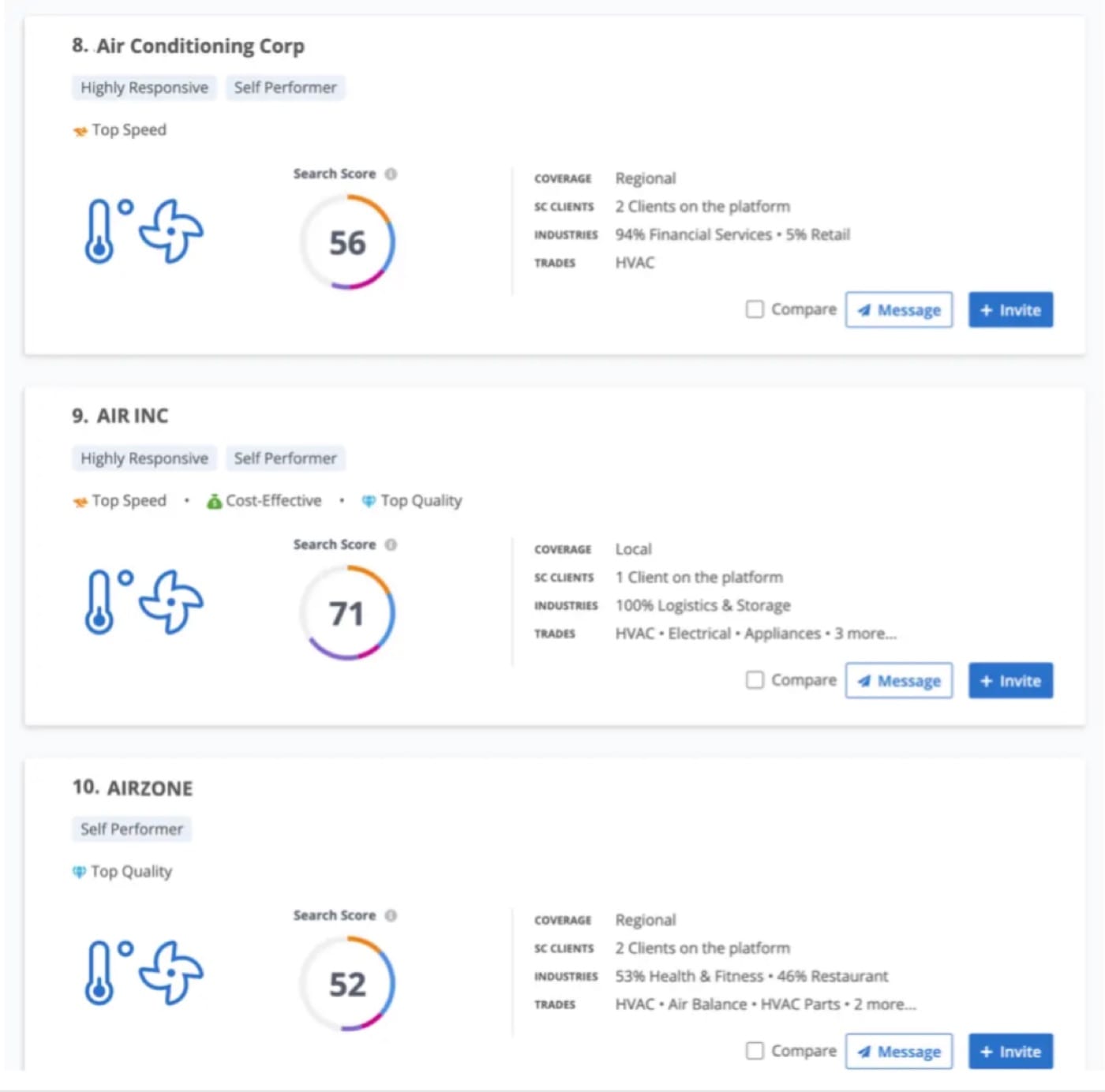
Ideal for: corporate portfolios with many locations that send most work to contractors and want a vetted provider network.
Why it ranks here: the largest contractor marketplace on this list, with AI included in the subscription and invoice controls built for spend across many sites.
ServiceChannel, part of Fortive, started as the network between brands and contractors, and that is still its core. Coordinators search providers by trade, coverage and performance score, dispatch, track check-in and approve invoices against agreed rates from one platform.
It fits corporate portfolios that look like retail: many locations, few in-house technicians. Pricing is per location and quote-only, and the 5 percent marketplace commission is paid by providers, not by you.
Key features:
- Provider network and search: find and compare HVAC, electrical or janitorial contractors by trade, coverage and search score before inviting them to a site.
- Work order dispatch and tracking: site staff log issues, and coordinators see dispatch, check-in and completion for every location on one board.
- Invoice and rate controls: invoices are checked against agreed rates and not-to-exceed limits before approval.
- Missed ETA alerts: late contractors are flagged so a coordinator can escalate before the office manager does.
- Budget and spend analytics: spend by location, trade and provider supports quarterly finance reviews.
- Preventive maintenance and assets: PM schedules and asset records per location for recurring HVAC and life safety work.
- ServiceChannel AI and Action Hub: AI recommends next steps, flags stalled work orders and creates follow-up tasks for teammates or providers, at no added cost.
- Offline provider check-in: providers can check in and out of a site offline for up to 24 hours.
- Corporate portfolios with dozens to hundreds of locations and few in-house trades.
- Teams that want to compare contractor speed, cost and quality across regions.
- Finance-led programs that need invoice compliance against negotiated rates.
- In-house teams that self-perform most work, since much of the value sits in the provider network.
- Buyers who want published pricing; ServiceChannel quotes per location.
- Teams whose priority is deep planned maintenance on complex building systems, because the platform was built first for contractor-delivered work.
- Buyers looking for client-side reviews; most public reviewers are contractors working inside the platform.
Pricing: quote-based and priced per location (ServiceChannel platform), with core AI included (ServiceChannel AI); see the ServiceChannel pricing breakdown.
What reviewers say: rated 4.5/5 on Capterra. Most recent reviewers are contractors who receive work through ServiceChannel, which is a useful read on how your vendors will feel about joining it.
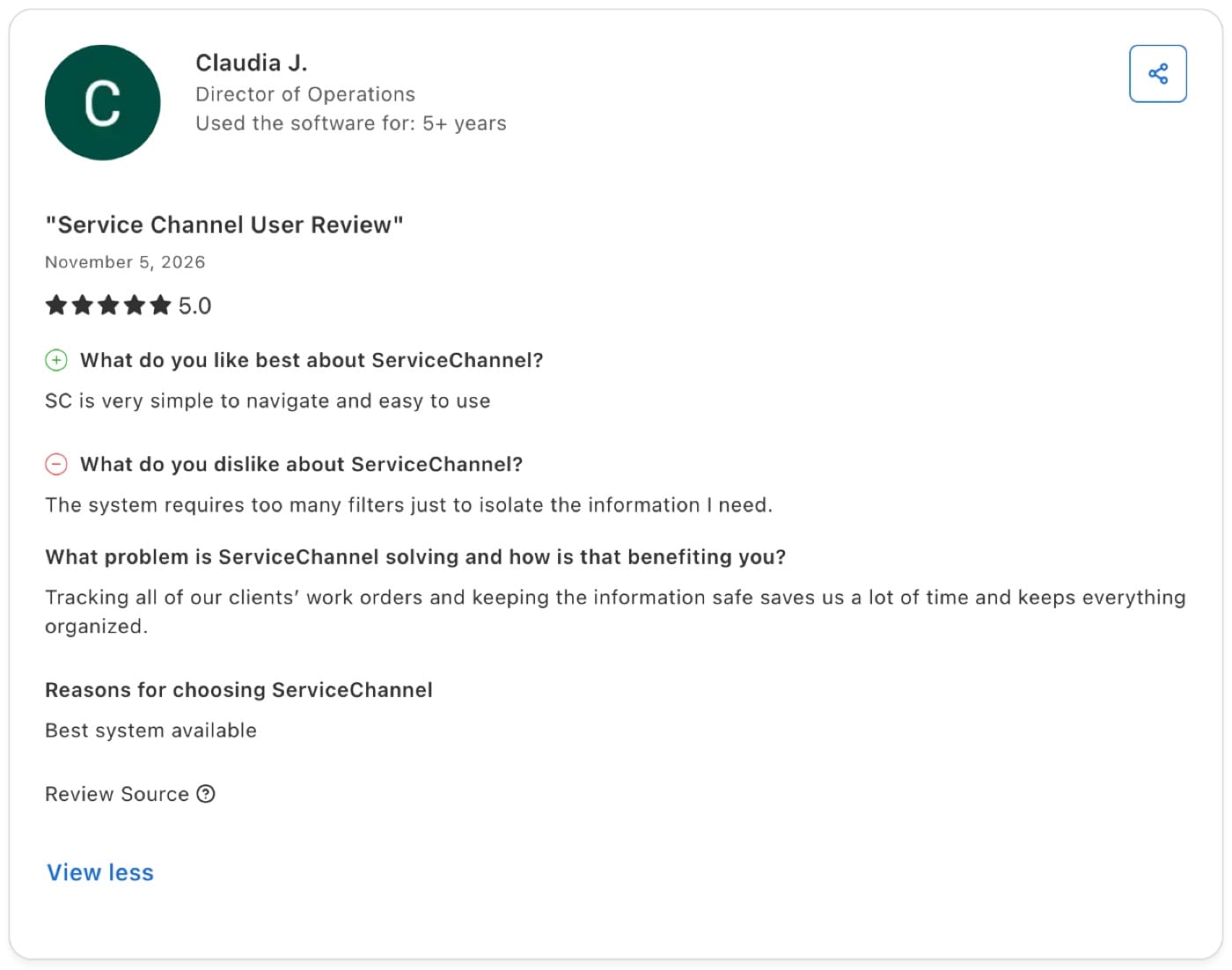
- "SC is very simple to navigate and easy to use" (Claudia J., Director of Operations at a service provider, Capterra, November 5, 2026)
Source: Capterra
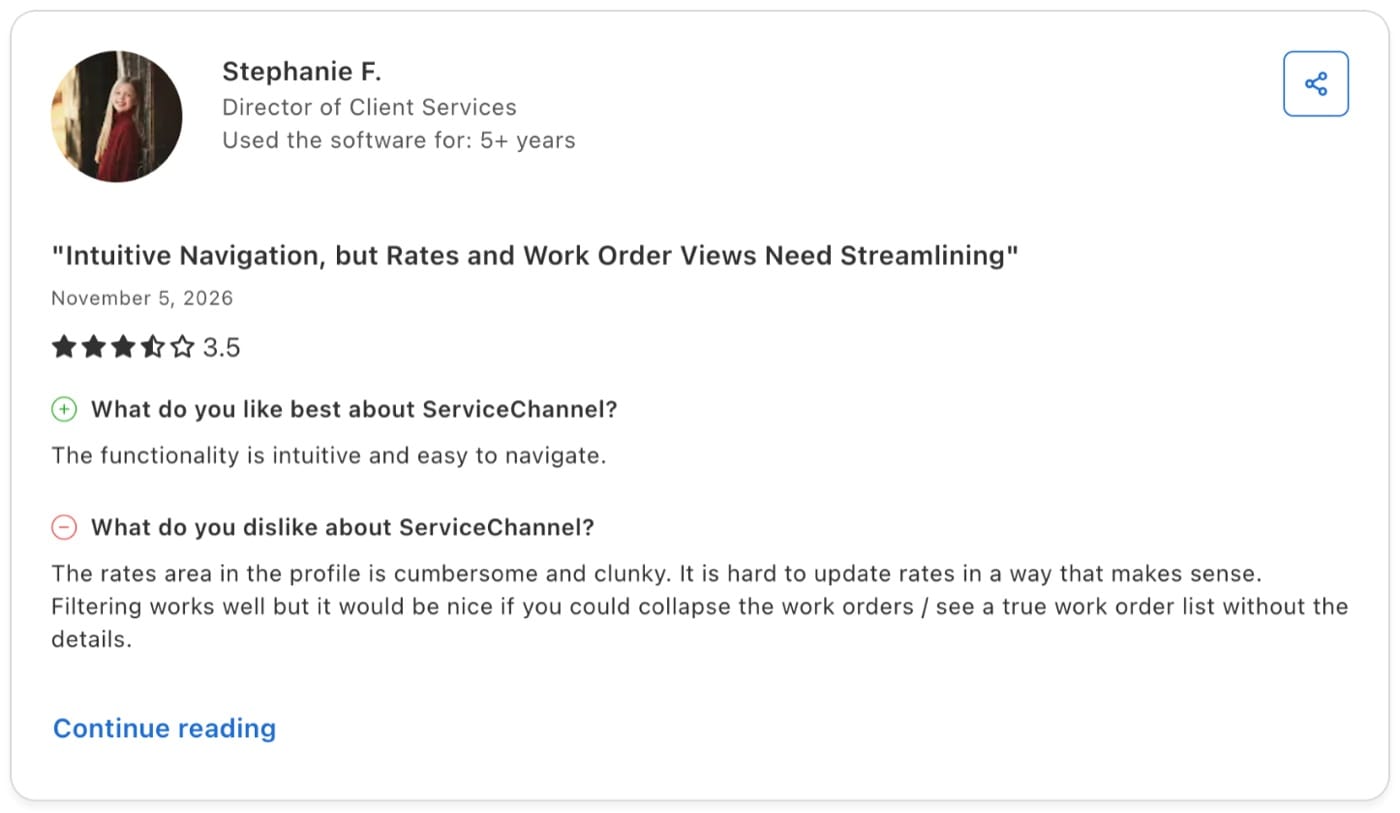
- "It is hard to update rates in a way that makes sense." (Stephanie F., Director of Client Services at a service provider, Capterra, November 5, 2026)
Source: Capterra
Summary: the pick when contractors do the work and you manage hundreds of them; see ServiceChannel vs Facilio.
4. Planon
Ideal for: corporate real estate teams that want space, lease and maintenance in one IWMS.
Why it ranks here: the only IWMS on this list, so it covers space, desk and room booking and leases alongside maintenance for workplace-led corporates.
Planon, majority-owned by Schneider Electric since it agreed to take an 80 percent stake in 2024, sells Planon Universe as an IWMS for real estate, space and workplace services, asset and maintenance management, and energy. For a corporate real estate team that owns the space plan, the lease portfolio and the maintenance budget, that breadth means one data model.
It is also the heaviest system here. Planon's UK G-Cloud price list runs £87 to £173 per user per month for back-office modules, plus implementation days at roughly £1,240 to £1,295, and the one recent named reviewer calls the rollout complex.
Key features:
- Real estate and lease management: lease records, critical dates and portfolio data sit next to the buildings your maintenance team looks after.
- Space and workplace services: space planning, desk and room booking and moves for hybrid occupancy, with CAD floor plans.
- Reactive work orders: requests become work orders that are routed and tracked on desktop and mobile.
- Planned and objective-based maintenance: PM schedules, plus Objective Based Maintenance that ties tasks to the performance standard each asset must meet.
- Mobile field services: technicians update and resolve work orders on a phone or tablet at the work site.
- Energy and sustainability: an energy and sustainability module tracks consumption and targets across the estate.
- Automation and AI: IoT Services and AppBuilder automate workflows and feed predictive maintenance, but no AI assistant or agent is documented for maintenance work.
- Corporate real estate teams that own space, leases and maintenance and want one system of record.
- Global corporates already running Planon or Schneider Electric building systems.
- Hybrid workplaces that plan desks and rooms against occupancy data.
- Maintenance-first teams that only need work orders, PM and vendor control.
- Buyers on a tight timeline; the recent named reviewer lists a difficult, complex implementation.
- US buyers who want published pricing, since there is no US price list.
- Teams that want AI to take maintenance work off the desk today.
Pricing: no US price list; Planon's UK G-Cloud 15 pricing document lists back-office modules at £87 to £173 per user per month (Planon G-Cloud pricing); see the Planon pricing breakdown.
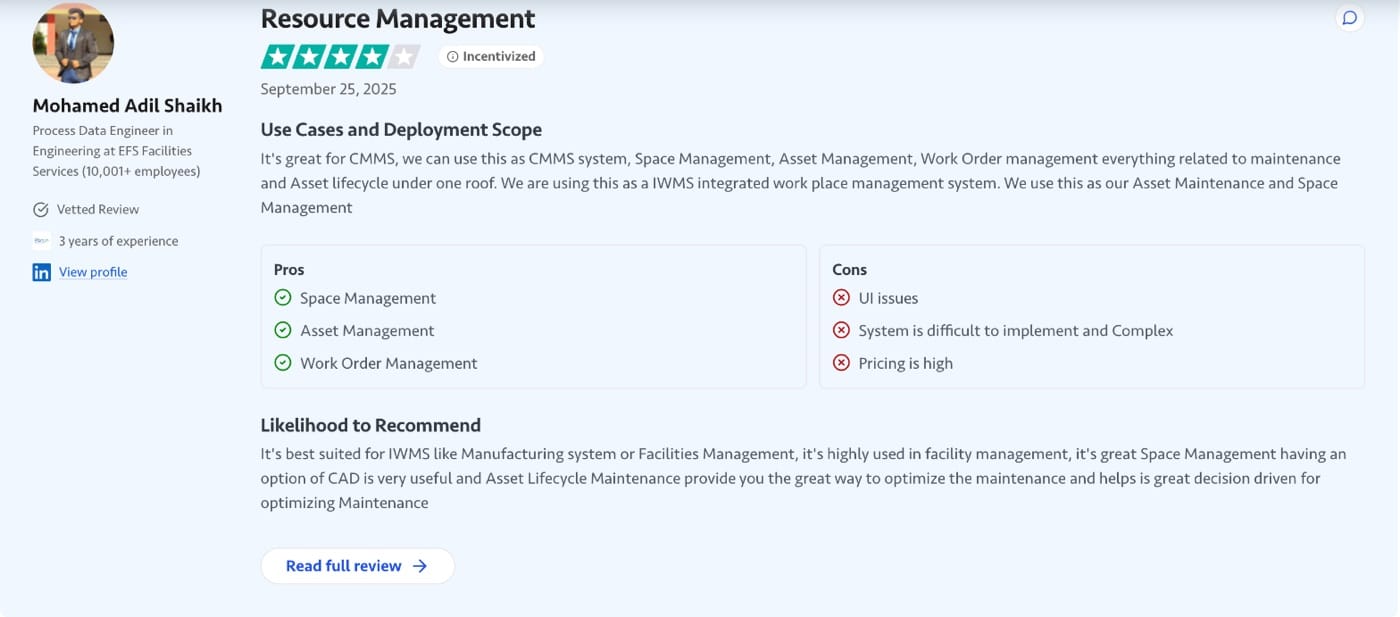
What reviewers say: rated 4.4/5 on Capterra and 8/10 on TrustRadius, but most named reviews date from 2021 and 2022. The one recent named review covers both sides:
- "everything related to maintenance and Asset lifecycle under one roof" (Mohamed Adil Shaikh, Process Data Engineer, EFS Facilities Services, TrustRadius, September 25, 2025, incentivized)
- "System is difficult to implement and Complex" (same reviewer, listed under cons, alongside UI issues and high pricing)
Source: TrustRadius, incentivized review
Summary: right when space and leases drive the decision; more system than a maintenance-first team needs. See Planon vs Facilio.
5. Asset Essentials by Siemens
Ideal for: campus-style corporate estates that want preventive maintenance now and capital planning next.
Why it ranks here: a widely used facilities CMMS, formerly Brightly and now Siemens, with request templates and a capital planning product line that maps well to a corporate campus.
Asset Essentials came to Siemens with Brightly, and the old Brightly site now redirects to Siemens' asset management pages. The product covers requests, work orders, PM, assets, parts and purchasing, and it is common in education and public-sector campuses that run a lot like a corporate HQ campus.
For corporate buyers, the main appeal is the wider Siemens line: Origin for AI asset health and capital planning, and Predictor for 5 to 30 year condition and funding forecasts. The trade-off, in one facilities director's words, is that capabilities arrive as add-ons rather than one bundle.
Key features:
- Work requests and templates: request templates let employees submit issues that land as structured work orders for the right team.
- Work orders and preventive maintenance: PM schedules and work orders for HVAC, roofs, elevators and grounds across buildings.
- Asset records: asset histories, meter readings and costs by building and campus.
- Parts and purchase orders: parts inventory and purchase orders created from the same dashboard as work orders.
- Mapping and GIS: map views place assets and work orders across a campus, and reviewers note GIS integration.
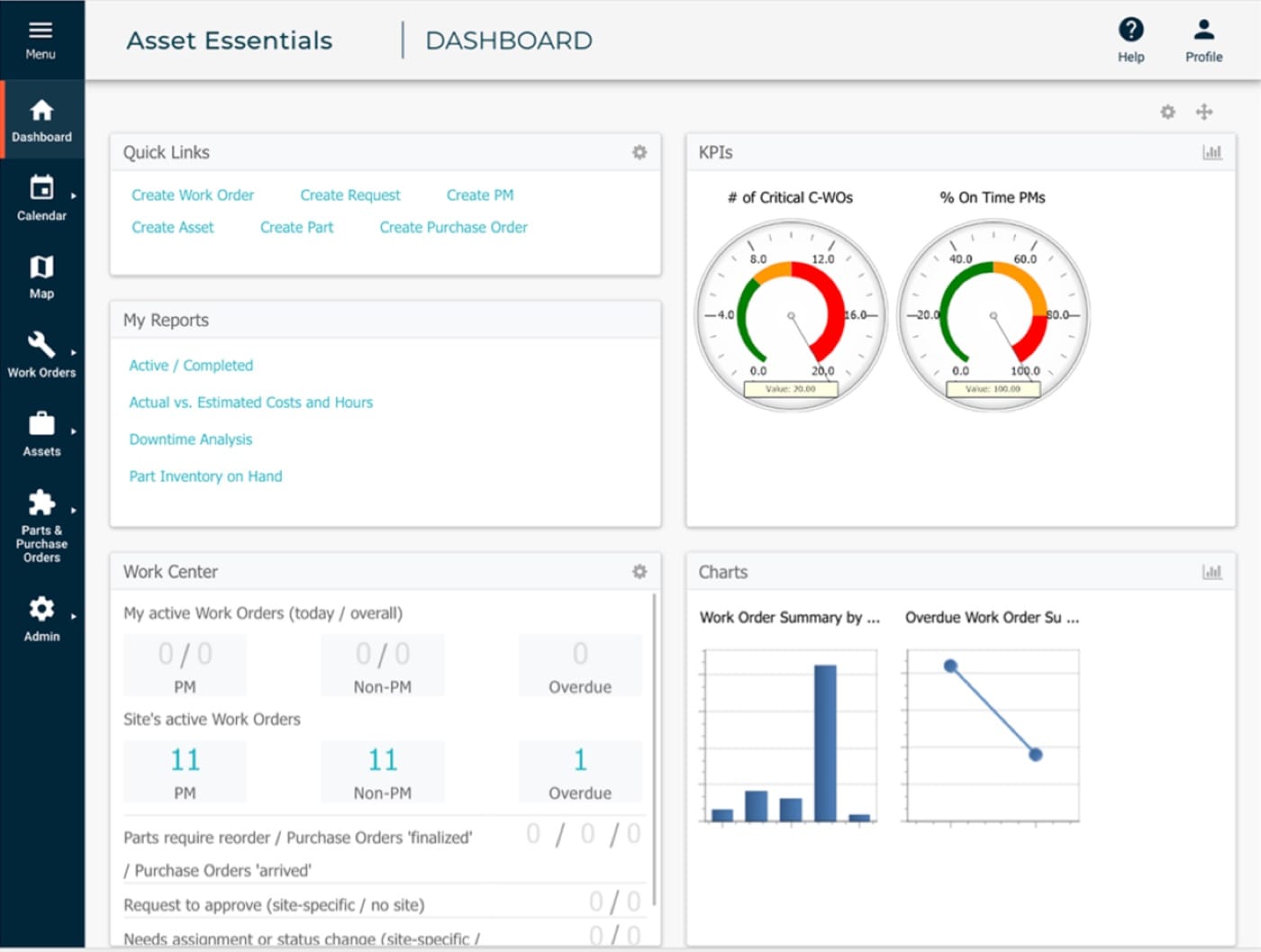
- KPI dashboards: gauges track critical work orders and on-time PM by site.
- Mobile app: technicians get real-time access to work in the field.
- Capital planning and AI (separate products): Origin adds AI asset health and capital planning and Predictor forecasts long-range funding needs; inside the CMMS, analytics informs decisions rather than acting on them.
- Campus-style HQs with many buildings, grounds and shared plant.
- Teams that want long-range capital forecasting from the same vendor.
- Estates that already run Siemens building automation.
- Finance teams that want one bundled price; one facilities director flags add-on pricing.
- Administrators who want a simple setup screen; the same reviewer finds the admin layout less than intuitive.
- Buyers who want published pricing, since the pricing page no longer exists.
Pricing: quote-based; the old pricing page now redirects to Siemens' site (Asset Essentials). See the Brightly pricing breakdown, which still uses the Brightly name.
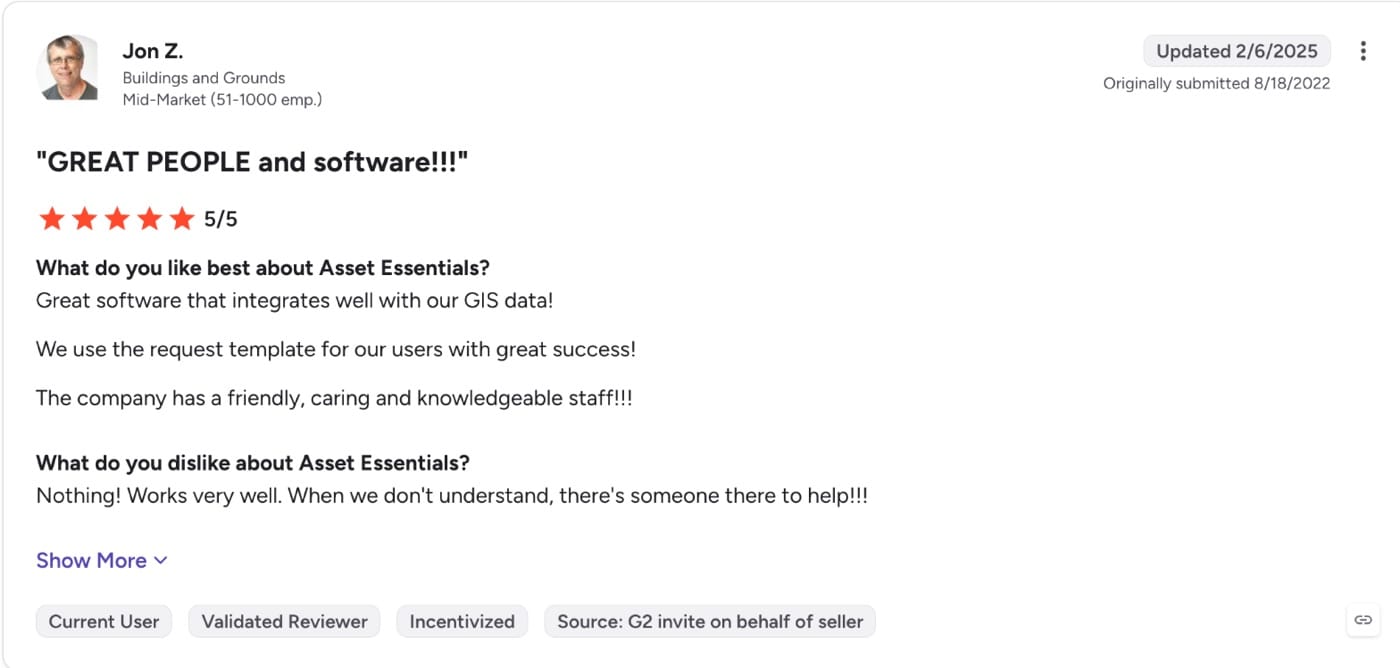
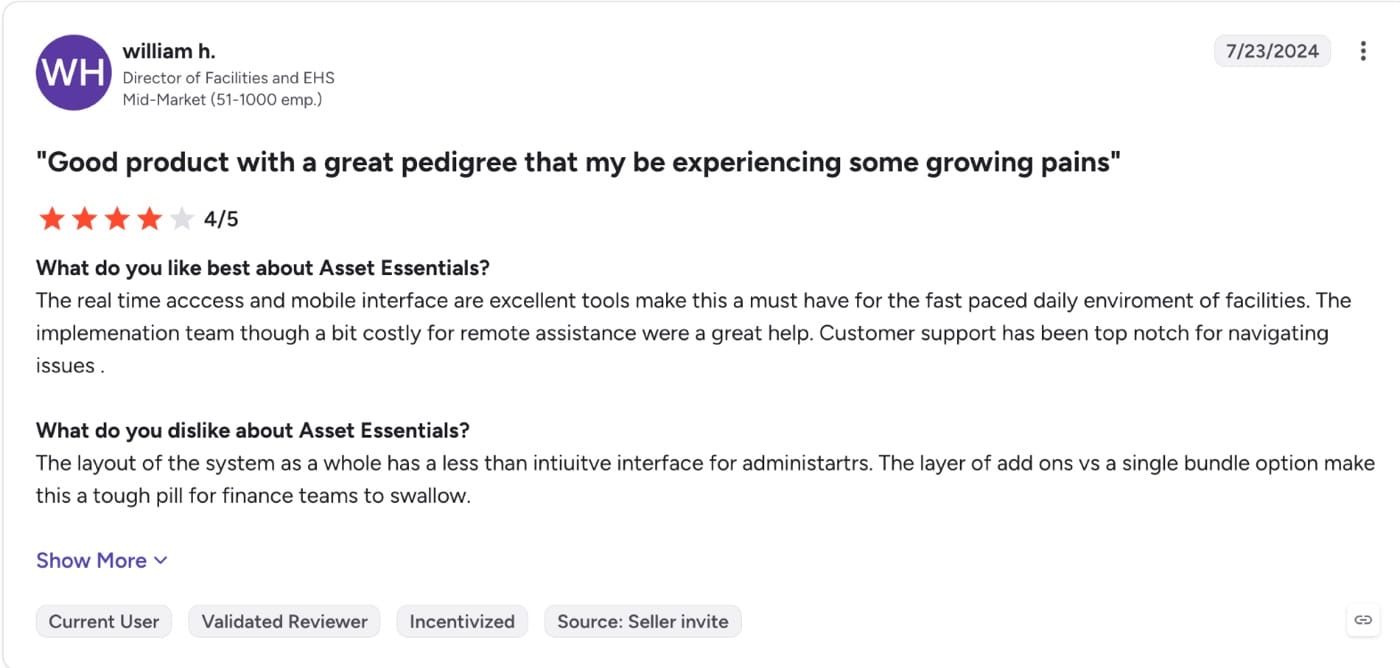
What reviewers say: rated 4.2/5 on G2; both reviews below came through G2 or seller invites and are marked incentivized.
- "We use the request template for our users with great success!" (Jon Z., Buildings and Grounds, mid-market, G2, updated February 6, 2025)
Source: G2, incentivized review
- "add ons vs a single bundle option make this a tough pill" (william h., Director of Facilities and EHS, mid-market, G2, July 23, 2024)
Source: G2, incentivized review
Summary: a fit for campus-style estates that plan to add capital planning; see Brightly vs Facilio.
6. Limble
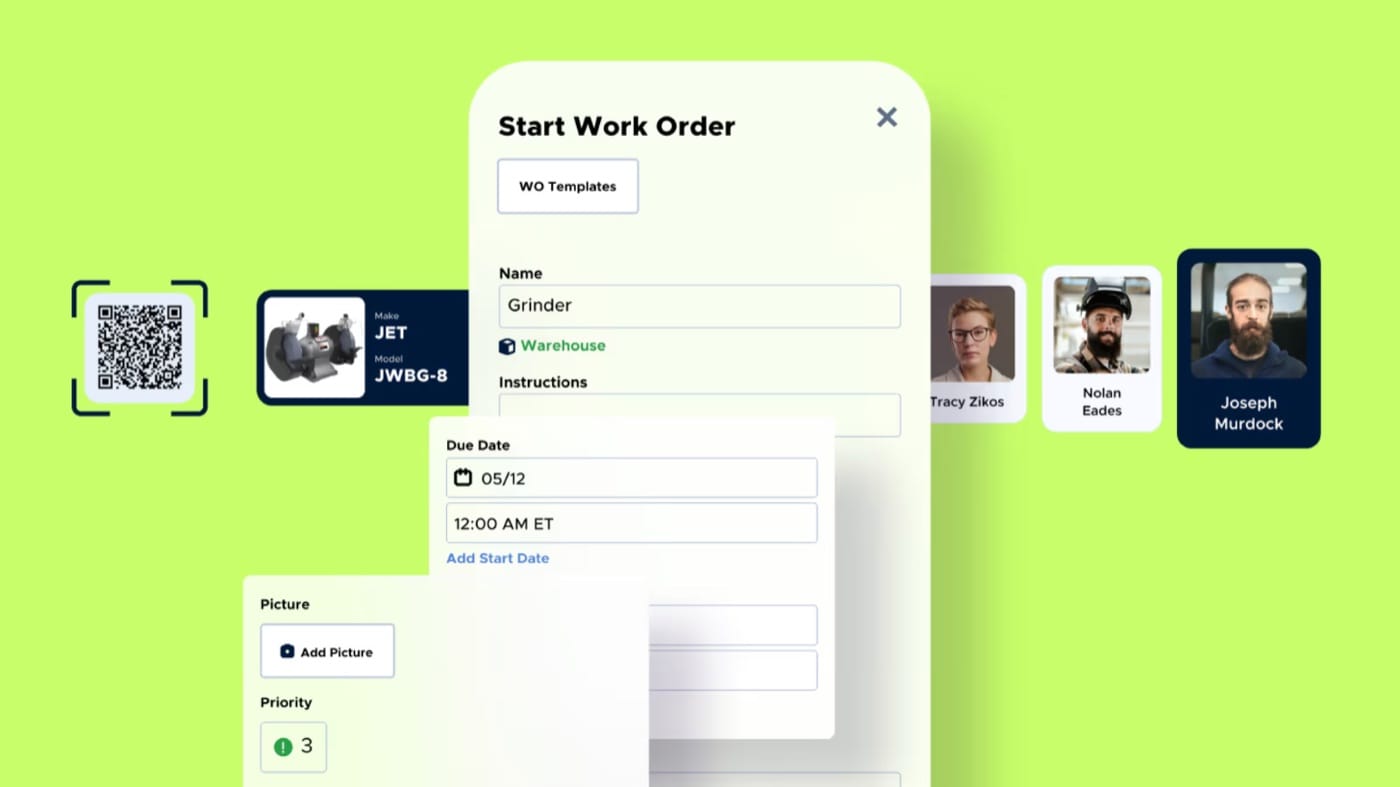
Ideal for: mid-size in-house teams that want fast setup, mobile PM and free requesters.
Why it ranks here: every Limble plan includes a work request portal with unlimited requesters, which matters when 2,000 employees can raise a ticket.
Limble is a mobile-first CMMS with some of the highest user ratings in the category, earned on setup speed and technician adoption. For corporate facilities, the useful detail is on its pricing page: the work request portal and unlimited work requesters come with every plan, so an employee can report a broken light without a paid seat.
Plans are Standard, Premium+ and Enterprise, priced through a calculator. Offline mode, vendor and purchase order management and meter-based PM start at Premium+, while multi-location tools, custom approvals and SSO sit in Enterprise.
Key features:
- Work request portal: unlimited requesters on every plan submit requests through a portal, and Premium+ adds custom request processes and a requester survey.
- Work orders and procedures: step-by-step procedures keep a new technician's AHU filter change identical to a veteran's, though Standard limits attached procedures to 3 a month.
- Preventive maintenance: calendar PM on every plan, with meter and threshold triggers from Premium+ for runtime-based generator and chiller tasks.
- Mobile app with offline mode: technicians close jobs in the Limble app, with offline mode from Premium+ for basements and plant rooms.
- Parts, vendors and purchase orders: spare parts, vendor records and purchase orders tie to jobs from Premium+, and Enterprise adds cycle counts.
- Dashboards and downtime reporting: unlimited custom dashboards and automatic downtime reporting come with every plan.
- Multi-location tools: the Enterprise tier adds multi-location reporting, custom roles, approval workflows and custom escalation notifications.
- Integrations: an open REST API from Premium+, with SSO and ERP and IoT connections on Enterprise.
- AI assistance: anomaly detection on Premium+ flags unusual readings and AI scheduling on Enterprise suggests plans, while people still assign and close the work.
- In-house teams of 5 to 30 technicians across an HQ and a handful of regional offices.
- Corporates that want every employee to submit requests without buying seats.
- Teams that value fast rollout and high technician adoption over deep configuration.
- Maintenance leaders who report on parts and equipment costs to justify spend.
- HQs with regulated lab space that need the 21 CFR compliance Limble lists on Enterprise.
- Portfolios that need multi-location controls and SSO but want to stay below the Enterprise tier.
- Vendor-led operations that need a contractor network or invoice checks.
- Technicians who close many jobs a day; one enterprise technician says the new app asks too many questions at close-out.
- Buyers who want list prices to compare; Limble quotes through a calculator, and Standard caps advanced analytics at 3 a month.
Pricing: quote through a calculator on the Limble pricing page; see the Limble CMMS pricing breakdown.
What reviewers say: rated 4.8/5 on G2.
- "Versatility and reporting are next level." (Kevin K., Operations Support Manager, mid-market, G2, updated September 8, 2026, incentivized)
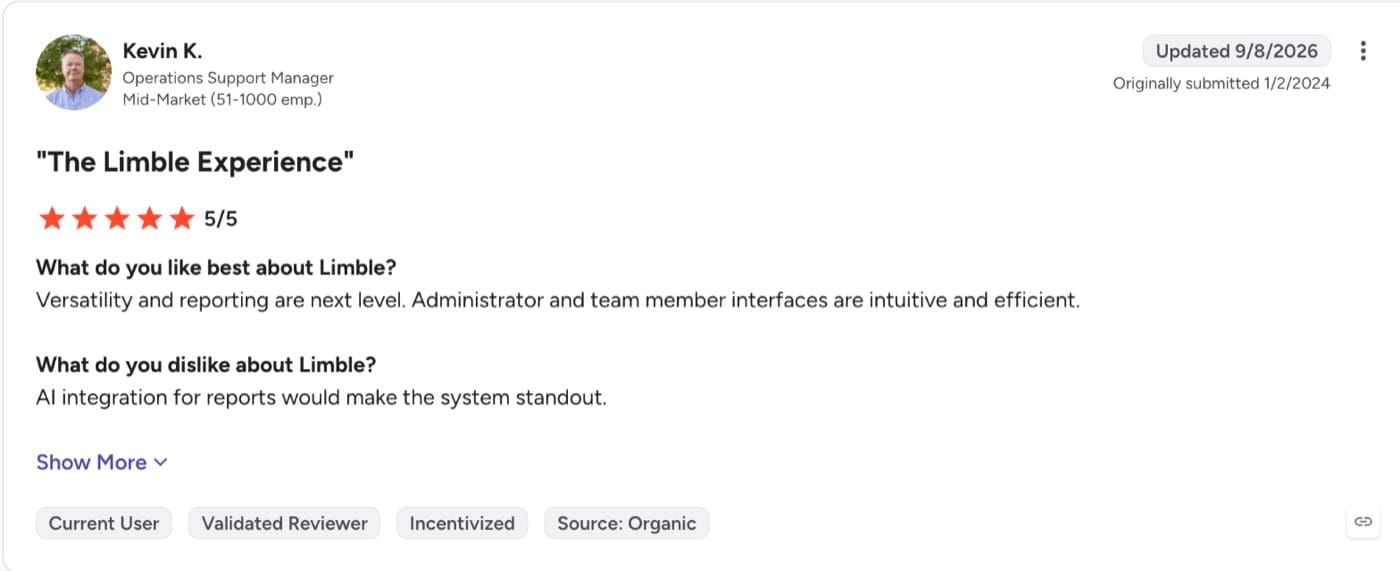
Source: G2, incentivized review
- "closing out work order is a pain. too many questions" (Torin L., Maintenance Technician, enterprise, G2, September 30, 2026)
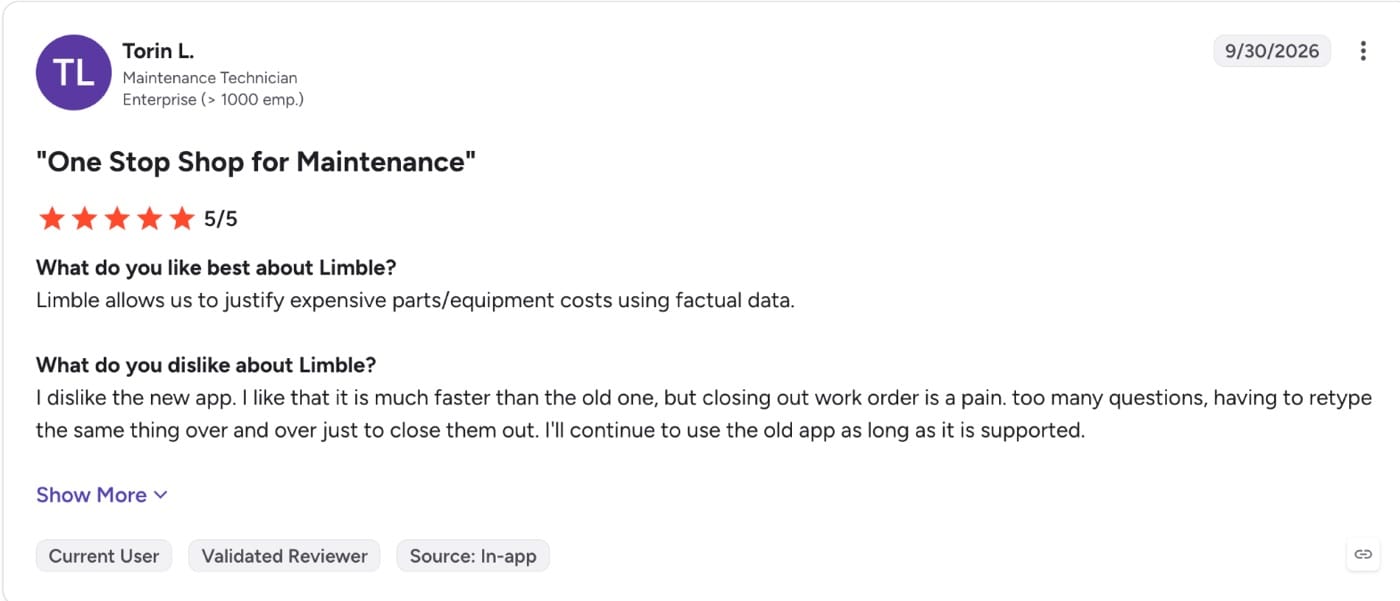
Source: G2, in-app review
Summary: the easiest in-house CMMS to roll out across a handful of offices; see Limble vs Facilio.
7. UpKeep
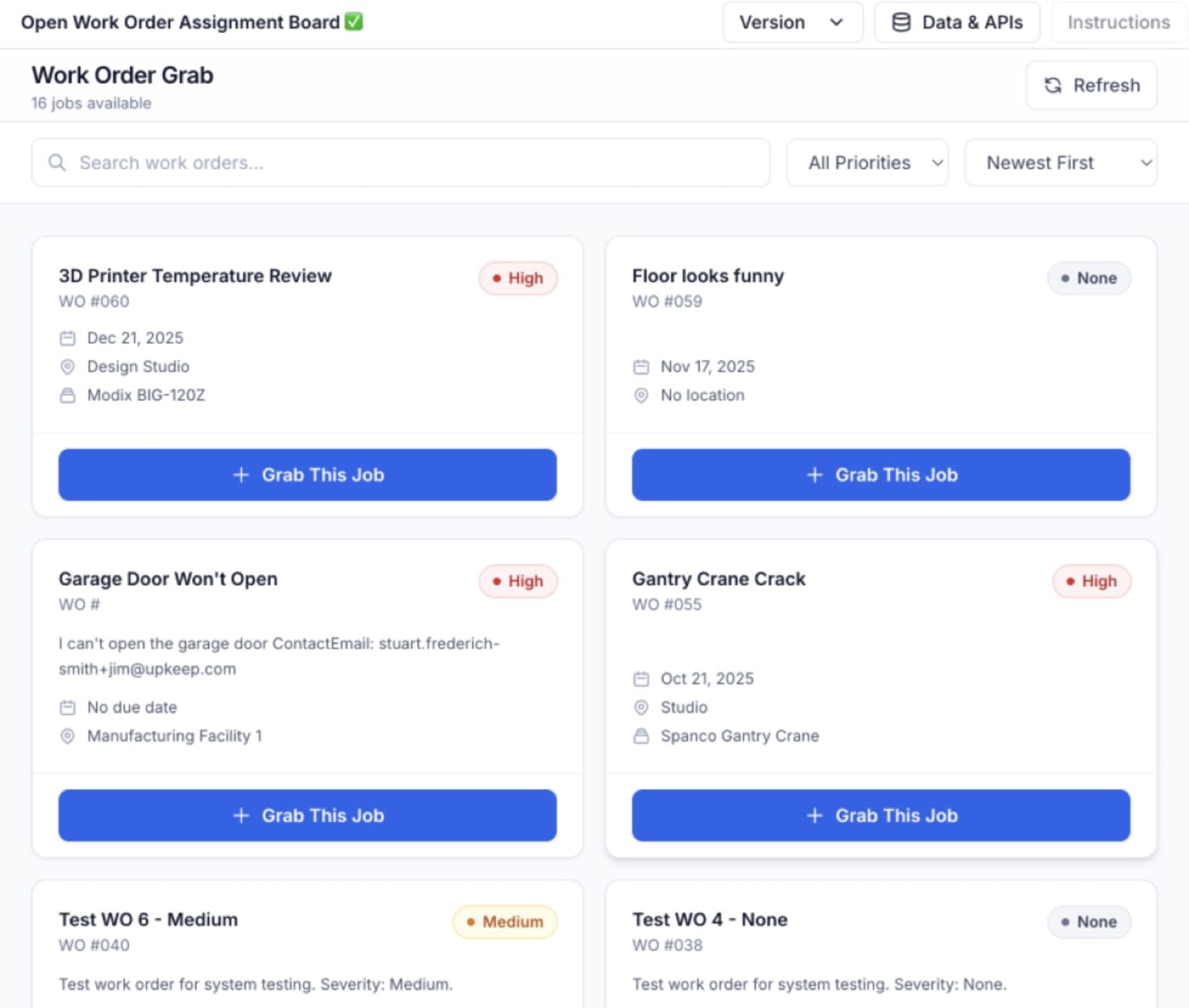
Ideal for: a single HQ or small office portfolio run by a small in-house team.
Why it ranks here: published per-user pricing, a fast mobile app and a free trial make it the quickest way off spreadsheets for a small corporate team.
UpKeep is a mobile-first CMMS whose plans start at $24 per user per month, with a free trial that needs no credit card. For a single HQ with a few technicians, that is the simplest start on this list.
The detail to check is the tier. The external request portal, offline mobile mode and asset lifecycle tracking start at Professional (quoted), and multi-site support, workflow automation and SSO sit in Enterprise, so a corporate portfolio usually lands above the list prices.
Key features:
- Request portal with free requesters: anyone can report a problem from a link or QR code on free requester seats, and the external no-login portal starts at Professional.
- Auto-assignment and routing: work orders route by skill, location and current workload, with templates for recurring jobs such as monthly filter changes.
- Mobile work orders: the technician's phone gets asset history, checklist, parts and photos when a job is assigned, and close-out happens there.
- Preventive maintenance and checklists: the Premium plan adds PM schedules, custom checklists and labor tracking for recurring HVAC and life safety work.
- Parts and inventory with costing: the Premium plan ties parts to work orders with costs, so a regional office's repair spend shows up job by job.
- Offline mode and compliance signatures: the Professional plan adds offline mode, signature capture for compliance and asset lifecycle tracking.
- Multi-site and governance: the Enterprise plan adds multi-site support, workflow automation, purchase orders, API integrations, SSO and custom roles.
- Nova AI and Edge sensors: monthly Nova credits (250 to 1,000 by plan) power AI features and custom apps, and Edge sensors feed real-time equipment monitoring.
- One HQ or a few small offices with an in-house team of under 10 technicians.
- Teams that want to start on a free trial and a published $24 or $55 per-user price.
- Companies with many occasional requesters, since requester seats are free and requests can start from a QR code.
- Corporate sites that also run distribution centers, like the enterprise reviewer covering 13 of them.
- Portfolios that need offline mode and the external portal but want to stay on list prices, since both start at Professional.
- Multi-site corporates that need SSO, custom roles and multi-site controls below the Enterprise tier.
- Vendor-led operations that need contractor networks and invoice checks.
- Budget-tight teams; an organic reviewer says cost can feel like an obstacle.
- Heavy AI users, because Nova features draw on monthly credits that vary by plan.
Pricing: Essential $24 and Premium $55 per user per month, Professional and Enterprise quoted (UpKeep pricing); see the UpKeep pricing breakdown.
What reviewers say: rated 4.5/5 on G2.
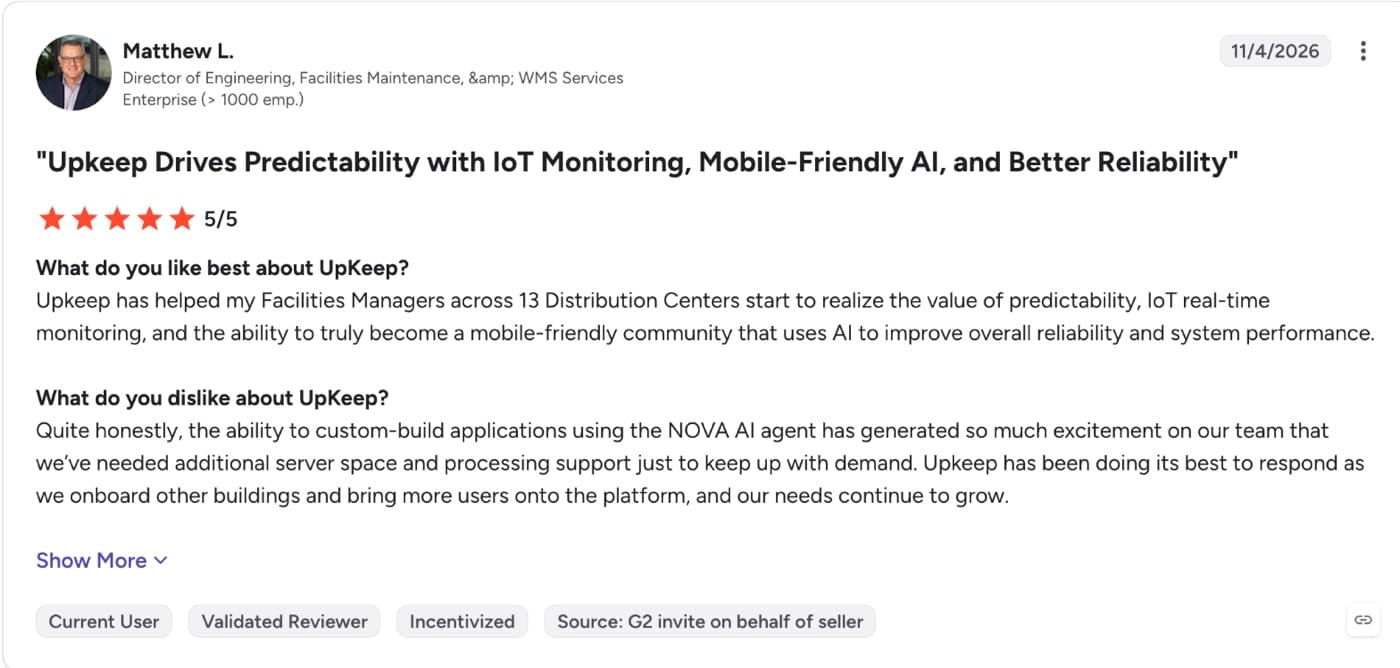
- "helped my Facilities Managers across 13 Distribution Centers" (Matthew L., Director of Engineering, Facilities Maintenance and WMS Services, enterprise, G2, November 4, 2026, incentivized)
Source: G2, incentivized review
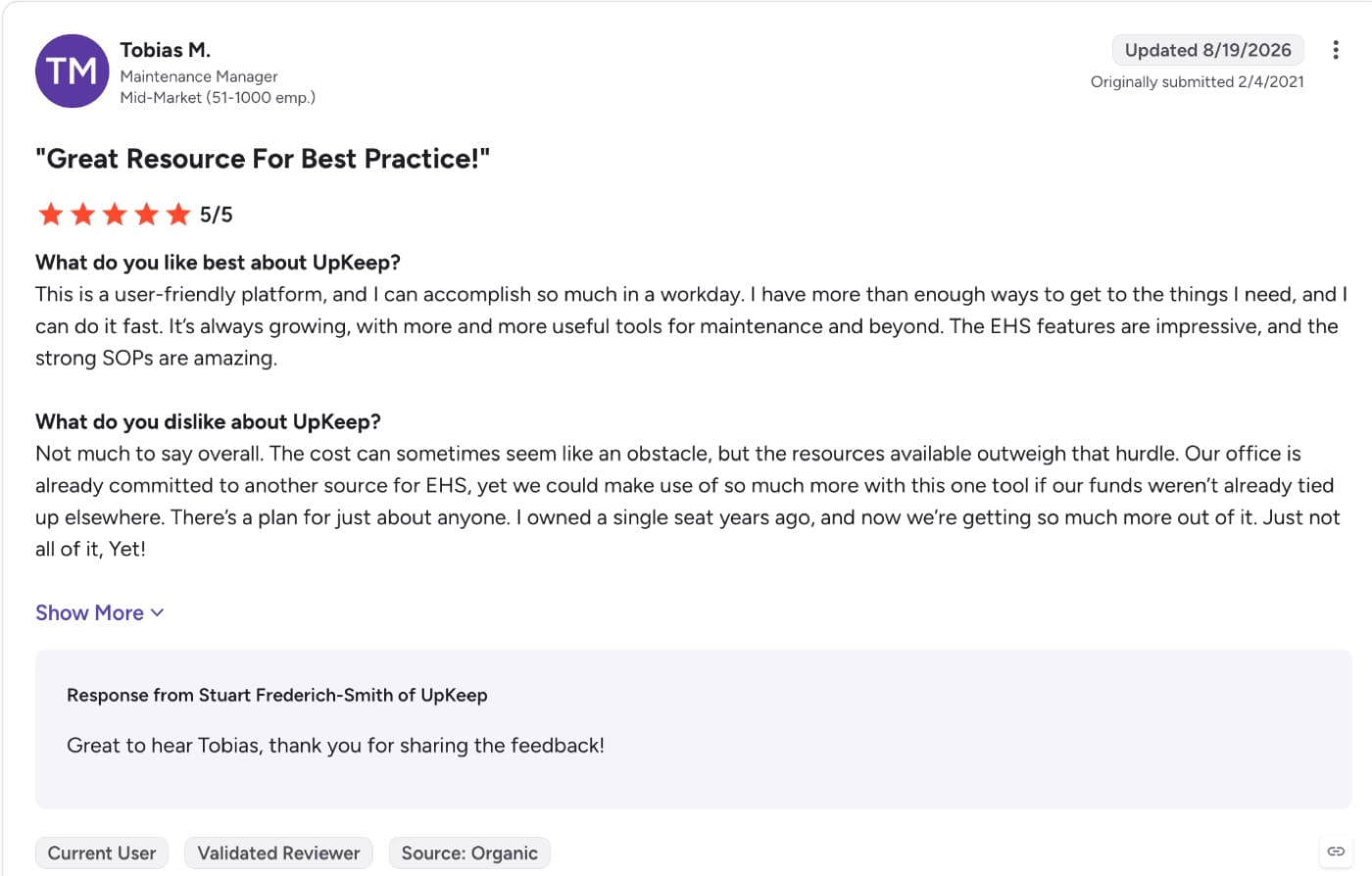
- "The cost can sometimes seem like an obstacle" (Tobias M., Maintenance Manager, mid-market, G2, updated August 19, 2026)
Source: G2, organic review
Summary: a quick, low-cost start for one site; plan for higher tiers as the portfolio grows. See UpKeep vs Facilio.
8. Fiix
Ideal for: corporate sites that run labs, R&D or light production next to offices.
Why it ranks here: Rockwell Automation's CMMS brings plant-grade PM, a free plan and sensor-driven work orders to corporates with mixed office and equipment-heavy space.
Fiix is Rockwell Automation's cloud CMMS, built for manufacturing maintenance and priced in public: a free plan, Basic at $45 and Professional at $75 per user per month. Offline mobile works on every plan, which is rare at this price point.
For corporate facilities it fits best where an office campus shares a site with labs, test areas or light production, because its asset hierarchy and PM scheduling are tuned for equipment. Office-only portfolios with vendor-heavy work will use less of it.
Key features:
- Free service requests: every plan, the free one included, accepts unlimited service requests, so employees report a lab sink leak without a paid seat.
- Work orders and multi-asset jobs: technicians scan asset QR codes in the field, and Professional adds multi-asset work orders for a job covering every rooftop unit.
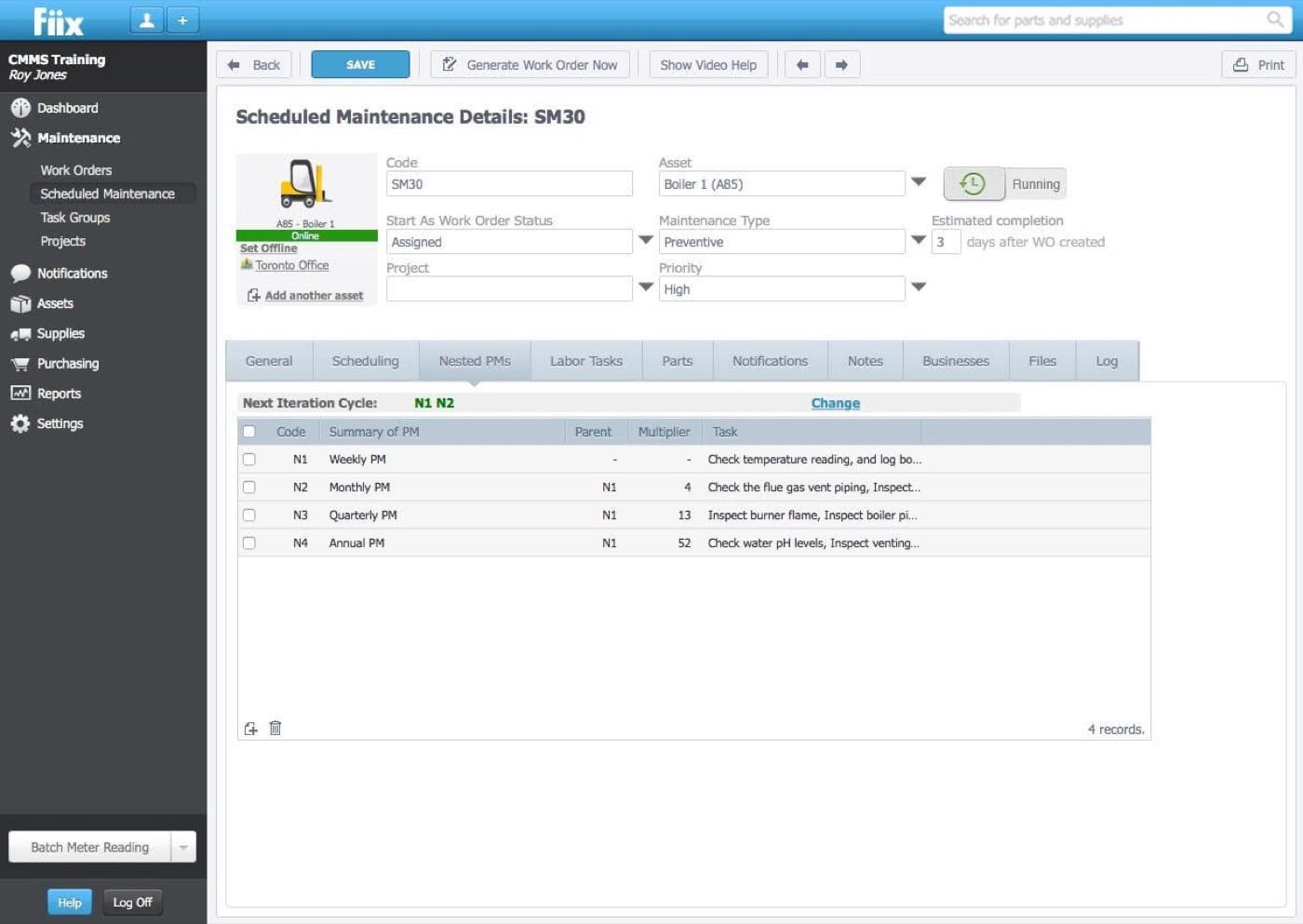
- Nested PM scheduling: weekly, monthly, quarterly and annual PMs nest under one schedule on Professional, so a chiller's tasks never double up.
- Asset hierarchy and downtime: hierarchies model a campus from site to building to system to component, with downtime logged per asset.
- Inspections and certifications: the Basic plan adds pass/fail inspections and certification tracking, so only qualified technicians take regulated lab work.
- Multi-site and purchasing: the Professional plan adds multi-site management, purchasing and RFQs and inventory cycle counts across buildings.
- Offline mobile: technicians open and close work orders without signal on every plan.
- Integration Hub: the Enterprise plan connects Fiix to ERP, email and chat, and to sensors, PLCs and SCADA, with an audit trail and e-signatures.
- Asset Health, Foresight and MAX: Augury sensor data creates work orders, Foresight suggests failure patterns, and MAX, a paid add-on, answers questions about your records.
- Corporate campuses with labs, test cells or light production lines next to offices.
- Teams that want a free plan with unlimited service requests to prove adoption before buying.
- Equipment-heavy sites that want work orders triggered by Augury sensors or SCADA data.
- Maintenance leads who need certification tracking so only qualified technicians take regulated jobs.
- Vendor-led office portfolios that need contractor networks and invoice matching.
- Corporates that need multi-site management below Professional, or SSO and the Integration Hub below Enterprise.
- Planners who update many jobs at once; one planner wants quicker bulk editing.
- Office-only portfolios, which pay for plant-grade depth such as failure codes and OT integrations they rarely use.
Pricing: Free, Basic $45 and Professional $75 per user per month, Enterprise quoted (Fiix pricing); see the Fiix CMMS pricing breakdown.
What reviewers say: rated 4.6/5 on G2.
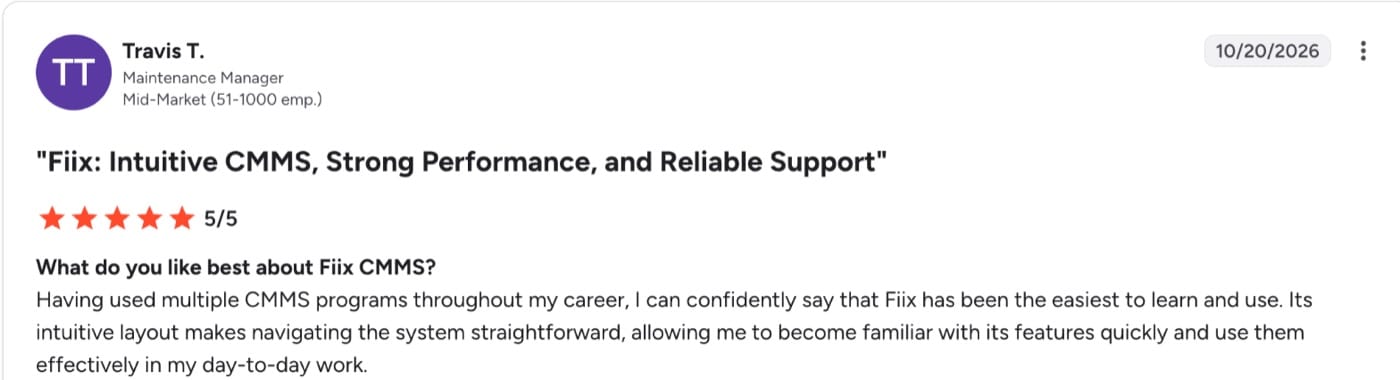
- "Fiix has been the easiest to learn and use" (Travis T., Maintenance Manager, mid-market, G2, October 20, 2026, incentivized)
Source: G2, incentivized review
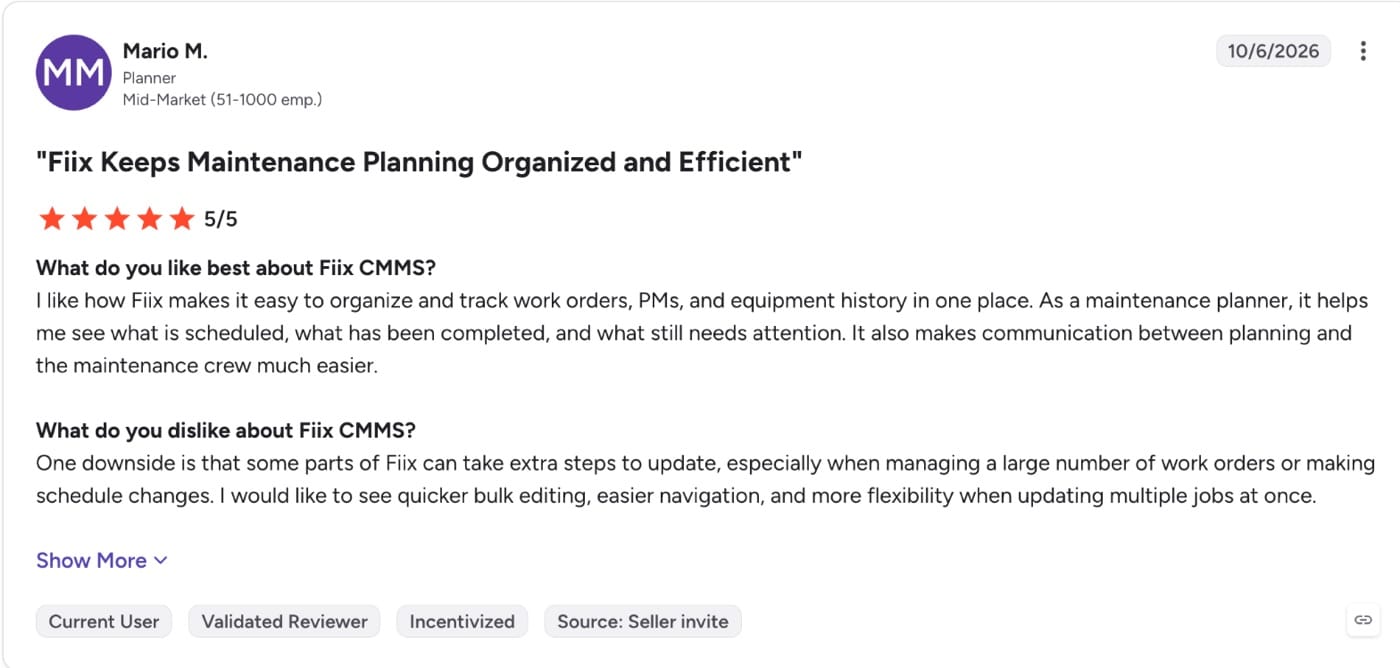
- "some parts of Fiix can take extra steps to update" (Mario M., Planner, mid-market, G2, October 6, 2026, incentivized)
Source: G2, incentivized review
Summary: best where offices share a site with equipment-heavy space; see Fiix vs Facilio.
9. MPulse
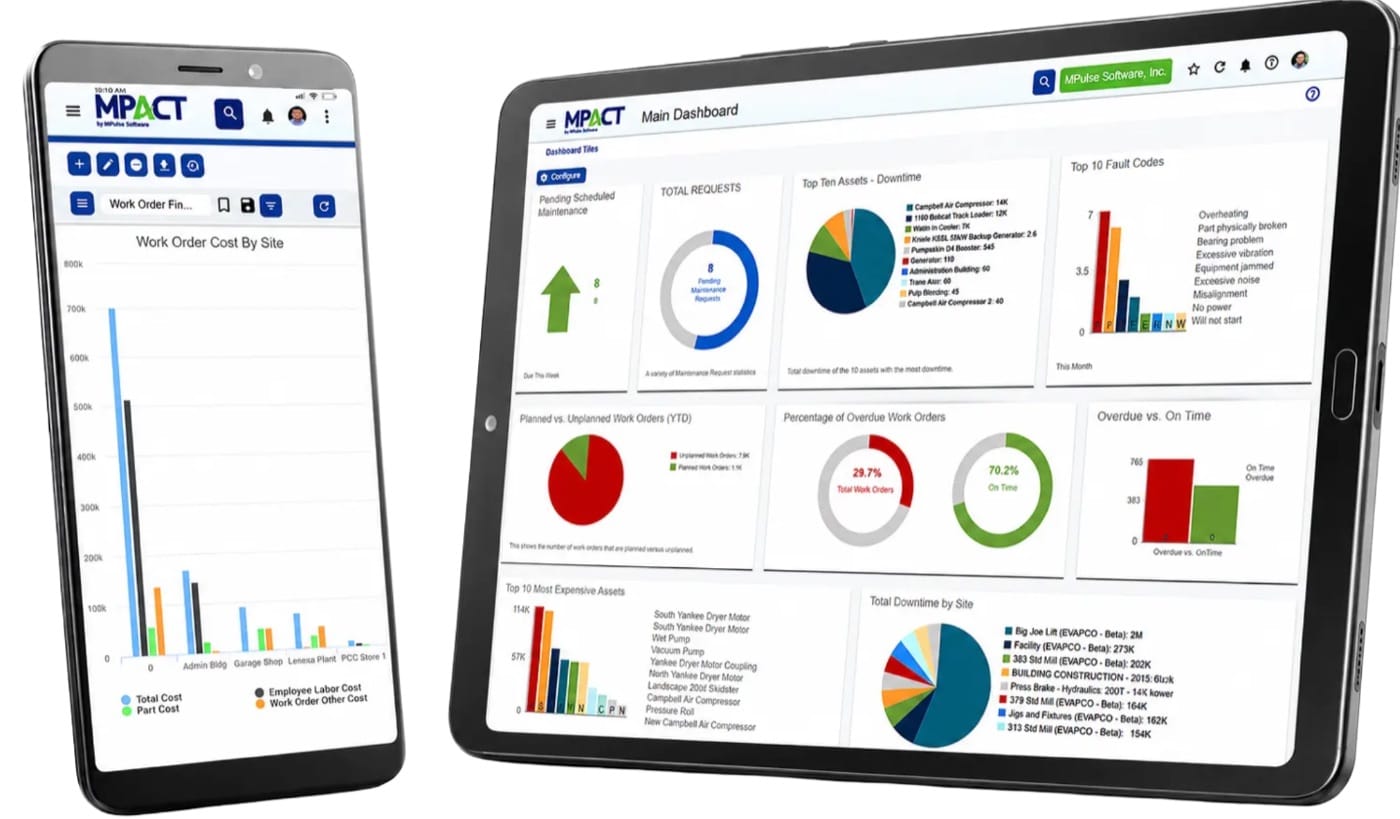
Ideal for: facilities teams whose IT group wants cloud or self-hosted deployment for building assets across several sites.
Why it ranks here: one of the few CMMS vendors still offering self-hosted deployment, with published pricing and a long record in multi-site facilities.
MPulse, from JDM Technology Group, now sells MPACT CMMS as its flagship, with older MPulse editions still supported. Pricing is public: Professional at $29 per user per month with a three-user minimum, and Advanced at $79 per user plus $29 technician licences.
It suits corporate teams whose IT group wants deployment options, since MPulse offers SaaS, licensed hosting and local installs. The offline technician app and SSO are add-ons, so price the edition you need, not the entry tier.
Key features:
- Free, unlimited requesters: every edition includes free requester users and QR-code requests, with automatic status updates to the employee who reported the leak.
- Work orders with checklists and codes: checklists, required fields, attachments and failure, reason and repair codes build a clean history for every air handler.
- RIME criticality scoring: work is ranked by asset and task criticality, so a failed fire pump moves ahead of a squeaky door.
- Scheduled maintenance: time, calendar and meter-based PM generates work orders automatically, with escalations when a sprinkler inspection slips.
- Cost, time and downtime tracking: the Advanced edition adds inventory with cost, technician hours, downtime and failure analysis, so you can compare buildings on cost per site.
- Drillable dashboards: calendars, data tables and graphical KPIs open straight into the work order behind each number.
- Offline app and integrations: the offline technician app is an add-on for Advanced and Enterprise, with connectors for Dynamics 365, NetSuite, Sage, Oracle and SAP.
- AI analysis (coming soon): MPulse lists AI analysis for querying your data as an upcoming feature, so nothing acts on your work yet.
- Corporates whose IT policy requires an on-premises or privately hosted CMMS, since MPulse still offers local installs.
- Large employee populations, because requester users are free on every edition and requests can start from a QR code.
- Finance teams that want published per-user pricing and ERP connectors such as NetSuite or SAP.
- Multi-site teams that compare labor, parts and downtime cost by building on Advanced.
- Planners who want criticality scoring to put life safety work first.
- Buyers who want AI working in the product today; AI analysis is still listed as coming soon.
- Teams that need offline mobile on the entry edition, since the offline technician app is an add-on for Advanced and Enterprise.
- Corporates that need SSO and multi-factor authentication out of the box; both sit in Enterprise add-on modules.
- Buyers who rely on recent peer reviews; public reviews of MPulse predate the MPACT relaunch.
Pricing: Professional $29 and Advanced $79 per user per month plus $29 technician licences, Enterprise quoted (MPulse pricing); see the MPulse pricing breakdown.
What reviewers say: MPACT CMMS holds 4.5/5 on Software Advice, but its public reviews date from 2014 to 2018, before the MPACT relaunch, so there is no current named review to quote. Ask MPulse for references from multi-site facilities teams running MPACT.
Summary: a sound pick when deployment control and published pricing matter more than AI.
Corporate facility maintenance use cases a CMMS should handle
These are the eight jobs a corporate facilities CMMS carries every week across an HQ, regional offices and campuses, with the systems behind each one.
Employee service requests: too-hot and too-cold calls, flickering lights, restroom leaks and broken badge readers arrive all day from employees in every building. The CMMS should take them from a portal, QR code, email or phone, route them by building, floor and trade, and keep the requester updated, which is what service request software is for.
Planned maintenance on building systems: HVAC inspection and maintenance follows ASHRAE 180, elevators need inspections under ASME A17.1, generators need regular runs and load tests under NFPA 110, and sprinklers and fire alarms are tested under NFPA 25 and NFPA 72. Your preventive maintenance software should hold these intervals per asset class and prove each one was done.
Vendor-delivered services: janitorial, HVAC, elevator, landscaping and security contractors deliver much of the work in a corporate portfolio. The CMMS should hold contracts, certificates of insurance, SLAs and not-to-exceed limits, and match each invoice to the work order it bills.
Moves, adds and changes: hybrid occupancy means frequent desk moves, furniture changes and floor reconfigurations. Each one is a small project of work orders across trades, often on a weekend, and it should be tracked like any other job.
Multi-site portfolio standards: an HQ, regional offices, labs and data rooms need the same request categories, PM standards and SLA targets. Leadership then compares response times and cost per square foot building by building.
Compliance and audit readiness: OSHA, ADA access, fire inspections and indoor air quality checks all leave a paper trail. The CMMS should store checklists, photos and sign-offs with timestamps so an audit is a report, not a scramble.
Energy and building data: BMS alarms, meters and utility bills tell you when a chiller is drifting or a floor is wasting energy. The CMMS should turn a real fault into a work order with the evidence attached and feed ESG reporting.
Capital planning: condition scores, age and repair history decide when a roof, chiller or elevator is replaced instead of patched, and facility capital planning software turns that history into a multi-year budget.
Key features to look for in corporate facilities maintenance software
Look for two groups of features: the corporate CMMS core that runs daily work across sites, and AI agents that take routine desk work off your coordinators.
Corporate CMMS core features:
- Employee request portal without per-requester fees: room and asset QR codes, a branded portal and email intake that every employee can use without a paid seat.
- Routing by building, floor and trade: requests reach the right in-house technician or contractor without a coordinator reading each one.
- Code-driven PM calendars: intervals for HVAC, elevators, generators and fire and life safety, with checklists and sign-off per task.
- Asset register with warranties and service history: every major asset tagged, with warranty dates, service logs and parts used.
- Vendor control: contracts, certificates of insurance, SLAs, not-to-exceed limits and invoice matching for every contractor.
- Offline-first mobile: technicians open, update and close work orders in basements and plant rooms, with photos on closure.
- Multi-site dashboards: CMMS reports and dashboards that show response time, PM compliance, open work and cost per site across the portfolio.
- SSO, BMS and ERP integrations: corporate identity, building alarms and finance in one flow.
AI and agent features:
- Intake: an agent turns employee emails, calls and chats into complete work orders.
- Dispatch: the right technician or vendor is picked by SLA, skills, location and history.
- Vendor follow-up: quotes, attendance confirmations and service reports are chased without a coordinator.
- Invoice checks: every invoice line is checked against the work order, contract and rate card before payment.
- Compliance gaps: expiring certificates and failed inspections are flagged and turned into work orders.
- Plain-language reporting: managers ask a question and get the answer from live data, and CMMS workflow automation handles the rules around it.
The test for every AI claim in a demo: does the AI do the job end to end, or only suggest what a person should do next?
CMMS vs IWMS vs EAM for corporate real estate
A CMMS runs maintenance work, an IWMS runs space, leases and workplace services, and an EAM runs asset lifecycles. Most corporates need two of the three.
| System | What it owns | Corporate examples | When you need it | Where the CMMS connects |
|---|---|---|---|---|
| CMMS | Work orders, PM, assets, parts, vendors | Facilio, Limble, UpKeep, Fiix, MPulse | Daily maintenance execution across buildings | It is the system of record for maintenance |
| IWMS | Space planning, desk and room booking, lease administration, moves, capital projects | Planon, Eptura (Archibus), IBM TRIRIGA | Workplace and real estate decisions lead | Space and asset data, move work orders |
| EAM | Full asset lifecycle, reliability and capital for asset-intensive operations | IBM Maximo, SAP EAM, HxGN EAM | Plants, utilities or campuses with heavy equipment | Shared asset register, finance and purchasing |
| CAFM | Term used in the UK and Europe for CMMS plus space management | Planon, Facilio | Similar to a CMMS with space features | Same as CMMS |
If you are new to the category, start with what is CMMS: it is day-to-day maintenance execution, and it is where employee requests, technicians and contractors meet. An IWMS adds the real estate layer at higher complexity and cost, which is why corporate teams often pair a CMMS with an IWMS or pick a suite that covers both.
When desks, rooms and leases are the main problem, compare the best IWMS software first and check how well its maintenance module handles vendors and offline mobile.
Best CMMS for corporate facilities by company size
Portfolio size changes what matters most: a single HQ needs speed and price, a mid-size network needs standards, and a global one needs vendor control.
| Company size | Typical portfolio | What matters most | Shortlist from this list |
|---|---|---|---|
| Single HQ or small office portfolio | 1 to 5 sites, under 5 technicians | Fast setup, published price, easy mobile app | UpKeep, Limble, Fiix |
| Mid-size multi-site | 5 to 50 offices, mixed in-house and contractor work | Request portal, PM standards, multi-site reporting | Limble, MPulse, Asset Essentials by Siemens, ServiceChannel |
| Large enterprise or global | 50+ sites, outsourced FM, many vendors, several regions | Vendor control, invoice checks, SSO, agents that take desk work | Facilio, Corrigo, ServiceChannel, Planon |
Single HQ or small office portfolio: start with a tool your two or three technicians will open every day, and make sure the request portal is on the tier you buy. UpKeep and Fiix publish prices, and Limble includes unlimited requesters on every plan.
Mid-size multi-site: standards matter more than features now. Pick a tool that keeps the same request categories, PM library and reports across every office, and test multi-site reporting before you sign.
Large enterprise or global: at 50 sites and up, the work around the work order (vendor chasing, invoice checks, certificates, reporting) costs more than the work order itself. Compare the best enterprise CMMS software shortlist, then test which platform takes that coordination off your team.
How much does a CMMS for corporate facilities cost?
Corporate CMMS pricing depends on who needs a seat, how many sites you run and which tier adds request portals, offline mobile and SSO. Here is how it works.
For the general market view, see the CMMS pricing guide. For corporate portfolios, these are the models you will meet:
- Per user per month: UpKeep, Fiix, MPulse and Planon (UK list) price by named user, so technician and coordinator count drives the bill.
- Requester seats: some tools charge for anyone who submits a request, others include unlimited requesters (Limble on every plan), which matters when 2,000 employees can raise a ticket.
- Per site or per location: ServiceChannel prices per location and Corrigo offers per-site licensing, which suits many small offices.
- Enterprise quote: Facilio, Corrigo, ServiceChannel, Planon (US) and Asset Essentials quote by portfolio size, users and scope.
- Add-ons and credits: offline apps, SSO, AI credits (UpKeep Nova), AI add-ons (Fiix MAX) and mobile licences (Planon) sit outside the base price.
| Tool | Pricing basis | Year-one software at list (21 paid seats) | Ask about |
|---|---|---|---|
| Facilio | Quote by portfolio size, users and scope | Quote | Which agents are included and how sites are counted |
| Corrigo | Per user or per site, plus modules | Quote | Vendor management and invoice reconciliation modules; CorrigoPro fees your contractors pay |
| ServiceChannel | Per location | Quote for 13 locations | What the provider network costs your contractors |
| Planon | Per user (UK list), quote in the US | UK list about £18,635 (21 Core asset and maintenance users after a 15 percent volume discount) | Mobile licences, implementation days |
| Asset Essentials by Siemens | Quote | Quote | Which modules are add-ons |
| Limble | Price calculator | Quote | Premium+ for offline and vendors, Enterprise for SSO and multi-location |
| UpKeep | Per user | 55) | Professional for the request portal and offline mode |
| Fiix | Per user | 75) | MAX AI add-on, SSO on Enterprise |
| MPulse | Per user plus technician licence | $10,908 at Advanced (6 users at $79, 15 technicians at $29) | Offline app and SSO add-ons |
Year-one software cost at published list prices as of November - 2026 for an HQ campus plus 12 regional offices (about 1.2M sq ft) with 15 technicians and 6 coordinators or managers (21 paid seats) and about 2,000 employees who submit requests. Excludes implementation, add-ons, tax and any discount not shown on the price list.
Sources: UpKeep pricing, Fiix pricing, MPulse pricing, Limble pricing, Planon G-Cloud 15 pricing document, JLL Corrigo product FAQ, ServiceChannel platform FAQ.
Hidden costs to ask about:
- Requester seats, or the tier where a free request portal starts.
- The tier that includes offline mobile, often one or two levels above the entry price.
- SSO, sold as an add-on or only on enterprise tiers.
- BMS, ERP and identity connectors scoped as implementation work.
- Fees your contractors pay to join a provider network, which some pass back in their rates.
- Data migration of asset histories, warranties and PM schedules.
- AI credits or paid AI add-ons metered by usage.
How to choose a CMMS for corporate real estate and facilities management
Use this five-step framework to move from 9 tools to two or three, testing each answer in a live demo with your own buildings, requests and contractors.
The 5-Step Corporate CMMS Selection Framework:
1. Map your operating model and portfolio: count sites, square footage and critical assets, then decide whether your own technicians or contractors do most of the work. The answer changes everything downstream, because a vendor-led portfolio needs invoice and certificate control more than a deep technician app.
Shortlist: in-house with a few sites points to Limble, UpKeep or Fiix; vendor-led with many sites points to Facilio, Corrigo or ServiceChannel; workplace-led points to Planon.
2. Test employee request intake end to end: in the demo, submit a request from a phone as an employee would, then watch where it lands and how the requester hears back. Ask who pays for requester access, because seats for 2,000 employees can double a quote.
Shortlist: Facilio (agent intake on portal, email, phone and WhatsApp), Limble (unlimited requesters on all plans), UpKeep (request portal from Professional).
3. Test the vendor loop: create a job for an HVAC contractor, then check insurance certificate status, SLA tracking, the not-to-exceed limit and invoice matching. Most corporate spend sits here, so a weak vendor loop costs more than any license.
Shortlist: Facilio, Corrigo and ServiceChannel are strongest here.
4. Draw the IWMS and integration boundary: decide which system owns space, leases and desk booking, then confirm the BMS, ERP and SSO connections you need. A clear boundary avoids paying twice for the same module.
Shortlist: Planon when the IWMS comes first; Facilio or Asset Essentials when building data matters; MPulse when IT wants a self-hosted system.
5. Decide who runs it: a self-serve tool needs an internal owner for setup, reports and changes, while some vendors build and run the system with you. Be honest about your team's capacity before you choose.
Shortlist: Facilio (FM Ops Engineers build and run it) or Corrigo with JLL-managed operations; the rest are self-serve.
Corporate CMMS integrations and compliance standards
A corporate CMMS sits between building systems, finance and identity, and it holds the records auditors ask for. Check these integrations and standards.
Confirm each of these before you sign, and ask for the CMMS integrations list in writing.
Systems to integrate:
- Building management systems: Siemens Desigo CC, Johnson Controls Metasys, Honeywell and Schneider Electric EcoStruxure alarms should become work orders with the fault data attached.
- IoT sensors: indoor air quality, occupancy, leak and temperature sensors trigger checks before employees complain.
- ERP and accounts payable: SAP, Oracle, Workday or Dynamics 365 for purchase orders, cost centers and invoice payment.
- Identity and SSO: Microsoft Entra ID or Okta so employees and technicians sign in with corporate credentials.
- IWMS and space data: Planon, Archibus or another IWMS for floors, spaces and moves.
- Outsourced FM provider systems: work orders flowing to and from an IFM or contractor platform without rekeying.
Standards the CMMS must record:
- OSHA 29 CFR 1910: general industry safety, including lockout and tagout records for maintenance work.
- ADA: accessible routes, doors, restrooms and elevators kept in working order, with repair records.
- NFPA 25, 72 and 101: sprinkler testing, fire alarm testing and Life Safety Code inspections, with dated results.
- NFPA 110: emergency generator runs and load tests on schedule.
- ASME A17.1: elevator and escalator inspections and maintenance control programs.
- ASHRAE 62.1 and 180: ventilation for indoor air quality and the standard practice for HVAC inspection and maintenance.
- EPA Section 608: refrigerant leak inspections and repair records for HVAC equipment.
- ISO 41001: facility management system requirements for organizations that certify their FM.
- Local energy laws: benchmarking and emissions rules such as New York City Local Law 97, fed by meter and utility data.
Common mistakes when buying CMMS software for corporate offices
These seven mistakes show up again and again in corporate CMMS projects. Each costs coordinator hours, SLA misses or audit findings, and each has a test.
1. Buying an IWMS when you need maintenance execution, or the reverse: a workplace suite with a thin maintenance module leaves technicians on spreadsheets, while a CMMS cannot run lease admin. The result is a second system bought within two years.
How to avoid it: list your top 20 weekly tasks and ask the vendor to show each one live.
2. Paying per requester so employees fall back to email: when every requester needs a seat, most companies license a few coordinators and let 2,000 employees email them. Requests then arrive incomplete and unlogged.
How to avoid it: confirm in writing that requesters are free, or price the seats before you compare.
3. Ignoring the vendor loop when contractors do most of the work: a CMMS that only manages your technicians leaves coordinators chasing quotes, ETAs and invoices by phone, and certificates expire unnoticed.
How to avoid it: in the demo, raise a contractor job and follow it to a matched invoice.
4. Choosing a plant-floor CMMS with no building model: tools built for production lines often lack sites, floors and spaces, so a "level 3 east restroom" request has nowhere to land, and office IT and furniture records clutter the maintenance register when they belong in a dedicated tool from the best office asset management software list.
How to avoid it: ask the vendor to load one of your buildings with floors and spaces during the trial.
5. Trusting "offline" that is only cached: some apps show yesterday's work orders offline but cannot close or create one without signal, so technicians in basements re-enter work later or skip it.
How to avoid it: put a test phone in airplane mode, close a job with photos, then reconnect and check the sync.
6. Running calendar-only PM: generic monthly tasks miss the intervals that ASHRAE 180, NFPA 25 and ASME A17.1 require, which surfaces as an audit finding or a failed inspection.
How to avoid it: ask for the vendor's PM library for elevators, sprinklers and generators and check the intervals.
7. Accepting AI that only drafts: an assistant that writes a summary still leaves a coordinator to log the request, pick the vendor and chase the update, so the desk workload does not change.
How to avoid it: ask the vendor to run one request from an employee email to a dispatched job with no person touching it, then show the trace.
How to switch to a new corporate facilities CMMS without downtime
A phased cutover keeps requests, PM and contractor work moving while you change systems. This four-phase plan fits a typical HQ plus regional offices.
The 4-Phase Corporate CMMS Cutover:
Phase 1, portfolio and asset audit (typically weeks 1 to 3):
- Export assets, work order history, PM schedules and the vendor list from the current system and spreadsheets.
- Clean the location model into site, building, floor and space so every request has a home.
- Tag critical assets with QR codes and confirm warranty dates.
- Agree baseline numbers: response time, PM completion, open work and cost per site.
Phase 2, request portal, PM library, vendors and integrations (typically weeks 3 to 6):
- Set request categories, routing rules and SLA targets by building and trade.
- Load the PM library with intervals mapped to the codes your buildings follow.
- Add vendors with contracts, certificates of insurance, rates and SLAs.
- Connect SSO, the BMS and ERP, then test each connection with real data.
Phase 3, parallel run at HQ or one region (typically weeks 6 to 10):
- Run the new system at the HQ or one region while the old one continues elsewhere.
- Train technicians on the mobile app and test offline closure in plant rooms.
- Onboard your ten busiest contractors and process their first invoices.
- Compare weekly results against the Phase 1 baseline and fix gaps.
Phase 4, portfolio rollout and old system retired (typically weeks 10 to 14):
- Roll out region by region, reusing the HQ configuration.
- Switch every request channel (email aliases, QR codes, phone lines) to the new system.
- Keep the old system read-only for history, then retire it.
- Review results against the baseline at 30, 60 and 90 days.
Want the work done for you?
Our FM Ops Engineers scope your first AI agent on your own sites, then build it, run it and stay with you.
CMMS for corporate facilities FAQs
Quick answers to the questions corporate facilities leaders ask most when they compare CMMS software for an HQ, regional offices and campuses this year.
What is a CMMS for corporate facilities?
A CMMS for corporate facilities is software that centralizes work orders, preventive maintenance, asset records and vendor management across office buildings and campuses. It replaces spreadsheets and manual tickets so HVAC, electrical, plumbing and building systems stay on schedule.
What software do corporate facility managers use?
Most use a CMMS for maintenance work, an IWMS for space, desks and leases, a BMS for building controls and an ERP for purchasing and payment. Larger portfolios add vendor portals and, increasingly, AI agents that handle intake and contractor follow-up.
What is the best CMMS for corporate facilities?
It depends on who does the work. Facilio fits vendor-heavy HQ and campus portfolios that want agents on the desk work, Corrigo and ServiceChannel fit contractor-led networks, Planon fits IWMS-led teams, and Limble or UpKeep fit small in-house teams.
What is the difference between a CMMS and an IWMS?
A CMMS runs day-to-day maintenance: requests, work orders, PM, assets and vendors. An IWMS covers real estate and workplace work such as space planning, desk booking, leases and capital projects, usually at higher cost and complexity.
Is Excel a CMMS?
No. A spreadsheet can list assets and tasks, but it cannot route employee requests, schedule PM automatically, give technicians a mobile app, track contractors or keep an audit trail. Most corporate teams move off Excel once they pass one building or a few technicians.
Is a CMMS the same as SAP?
No. SAP is an ERP suite whose maintenance and EAM modules suit asset-intensive operations. Many corporates run a CMMS for their buildings and connect it to SAP for purchase orders, cost centers and invoice payment.
Is there a free CMMS for corporate offices?
Some vendors offer free plans, such as Fiix for up to 25 active PMs, and others offer free trials. Free plans usually limit users, PM schedules or features like offline mobile, so they suit a single small office more than a corporate portfolio.
Can employees submit maintenance requests without a paid license?
Often, but not always. Limble includes unlimited requesters on every plan, UpKeep adds an external request portal from its Professional tier, and enterprise platforms usually include a request portal. Confirm requester terms in writing before you compare prices.
How long does it take to implement a CMMS across a corporate portfolio?
A focused rollout for an HQ and regional offices typically takes 10 to 14 weeks: an asset audit, configuration and integrations, a parallel run at one site, then portfolio rollout. Enterprise programs with many integrations can run longer.
Does Microsoft have a CMMS?
Microsoft does not sell a dedicated facilities CMMS. Dynamics 365 includes asset management and field service features, and many CMMS tools connect to Dynamics 365 for purchasing and finance.
About the Author