






 Service intake















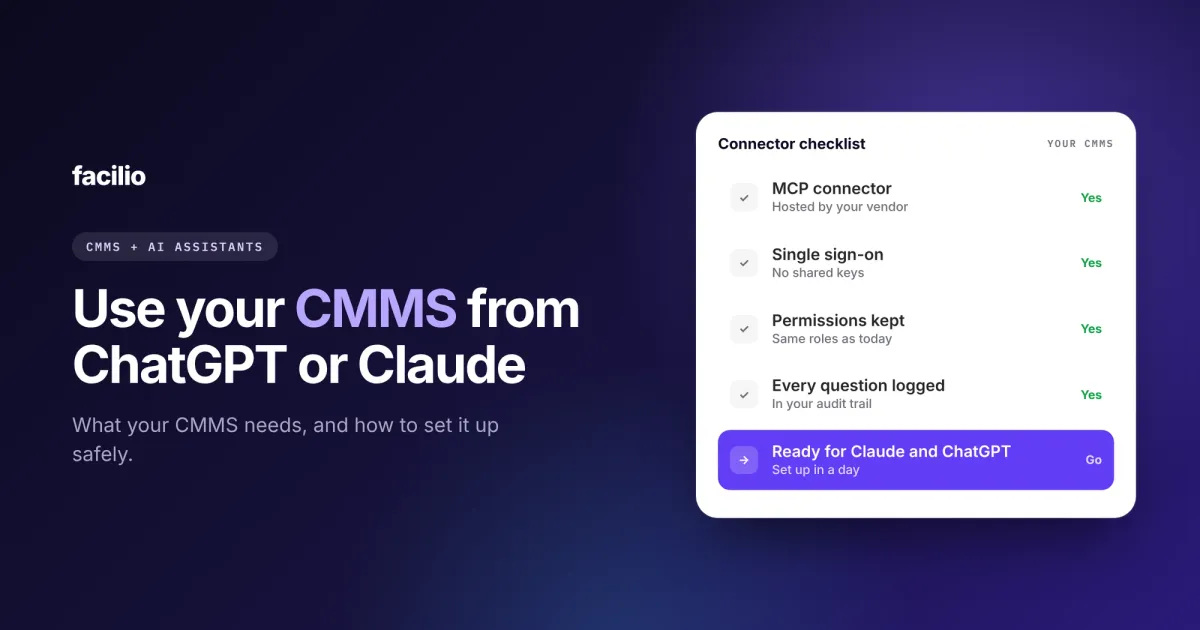

If you want to use your CMMS from ChatGPT or Claude, your CMMS needs a connector that your assistant can use. Your admin turns it on, you add it in Claude or ChatGPT and sign in, and you can ask about work orders, assets and maintenance in plain words.
Not every CMMS has a connector yet, and not every connector is safe enough for facilities data. In this guide, we have tried to explain what your CMMS needs, how setup works, what to ask, and how we built ours.
Key takeaways
- Claude and ChatGPT reach other software through connectors, most of them built on MCP.
- Your CMMS needs a connector that signs you in as yourself and keeps your permissions.
- Every question should be logged, and any change should wait for your OK.
- Setup takes about a day once your CMMS supports it.
- Facilio has one built in, and it works with Claude, ChatGPT, Microsoft Copilot and Cursor.
What does it mean to use your CMMS from ChatGPT or Claude?
It means asking your AI assistant about your maintenance operation and getting answers from your live CMMS data. You ask "which work orders at Tower B are overdue?" and the assistant looks it up in your CMMS, instead of guessing or asking you to paste a report.
This works through a connector. A connector lets an assistant reach another app and use it on your behalf. Claude and ChatGPT both support them, and most are built on MCP (Model Context Protocol), an open standard for plugging assistants into software. You do not need to know how MCP works, in the same way you do not need to know how Wi-Fi works to get online.
Without a connector, an assistant only knows what you paste into the chat. With one, it reads your CMMS directly, at the moment you ask.
What does your CMMS need before you can connect it to ChatGPT or Claude?
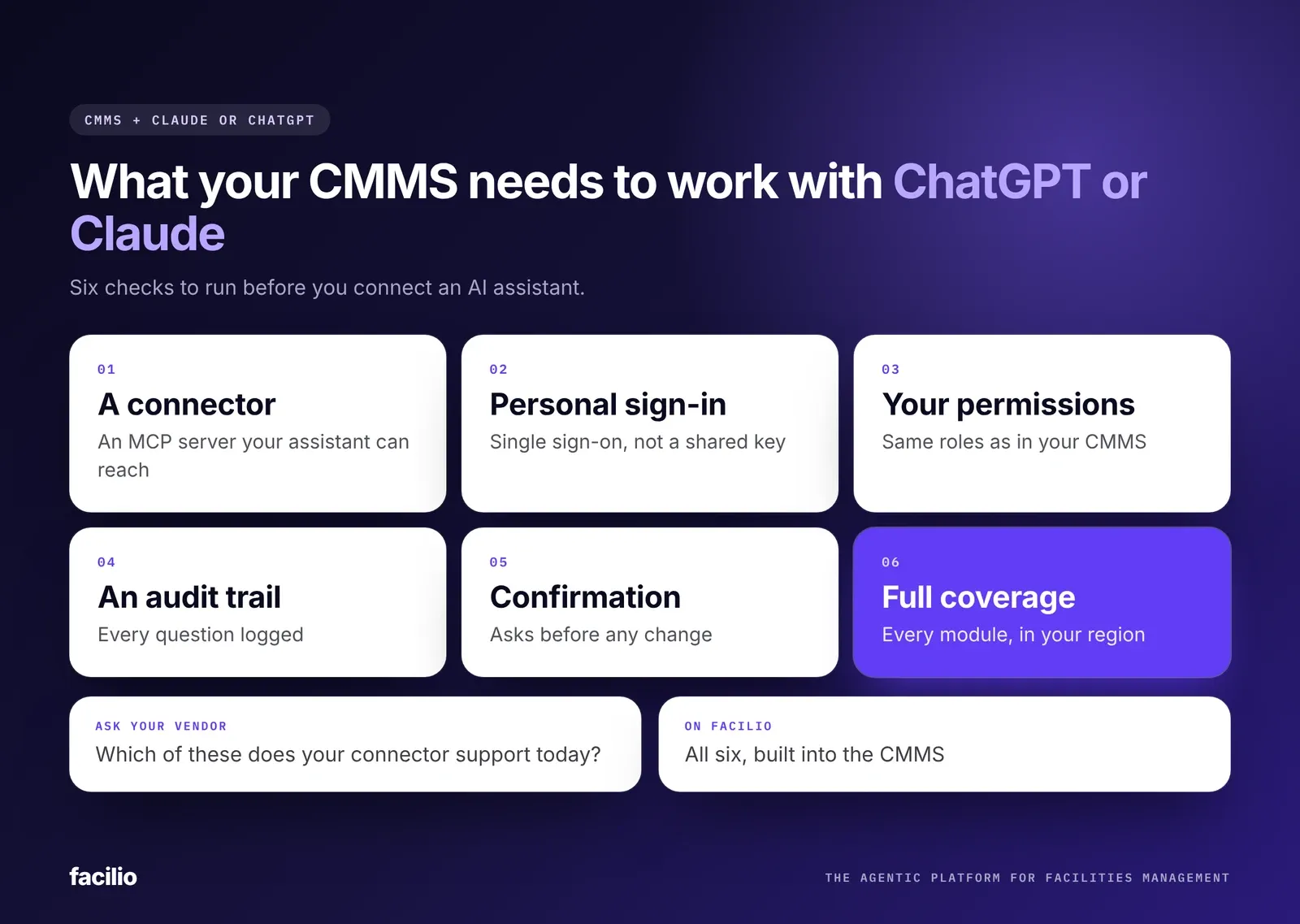
Six things. Most of them are about safety, because a CMMS holds work orders, vendor rates, tenant details and spend. Use this list when you talk to your vendor.
| What your CMMS needs | Why it matters | Ask your vendor |
|---|---|---|
| A connector (MCP server) | Without one, the assistant cannot reach your CMMS | Do you have an MCP connector, and who hosts it? |
| Personal sign-in | A shared key usually sees everything | Does each person sign in with single sign-on? |
| Permissions that carry over | People should only see what they see today | Does it keep each user's CMMS roles? |
| An audit trail | You need to know who asked what, and when | Is every request logged in the CMMS audit log? |
| Confirmation before changes | One vague message should not change a thousand records | Does it ask before deleting or bulk-changing? |
| Coverage and hosting | Answers are only as good as what it can see | Which modules and hosting regions does it cover? |
A connector your assistant supports
Your CMMS needs its own MCP connector, hosted by the vendor or run by your IT team. A hosted one is simpler: there is nothing to install, and updates happen on the vendor's side.
Sign-in as the person, not a shared key
Some setups connect an assistant with one shared API key. That key usually sees everything. A good connector signs each person in with their own account, through single sign-on.
Permissions that carry over
A technician, a site manager and a finance lead see different things in your CMMS today. The connector should keep exactly those limits. If you cannot see a site's budget in the CMMS, your assistant should not see it either.
An audit trail for every question
You should be able to see what the assistant asked for, on whose behalf and when, in the same audit log as the rest of your CMMS activity. That is what keeps you audit-ready once AI is in the loop.
Confirmation before anything changes
Reading data is low risk. Deleting, overriding or bulk-changing records is not. The connector should always ask before it changes anything, so one loosely worded message cannot update a thousand work orders.
Coverage of the modules you use
A connector that only sees work orders will not answer questions about assets, vendors or spend. Check which modules it covers, including any custom ones, and how it fits with your other CMMS integrations.
How do you connect your CMMS to Claude or ChatGPT?
Once your CMMS supports it, setup takes three steps and usually about a day.
Step 1: Your CMMS admin turns on the connector
This is a setting on the CMMS side. If the connector respects your existing roles, there is nothing to set up for each person.
Step 2: You add the connector in Claude or ChatGPT
In Claude, custom connectors are added from the connectors section of your settings. In ChatGPT, they are added from the apps and connectors settings. Depending on your plan, an admin may need to allow custom connectors first. You paste in the address your CMMS vendor gives you, then sign in with your CMMS account.
Step 3: You start asking
Ask in plain words, the way you would ask a colleague. A good connector needs no query language and no training.
What can you ask your CMMS from an AI assistant?
Anything your CMMS account can already see. What changes is how fast you get the answer.
Facility managers: building status and tenant updates
- "Which service requests at Tower B are overdue, and which should I escalate?"
- "Draft a notice to tenants about Thursday's lift maintenance."
- "Are we on track with planned maintenance at this site this month?"
Operations heads: portfolio trends and comparisons
- "Summarise last week's critical incidents across the portfolio."
- "Which region has the oldest open work orders?"
- "How is maintenance spend tracking against budget this quarter?"
Property managers: tenant issues and owner summaries
- "List open tenant complaints at the mall, grouped by type."
- "Write a one-page update for the owner on the air handling unit replacement."
Answers come from live data, not a copy. So a question about work order analytics that used to need an export now takes one message.
What stays with you
The assistant drafts, and you decide. It can summarise, compare and write, but a tenant notice only goes out when you send it.
See a CMMS answer inside Claude or ChatGPT.
Watch Facilio answer from live data, in the assistant your team already uses.
How does asking your assistant compare with CMMS reports?
CMMS reports and dashboards answer the questions someone set up in advance. An assistant answers the one you have right now. Most teams need both.
| Area | CMMS reports and screens | Asking Claude or ChatGPT |
|---|---|---|
| Getting an answer | Find the report, set filters, export | Ask one question in plain words |
| A new question | Wait for someone to build a report | Ask it now |
| Where you work | Your CMMS, plus your email and chat | The assistant you already use |
| Tenant and owner updates | Written from scratch | Drafted from live data, then reviewed and sent by you |
| Permissions | Your role in the CMMS | The same role, nothing more |
| Audit | Logged in the CMMS | Logged in the same audit trail |
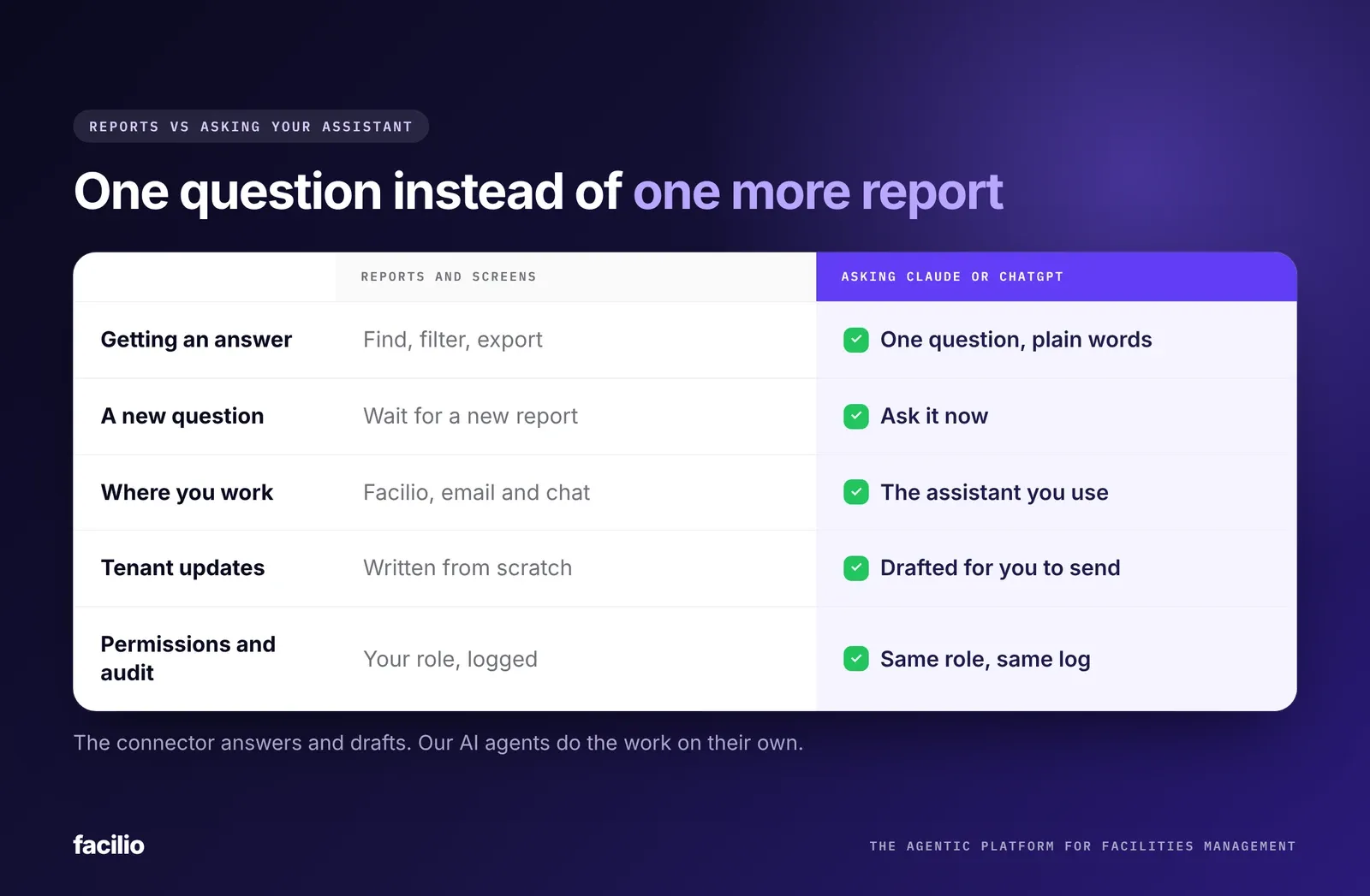
A connector is for asking: you ask, it answers and drafts. AI agents for facility operations are different. They do the work on their own, such as AI work order dispatch, and only hand you the exceptions.
How does Facilio connect your CMMS to ChatGPT and Claude?
We built Facilio MCP to pass every check in the table above. It is our Claude and ChatGPT connector for CMMS, built into our CMMS software, so there is nothing extra to buy or install. Early access is open to all Facilio CMMS customers, and our FM Ops Engineers scope enterprise rollouts with you.
Here is what a first message of the day looks like for an asset manager:
Your assistant
Connected to FacilioAnything urgent from last night at Harbour Point?
- Water leak, Level 3 washroom. Raised at 11:42 pm by a requestor on WhatsApp. Plumber assigned within 10 minutes, closed at 1:15 am.
- Chiller alarm, plant room. Work order still open. Technician due on site at 8:30 am.
Draft a short update for the Level 3 tenants.
Illustrative example. Site and details are not customer data.
How Facilio MCP meets each check
It is hosted at mcp.facilio.com/mcp, so there is nothing to run on your side. Data stays in your hosting region (US, EU, UK, Australia, UAE, Saudi Arabia or US-Azure), and Facilio holds SOC 2 Type II and ISO 27001. If your CMMS is not Facilio, our AI agents can still run on top of the one you have.
What FM teams see on Facilio
Reported by teams in early pilots of Facilio MCP.
Your data, permissions and audit trail stay exactly where they are. The only thing that changes is how quickly you get an answer.
The bottom line: should you connect your CMMS to ChatGPT or Claude?
Yes, if your team already uses an AI assistant at work, and your CMMS connector passes the six checks above. Get those right and it takes a day to set up, changes nothing about your permissions, and every question lands in the same audit trail.
A simple first step: ask your CMMS vendor the six questions in the table above. If the answers are yes, connect the assistant you already use and ask it about last night's urgent requests.
See it live
Your CMMS, one question away.
Connect Claude, ChatGPT or Copilot to Facilio in a day. Our FM Ops Engineers help you roll it out, alongside the agents that run the work.
Frequently asked questions about using your CMMS from ChatGPT or Claude
Can ChatGPT or Claude connect to my CMMS?
What is an MCP server for a CMMS?
Is it safe to connect a CMMS to ChatGPT or Claude?
What should I ask my CMMS vendor before connecting an AI assistant?
Does Facilio work with Claude and ChatGPT?
About the Author

More from Facilio