







 Service intake

















FMX suits schools, campuses and public buildings that run requests, preventive maintenance and room scheduling in one place, while Fiix suits plants and asset-heavy teams that need deep preventive maintenance tied to PLC and ERP data, whereas teams running many buildings who want the coordination work itself handled look beyond both.
FMX (Facilities Management eXpress) and Fiix by Rockwell Automation both sit on CMMS shortlists, but they were built for different jobs. The difference between FMX and Fiix comes down to what you maintain: FMX runs buildings and the people who use them, while Fiix runs machines and the uptime that depends on them. FMX leans toward a facilities operations platform with room bookings and capital plans, whereas Fiix is a classic plant CMMS; if the two categories blur, the difference between CAFM and CMMS explains the line.
This guide compares FMX vs Fiix on features, pricing, AI, pros, cons and verified reviews; for the wider field, see the best cmms software roundup.
The fmx or fiix choice settles on three questions: your industry, your team size, and whether you need plant integrations or open request portals for staff.
- Pick FMX if you run schools, a campus or public buildings, most requests come from staff or the public, and you book rooms, fields or vehicles in the same system.
- Pick Fiix if you maintain production equipment, need meter and event triggers tied to PLC or ERP data, and want to start on a free plan with published prices.
- Look beyond both if you run many buildings or client sites and want agents to handle intake, dispatch and vendor work rather than another queue for your team to work through.
FMX vs Fiix at a glance
The side-by-side most buyers scan: what each tool does, what sits behind a higher plan or module, what costs extra, how it is priced and how users rate it.
| Platform | Key features | Hidden / gated features | Add-ons | Pricing | Reviews | Best for |
|---|---|---|---|---|---|---|
| FMX (Facilities Management eXpress, founded 2012) | Work requests with custom forms and approvals, time- or meter-based preventive maintenance on a visual calendar, equipment and building records, room, field and event scheduling, inventory and purchasing, capital planning, utility and fleet tracking | Each module (Work Manager, Event Manager, Warehouse Manager, Capital Planner, Utility Manager, Fleet Manager, IT Asset Manager) and each custom workflow adds to the quote; the Iris assistant and the MCP connector are early access | One-time implementation fee; extra fees for in-person work; a monthly fee if you pay by auto pay instead of annually | Quote only, by billable users plus modules and workflows; public K-12 priced by student enrollment with unlimited users; requesters and vendors are free | 4.7 G2 (47); 4.7 Capterra (454) | Schools, campuses, local government and non-profits that run requests, PM and shared spaces together |
| Fiix (Rockwell Automation) | Work orders with checklists and safety notes, PM by date, meter or event, asset hierarchies with QR codes, spare parts inventory, mobile app with offline work, ERP and PLC integrations | Multi-site, purchasing and RFQs, Fiix Foresight, nested PMs and parts forecasting on Professional; failure codes, audit trail, e-signatures and condition-based triggers on Enterprise | Fiix MAX, Lite licenses, Integration Hub, custom API and single sign-on, each at extra cost | Free plan (25 active PMs); Basic $45 and Professional $75 per user per month; Enterprise by quote | 4.6 G2 (491); 4.5 Capterra (629) | Manufacturing and asset-heavy plants, especially teams already on Rockwell equipment |
Sources: FMX pricing, Fiix pricing, and the G2 and Capterra comparison pages.
The quick read: FMX scores higher with its own users, at 4.7 against 4.5 on Capterra, and leads on customer service (4.9 against 4.4). Fiix has roughly ten times as many G2 reviews and publishes its prices. The reviewer base tells the story too: about half of FMX's G2 reviewers work in education, while Fiix's largest group is manufacturing.
Difference between FMX and Fiix, feature by feature
Here is where FMX vs Fiix actually diverge, grouped the way an FM or maintenance team evaluates a CMMS, with the edge called at the end of each group.
Core maintenance
| Capability | FMX | Fiix |
|---|---|---|
| Work order management | Yes, requests with custom forms, priorities, approvals, photos and cost and time responses | Yes, with checklists, safety notes, cost tracking and automatic follow-up work orders when an inspection fails |
| Preventive maintenance | Yes, time- or meter-based recurring tasks on a visual calendar with step instructions; meter readings can sync from Samsara | Yes, by date, meter or event; unlimited PMs from Basic, nested PMs on Professional |
| Technician scheduling | Yes, assign and reassign work from the shared calendar, singly or in bulk | Yes, resource-based scheduling from Basic |
| Inspections | Yes, inspection tasks alongside PMs | Yes, pass and fail inspections from Basic |
| Condition-based and predictive maintenance | Partial, meter-based triggers only; no sensor or predictive triggers stated | Yes, condition-based triggers on Enterprise, Foresight predictions on Professional and sensor-based Asset Health with Augury |
Edge: Fiix, for the depth of its PM triggers and condition-based maintenance. FMX matches it on everyday requests and on calendar or meter-based PM.
PM triggers on common building assets
Most FM teams judge a CMMS on the plant room, not the brochure. Here is how each tool schedules work on the assets in a typical building.
| Building asset | Typical PM trigger | FMX | Fiix |
|---|---|---|---|
| HVAC units and air handlers | Monthly or quarterly calendar tasks | Yes, time-based tasks with checklists | Yes, date-based PMs |
| Chillers and boilers | Run hours plus seasonal service | Yes, meter-based PM from manual or synced readings | Yes, meter-based PMs, with nested weekly to annual tasks on Professional |
| Standby generators | Running hours plus periodic load tests | Yes, meter-based and time-based tasks together | Yes, meter and date triggers together |
| Elevators, fire pumps and alarms | Periodic safety inspections | Yes, inspection tasks with step instructions | Yes, pass and fail inspections; audit trail and e-signatures on Enterprise |
| Pumps and motors | Vibration or condition readings | Partial, meter readings only; no vibration sensors stated | Yes, Asset Health with Augury vibration sensors, or condition triggers on Enterprise |
Edge: close for most buildings. Both cover calendar, run-hour and inspection work, and Fiix pulls ahead only when you want vibration or condition data to trigger work on rotating equipment.
Reliability reporting: downtime, MTBF and MTTR
If your program is moving from reactive breakdown work to planned maintenance, the reports matter as much as the schedules. This is where the two differ most for reliability engineers.
| Metric | FMX | Fiix |
|---|---|---|
| Downtime and breakdown records | Yes, equipment downtime logged against requests | Yes, a downtime tracker records uptime and downtime per asset |
| MTBF and MTTR | Not listed as standard reports; ask to see them in a demo | Yes, the downtime tracker calculates MTTR and MTBF, and the report library lists MTBF by asset |
| Failure codes and repeat failures | Partial, custom fields such as a root-cause field | Yes, failure codes on Enterprise for failure trend analysis |
| PM compliance and backlog | Yes, planned maintenance occurrence reports, with overdue and stuck work flagged | Yes, dashboards show overdue tasks and PM completion |
Sources: Fiix downtime tracker, Fiix report library and FMX time-based vs meter-based PM guide.
Edge: Fiix, clearly, if MTBF, MTTR and failure codes drive your reliability program. FMX reports PM completion and downtime well, but ask it to show the reliability math in a demo.
Assets, inventory and multi-site
| Capability | FMX | Fiix |
|---|---|---|
| Asset records | Yes, service history, downtime, warranties, replacement value, remaining useful life and condition | Yes, parent and child hierarchies, QR and barcode, downtime logs, repair histories and warranties |
| Spare parts inventory | Yes, stock by building, transfers and supplier records | Yes, stock across locations and low-stock alerts; cycle counts and parts forecasting on Professional |
| Purchasing | Yes, requisitions and purchase orders linked to work requests, payments and receiving | Partial, purchasing and RFQs on Professional only |
| Capital planning | Yes, Capital Planner plans replacements from condition, remaining useful life and replacement value | No dedicated module |
| Multi-site | Yes, buildings grouped by campus or region | Partial, multi-site management on Professional and Enterprise |
Edge: split. Fiix goes deeper on plant asset hierarchies and parts forecasting, while FMX gives you purchasing, capital planning and campus-wide building records without a tier jump.
Scheduling, requests and user access
| Capability | FMX | Fiix |
|---|---|---|
| Request portal | Yes, unlimited requesters who are not billed | Yes, unlimited work requests on every plan, including Free |
| Limited-access users | Requesters, vendors and partners are free | Lite licenses for operators, priced on request |
| Vendor and contractor coordination | Yes, vendors and partners can be added as users at no cost | Partial, vendor records on assets and parts, and contractors can submit through the request portal |
| Room, field and event scheduling | Yes, Event Manager books rooms, fields and equipment, checks for double-booking and invoices rentals | No |
| Transportation and fleet | Yes, Fleet Manager plus trip and vehicle requests | Partial, vehicles maintained as assets |
| Utility tracking | Yes, Utility Manager tracks utility accounts and bills | No |
Edge: FMX, clearly. If teachers, staff, tenants or the public submit requests and book spaces, FMX was built for that and does not charge for them.
Integrations, mobile, reporting and AI
| Capability | FMX | Fiix |
|---|---|---|
| ERP and plant systems | Partial, API plus single sign-on with Google, Microsoft and Okta | Yes, ERP such as SAP, Oracle and NetSuite, plus PLCs and SCADA through FactoryTalk Optix; Integration Hub on Enterprise at extra cost |
| Mobile app | Yes, FMX Work List for iOS and Android (3.6 from 22 App Store ratings) | Yes, iOS and Android; reviewers flag app stability |
| Mobile offline mode | Not stated by FMX | Yes, technicians can work offline and sync later |
| Reporting | Yes, dashboards on work, team performance, downtime, inventory and costs, with PDF exports | Yes, standard reports from Basic; custom analytics on Professional |
| AI | Partial, Iris assistant and MCP connector, both early access | Yes, Fiix Foresight on Professional, Fiix MAX add-on, Asset Health with Augury |
| Free plan | No, free trial only | Yes, Free plan with 25 active PMs |
Offline matters most where signal drops, such as plant rooms and basements; see what to check in mobile cmms offline support.
Edge: Fiix, for plant integrations, offline mobile, reliability analytics and a free plan. FMX's newer AI does more hands-on work inside requests, but it is still early access.
Operational-dimension matrix
| Dimension | FMX | Fiix |
|---|---|---|
| Audit trail and e-signatures | Partial, request history and responses | Yes on Enterprise, with audit trail and e-signatures |
| Workflow changes | Yes, custom forms and workflows set up with FMX, which also takes feature change requests | Partial, customized workflows on Enterprise |
| Cost and budget visibility | Yes, account codes, budget categories and invoices | Yes, cost tracking per work order; custom analytics on Professional |
| Scale without rework | Yes, add buildings and modules on the same plan | Partial, multi-site needs the Professional tier |
Edge summary
- FMX wins on: free requesters and vendors, room and event scheduling, purchasing and capital planning without a tier jump, utility and fleet tracking, ease of adoption and support scores.
- Fiix wins on: PM trigger depth, condition-based and sensor-driven maintenance, MTBF, MTTR and downtime reporting, ERP and PLC integration, offline mobile, a free plan and published prices.
FMX vs Fiix pros and cons at a glance
Before the full profiles, here are the FMX vs Fiix pros and cons side by side, with the setting each one suits and how users rate each for ease of use.
| FMX | Fiix | |
|---|---|---|
| Biggest advantages | Easy to adopt, free requesters and vendors, facility scheduling, purchasing and capital planning, top support scores | Deep PM triggers, plant integrations, MTBF and MTTR reporting, reliability AI, a free plan and published prices |
| Biggest disadvantages | Quote-only modular pricing, real setup effort, a thinner mobile app, light industrial depth | Key features gated to Professional and Enterprise, strict renewal terms, mobile app complaints, no facility scheduling |
| Ease of use (Capterra) | 4.7 | 4.3 |
| Customer service (Capterra) | 4.9 | 4.4 |
| Best environment | Schools, campuses, public buildings and in-house building teams | Manufacturing plants and asset-heavy operations |
FMX: facilities operations for schools and public buildings
FMX is a cloud CMMS and facilities operations platform, founded in 2012 and used by more than 2,000 organizations across schools, government and non-profits.
It started in maintenance and grew into the rest of a facilities office: room and event bookings, purchasing, capital plans, utilities and fleet. The tradeoff is scope over depth, since FMX says little about PLC triggers or sensor-driven maintenance, and you buy it module by module through a quote.
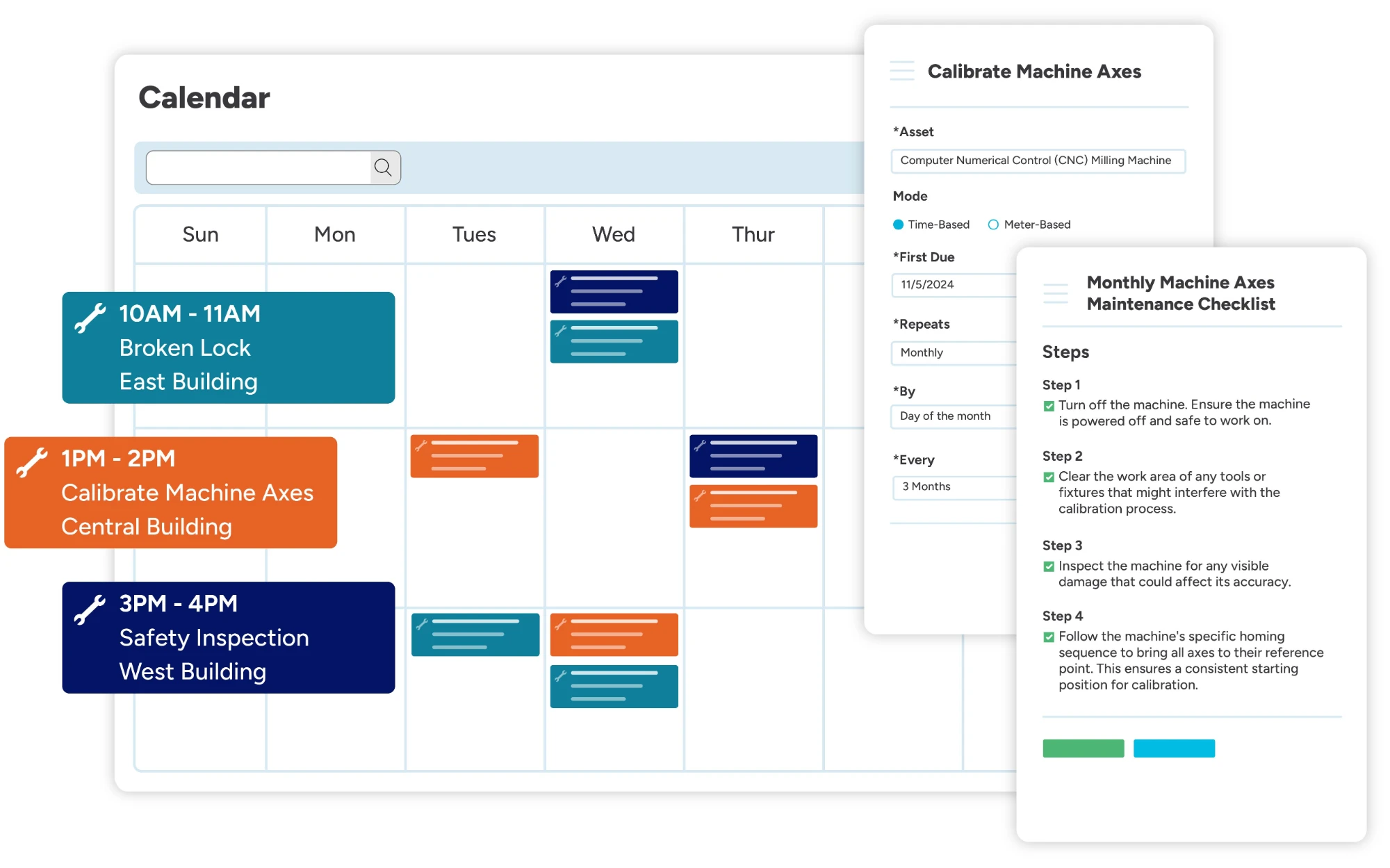
FMX planned maintenance: a time- or meter-based schedule with a step-by-step checklist, shown on the shared work calendar. Image: FMX.
Key industries: K-12 districts (FMX's largest group, and the reason it shows up on every cmms for schools shortlist), higher education, state and local government, non-profits and religious organizations, property management and healthcare.
Key features:
- Work requests: customizable request forms with priorities, approvals, photos and responses that log cost, notes and worker time. Requesters submit through single sign-on and are never billed (Work Manager).
- Preventive maintenance and inspections: time- or meter-based tasks for PMs, inspections and fleet service on a visual calendar, with step instructions attached and meter readings that can sync from Samsara telematics.
- Facility and event scheduling: Event Manager reserves rooms, gyms, fields and equipment, checks for double-booking and invoices rentals, which makes FMX a strong pick among facility scheduling software.
- Equipment and building records: service history, downtime, warranties and planning numbers such as replacement value, remaining useful life and condition, QR codes for field lookup, and floor plans attached to each building.
- Inventory and purchasing: Warehouse Manager tracks stock by building and supplier, while requisitions turn into purchase orders linked to work requests, with payments and receiving.
- Capital planning: Capital Planner forecasts replacements and budgets from each asset's condition, remaining useful life and replacement value.
- Utilities, fleet and IT assets: Utility Manager tracks accounts and bills, Fleet Manager handles vehicle service and trip requests, and IT Asset Manager covers devices.
- Reporting: dashboards on work volume, team performance, downtime, inventory and costs, plus account codes, budget categories and PDF exports.
- Mobile and AI: the FMX Work List app for iOS and Android, plus the Iris assistant and an MCP connector for outside AI tools, both in early access.
Pros:
- Teams pick it up fast: FMX scores 4.7 for ease of use on Capterra and 9.2 on G2.
- Support is a standout, with a 4.9 customer service score on Capterra.
- Requesters, vendors and partners cost nothing, and public K-12 districts pay by enrollment with unlimited users.
- One system covers maintenance, shared-space bookings, purchasing, capital plans, utilities and fleet.
What reviewers say: FMX holds 4.7 out of 5 on both G2 (47 reviews) and Capterra (454 reviews), where none of the 454 reviews is classed as negative. Praise centers on support and ease of use; the honest complaints are about setup effort and the mobile app. For the full picture, read the fmx cmms review.
"Their response time is always less than an hour after submitting a support ticket."
Patrick C., Director of Building Operations, religious institution, Capterra, February 9, 2026
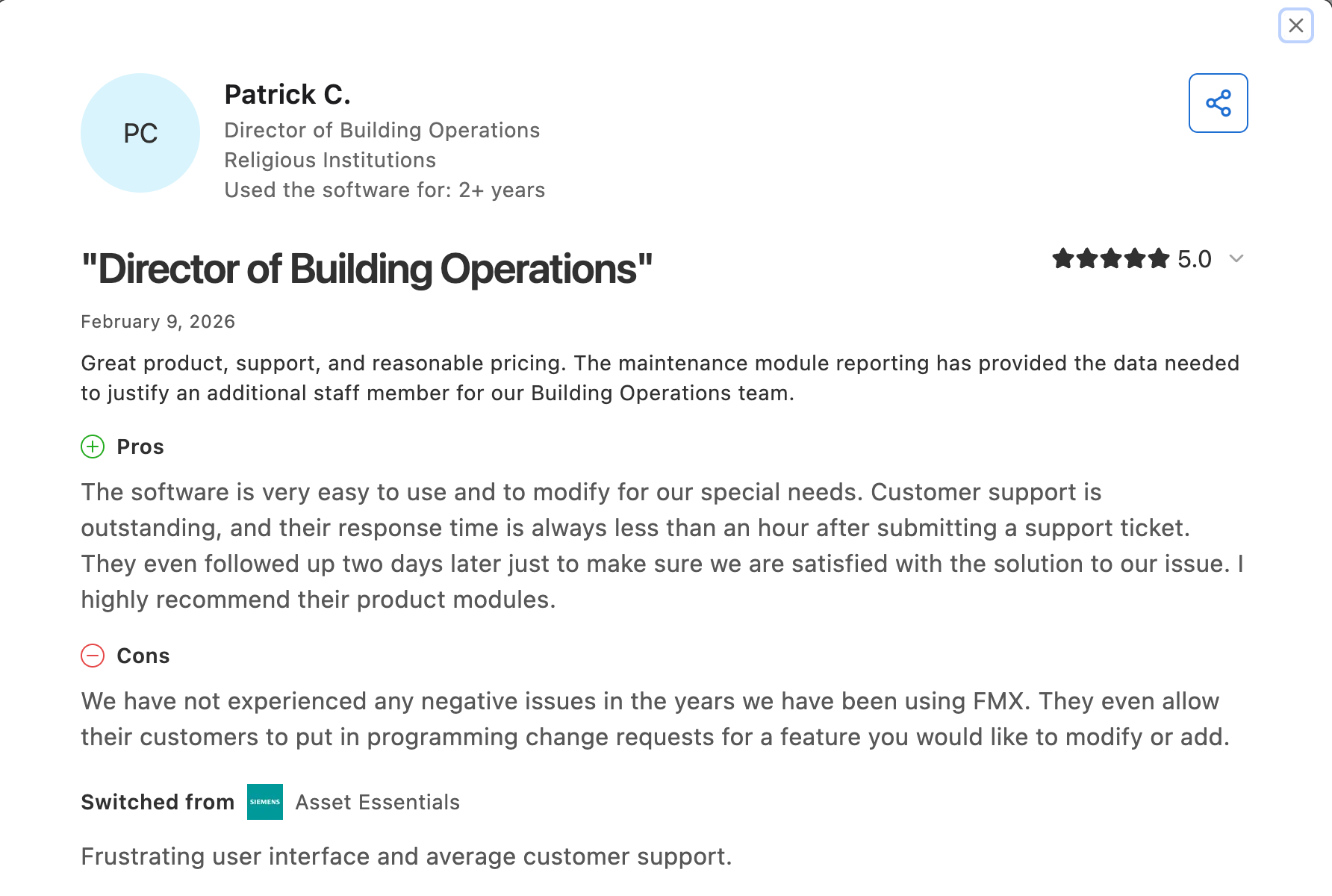
Source: Capterra review
"The only con ... is all the work that goes into setting the system up."
Jeremy F., Board Member, government administration, Capterra, March 25, 2026
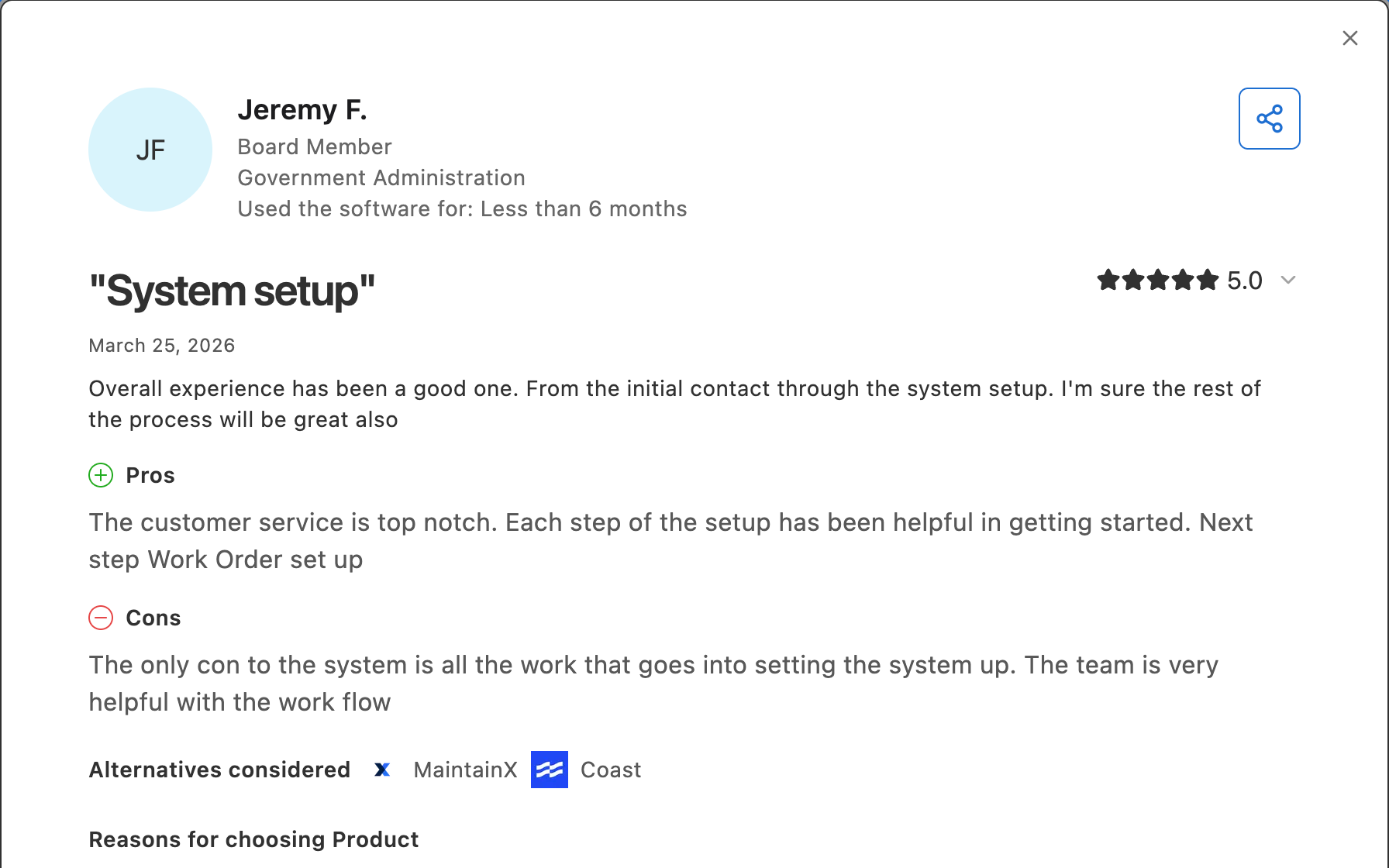
Source: Capterra review
Cons:
- Setup takes real effort. Reviewers describe the configuration work, and FMX charges a one-time implementation fee on top of the subscription.
- Pricing is quote-only and built from users, modules and workflows, so you cannot compare costs before a sales call. Read the fmx alternative guide if a published price matters to you.
- The mobile app is thinner than the web app. FMX Work List holds 3.6 from 22 App Store ratings, and FMX does not state offline support.
- Industrial depth is light. G2 shows too few FMX reviews to score asset performance, EAM or predictive maintenance, and FMX does not list PLC or sensor triggers.
Fiix: Rockwell Automation's CMMS for plant and asset reliability
Fiix is a cloud CMMS owned by Rockwell Automation since 2020, built for maintenance teams in manufacturing, process plants, fleet, utilities and distribution.
It plugs into the plant floor through Rockwell's FactoryTalk stack, so machine signals can open work orders. Fiix publishes its prices and starts free, which is rare in this category, but multi-site management, purchasing, Foresight and condition-based triggers sit on the Professional and Enterprise tiers.
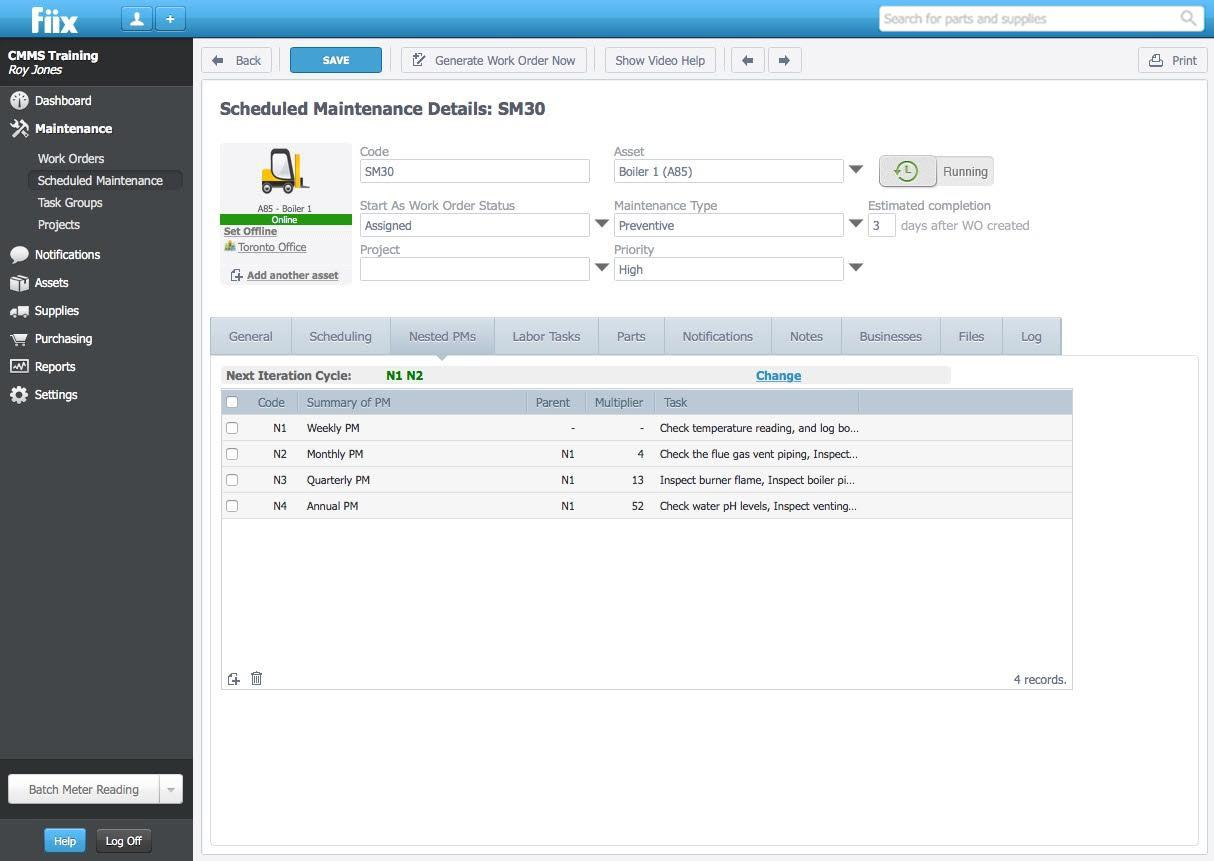
Fiix scheduled maintenance: weekly, monthly, quarterly and annual PMs for a boiler nested under one schedule. Image: Fiix.
Key industries: discrete and process manufacturing, food and beverage, fleet, utilities and wastewater, oil and gas, construction, and warehousing and distribution.
Key features:
- Work orders: create, assign and close work from desktop, mobile or a request portal, with checklists, safety notes, cost tracking and automatic follow-up work orders when an inspection fails.
- Preventive maintenance: schedule by date, meter reading or event, with unlimited PMs from Basic and nested PMs and multi-asset work orders on Professional, which puts Fiix among the deeper preventive maintenance scheduling software options.
- Asset management: parent and child hierarchies, QR and barcode scanning, a downtime tracker that calculates MTBF and MTTR, repair histories, warranties and cost records.
- Parts and inventory: stock across locations, low-stock alerts and cycle counts, with the Parts Forecaster on Professional predicting stockouts and recommending purchases.
- Purchasing and RFQs: purchase orders and requests for quotes on Professional.
- Condition-based maintenance: condition-based triggers on Enterprise, plus Fiix Asset Health, where Augury sensors and vibration analysts confirm anomalies before work orders open, a form of asset condition monitoring software inside the CMMS.
- Integrations: ERP systems such as SAP, Oracle and NetSuite, plus PLCs, SCADA and sensors through FactoryTalk Optix; the Integration Hub and custom API cost extra on Enterprise.
- Analytics and AI: standard reports from Basic, custom analytics and Fiix Foresight dashboards on Professional, and the Fiix MAX assistant as an add-on.
- Compliance: failure codes, audit trail and e-signatures on Enterprise for regulated plants.
Pros:
- Prices are public, and the Free plan has no time limit, so you can trial the real product before you talk to sales.
- PM scheduling runs deep, with meter, event and nested PM options that plant teams rely on.
- It connects to plant systems through FactoryTalk Optix and to common ERPs.
- Its AI targets reliability, with parts forecasting, work order delay prediction and sensor-based asset health.
- Users rate the vendor's direction highly, at 9.6 for product direction on G2.
What reviewers say: Fiix scores 4.6 out of 5 on G2 (491 reviews) and 4.5 on Capterra (629 reviews). Long-time users praise the support and how easy it is for technicians; the sharpest complaints are about renewal terms and the mobile app. The fiix cmms review covers the full ratings picture.
"The customer service that is provided is second to none."
Jeff P., Director of Fleet, construction, Capterra, October 21, 2024
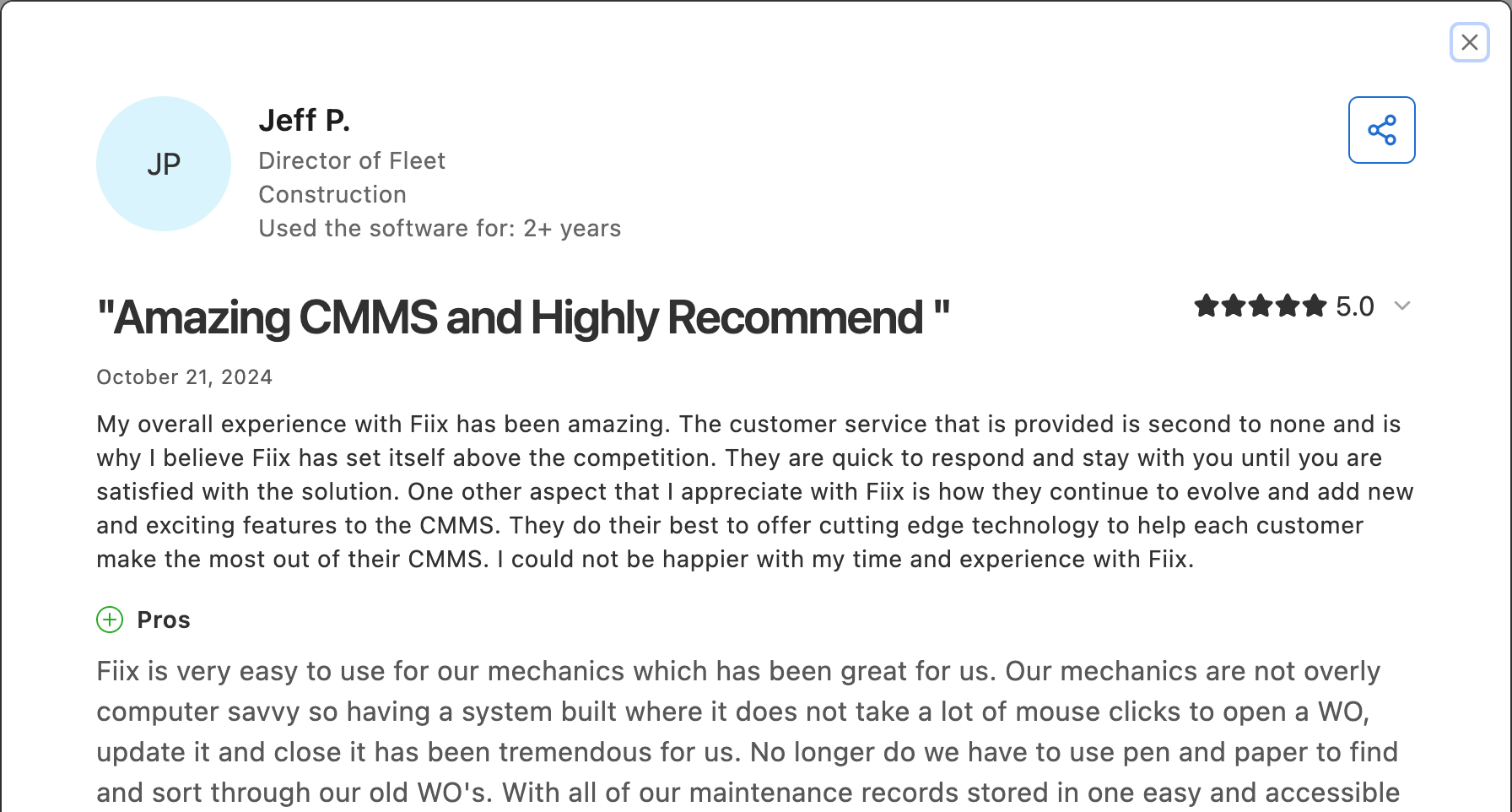
Source: Capterra review
"I canceled weeks before my renewal, and they still charged me the full amount."
Riley C., Chief Operator, environmental services, Software Advice, July 18, 2025
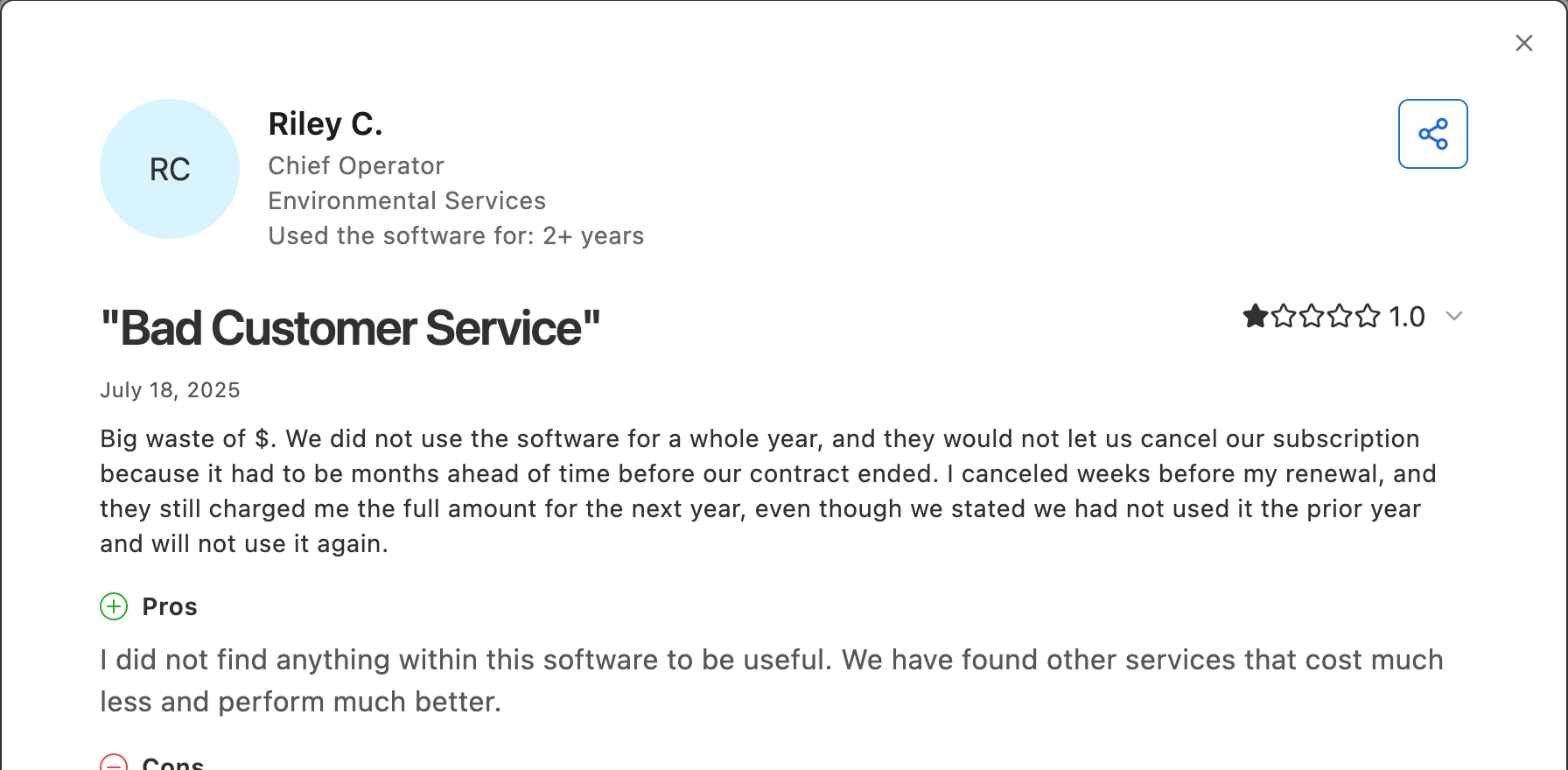
Source: Software Advice review, shown on Capterra
Cons:
- Renewal and cancellation terms catch teams out. The review above describes being billed for a full year after canceling weeks before renewal, so put your notice window on the calendar.
- The mobile app trails the desktop. A recent enterprise reviewer on G2 titled their review "Easy-to-Use Maintenance Hub, but Mobile App Falls Short."
- Key features are gated. Multi-site, purchasing and Foresight need Professional at $75 per user per month, while condition-based triggers, audit trail and failure codes need Enterprise. Teams weighing that jump often read the fiix alternatives guide first.
- It is not built for facility operations. Fiix has no room or event scheduling, capital planning or utility tracking, and G2 has too few Fiix reviews to score it as facility management software.
The G2 review behind the mobile point:
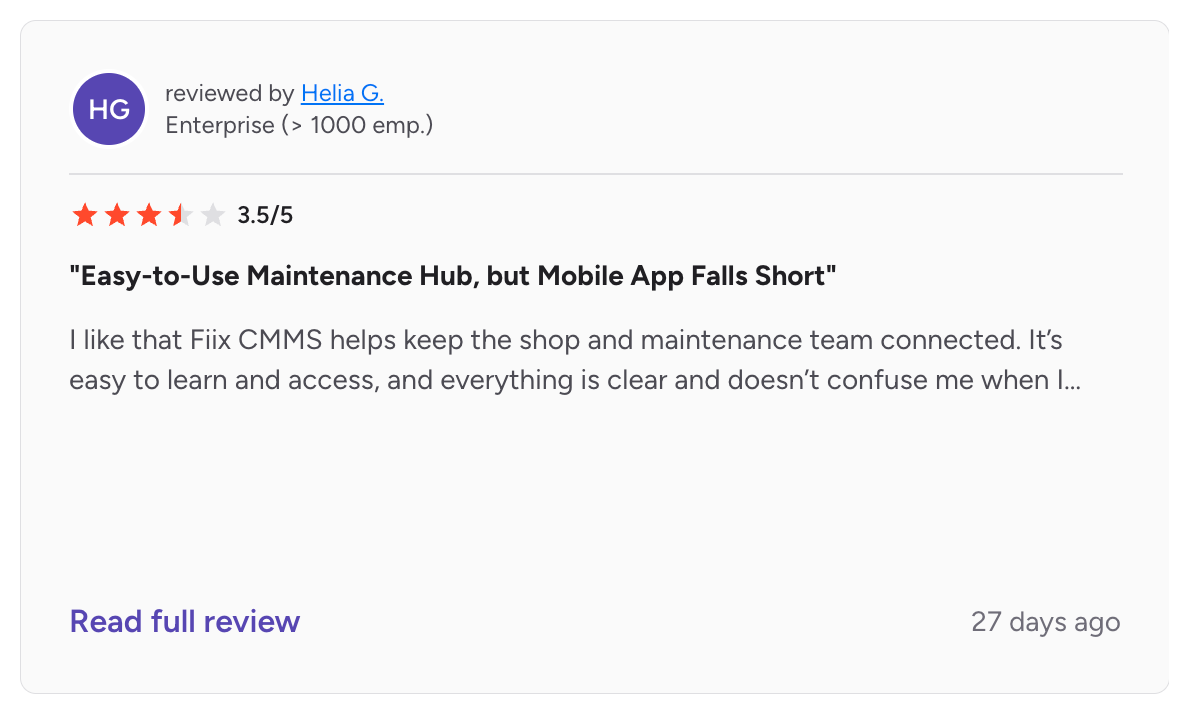
Source: G2 review
Fiix vs FMX pricing: published tiers vs custom quotes
Fiix vs FMX pricing runs on opposite models: Fiix lists per-user prices and a free plan, while FMX quotes by users and modules and does not bill requesters.
| FMX | Fiix | |
|---|---|---|
| Model | Quote by billable users plus modules and custom workflows enabled | Per user per month, four published tiers |
| Published price | No | Yes: Free, Basic $45, Professional $75, Enterprise custom |
| Free option | Free trial | Free plan: 25 active PMs, limited users, no time limit |
| Who is not billed | Requesters, vendors and partners; public K-12 pays by student enrollment with unlimited users | Work requests are unlimited; limited-access operators need paid Lite licenses |
| What bills separately | One-time implementation fee, in-person work, a monthly fee on auto pay | Fiix MAX, Lite licenses, Integration Hub, custom API and SSO; no setup or hardware fees |
| Contract | Renews annually; monthly payment by auto pay | Month-to-month or annual |
Sources: FMX pricing and Fiix pricing.
What 25 to 100 users cost: on Fiix Professional, 25 technicians come to $22,500 a year before add-ons, 50 to $45,000 and 100 to $90,000; on Basic the same teams cost $13,500, $27,000 and $54,000 if you can live without multi-site and purchasing. On FMX there is no list price, but the billing logic differs: if 25 technicians work requests submitted by 500 staff, you pay for the 25, not the 500. The fmx cmms pricing breakdown shows how an FMX quote is built.
Questions to ask in both quotes:
- Which users are billable, and do occasional requesters, operators or contractors need a paid seat or Lite license?
- Which plan or module includes the reports you need, such as PM compliance, downtime, MTBF and MTTR?
- What do implementation, data migration from spreadsheets or your current CMMS, and training cost?
- Which integrations, such as ERP, BMS and single sign-on, are included, and which cost extra?
- When does the contract renew, how much notice does cancellation need, and what is the renewal uplift?
Both vendors add costs that the headline misses. FMX charges for implementation, while Fiix bills extra for its AI assistant, integrations and single sign-on. For tier-by-tier detail on the Fiix side, see fiix cmms pricing.
FMX vs Fiix AI: Iris vs Fiix MAX and Foresight
FMX vs Fiix AI splits along the same line as the products: FMX's AI works inside everyday requests, while Fiix's AI predicts parts, delays and asset failures.
| AI feature | Tool | What it does | Assist or act | Plan | Status |
|---|---|---|---|---|---|
| Iris | FMX | Answers product questions, finds requests and equipment, and assigns, holds, responds to or resolves work requests, singly or in bulk, by text or voice | Acts on work requests when you ask | On by default for every organization; admins can turn it off | Early access, focused on the Work Request module |
| MCP connector | FMX | Lets AI tools such as Claude, ChatGPT and Microsoft Copilot Studio find, create and update FMX records across modules | Acts as the signed-in user, within their permissions | Not stated | Early access, not yet rolled out to all customers |
| Fiix Foresight | Fiix | Parts Forecaster, Asset Insights and Work Order Insights dashboards that predict stockouts, flag anomalies and forecast delays | Assists with predictions and recommendations | Professional | Available since 2022 |
| Fiix MAX | Fiix | Answers plain-language questions about maintenance history, work orders, asset insights and documents | Assists; Fiix says it does not act on its own | Add-on for Professional or Enterprise, priced on request | Launched July 2026 |
| Fiix Asset Health | Fiix | Wireless Augury sensors plus vibration analysts confirm anomalies; Alarm and Danger conditions open work orders | Opens work orders from confirmed anomalies | Not on the pricing page; needs Augury sensors | 2026 |
Sources: Iris help article, FMX MCP help article, Fiix MAX announcement and Fiix Asset Health.
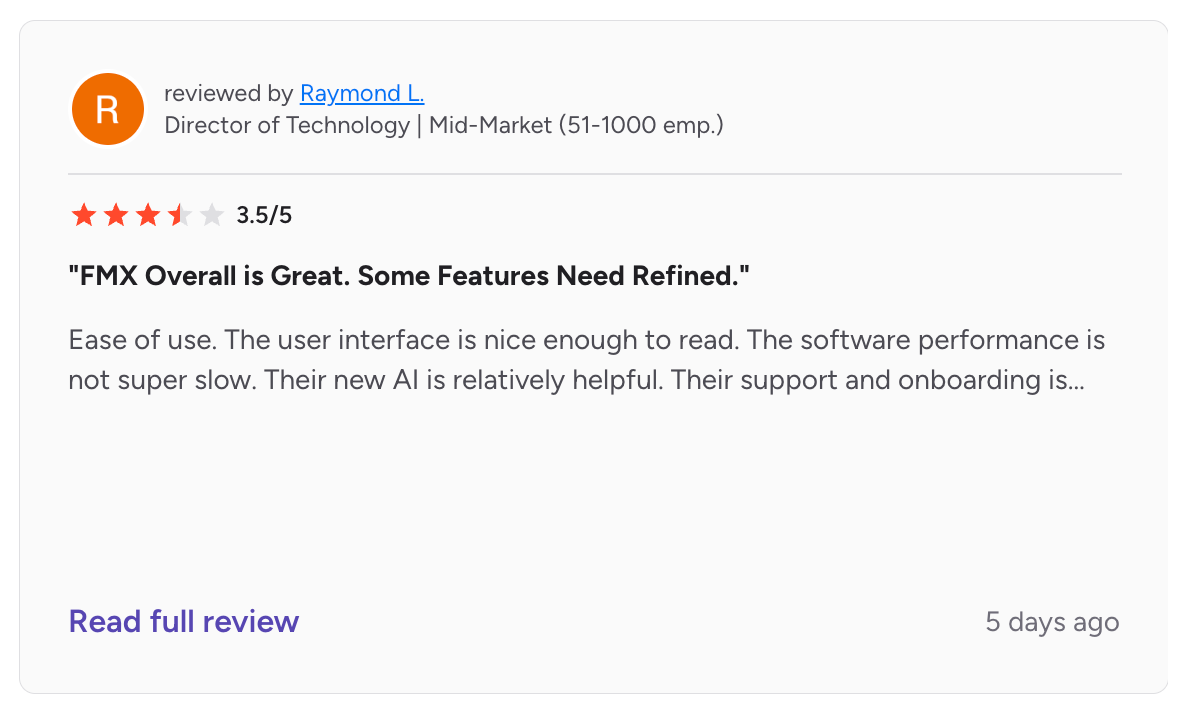
Early users are cautiously positive about FMX's newer AI. A Director of Technology who rated FMX 3.5 on G2 in November 2026 called it "relatively helpful."
Source: G2 review
Fiix MAX answers questions but leaves the decisions to your team, while Asset Health is the one Fiix feature that opens work on its own, and only from sensor alarms.
When to choose FMX over Fiix
Choose FMX over Fiix when the work is about buildings and the people in them, and when most of the requests come from people who will never be licensed users.
- Teachers, staff, tenants or the public submit most of your requests, and you do not want to pay for each of them.
- You book gyms, auditoriums, fields, rooms or buses in the same system that runs maintenance.
- You run a district, campus or municipal portfolio and want capital plans, purchasing and utility bills next to the work orders.
- You value a vendor that answers support tickets fast and builds workflows with you during setup.
- You manage several buildings and want facility inspections, maintenance requests and floor plans in one place, with ease of adoption ahead of reliability engineering.
When to choose Fiix over FMX
Choose Fiix over FMX when equipment uptime drives the work, your maintenance data needs to talk to the machines, and a missed PM means lost production.
It pays off most when:
- PM has to fire on meter readings, events or sensor alarms, not only the calendar.
- Your equipment already runs on Rockwell PLCs or your parts and purchasing live in an ERP.
- You run a reliability program that tracks MTBF, MTTR and downtime by asset, with failure codes behind every breakdown.
- You want to start free, prove value on the Free plan and see the price of each tier before a sales call.
Switching between FMX and Fiix
Moving from FMX to Fiix, or from Fiix to FMX, is a rebuild rather than an export and import, because the two tools model assets, PMs and users differently.
- Assets: FMX organizes equipment by building, location and type, while Fiix expects parent and child asset hierarchies, so plan time to restructure the asset tree.
- PM schedules: calendar tasks in FMX become date, meter or event triggers in Fiix; going the other way, meter and event logic needs rebuilding as recurring tasks.
- Requesters: moving to Fiix, decide which staff only submit requests and which need paid Lite licenses; moving to FMX, those users come off the bill.
- Timing: FMX contracts renew annually, and Fiix reviewers warn about notice periods, so check both contracts before you set a cutover date.
Rollout order for either tool:
- Load the asset register, with locations and criticality.
- Build PM schedules and checklists, starting with your most critical assets.
- Set up request and work order workflows, including breakdown work.
- Configure dashboards for PM compliance, backlog and downtime.
- Train technicians on live work orders, not a sandbox.
FMX vs Fiix vs Facilio: when one campus or one plant becomes a portfolio
FMX runs a campus well and Fiix runs a plant well. The question changes when work spans many buildings and your team spends days chasing vendors and invoices.
Facilio is the agentic platform for facilities management. Its Atom agents take on that coordination work: Service intake answers requests on any channel and raises the right work order, Service dispatch picks the technician or vendor by SLA, skills and location, Vendor coordination chases quotes and attendance, Invoice processing checks each line against the work order and contract, and Building compliance tracks certificates and inspections. The agents run on Facilio's cmms software, with its offline-first mobile app, or on the CMMS you already have.
| Dimension | FMX | Fiix | Facilio |
|---|---|---|---|
| Built around | Campus and public-building operations | Plant maintenance and asset reliability | Agents that run O&M work across a building portfolio, with the CMMS as the core |
| Who does the coordination work | Your team, with Iris helping on work requests (early access) | Your team, with Fiix MAX answering questions | Atom agents handle intake, dispatch, vendor coordination, invoice checks and compliance tracking, with human checkpoints |
| Building systems and energy | Utility bill tracking | PLC and sensor data for machines | BMS alarms, energy and utility data across the portfolio |
| Room and event scheduling | Yes, a core strength | No | Partial, floor-plan and room booking built as an app on request |
| Mobile offline | Not stated | Yes | Yes, offline-first mobile app |
| Who runs the rollout | Your team with FMX support; one-time implementation fee | Your team; free plan to start | FM Ops Engineers build, deploy and run it with you |
| Pricing | Quote; free trial | Free plan, then $45 to $75 per user per month | Quote by portfolio size, users and scope; no free plan |
| Best for | Schools, campuses and local government | Manufacturing and asset-heavy plants | Multi-site owners, operators and FM service providers |
Sources: vendor sites for FMX and Fiix; Facilio pricing and product pages.
Where each one stays stronger than Facilio:
- FMX: school room and event scheduling with enrollment pricing; the fmx vs facilio comparison covers the rest of that head-to-head.
- Fiix: a free start, published prices and PLC-driven maintenance in a single plant, as fiix vs facilio sets out.
Choose Facilio when
Facilio fits when your operation has outgrown one campus or one plant and the hours go into coordination rather than the CMMS. Here is where it fits best.
- Your desk lives on the phone: across many buildings or client sites, people log calls, chase vendors and check invoices all day, and you want agents to take that load.
- Building systems should drive the work: you want BMS alarms, energy and utility data turned into prioritized work through connected buildings, not left in separate tools.
- You want it running, not piloted: a ready suite of agents goes live first and new ones are built in weeks, delivered and run by FM Ops Engineers who stay with your team, so there are no technical hires to make.
- You would rather keep your CMMS: the agents can run on the CMMS you already have, so there is no rip-and-replace; ai agents for fmx shows how that works on FMX.
Stay with FMX or Fiix if you run one district, one campus or one plant, or if you need a free plan or a published price. Facilio is built for large multi-site operations and sold by quote, so it is more than a single school or small plant needs.
Running Fiix in a plant and adding sites? The ai agents for fiix cmms guide covers the same approach on top of Fiix.
What industry leaders say about their transition to Facilio
Trusted by 150+ customers across four regions, Facilio has moved campuses and FM providers off older systems. Each figure below comes from a live case study.
- Purdue University Fort Wayne replaced a 16-year-old CMMS and brought 55 buildings, about 3 million square feet, 1,100+ assets and 400+ planned maintenance schedules onto one platform, live within ten weeks of kickoff (case study).
- Breck School, a PreK-12 school in Minnesota, put 150+ safety assets on a structured digital inspection schedule across a 500,000 square foot campus, after years in which assigning a work order meant going through six people (case study).
- A 40-year UAE facilities management provider with 10,000+ employees raised SLA compliance from about 62 to about 92 percent, with 80 percent of helpdesk calls (1,110 of 1,387 since January 2026) handled end to end by AI and dispatch response cut from 3.6 hours to 0.9 hours (case study).
Verdict: FMX or Fiix
FMX vs Fiix is not a close call once you name what you maintain: buildings and the people in them point to FMX, while machines and uptime point to Fiix.
FMX is the better choice for schools, campuses, municipalities, non-profits and in-house building teams: it handles requests from people who are never billed, books shared spaces and keeps capital plans and utilities next to the work, backed by the strongest support scores in this pairing. Fiix is the better choice for plants and reliability programs: deeper PM triggers, MTBF and MTTR reporting, PLC and ERP integration, offline mobile and a free plan with published prices.
Whichever way you lean, ask both vendors to run your own workflows in the demo, including the PM compliance and downtime reports you plan to use.
If your operation spans many buildings and the real cost is the hours your team spends on calls, vendors and invoices, look beyond both.
See how our agents run intake, dispatch and vendor work across your buildings. Request a demo.
Want the work done for you?
Our FM Ops Engineers scope your first AI agent on your own sites, then build it, run it and stay with you.
FMX vs Fiix FAQ
These are the questions buyers ask most when comparing FMX vs Fiix, answered with the same verified pricing, ratings and plan details used across this guide.
What is the difference between FMX and Fiix?
FMX is a facilities operations platform for schools, campuses and public buildings, covering requests, preventive maintenance, room and event scheduling, purchasing and capital planning. Fiix is Rockwell Automation's CMMS for plants, built around PM triggers, asset hierarchies, parts and PLC and ERP integration.
What does FMX stand for, and who makes Fiix?
FMX stands for Facilities Management eXpress, a US company founded in 2012 that serves more than 2,000 organizations. Fiix is made by Fiix Software, which Rockwell Automation acquired in 2020, and is sold as Fiix by Rockwell Automation.
Is FMX or Fiix better for a small facilities team?
For a small team that runs buildings, FMX usually fits better, because requesters are free and scheduling is built in. For a small maintenance team in a plant, Fiix is easier to start, with a Free plan covering 25 active PMs and Basic at $45 per user per month.
How much do FMX and Fiix cost?
Fiix publishes its prices: Free, Basic at $45 and Professional at $75 per user per month, with Enterprise by quote and add-ons extra. FMX is quote-only, priced by billable users plus modules and workflows, with a one-time implementation fee and enrollment-based pricing for public K-12.
Is Fiix free, and does FMX have a free plan?
Fiix has a permanent Free plan with limited users and up to 25 active PMs, and it needs no credit card. FMX has no free plan, but it offers a free trial, and requesters who only submit work never count as billable users.
Can a school district use Fiix instead of FMX?
It can, but Fiix is built for plants. A district would miss FMX's room, field and event scheduling, transportation requests, enrollment-based pricing and free requester accounts, which is why so many K-12 teams choose FMX.
Which handles multiple sites better, FMX or Fiix?
FMX groups buildings by campus or region on any plan, which suits districts and municipalities. Fiix supports multi-site management only from the Professional tier at $75 per user per month. Neither one runs intake, dispatch and vendor work across a large portfolio for you.
Do FMX and Fiix have AI?
Yes. FMX offers the Iris assistant, which can assign, hold, respond to and resolve work requests, and an MCP connector for outside AI tools, both in early access. Fiix offers Foresight dashboards on Professional, the Fiix MAX assistant as an add-on and sensor-based Asset Health with Augury.
Which tracks equipment reliability better, FMX or Fiix?
Fiix, for most reliability programs. Its downtime tracker records uptime and downtime per asset and calculates MTTR and MTBF, and failure codes arrive on Enterprise. FMX logs downtime and PM completion, but MTBF and MTTR are not listed as standard reports, so ask to see them in a demo.
Which is better for HVAC, chillers, generators and elevators?
For a typical building plant room, both handle calendar PM, run-hour meters and inspection checklists. FMX fits better when the same team also handles requests and space bookings, while Fiix fits better when you want vibration or condition data to trigger work on pumps, motors and chillers.
What is a modern alternative to FMX and Fiix for multi-site facilities teams?
For teams running many buildings or client sites, an agentic platform such as Facilio takes on the coordination work, with agents handling intake, dispatch, vendor coordination, invoice checks and compliance on its own CMMS or the one you already have.
About the Author