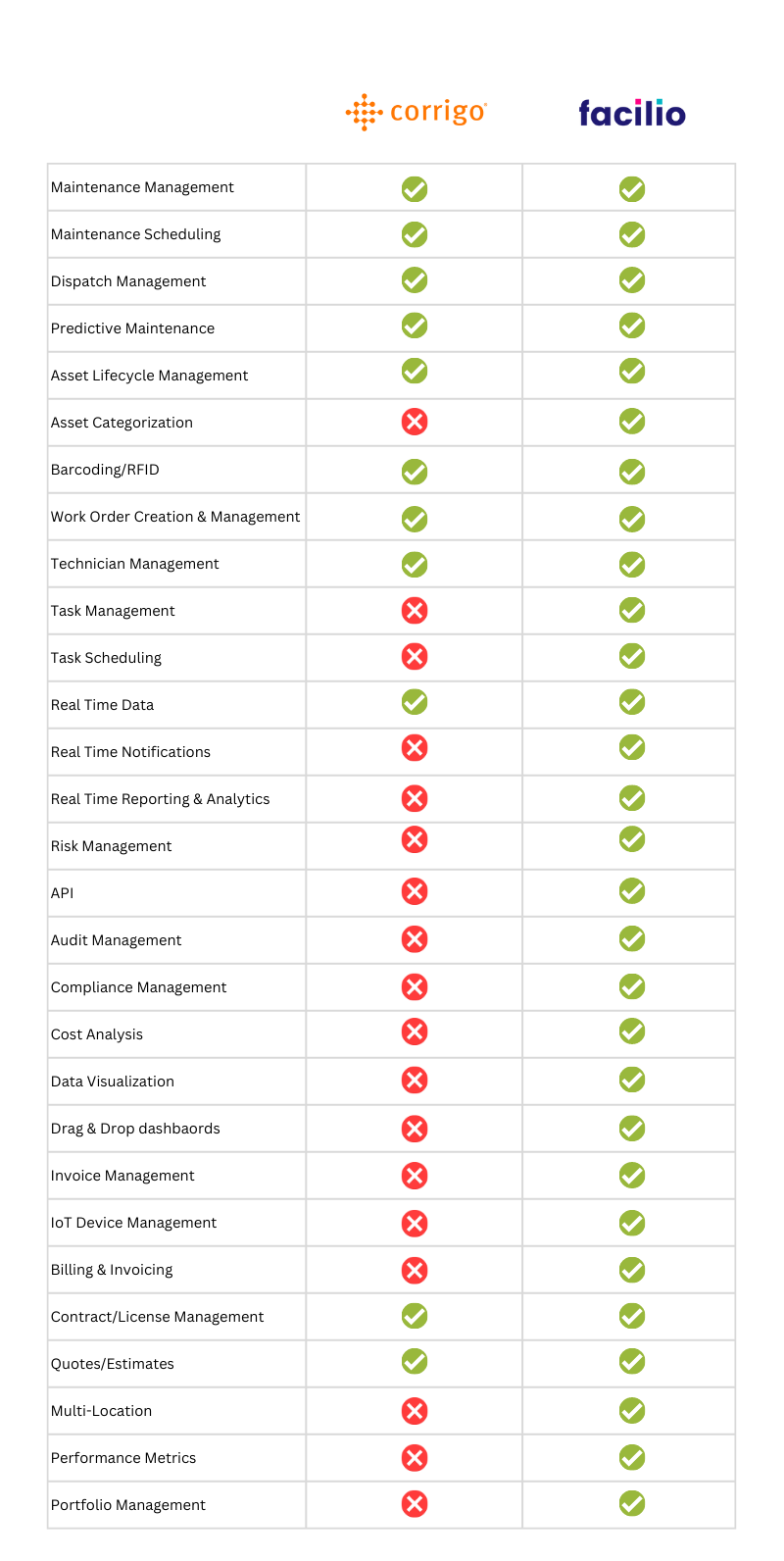
8 Best Corrigo Alternatives and Competitors in 2026
The top Corrigo alternatives in 2026 are 1. Facilio, 2. ServiceChannel, 3. MaintainX, 4. Limble, 5. UpKeep, 6. eMaint, 7. Fiix, and 8. OpenWrench.
Quick answer: For a multi-site facilities team, Facilio is the closest fit, because it connects the in-house teams, vendors, and building systems you already run instead of dispatching everything to an outsourced network. If your model is mostly outsourced contractors, ServiceChannel is the direct Corrigo substitute; for mobile-first work orders with published pricing, MaintainX; and for lean in-house teams that want fast setup, Limble or UpKeep.
Corrigo, part of JLL Technologies, is a proven platform for high-volume work-order dispatch and its CorrigoPro service-provider network. It genuinely runs at scale. But scale is also the catch: it is built for massive portfolios that lean on outsourced contractors, and teams that run maintenance in-house, manage fewer sites, or simply want predictable pricing and a modern mobile app often find it heavier than they need.
This guide compares the eight strongest Corrigo alternatives for multi-site facilities teams in 2026.
What Corrigo is built for
Corrigo is a computer-aided facility management and CMMS platform owned by JLL Technologies. Its core strength is coordinating work orders and outsourced service providers across very large, dispersed portfolios: JLL reports the platform spans more than a million facilities across 140-plus countries and processes tens of millions of work orders a year. The signature piece is CorrigoPro, a vendor network that connects sites to external contractors for dispatch, invoicing, and spend tracking.
So Corrigo is genuinely a CMMS, and a capable one for a specific job: enterprise and property teams that outsource most maintenance and need to manage a large contractor base with strong invoicing and spend controls.
Where it fits less well is the growing set of teams that run work in-house, operate a mid-sized footprint, or want a connected operations platform rather than a vendor-dispatch engine.
Why teams look beyond Corrigo
Most buyers evaluating alternatives are not unhappy with work-order dispatch itself. They are reacting to how the platform is priced, configured, and used day to day.
- Pricing is opaque: Corrigo publishes no standard pricing and quotes every deal individually, which slows procurement and makes budgeting hard, especially against competitors like MaintainX and Fiix that list per-user rates openly.
- It is built for outsourced vendor networks: the value is anchored in CorrigoPro dispatch, so teams that run maintenance with in-house technicians, or that do not want to push contractors onto a paid network, end up paying for scale and scope they will not use.
- Global settings cascade across the portfolio: configuration changes made centrally can ripple to every site when you only needed a local change, which frustrates operators who need site-specific rules without system-wide side effects.
- The interface and mobile app feel dated: reviewers describe an aging UI, a weak search function, and a mobile experience that scores well below mobile-first alternatives, so frontline adoption suffers.
- Implementation and support draw complaints: buyers cite long, under-documented rollouts and ticket-based support, which is a hard combination when you are trying to standardize processes across many sites.
If those patterns sound familiar, the eight platforms below solve for different versions of the same problem.
How we evaluated these Corrigo alternatives
We built this shortlist for one buyer in particular: a multi-site facilities team weighing whether to stay on Corrigo or move. Every tool was assessed on the criteria that decide that call, not on feature counts alone.
- Multi-site fit: How well the platform standardizes work, assets, and vendors across many locations without global settings cascading where you only need a local change.
- Operating model: Whether it suits in-house teams, an outsourced vendor network, or a blend of both, since that is the split that most often decides the winner.
- Mobile and adoption: Real frontline usability, because a dated app is the single most common reason teams leave Corrigo.
- Pricing transparency: Whether pricing is published or quote-only, and how predictable the total cost is.
- Deployment speed: How long a realistic rollout takes, from days or weeks for agile tools to eight to twenty weeks for enterprise platforms.
- Verified user sentiment: Live ratings and named reviews rather than vendor claims.
To keep it accurate, every rating and review in this guide was pulled from a live source in September 2026, and every price was checked against the vendor's own pricing page. We report Capterra ratings and named reviews because they can be independently verified. Where a vendor publishes no pricing, we say so rather than estimate. This is a Facilio guide, so Facilio appears on the list, but each competitor is reviewed on the same criteria with its genuine strengths and limitations.
Corrigo alternatives compared
| Platform | Best for | Capterra rating | Pricing model | Vendor network | Multi-site | AI |
|---|---|---|---|---|---|---|
| Facilio | Connected multi-site operations | 4.0 | Portfolio-based, no per-seat | In-house and vendors | Yes | AI agents |
| ServiceChannel | Outsourced vendor coordination | 4.5 (155) | Quote-only | Vetted marketplace | Yes | Yes |
| MaintainX | Mobile-first work orders | 4.8 (1,062) | Published, $20 to $65/user | No | Yes | MaintainX AI |
| Limble | In-house mid-market teams | 4.8 (757) | Calculator-based quote | Limited | Yes | Some |
| UpKeep | Internal maintenance teams | 4.6 (1,330) | Published, $24 to $55/user + quote | No | Yes | Nova AI |
| eMaint | Regulated, asset-heavy ops | 4.5 (428) | Quote-only | Limited | Yes | Enterprise tier |
| Fiix | Industrial and manufacturing | 4.5 (628) | Published, free to $75/user | No | Yes | Fiix MAX |
| OpenWrench | Multi-site retail and restaurant | 4.5 (15) | Quote-only | WrenchHub sourcing | Yes | Analytics |
Ratings are from Capterra as of September 2026.
The 8 best Corrigo alternatives in 2026
1. Facilio
Best for: Multi-site facilities and operations teams that want to run maintenance, vendors, assets, and building systems on one connected platform rather than orchestrate outsourced work orders through a vendor network.
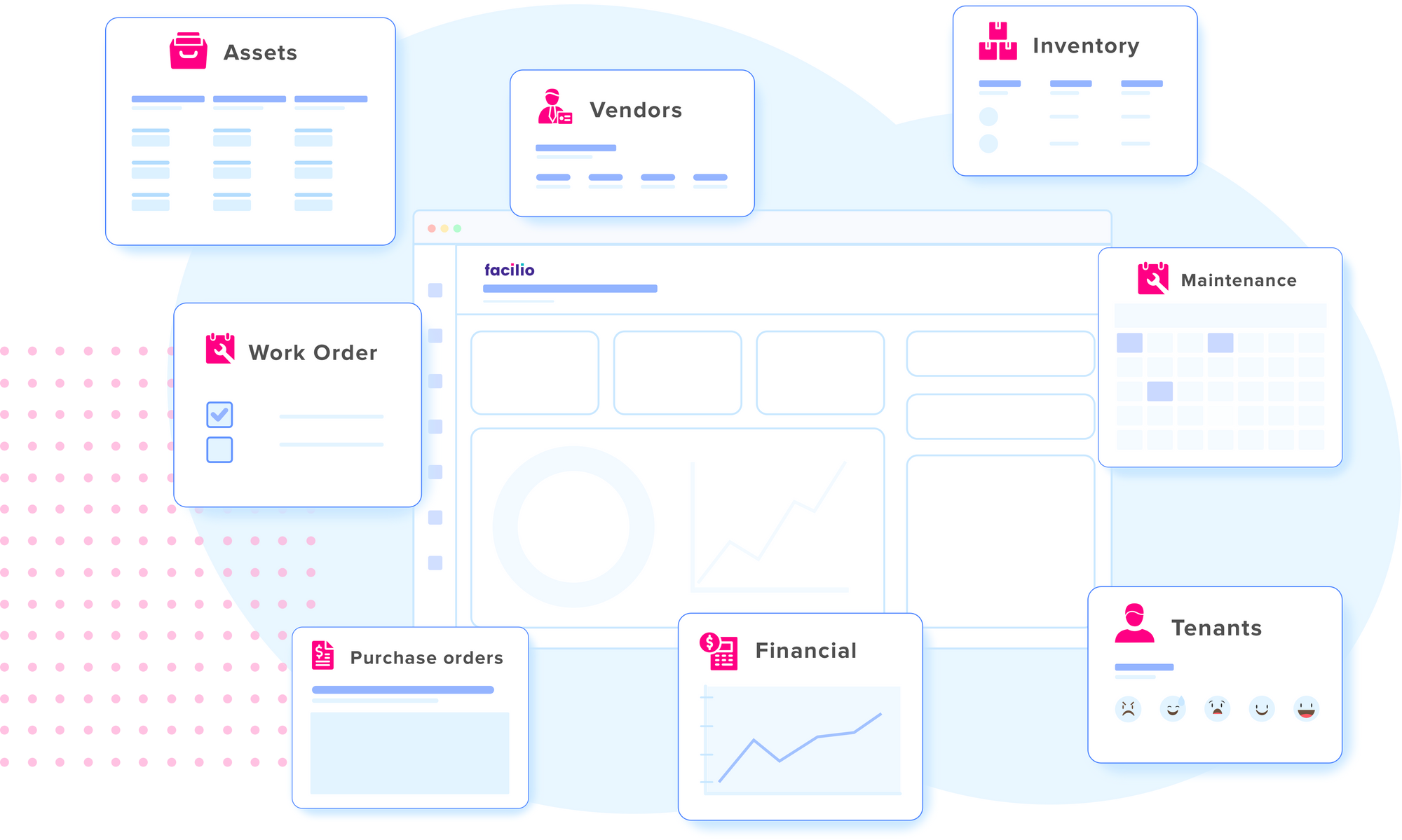
Facilio takes a different path from Corrigo. Where Corrigo is built around dispatching external contractors, Facilio connects the people, vendors, and systems a portfolio already runs and layers maintenance, operations, and analytics on top. It is a cloud-native Connected CMMS and facility management software platform, built no-code and mobile-first, designed to overlay existing systems instead of forcing a rip-and-replace. For a team leaving Corrigo because it wants to own the operation end to end, not just the vendor layer, that is the core distinction.
Key features:
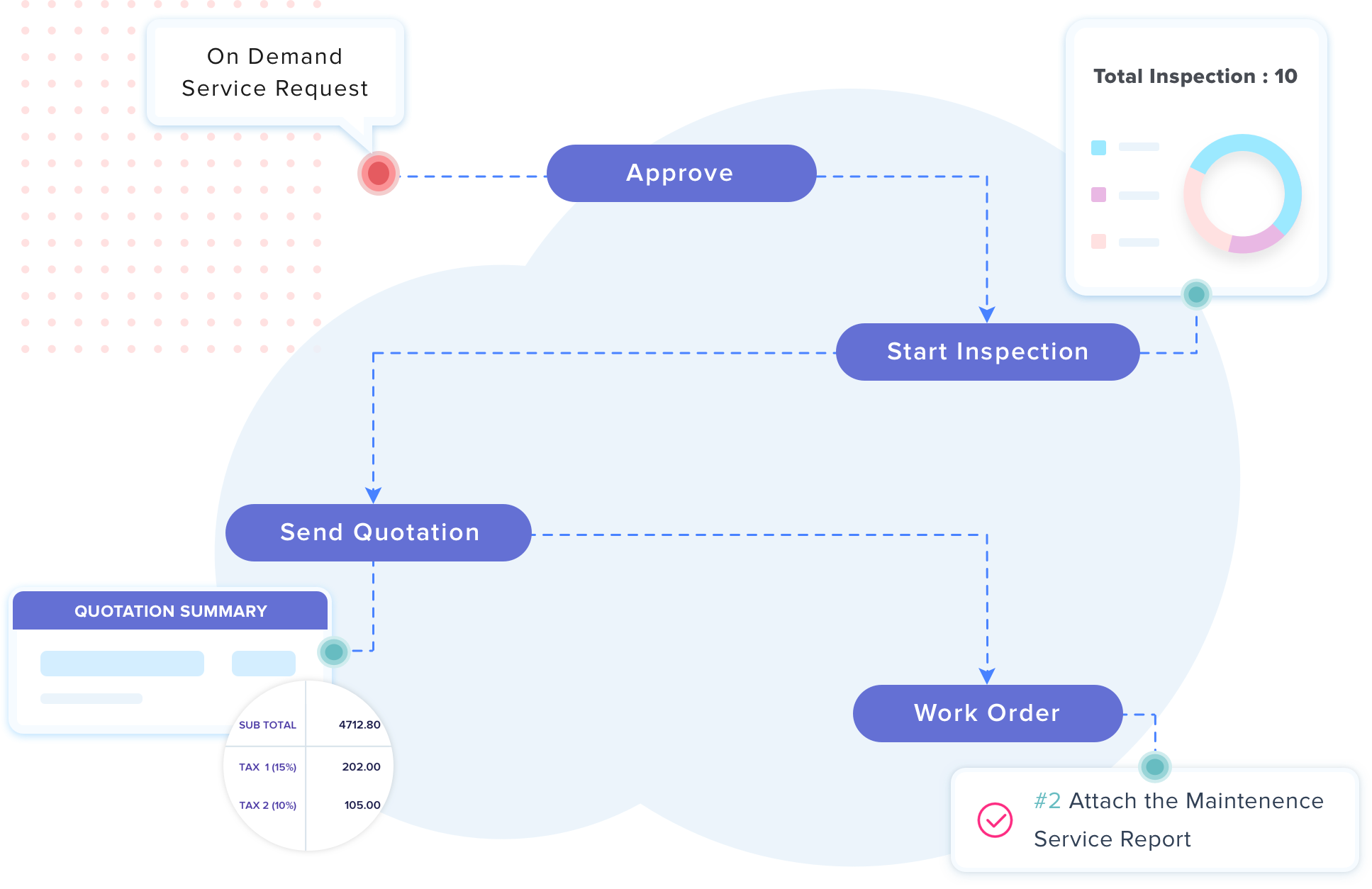
- Connected CMMS: Work orders, preventive and reactive maintenance, inspections, and vendor management unified across every site in a portfolio.
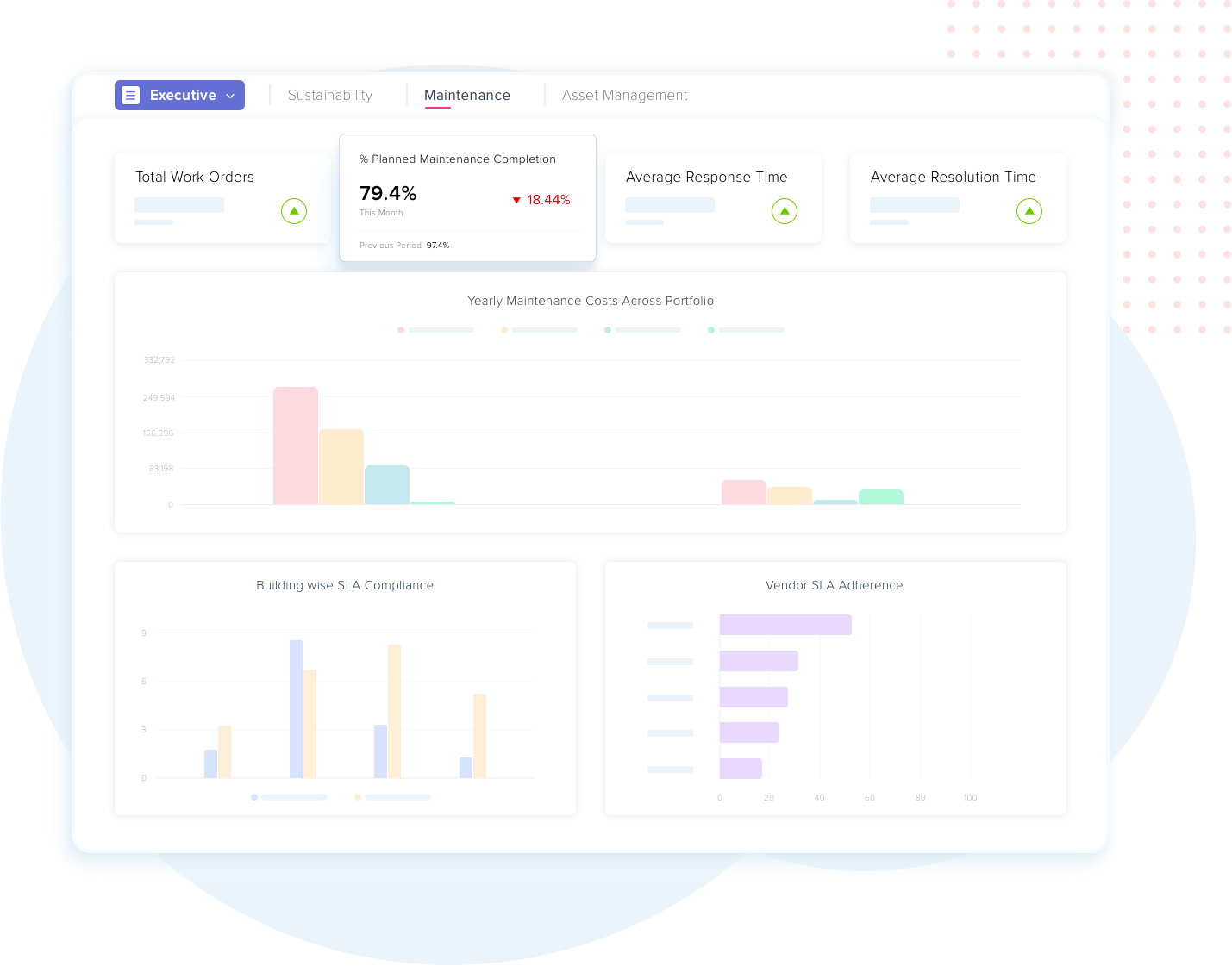
- AI agents: LLM-based agents that capture helpdesk requests, validate invoices against contracts, answer operational questions, and auto-generate reports.
- 360 asset lifecycle: Enterprise asset management software covering procurement to retirement, with QR-code tracking and condition data feeding maintenance.
- Building systems integration: No-code connections to BMS, HVAC, IoT, ERP, and finance systems, including the tools already in place.
- Energy and sustainability: Portfolio-wide energy monitoring, fault detection, and optimization on the same platform as maintenance.
- Vendor and contract management: Multi-vendor orchestration with SLA tracking, invoicing, and performance scoring, without pushing contractors onto a paid network.
- No-code configurability: Workflows, approval chains, and dashboards adapt to local site rules without a systems integrator or portfolio-wide cascade.
- Offline-first mobile: A mobile cmms app with occupant and client self-service portals for distributed, low-connectivity sites.
Strengths:
- Connects and unifies existing building systems instead of forcing a rip-and-replace, so teams keep the BMS, ERP, and tools they already run.
- Site-level configurability without portfolio-wide cascade, which directly addresses a common Corrigo frustration.
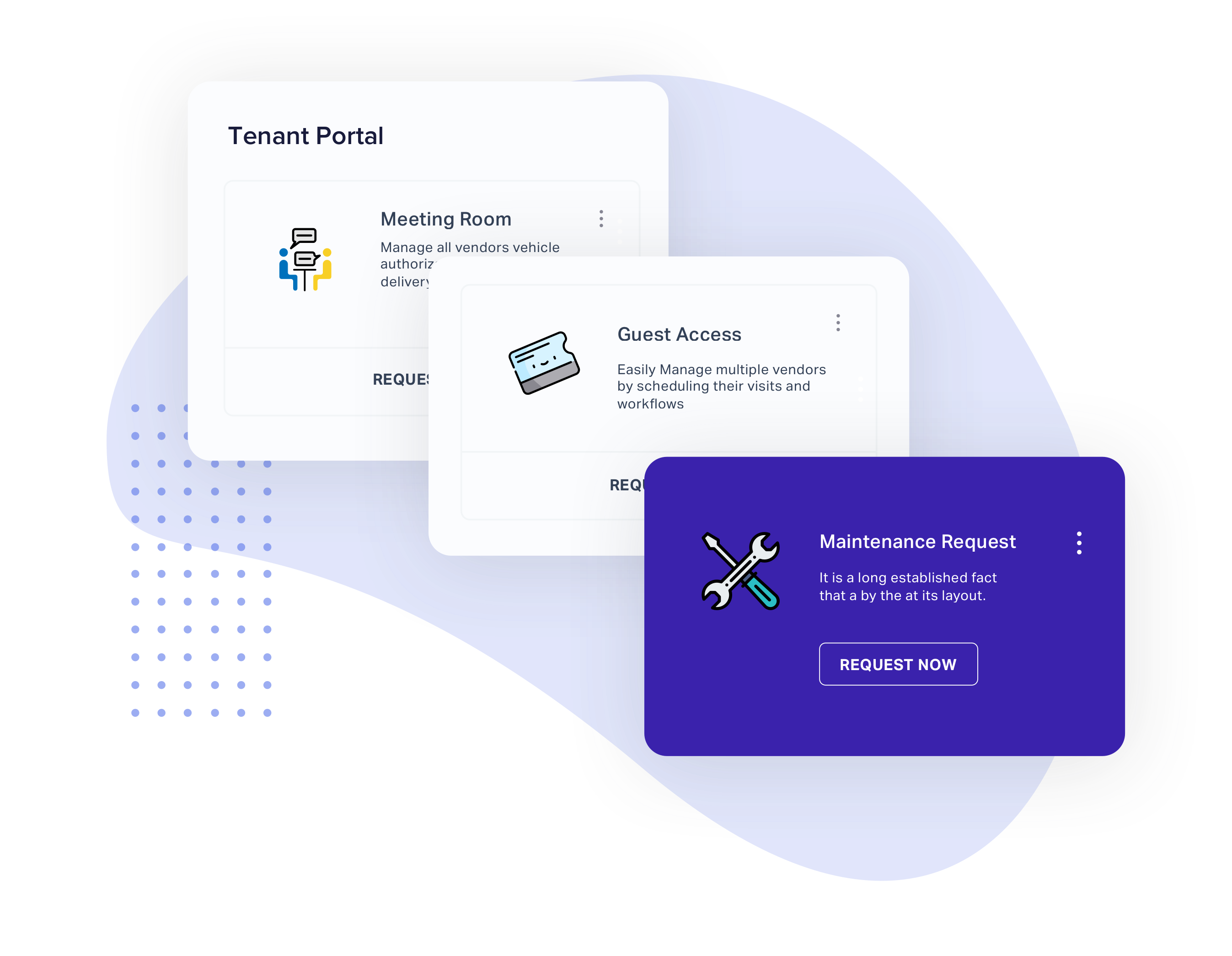
- Occupant and vendor portals that pure work-order tools lack, giving tenants and contractors direct transparency.
Limitations:
- Smaller public review base than the largest SMB CMMS vendors, so buyers who weight review volume heavily should validate fit in a demo.
- Built for connected multi-site portfolios rather than single-site teams that only need basic work-order tracking.
Pricing: Portfolio-based rather than per-seat, arranged through a demo, so cost scales with your operation rather than headcount. (Confirm current list figures with the Facilio team before publishing.)
Customer proof: Rated 4.0 out of 5 on Capterra. David B., GM Safety and Facilities NSW, describes it as a "single application for the management of Facilities Operations, from TSR to work order, Planned Maintenance, Compliance and Safety to Invoicing" (via Capterra). Across deployments, Facilio customers have reported outcomes including 97% SLA adherence and a 30% reduction in reactive call volumes.
Corrigo dispatches work to an outsourced network. Facilio connects the teams you already run.
See a connected platform run maintenance, vendors, assets, and building systems on one stack, live on your portfolio.
2. ServiceChannel
Best for: Large, multi-site retail, restaurant, and healthcare brands that outsource maintenance and need contractor management at scale.
ServiceChannel is the closest direct competitor to Corrigo and the alternative most retail and restaurant operators shortlist first for outsourced vendor operations. It pairs work-order management with a vetted third-party contractor marketplace, functioning as a facilities and vendor-management system for brands that coordinate external providers rather than in-house crews.
Key features:
- Work order management: Automates and tracks maintenance requests across every location with centralized visibility into open work and risk.
- Service provider marketplace: Connects sites to vetted contractors ranked on performance data, so managers source the best provider by trade and region.
- Vendor and contractor management: Handles onboarding, compliance documentation, and performance tracking across the full provider lifecycle.
- Asset management: Tracks facility assets and condition to inform repair-versus-replace decisions.
- Analytics and reporting: Delivers cross-location spend visibility and performance metrics for proactive decisions.
- AI-powered automation: Reduces repetitive manual work across service and invoice workflows.
- Compliance management: Supports regulatory needs including refrigerant tracking for grocery and food-service operators.
- Multi-location control: Centralizes management of hundreds of sites in one system.
Strengths:
- Deep vendor management and reporting for mature, large multi-site portfolios.
- Strong cross-location spend visibility that supports proactive planning.
Limitations:
- Implementation is heavy for large portfolios, with reviewers citing lengthy, clunky configuration and support wait times.
- Pricing is quote-only, and contractor-side marketplace fees add up.
Pricing: Quote-only; ServiceChannel does not publish pricing, and Capterra lists it as contact-vendor (Capterra).
Customer proof: Rated 4.5 out of 5 on Capterra from 155 reviews. Amanda S., a Service Manager, writes: "Love how easy it is to use and the user friendly look. Alot of other programs are harder to navigate but not ServiceChannel" (via Capterra).
3. MaintainX
Best for: Frontline-heavy maintenance and operations teams that want a fast, mobile-first CMMS technicians will actually adopt, with pricing they can see upfront.
MaintainX is one of the most widely adopted alternatives for mobile-first work orders and fast deployment. It manages work orders, preventive maintenance, assets, parts, and procedures from a phone or desktop, and layers on an expanding AI capability that turns manuals and past work orders into searchable troubleshooting.
Key features:
- Work order management: Create, assign, and track work orders in real time with in-app messaging tied to each job.
- Preventive maintenance scheduling: Automates recurring PMs triggered by date, meter readings, alarms, or events.
- Asset management: Tracks equipment history, parts usage, and full maintenance logs per asset.
- Parts inventory and purchasing: Monitors stock, automates reorders, and manages purchase orders in one place.
- Procedures and checklists: Digitizes SOPs, inspections, and audits as enforceable checklists.
- Meters and IoT integration: Connects meters and sensors to drive condition-based maintenance.
- Reporting and analytics: Dashboards for throughput, asset reliability, and maintenance KPIs.
- MaintainX AI: Turns manuals, historical work orders, and photos into searchable data with troubleshooting, voice reporting, and anomaly detection.
Strengths:
- Consistently praised for ease of use and high mobile adoption among frontline teams.
- Transparent, published pricing and fast setup.
Limitations:
- Per-seat costs climb as team size grows, and deeper reliability, inventory, and purchasing analytics sit behind the higher tiers.
Pricing: Published and per user: Basic is free; Essential is $20 per user per month billed annually; Premium is $65 per user per month billed annually; Enterprise is custom. Requester accounts are free (MaintainX pricing).
Customer proof: Rated 4.8 out of 5 on Capterra from 1,062 reviews. Jacob D., an Activities Manager, writes: "MaintainX allows us to easily manage work orders across our park" (via Capterra).
4. Limble CMMS
Best for: In-house maintenance managers at small-to-mid organizations that want an easy-to-adopt, quick-to-implement CMMS.
Limble is a popular choice for fast deployment and ease of use in mid-sized teams. It covers work orders, preventive maintenance, asset tracking, parts, and reporting through well-regarded mobile and desktop apps, and is known more for adoption speed and support than for heavy enterprise configurability.
Key features:
- Work order management: Create, assign, schedule, and monitor requests from mobile or desktop with full history per technician.
- Preventive maintenance: Auto-generates PM work orders bundled with checklists, parts, labor estimates, and tools.
- Asset management: A 360-degree asset view centralizing history, parts, warranties, and vendor details.
- Parts and inventory: Tracks stock, automates reordering, and links parts to assets and work orders.
- Reporting and dashboards: Customizable reports on KPIs, asset performance, and inventory.
- Mobile app: A field-technician experience widely cited for high adoption.
- Purchase orders: Create and manage POs tied to parts replenishment.
- Integrations and automations: Workflow automation and third-party integrations, with deeper automation gated to higher tiers.
Strengths:
- Top-rated ease of use and fast implementation versus legacy CMMS.
- Responsive customer support is a recurring theme in reviews.
- A mobile experience field technicians genuinely adopt.
Limitations:
- Reporting and dashboards lack depth for mature programs, and there is no native GIS or mapping.
- Custom statuses and approval workflows are gated to higher tiers, and per-user cost rises at scale.
Pricing: Calculator-based rather than published; Limble lists Standard, Premium Plus, and Enterprise tiers but shows no dollar figures, routing each to a price calculator (Limble pricing).
Customer proof: Rated 4.8 out of 5 on Capterra from 757 reviews. Eric S., a Senior Director of Maintenance, writes: "The ability to create PMs and keep a clear history of the work completed on those units is crucial to maintaining a well-functioning facility" (via Capterra).
Corrigo quotes every deal individually, so budgets are hard to predict.
Facilio is portfolio-based, not per-seat, so cost scales with your operation, not headcount.
5. UpKeep
Best for: In-house maintenance teams moving off paper and spreadsheets that want an intuitive, genuinely mobile-first CMMS.
UpKeep is a strong pick for intuitive work orders and internal maintenance tracking. It is a mobile-first CMMS for creating, assigning, and tracking work orders, preventive maintenance, and asset health from a phone or tablet, aimed at internal maintenance departments rather than outsourced vendor dispatch.
Key features:
- Mobile work-order management: Technicians create, assign, and complete work orders from a phone, with asset history, checklists, parts, and photos attached.
- Preventive maintenance scheduling: Automates recurring PMs triggered by time, meter readings, or IoT sensor thresholds.
- Asset management: Maintains records per asset including history, downtime, and total cost of ownership.
- Barcode and QR scanning: Scan asset tags to pull records or log work against the right equipment.
- Parts and inventory: Tracks stock and consumption with low-stock alerts on higher tiers.
- Purchase order management: Creates and manages POs tied to parts replenishment.
- Request portal: Lets non-technician staff submit requests without full licenses.
- Nova AI assistant: An AI layer bundled with monthly credits across all tiers.
Strengths:
- Easy to learn and genuinely mobile, with the smartphone app cited as the standout.
- Clean interface that gets teams off paper quickly, with well-regarded support.
Limitations:
- Cost is a recurring complaint, with useful capabilities such as parts, POs, and advanced reporting gated behind higher tiers.
- Reviewers report occasional glitches and mobile sync delays under poor connectivity.
Pricing: Published and per user, following a recent tier rename: Essential is $24 per user per month; Premium is $55 per user per month; Professional and Enterprise are quote-only. All tiers include Nova AI credits (UpKeep pricing).
Customer proof: Rated 4.6 out of 5 on Capterra from 1,330 reviews. Jennifer A., a Property Manager, writes: "You can use it right from your smartphone. It is user friendly AND cost effective" (via Capterra).
6. eMaint
Best for: Mid-market and enterprise reliability teams in regulated, asset-heavy industries that want deep configurability and will invest in setup.
eMaint, owned by Fluke Reliability, is a highly configurable cloud CMMS covering work orders, preventive maintenance, inventory, and reporting, with condition-monitoring integration into Fluke sensors. It suits organizations that need compliance documentation and deep configurability more than a quick out-of-the-box deployment.
Key features:
- Configurable work order management: Highly customizable forms, fields, and workflows, repeatedly cited as a standout.
- Preventive and condition-based maintenance: Time and usage-based PMs plus condition triggers, including Fluke sensor integration.
- Asset management and documentation: Asset records, history, and attached compliance documentation for audits.
- Inventory and parts management: Tracks spare parts and stock tied to work orders.
- Interactive reporting and dashboards: Configurable dashboards and reports.
- Mobile app with offline mode: Technicians execute work orders in the field, including offline.
- eMaint AI: An AI capability included at the Enterprise tier.
- Enterprise multi-site toolkit: SSO, API integration with more than a thousand apps, and global multi-site management.
Strengths:
- Customer support is consistently praised, from responsive chat to a dedicated success manager.
- Deep configurability and a strong fit for compliance-heavy, regulated environments.
Limitations:
- A genuine learning curve, especially for reporting and automation, so value depends on upfront configuration, and pricing is quote-only with user minimums that rule out very small teams.
Pricing: Quote-only; eMaint publishes Professional (three-user minimum) and Enterprise (five-user minimum) tiers with no dollar figures (eMaint pricing).
Customer proof: Rated 4.5 out of 5 on Capterra from 428 reviews. Linda G., an AMMS Administrator, writes: "The responsive Support team, from instantaneous chat support to Customer Success Manager, all are competent, solutions oriented and timely in their response" (via Capterra).
7. Fiix
Best for: Manufacturing and industrial maintenance teams that want a cloud CMMS with strong PM scheduling and asset hierarchy, plus transparent per-user pricing.
Fiix, part of Rockwell Automation, serves manufacturing and industrial maintenance teams with work order, preventive maintenance, asset, and parts management, and adds AI-driven analytics through its Fiix MAX add-on. It is a strong fit for data-driven operations backed by AI forecasting and automation.
Key features:
- Work order management: Create, assign, prioritize, and track corrective and reactive work orders.
- Preventive maintenance scheduling: Time and usage-based PM triggers, praised for depth and flexibility.
- Asset management and hierarchy: A structured multi-level asset hierarchy with maintenance history.
- Mobile app with QR scanning: Technicians scan asset QR codes to pull records and log work.
- Parts and inventory management: Tracks spare parts, stock, and usage tied to work orders.
- Reporting dashboards: Configurable analytics on maintenance performance.
- Multi-location setup: Manage maintenance across multiple sites from one system.
- Integrations and Fiix MAX: Connects to business systems, with the Fiix MAX add-on providing AI insights.
Strengths:
- Praised for PM scheduling depth and a clear asset hierarchy for complex equipment.
- Fast initial setup relative to heavier enterprise EAM systems, with QR-based field logging.
Limitations:
- Recurring complaints about mobile app reliability and reporting complexity, with some reviewers also citing billing and contract practices as a friction point.
Pricing: Published and per user: Free at $0 for limited users; Basic at $45 per user per month; Professional at $75 per user per month; Enterprise custom (Fiix pricing).
Customer proof: Rated 4.5 out of 5 on Capterra from 628 reviews. Joseph P., a Maintenance Manager, writes: "We have had a great experience with the product and the team over at Fiix" (via Capterra).
8. OpenWrench
Best for: Multi-location retail, restaurant, fitness, and healthcare brands coordinating in-house teams and external vendors from one hub.
OpenWrench is a repair-and-maintenance platform built around communication, connecting store staff, internal technicians, third-party vendors, and accounting in one system to track repairs and spend across every site. It targets US and Canada multi-location chains and adds a vendor-sourcing marketplace, WrenchHub, for filling coverage gaps in new markets. It is a natural comparison point for Corrigo among smaller multi-site operators, which is why "openwrench vs corrigo" is a common search.
Key features:
- Issue tracking: Store staff report facilities and IT problems from any location via web or mobile.
- Planned maintenance: Automatically creates, dispatches, and tracks recurring work orders.
- Asset management: Maintains an equipment database with warranty status per site.
- Site inspections: Custom walkthrough checklists assigned to staff or vendors.
- Real-time messaging: Built-in chat with photo sharing across store teams, providers, and teammates.
- Vendor management: Preferred-provider lists set per store, with performance tracking.
- Proposals: Collects multiple quotes for larger projects with internal approval routing.
- Invoicing and analytics: Lets vendors bill for work and analyzes invoice and work-order data to cut costs.
Strengths:
- Easy to use with a low training burden, and strong communication and spend visibility versus spreadsheets and email.
- Adaptable to each operator's workflow, with white-glove implementation cited in reviews.
Limitations:
- Some reviewers dislike needing two separate apps or interface versions to use everything.
- Initial onboarding can be shallow, and a few reviewers note occasional performance bugs.
Pricing: Quote-only; OpenWrench does not publish pricing, and Capterra lists it as contact-vendor with a free trial (Capterra).
Customer proof: Rated 4.5 out of 5 on Capterra from 15 reviews. Nelson O. writes: "Very user friendly. Easy to use user interface" (via Capterra).
Other Corrigo alternatives worth knowing
- ResQ is a restaurant-focused repair-and-maintenance marketplace used by chains such as McDonald's and Tim Hortons. It fits multi-unit food-service operators that want an outsourced vendor model, but its independent review footprint is very thin, so validate it carefully in a trial.
- IBM Maximo and eMaint anchor the heavy-industrial, deep-asset end of the market. If your priority is enterprise asset lifecycles and predictive maintenance rather than multi-site vendor coordination, start with our ibm maximo alternative guide.
- Leansite targets service-sector operators wanting very fast deployment, and shows up as an agile option in day-to-day comparisons.
How to choose a Corrigo alternative
Two questions decide most Corrigo evaluations: how many locations do you manage, and is your work done by an internal team or an outsourced vendor network? From there, five criteria separate the shortlist.
- Multi-site handling: Can it standardize processes across sites without global settings cascading where you only need a local change?
- Mobile usability: Test the mobile app with real technicians, since frontline adoption is where dated tools lose the most time.
- Deployment speed: Enterprise rollouts can run eight to twenty weeks, while agile tools deploy in days or weeks.
- Vendor versus in-house model: Match the tool to how you actually work, whether that is orchestrating outsourced contractors or running an internal crew.
- Configuration and pricing transparency: Prefer platforms whose pricing you can see and whose configuration fits your governance model.
Best by need:
- Connected multi-site operations across teams, vendors, and systems: Facilio.
- Outsourced vendor coordination for retail and restaurant brands: ServiceChannel, with OpenWrench for smaller footprints.
- Mobile-first work orders with published pricing: MaintainX.
- In-house teams that want fast setup: Limble or UpKeep.
- Regulated, asset-heavy or industrial maintenance: eMaint or Fiix.
For a structured scoring approach, use our cmms evaluation guide, and if you are weighing a broader platform move, our cmms vs eam explainer is a useful primer.
Where Facilio fits against a vendor-network CMMS
Corrigo and ServiceChannel win when your operating model is outsourced: most work goes to external contractors, and you need a large vendor network with strong invoicing.
Facilio is built for the operators moving the other direction, who want to own multi-site operations end to end. Instead of dispatching work orders into a vendor network, Facilio connects the in-house teams, vendors, assets, and building systems you already run, and adds AI agents, energy and predictive maintenance software, and occupant portals on top.
That makes Facilio a platform for connected multi-site operations with modern AI capabilities, rather than another vendor-dispatch tool. If that is the direction you are heading, it is worth a direct look.
Your next step
Ready to move off Corrigo?
Not sure yet? Start with the facts.
Most Corrigo replacements stall on vendor-network dependencies and data migration. Facilio's team has moved multi-site portfolios onto a connected model before, so you can make the switch without stranding open work.
Related Corrigo reading
- corrigo review for a deeper look at Corrigo's own features and limitations.
- corrigo cmms pricing for what is publicly known about Corrigo's cost.
- ai agents for corrigo for how AI is changing facilities work.
The bottom line
Corrigo remains a capable platform for enterprises that outsource maintenance across huge portfolios. But for teams that run work in-house, manage a mid-sized footprint, or simply want transparent pricing and a modern mobile experience, the eight alternatives above cover every model, from Facilio's connected multi-site operations to MaintainX's mobile-first work orders and Fiix's transparent per-user pricing.
If your goal is to own multi-site operations end to end rather than orchestrate outsourced work orders, see how Facilio compares to Corrigo or book a demo to walk through your portfolio.
Frequently asked questions
What is the best alternative to Corrigo?
It depends on your model. For connected multi-site operations, Facilio; for outsourced vendor coordination in retail and restaurants, ServiceChannel; for mobile-first work orders, MaintainX; and for in-house teams wanting fast setup, Limble or UpKeep.
What is Corrigo used for?
Corrigo is a CMMS and facility management platform used mainly to manage work orders and dispatch outsourced contractors across large, multi-site portfolios, with strong invoicing and spend tracking through its CorrigoPro vendor network.
Is Corrigo a CMMS?
Yes. Corrigo is a computer-aided facility management and CMMS platform owned by JLL Technologies, with a particular strength in outsourced vendor and work-order management at enterprise scale.
How much does Corrigo cost?
Corrigo does not publish standard pricing and quotes each deal individually, so budgets vary widely by portfolio size and modules.
Is Corrigo good for small property management companies?
It can be heavier than smaller operators need. Corrigo is built for large portfolios that lean on outsourced contractors, so small property teams often prefer lighter, faster-to-deploy tools like UpKeep, Limble, or OpenWrench.
What is the leading CMMS for multi-location facilities?
For multi-location facilities that want to unify in-house teams, vendors, and building systems, Facilio is purpose-built for connected multi-site operations; ServiceChannel leads when the model is primarily outsourced vendor coordination.
How does OpenWrench compare to Corrigo?
OpenWrench targets smaller multi-location retail and restaurant operators blending in-house and vendor work, with a simpler, more modern interface, while Corrigo is built for larger enterprise portfolios and a bigger outsourced contractor network.
Which Corrigo alternative has the best mobile app?
MaintainX and UpKeep are both mobile-first and consistently rated highly for frontline adoption, a common reason teams move off Corrigo's older interface.
More from Facilio