






 Service intake
















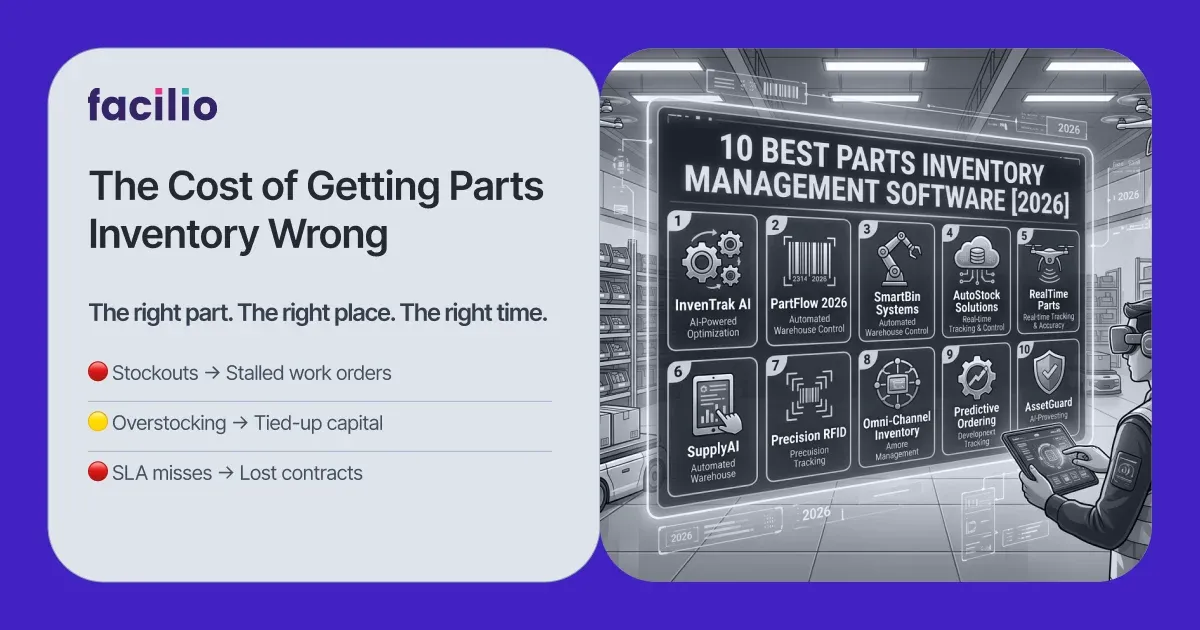

The best parts inventory management software in 2026 is 1. Facilio, 2. Fiix, 3. Limble ,4. UpKeep, 5. MaintainX, 6. eMaint, and 7. Sortly.
Parts inventory management software keeps the right spare parts on the shelf and tied to the work orders that use them, so a repair never stalls for a missing part. The catch is that the term spans three kinds of tool: maintenance platforms where parts live inside the work order, standalone inventory apps built for visual tracking, and ERP systems built around accounting.
So choose by how your parts are used. If they exist to keep assets running, weight a maintenance platform that connects parts inventory management software to work orders and asset history
This guide ranks seven platforms for the maintenance and spare-parts case, how to choose, the mistakes to avoid, and how to switch without downtime.
Your top parts inventory software picks
A ranked shortlist with the single job each platform does best, so you can scan the field before reading the full reviews and the buying guidance below.
- Facilio: best for connected, AI-driven spare-parts inventory across multi-site commercial portfolios.
- Fiix: best for data-driven maintenance teams that want analytics and automated reordering.
- Limble: best for teams that want fast adoption and parts tied cleanly to preventive maintenance.
- UpKeep: best for mobile-first maintenance where parts are tracked from the floor.
- MaintainX: best for frontline teams that pair checklists with purchase orders and parts.
- eMaint: best for configurable, reporting-heavy storeroom control in asset-intensive plants.
- Sortly: best for visual, barcode-driven parts tracking for smaller teams.
Parts inventory software compared at a glance
A side-by-side of all seven platforms on the factors that decide fit: best-use case, whether parts link to work orders, reordering logic, deployment, rating, and pricing model.
Ratings and prices as of Sep - 2026.
| Platform | Best for | Parts tied to work orders | Automated reordering | Deployment | Capterra rating | Pricing |
|---|---|---|---|---|---|---|
| Facilio | Connected multi-site O&M | Native, with asset history | Min-max, lead-time aware | Cloud, iOS, Android | 4.0 (25) | Custom quote |
| Fiix | Data-driven maintenance | Native | Reorder points | Cloud, iOS, Android | 4.5 (629) | Free; from $45/user/mo |
| Limble | Fast adoption | Native | Automated reordering | Cloud, iOS, Android | 4.8 (757) | From ~$28/user/mo (quote) |
| UpKeep | Mobile-first parts | Native | Threshold alerts | Cloud, iOS, Android | 4.6 (1,331) | From $24/user/mo |
| MaintainX | Frontline + purchasing | Native, with POs | Threshold alerts | Cloud, iOS, Android | 4.8 (1,064) | Free; from $20/user/mo |
| eMaint | Configurable storerooms | Native | Min-max, cycle counts | Cloud, iOS, Android | 4.5 (429) | Custom, 3-user min |
| Sortly | Visual barcode tracking | No, standalone | Low-stock alerts | Cloud, iOS, Android | 4.5 (957) | Free; from $24/mo |
How we evaluate parts inventory software
The scoring method behind the ranking, so you can see the exact criteria each platform was measured against instead of taking the order on trust.
We scored every platform against seven criteria, weighted toward what keeps a repair moving rather than what demos well:
- Work-order and asset linkage: whether a part is reserved, issued, and costed against the work order software and the asset it repairs, so consumption is logged where the fault is fixed.
- Automated reordering: whether the system carries min-max levels and lead times and raises a reorder or purchase order before stock runs out, not after a technician finds an empty bin.
- Real-time stock accuracy: whether counts stay live across storerooms through barcode or QR scanning, cycle counts, and reservations, so the number on screen matches the shelf.
- Multi-site and storeroom control: whether one catalog governs parts across locations with transfers, shared part numbers, and per-site stock, or simply bolts single storerooms together.
- Purchasing and vendor management: whether purchase orders, vendor catalogs, receiving, and per-part cost tracking sit inside the tool rather than in a separate spreadsheet.
- Reporting and forecasting: whether usage trends, carrying cost, and parts-to-asset cost allocation are visible, so you can forecast demand and cut dead stock.
- Mobile, deployment, and total cost: offline scanning through a mobile CMMS app, cloud or on-prem fit, and the full three-year cost of licenses, implementation, and add-ons.
The seven best parts inventory management software, reviewed
Full profiles in ranked order, each with what it is best for, why it lands where it does, a snapshot, key features, honest strengths and limitations, a real customer review, and sourced pricing.
Facilio
Best for: connected, AI-driven spare-parts inventory across multi-site commercial portfolios.
Why it ranks first: it is the only platform here that treats parts as part of a connected maintenance system, so stock, work orders, assets, and vendors live in one place and a reorder can trigger on real consumption across an entire portfolio, which is the multi-site problem this software is usually bought to solve.
| Snapshot | Detail |
|---|---|
| Best for | Multi-site commercial O&M |
| Starting price | Custom quote |
| Key strength | Parts connected to work orders and assets |
| Rating | 4.0/5 Capterra (25) |
| Free trial | No, guided demo and onboarding |
| Deployment | Cloud, iOS, Android |
Facilio is a cloud-native, AI-powered cmms software platform built for organizations that run assets across many buildings rather than one plant floor. Its parts and inventory module sits inside the same workspace as work orders, preventive maintenance, procurement, and asset health, and its distinguishing move is connecting stock to live operations, so a part is reserved against a job, issued from the right storeroom, and costed back to the asset automatically. It leads this list for the portfolio case, and its limitations are kept honest below so the ranking reads earned.
Key features
- Work-order-linked parts: stock reserved, issued, and costed against each job and asset, not tracked in a separate silo.
- Lead-time-aware reordering: min-max levels that raise a purchase request before a stockout can stall a repair.
- Multi-storeroom catalog: one parts list across sites with per-location stock, transfers, and shared part numbers.
- Procurement and vendor management: purchase orders, vendor catalogs, and receiving inside the flow of work.
- AI agents: work-order analytics and invoice validation that flag demand patterns and rush-buy leakage early.
- Parts-to-asset cost allocation: every issued part costed back to the asset it repaired for true cost of ownership.
- Portfolio dashboards: carrying cost, consumption, and stock health across every site in one view.
- Offline mobile storeroom: scan, issue, and count parts on a phone, syncing when signal returns.
Strengths
- Parts sit inside the work order: consumption is captured where the repair happens, so counts stay honest and asset costs stay accurate.
- One connected view: stock, assets, vendors, and jobs share a platform, replacing a stack of disconnected point tools.
- Reorders trigger on real conditions: usage and condition signals drive purchasing, not a fixed calendar.
- Built for portfolios: shared part numbers and cross-site transfers scale from a handful of buildings to hundreds.
Limitations
- Quote-based pricing: there is no public per-seat rate to self-serve against.
- Newer brand: it is younger than several decades-old incumbents on this list.
Pricing
custom and quote-based on portfolio size and modules, with guided onboarding included; request a quote through Facilio pricing.
What customers say
Facilio holds 4.0 out of 5 on Capterra across 25 reviews, a smaller, enterprise-weighted base than the SMB tools here. David B., a General Manager of Safety and Facilities in real estate, describes on Capterra a "single application for the management of Facilities Operations, from TSR to work order."
Verdict
if your parts exist to keep assets running across multiple sites, Facilio is the strongest fit here, and Lunds & Byerlys credits it with tying the work order system to refrigeration and store parts processes.
See how Facilio ties parts to work orders so a repair never waits on stock.
Book a demoFiix
Best for: data-driven maintenance teams that want analytics and automated reordering.
Why it ranks second: Fiix is the spare-parts default for data-driven teams, pairing dependable core maintenance with min-max reordering, strong analytics, and a free tier to start, which suits teams that run parts as a data program rather than a task list.
| Snapshot | Detail |
|---|---|
| Best for | Data-driven maintenance |
| Starting price | Free; $45/user/mo (Basic) |
| Key strength | Analytics and reorder logic |
| Rating | 4.5/5 Capterra (629) |
| Free trial | Yes, plus a free plan |
| Deployment | Cloud, iOS, Android |
Fiix, a Rockwell Automation company, is a cloud CMMS built around planning, tracking, and analyzing maintenance, with a lean toward manufacturing, utilities, and other asset-heavy sectors. Its parts and inventory features cover stock levels, reorder points, and purchasing, and it connects them to work orders and asset hierarchies so consumption feeds the analytics that Fiix is known for.
Key features
- Parts and inventory tracking: stock levels and reorder points tied to assets and work orders.
- AI-driven insights: analytics that surface consumption, failure, and cost patterns.
- Preventive maintenance automation: time and usage schedules that consume parts predictably.
- Integrations hub: connectors to ERP and enterprise systems for purchasing and finance.
- Asset hierarchies: structured records with full maintenance and parts history.
- Mobile app: field updates, parts lookups, and scanning.
- Multi-site management: shared catalogs and reporting across locations.
Strengths
- Analytics beyond counting: consumption maps against failures and cost, not just stock on hand.
- Free tier to start: a team can prove value before committing a budget.
- Strong integrations: ERP and finance connectors keep purchasing and part costs in sync.
- Reliable core execution: work orders and preventive maintenance run dependably at scale.
Limitations
- Thin lower tiers: the entry plans limit users and features sooner than teams expect.
- License creep: per-user pricing adds up quickly as the team grows.
- Interface rough edges: some workflows feel dated against the newer mobile-first tools.
- Setup overhead: the initial parts and asset import lengthens time to value.
Pricing
a free plan with limited users; Basic is $45 per user per month and Professional is $75 per user per month, with Enterprise quoted, per Fiix pricing.
What customers say
Fiix scores 4.5 out of 5 on Capterra across 629 reviews, with a 4.6 on G2 across roughly 476 reviews (verify). Timmy W. noted on Software Advice that "we were able to use the application on phones, tablets and PC." Our fiix cmms review goes deeper on fit.
Verdict
choose Fiix if you want spare-parts data to drive maintenance decisions and you can absorb a setup-heavy start for the analytics payoff.
Limble
Best for: teams that want fast adoption and parts tied cleanly to preventive maintenance.
Why it ranks third: it is the tool floor teams actually open, and a 4.8 rating across hundreds of reviews plus a parts module that links directly to PMs make it the strongest all-rounder for growing maintenance teams.
| Snapshot | Detail |
|---|---|
| Best for | Fast adoption, PM-linked parts |
| Starting price | From ~$28/user/mo (quote) |
| Key strength | Ease of use and adoption |
| Rating | 4.8/5 Capterra (757) |
| Free trial | Yes, plus a limited free plan |
| Deployment | Cloud, iOS, Android |
Limble is a mid-market CMMS that built its reputation on being simple enough that technicians coming off paper will actually use it. It covers work orders, preventive maintenance, asset tracking, and parts, with stock levels and automated reordering wired into the same schedules, which is why it is usually the easiest platform here to roll out.
Key features
- Parts and inventory: stock monitoring with automated reordering tied to PMs and work orders.
- Drag-and-drop preventive maintenance: schedules that reserve the right parts as they trigger.
- Technician-first mobile app: parts lookup, issue, and updates from a phone.
- QR-coded assets: full maintenance and parts history per asset.
- Custom dashboards: reporting on downtime, parts cost, and compliance.
- Automated routing: rules that assign and escalate work orders and their parts needs.
- Work-request portal: no-seat requesters submit and track issues.
- Vendor and PO tracking: purchasing linked to the parts it replenishes.
Strengths
- Fast to stand up: work orders, PM schedules, and parts tracking go live in days with little training.
- Parts wired to PMs: the right spares are reserved automatically when a schedule fires.
- Usable on the floor: the mobile app holds up for technicians doing real work.
- Strong support: onboarding help is a step above the mid-market norm.
Limitations
- Lighter enterprise reporting: mature reliability programs will want more than it offers.
- Limited deep customization: advanced configuration is thinner than eMaint or Maximo.
- Tiered features: capabilities teams later need can sit in a higher plan than expected.
Pricing
usage-based and quoted through Limble's price calculator rather than a fixed public rate; third-party listings commonly cite a Standard tier from around $28 per user per month, worth confirming with the vendor.
What customers say
Limble scores 4.8 out of 5 on Capterra across 757 reviews. Steven P., a Maintenance Manager, wrote on Capterra in May 2026 that Limble is "a wonderful way to track PMs and parts." Our limble cmms review covers fit in detail.
Verdict
pick Limble when adoption speed matters most and you want parts to follow preventive maintenance without a heavy configuration project.
UpKeep
Best for: mobile-first maintenance where parts are tracked from the floor.
Why it ranks fourth: it pairs a genuinely simple mobile app with barcode-based parts tracking and free requester access, which makes wide rollout cheap, though its reorder and reporting depth trail the leaders.
| Snapshot | Detail |
|---|---|
| Best for | Mobile-first parts tracking |
| Starting price | $24/user/mo (Essential) |
| Key strength | Simple, fast mobile adoption |
| Rating | 4.6/5 Capterra (1,331) |
| Free trial | Yes; free requester users |
| Deployment | Cloud, iOS, Android |
UpKeep is a mobile-centric maintenance platform aimed at teams that live in the field. It handles work orders, preventive maintenance, and inventory with barcode scanning, tying parts to assets so technicians can log consumption from the floor, and it skews toward smaller maintenance and facilities teams that want to be running on a phone within a day.
Key features
- Inventory with barcode scanning: parts tracked and issued against assets from the field.
- Mobile work orders: create, assign, and close jobs with parts and photos attached.
- Preventive maintenance: automated time-based schedules and reminders.
- Low-stock alerts: threshold notifications on tracked parts.
- Free request portal: view-only requesters submit issues at no seat cost.
- Reporting dashboards: downtime, parts cost, and compliance views.
- Meter readings: usage capture for meter-driven tasks.
Strengths
- Quick to adopt: technicians and requesters pick up the app with little training.
- Cheap to roll out wide: free view-only users cover a whole facility at no seat cost.
- Parts logged in the field: barcode scanning keeps consumption tied to the asset.
Limitations
- Threshold-only reordering: alerts fire at a level, without lead-time-aware purchasing.
- Partial multi-site visibility: portfolio-wide control is limited, so larger operators outgrow it.
- Tiered depth: automation and reporting sit behind a significant jump from Essential to Premium.
Pricing
Essential is $24 per user per month and Premium is $55 per user per month, with Professional and Enterprise quoted; a free trial is available and requester users are free, per UpKeep pricing.
What customers say
UpKeep holds 4.6 out of 5 on Capterra across 1,331 reviews. Shyam Kishor P., in information technology, called it on Software Advice an "excellent mobile-first CMMS for tracking facilities maintenance and team workflows." Our upkeep cmms review covers fit in detail.
Verdict
go with UpKeep for a single or small multi-site team that wants parts on the phone fast, and plan to move up a tier as automation needs grow.
MaintainX
Best for: frontline teams that pair checklists with purchase orders and parts.
Why it ranks fifth: it is quick to stand up, strong on team communication, and unusually good at purchasing for its tier, with parts and purchase orders tied to work, though its reorder logic stays threshold-based.
| Snapshot | Detail |
|---|---|
| Best for | Frontline teams and purchasing |
| Starting price | Free; $20/user/mo (Essential) |
| Key strength | Purchase orders tied to parts |
| Rating | 4.8/5 Capterra (1,064) |
| Free trial | Yes, plus a free plan |
| Deployment | Cloud, iOS, Android |
MaintainX is a mobile-first CMMS popular with frontline teams that work off structured procedures. It is fast to deploy and strong on in-app communication, and its parts, inventory, and purchase-order features let a team requisition and consume parts inside the same job, which is a genuine edge at its price.
Key features
- Parts and inventory: stock tracking with consumption logged against work orders.
- Purchase orders: requisitions and parts purchasing tied to jobs.
- Digital procedures and checklists: structured, repeatable task execution from a phone.
- In-app messaging: conversation attached to each work order and part request.
- Preventive maintenance: recurring time and meter-based schedules.
- Low-stock alerts: threshold notifications on tracked parts.
- Offline mobile: field capture that syncs when connectivity returns.
- Reporting and analytics: downtime, response, and parts-cost metrics.
- Vendor records: suppliers linked to the parts they provide.
Strengths
- Purchasing built in: requisitions and POs live in the same tool that runs the work, rare at this price.
- Very fast onboarding: a small team is logging parts and jobs the same day.
- Communication around the job: in-app messaging replaces scattered texts and radio calls.
Limitations
- Threshold-only reordering: no lead-time-aware purchasing on low stock.
- Uniform structure: limited workflow customization across different asset types.
- Broad permissions: role controls can be hard to tighten as a program scales.
Pricing
a free Basic plan covers small teams; Essential is $20 per user per month billed annually, Premium is $65 per user per month, and Enterprise is quoted, per MaintainX pricing.
What customers say
MaintainX scores 4.8 out of 5 on Capterra across 1,064 reviews. Geoff P. summed it up on Software Advice as "highly intuitive and customizable." Our maintainx cmms review has the full breakdown.
Verdict
choose MaintainX for a frontline team that wants parts, purchase orders, and procedures in one fast, chat-friendly app.
eMaint
Best for: configurable, reporting-heavy storeroom control in asset-intensive plants.
Why it ranks sixth: it offers enterprise-grade inventory controls, min-max levels, cycle counts, and consumable alerts, for reliability teams willing to invest in setup, which is exactly the power a facilities-first buyer may not need.
| Snapshot | Detail |
|---|---|
| Best for | Configurable storeroom control |
| Starting price | Custom, 3-user minimum |
| Key strength | Inventory controls and reporting |
| Rating | 4.5/5 Capterra (429) |
| Free trial | Yes (verify length) |
| Deployment | Cloud, iOS, Android |
eMaint, part of Fluke Reliability, is a highly configurable CMMS suited to asset-intensive operations that need custom workflows and deep reporting. Its inventory module is a standout, with min-max levels, cycle counts, and purchasing that reliability teams can shape to their storeroom, and its tie to Fluke condition-monitoring sensors links parts consumption to asset health.
Key features
- Inventory controls: min-max levels, cycle counts, and reorder logic across storerooms.
- Consumable tracking: dedicated handling for supplies that deplete, with their own reorder points.
- Advanced preventive maintenance: custom triggers and conditional schedules.
- Custom dashboards and workflows: shaped to specific parts and maintenance processes.
- Fluke sensor integration: condition data that informs parts planning.
- Interactive image mapping: click parts and assets on floor plans and schematics.
- Reporting and analytics: deep, configurable reports for mature programs.
- Multi-site and multi-language: support for distributed storerooms.
- API integrations: connections to enterprise purchasing and finance systems.
Strengths
- Storeroom control to spec: min-max, cycle counts, and reorder rules bend to complex processes.
- Reporting for reliability programs: configurable analysis, not just dashboards.
- Condition-linked planning: Fluke sensor data ties parts demand to asset health.
- Strong support: live chat and a named success contact stand out.
Limitations
- Setup effort: the configurability that makes it powerful takes time to stand up.
- Steeper learning curve: less intuitive for new users than the mobile-first tools.
- Added-cost capabilities: mobile access and some modules carry extra fees.
Pricing
configurable and quote-based, with a three-user minimum on the Professional tier and a five-user minimum on Enterprise; the vendor publishes no per-user rate, and third-party listings cite roughly $69 per user per month rising with tier (verify), per eMaint pricing.
What customers say
eMaint holds 4.5 out of 5 on Capterra across 429 reviews. Usama S., a Chief Operating Officer, wrote on Capterra in March 2026 about a time when "we were constantly running low on consumable items," the problem its inventory alerts were brought in to solve. Our emaint cmms review covers configuration in depth.
Verdict
choose eMaint when a reliability team needs storeroom control shaped exactly to its process and has the appetite for a configuration project.
Sortly
Best for: visual, barcode-driven parts tracking for smaller teams.
Why it ranks seventh: it is the strongest standalone tracker on this list, with a visual, mobile-first interface and barcode scanning that small teams pick up fast, though parts do not connect to work orders the way the CMMS tools above do.
| Snapshot | Detail |
|---|---|
| Best for | Visual barcode tracking |
| Starting price | Free; from $24/mo |
| Key strength | Ease of use and visual catalog |
| Rating | 4.5/5 Capterra (957) |
| Free trial | Yes, 14 days, plus a free tier |
| Deployment | Cloud, iOS, Android |
Sortly is a visual inventory app rather than a maintenance platform, built around photo-rich item records, folders, and barcode or QR scanning. For a team whose main job is to count, locate, and reorder parts without a full CMMS, it is fast to set up and easy to run from a phone, and it is the standout standalone tracker for visual, mobile-first parts management.
Key features
- Visual item catalog: photo-rich records organized in folders and sublocations.
- Barcode and QR scanning: fast lookups, counts, and check-in or check-out.
- Low-stock alerts: notifications when a part drops below a set level.
- Custom fields: records tailored to parts, tools, and supplies.
- Offline mobile: capture and update stock without a connection.
- Reporting: stock value and activity summaries.
- Flat per-plan pricing: cost that does not scale per user.
Strengths
- Genuinely easy: a clean, visual catalog is running in an afternoon.
- Smooth mobile scanning: counts and lookups are quick on a phone.
- Low entry cost: a free tier and flat pricing suit a single storeroom.
Limitations
- No work-order link: parts do not tie to jobs, assets, or maintenance history.
- Alert-only reordering: replenishment stops at a low-stock notification, with no purchasing.
- Outgrown by maintenance teams: operations whose parts drive repairs move on to a CMMS.
Pricing
a free tier for one user; paid plans start around $24 per month on an annual intro rate, rising through Ultra and Premium tiers, with Enterprise quoted, per Sortly pricing.
What customers say
Sortly holds 4.5 out of 5 on Capterra across 957 reviews. Henry L. wrote on Software Advice in March 2026 that "Sortly helps me keep track of inventory and pricing."
Verdict
pick Sortly when you need a fast, visual way to count and locate parts and you do not yet need them tied to work orders.

Still manually tracking parts usage across sites? AI work order analytics catches demand patterns before they become SLA misses.
See AI in ActionKey features to look for in parts inventory software
The parts inventory software capabilities worth paying for and the ones that quietly become shelfware, so you spend your evaluation time where it changes daily operations.
When you sit through demos, every vendor will show a feature wall. Push past it and pressure-test five things that decide whether parts actually keep your repairs moving.
- Parts tied to work orders and assets: open a work order and confirm you can reserve, issue, and cost a part against it, then see that consumption on the asset record. If parts live in a separate app, your counts and your asset costs will drift.
- Reordering that respects lead time: ask to see a reorder or purchase order trigger on a min-max level with the supplier's lead time built in, not just a low-stock alert that fires the day you run out.
- Real-time accuracy on the floor: scan a part with barcode or QR code asset tracking software on a phone, offline, and confirm the count updates. If technicians cannot count where the parts are, the data rots.
- Multi-site and storeroom transfers: if you run more than one location, check that one catalog governs every storeroom with transfers and per-site stock, rather than separate lists you reconcile by hand.
- Purchasing and cost traceability: confirm you can trace a part from vendor to purchase order to the job it was used on, so spend is visible and rush buys are caught. Reliable preventive maintenance software makes that consumption predictable.
How to choose the right parts inventory software for your team
A practical framework that narrows the field to one platform, matched to how your parts are used, how many sites you run, and what has to integrate, rather than to the longest feature list.
Work through these questions in order, and let the answers weight your shortlist:
- Start with how your parts are used: if they exist to keep assets running, choose a CMMS with a real parts module so stock lives inside the work order, and compare the wider field in our roundup of the best cmms software; if they are sold or built with, an inventory or ERP tool fits better.
- Count your sites and storerooms: decide whether you need one catalog governing every location with transfers, or a single-site tool is enough, because bolting sites together later is where teams stall.
- List the systems it must integrate with: confirm the accounting, ERP, work-order, and procurement connections you need are proven, not just on a roadmap.
- Test floor usability: put the mobile app in a technician's hands, offline, and check that scanning, issuing, and counting actually work on poor signal.
- Pressure-test the reorder logic: insist on min-max levels with lead time, so you stock ahead of demand instead of reacting to an empty bin.
- Weigh how it fits your asset program: for asset-heavy operations, consider full enterprise asset management software before you settle, then shortlist two and pilot them on your own parts.
Best parts inventory software by company size
Picks grouped by team size, so you can match the platform to your storeroom count and budget instead of paying for depth you will not use.
- Small and single-site teams: UpKeep, MaintainX, and Sortly get a small team off spreadsheets fast, with free or low-cost entry tiers and quick mobile setup.
- Mid-market and multi-site teams: Limble, Fiix, and MaintainX scale into several storerooms with automated reordering, reporting, and stronger workflows, and pair well with a broader look at best equipment maintenance software.
- Enterprise and portfolio operations: Facilio and eMaint suit asset-intensive, multi-site programs that need connected parts, deep configurability, and portfolio-wide cost visibility across many buildings.
Integrations that matter for parts inventory
The connections that decide whether parts data stays in sync or becomes another silo, so you confirm the ones you need before you buy.
Parts inventory rarely lives alone, and three integrations matter most:
- Work order and asset system: so consumption ties to the repair and every part is costed back to the asset it fixed, which is native in maintenance platforms like Facilio, Fiix, and eMaint.
- Accounting or ERP system: so purchase orders and part costs reconcile with finance rather than being retyped, the strength of inventory-led and ERP tools.
- Procurement and vendor catalogs: so reordering pulls approved suppliers and prices automatically instead of by hand.
- BMS, meters, and sensors: so demand is informed by real asset condition, which matters most for asset-heavy operations and fits a full best preventive maintenance software program.
How to switch parts inventory software without downtime
A phased migration path that moves your parts catalog and stock to a new platform without losing history or stalling repairs.
Switching feels risky because your on-hand counts and open work orders are live, but a staged rollout keeps the storeroom running:
- Export and clean first: pull your parts catalog, on-hand quantities, min-max levels, and vendor records, and fix duplicate or missing part numbers before anything moves, since a migration inherits the quality of what you import.
- Pilot one storeroom in parallel: import a single site or storeroom, rebuild reorder points and vendor catalogs, and let one team work live while the old system stays read-only as a safety net.
- Confirm integrations and rules: use the pilot to verify accounting and work-order links, tune reorder rules, and capture a short internal playbook.
- Roll out storeroom by storeroom: expand once the pilot team is issuing and reordering cleanly, keeping the old system read-only through at least one full reorder cycle.
- Decommission last: retire the old tool only after you have verified counts and cost history in the new platform.
Common mistakes to avoid when choosing parts inventory software
The recurring errors that turn a promising purchase into shelfware, drawn from what teams say went wrong after they signed.
- Buying a standalone tracker when parts drive maintenance: a visual inventory app counts stock but cannot tie a part to the work order that consumes it, so asset costs and reorder timing stay guesswork.
- Reordering on a low-stock alert instead of lead time: an alert that fires the day you hit zero still leaves a repair waiting for a supplier, so insist on min-max levels with lead time built in.
- Skipping barcode and mobile: if technicians cannot scan and count where the parts are, counts drift within weeks and nobody trusts the number on screen.
- Ignoring multi-site transfers: bolting separate storeroom lists together hides stock you already own on another site and drives duplicate purchases.
- Underpricing the real cost: the per-seat number is rarely the whole bill, so add implementation, integrations, and support and compare a three-year total, which a clear view of cmms pricing helps you scope.
The bottom line
Choosing well comes down to one question: do your parts exist to keep assets running, or to be sold and shipped?
If parts drive maintenance, a CMMS that ties stock to work orders and assets will pay back faster than a standalone tracker, because it stops repairs stalling for a missing part and shows the true cost of every asset. Limble, UpKeep, and MaintainX get smaller teams off spreadsheets quickly, Fiix and eMaint add analytics and configurable storeroom control, and Sortly covers visual tracking for teams that do not need a full CMMS.
We built Facilio to connect parts, work orders, assets, and vendors on one platform so multi-site O&M teams stay ahead of stockouts instead of chasing them.
See how Facilio keeps the right parts on the shelf and tied to every repair.
Book a demoParts inventory software questions teams ask
The questions buyers raise most before choosing a platform, answered directly for a quick scan before you shortlist.
What is the difference between parts inventory software and a CMMS with a parts module?
Standalone parts inventory software tracks stock, locations, and reordering on its own. A CMMS with a parts module does the same but ties each part to work orders and assets, so consumption, cost, and reordering follow the maintenance that uses the part.
How do you manage spare parts inventory?
Set min-max levels and reorder points per part, track on-hand counts with barcode or QR scanning, tie consumption to work orders, and review usage trends so you stock critical spares ahead of demand and clear dead stock. Software automates the counts, alerts, and purchase orders.
Is there free parts inventory management software?
Yes. Fiix, MaintainX, and Sortly offer free tiers, though each caps users, items, or features. A spreadsheet is the other free option, but it cannot tie parts to work orders or automate reordering the way even a free CMMS tier can.
How does parts inventory software connect to work orders and asset costs?
In a CMMS, a part is reserved and issued against a work order, then costed back to the asset it repaired. That link keeps stock accurate, shows the true maintenance cost per asset, and triggers reordering based on real consumption rather than a periodic count.
Which KPIs measure MRO inventory performance?
Track inventory carrying cost, stockout rate, inventory turns, service level or fill rate on critical spares, dead-stock value, and mean time to procure a part. Together they show whether you are holding the right parts without tying up cash.
Does parts inventory software work on mobile with barcode scanning?
Yes. Modern tools ship offline-ready mobile apps that scan barcodes or QR codes to count, issue, and reorder parts from the storeroom floor, then sync when connectivity returns, which is what keeps counts accurate day to day.
Can it track consumables as well as spare parts?
Yes. Most platforms track consumables such as filters, lubricants, and fasteners alongside repairable spares, with their own min-max levels and reorder points, so routine supplies do not run out mid-job.
Your inventory system tracks parts. Facilio's AI agents track what your inventory system misses.
See Facilio in action
About the Author

More from Facilio