Connected CMMS

 Connected Buildings
 Connected Refrigeration


 Download ebook

 Read case study


 Watch now


 Retail
 Healthcare
 FM Services
 Commercial Portfolios
 Corporate Facilities
 Education
 Data-driven Portfolio Ops
 Facility Management Software
 360° Asset Lifecycle
 Continuous Sustainability

 Blogs
Blogs
 Help docs
 Knowledge Hub
 ROI Calculator
 Ebooks & Guides
 Webinars
 Videos
 Case studies


 About us
 Newsroom
 Careers
 Contact us
 Partners
 Events


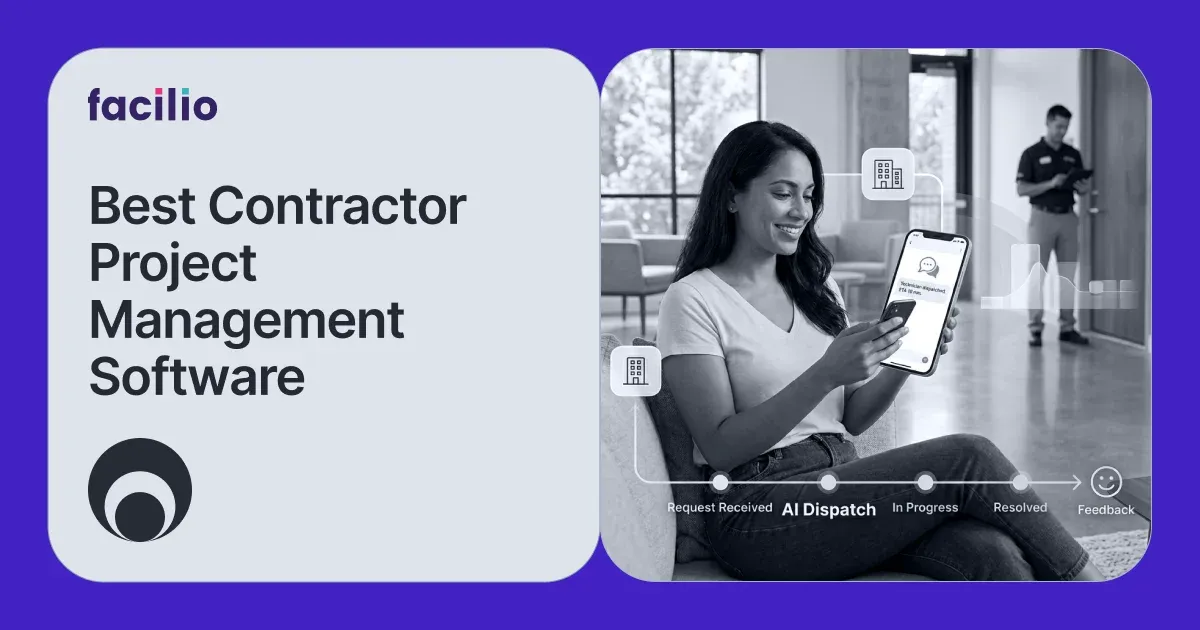

Here are the top-rated contractor project management software picks for 2026, ranked for the job you are actually doing: 1. Facilio, 2. Procore, 3. Buildertrend, 4. Contractor Foreman, 5. Autodesk Construction Cloud, 6. Fieldwire by Hilti.
What contractor project management software really means
Contractor project management software plans work, tracks budgets, and syncs the office and field, but it splits into two buyers who search the same phrase.
If you build things from the ground up, you are a general contractor or a builder, and you need construction document control: RFIs, submittals, blueprints, punch lists, change orders, and job costing against an estimate. Procore, Buildertrend, and Autodesk own that job.
I will be honest about which side each tool serves so you do not buy a construction platform to run operations, or the reverse.
Best contractor project management software picks
Here are my top contractor project management software picks for 2026, matched to whether you build from the ground up or operate live buildings at scale.
- Facilio - best for owner-operators and facility teams managing contractors, vendors, and capital projects across a live portfolio
- Procore - best for commercial general contractors running the full construction lifecycle
- Buildertrend - best for residential builders and remodelers who want client portals and selections
- Contractor Foreman - best value all-in-one for small to midsize contractors
- Autodesk Construction Cloud - best for design, BIM, and blueprint coordination on complex builds
- Fieldwire by Hilti - best for on-site plan viewing and field task execution
How we evaluate the best contractor project management software
Before we rank any contractor project management software, I check the same core features, from vendor management and job costing to reviews and integrations.
- Contractor and vendor management: onboarding, compliance documents, SLAs, and performance tracking for the trades and service providers you hire.
- Project and budget tracking: phases, tasks, dependencies, and actual cost against budget in real time.
- Scheduling: drag-and-drop calendars or Gantt charts for dependencies and crew assignments.
- Document handling: blueprints, drawings, and submittals on the construction side; contracts, warranties, and asset records on the operations side.
- Field and office sync: a mobile app that keeps updates flowing back to the office without manual re-entry.
- Accounting and system integration: QuickBooks, ERP, or CMMS and finance sync to cut duplicate data entry.
- Reviews and adoption: current G2 and Capterra ratings with review counts, not marketing claims.
- Scope note: estimating-only tools, standalone accounting add-ons, and BIM authoring suites sit outside this list unless they also run projects end to end.
Why facilio as First?
If you own or operate live buildings, you manage contractors and vendors instead of building shells: renovation and capital projects, service work orders, SLAs, and the handover of assets into day-to-day operations across many sites. That is where I put Facilio first, and it is a different tool.
Contractor project management software at a glance
Here is every contractor project management software pick side by side, with who each is best for, real starting prices, and current G2 and Capterra ratings.
Ratings and prices as of Sept - 2026, from G2, Capterra, and vendor pricing pages. Autodesk splits G2 reviews across its Build and BIM Collaborate products, so I cite the consolidated Capterra score. Buildertrend and Contractor Foreman higher tiers are third-party-reported; both vendors quote custom.
How each contractor project management tool handles the core jobs
This matrix shows how each contractor project management tool handles the core jobs, so you can see which side of the work every platform is really built for.
What I compare below: construction document control, job or project costing, scheduling, contractor and vendor management, operations and asset handover, multi-site portfolio scale, and built-in AI or automation.
Legend: Yes = native and strong, Partial = present but lighter, n-d = not designed for this.
The split is clean and worth saying out loud: the construction-native tools win the left side of this table, and Facilio wins the right side. If your work lives after handover, the right side is the side that decides your day.
Comparison of the top contractor project management software
1. Facilio - Best for owner-operators and facility teams managing contractors across a portfolio
Overview
Facilio is an AI-first connected CMMS and property operations platform built for commercial real estate owners, operators, and facility management service providers. Instead of treating maintenance, vendors, tenants, and compliance as separate point tools, it runs them on one system of record, layered with IoT and building-system data and a set of AI agents.
That design is exactly why it fits the operations: it manages the contractors and capital projects you run against live buildings, then carries the assets and their history straight into day-to-day operations across a whole portfolio, which the construction-first platforms are not built to do.
Key features
- Contractor and vendor management: onboard vendors, store insurance and compliance documents, set and monitor SLAs, and track performance and spend by vendor across every site. See the contractor and vendor management .
- Work order and maintenance management: raise, assign, and close reactive and planned work with mobile execution for both in-house technicians and outside contractors, through native work order management.
- Capital and renovation project tracking: run fit-outs, equipment replacements, and multi-phase projects with tasks, budgets, and status rolled up across the portfolio rather than one job at a time.
- Connected CMMS with IoT and BMS integration: pull live equipment and building-system data on a connected CMMS so contractor work is triggered by real conditions, not just the calendar.
- Asset and O&M handover: a completed project becomes live assets, warranties, and maintenance plans with no re-keying between systems.
- AI agents: triage incoming requests, chase vendor SLAs, and surface cost and reliability patterns across sites.
Pros
- One system for contractors, projects, and live building operations across many sites.
- Strong vendor and SLA management with compliance and performance tracking.
- IoT and BMS data that construction-first tools simply do not hold.
- Built for multi-site portfolio scale, not a single ground-up job.
Cons
- Pricing is quote-based, so you need a conversation to get numbers.
- Built for enterprise and larger portfolios, so it is more than a small, single-site business needs.
- A newer brand in facility management, where several older names have long, established track records.
What reviewers say: on Capterra Facilio holds 4.0 across 25 reviews, with praise for customizability, analytics, and responsive support, and honest gripes about implementation time and mobile app stability. Its G2 profile has too few reviews to lean on, so I judge it on capability, not a star. If you want to see it against your own portfolio, book a walkthrough in the verdict below.
2. Procore - Best for commercial general contractors
Overview
Procore, founded in 2002 and publicly traded on the New York Stock Exchange, is one of the most widely used construction management platforms in the world. It is built for commercial general contractors and developers and covers the full construction lifecycle, from preconstruction through closeout, in a single system with an unlimited-user pricing model. Its depth in construction documents and field productivity is exactly why large builders standardize on it, and why it sits second here for the construction.
Key features
- Document control: manage RFIs, submittals, and drawings with full version history so the whole team works from the current set.
- Budgeting and job costing: track committed and actual costs against the budget on complex commercial jobs in real time.
- Field productivity: capture daily logs, timecards, and safety and quality inspections straight from the jobsite.
- Preconstruction to closeout: run bid management, estimating, and closeout in the same system as execution.
- Integrations and workflows: connect an extensive app marketplace and configure custom workflows to match how you build.
- Unlimited users: put every subcontractor, field crew, and office user on the platform without per-seat fees.
Pros
- Covers the entire construction lifecycle in one place, from preconstruction bidding through closeout.
- The unlimited-user model can cut cost for large teams that would otherwise pay per seat.
- One of the deepest integration ecosystems in construction, so it fits into an existing stack.
- Board-ready reporting and analytics that large GCs rely on for portfolio visibility.
Cons
- The depth and price make it heavy for small and midsize firms that do not need all of it.
- It manages construction delivery, not post-handover building operations, so it stops at go-live.
- Pricing is tied to annual construction volume, so the bill climbs as you grow.
- Reviewers commonly report annual renewal increases on top of the base cost.
What reviewers say: on G2 Procore rates 4.6 across more than 4,000 reviews and 4.5 on Capterra. Cost and complexity for smaller firms are the recurring gripes.
3. Buildertrend - Best for residential builders and remodelers
Overview
Buildertrend, founded in 2006 and based in Omaha, is a construction management platform focused on residential builders and remodelers, and it widened that footprint by merging with CoConstruct. It connects estimates to job costs and gives homeowners a client portal with real-time visibility, which is why home-building teams favor it over heavier commercial platforms.
Key features
- Client portals: give homeowners a branded portal for approvals, selections, and messaging in one place.
- Sales and proposals: build proposals and track selections and allowances tuned to residential jobs.
- Change orders: raise, price, and approve change orders from the field before work continues.
- Scheduling and daily logs: manage calendars, crew schedules, and daily logs with photo documentation.
- Financials: handle invoicing, online payments, and warranty requests, with accounting sync.
- Estimate to job cost: connect the original estimate to actual job costs to protect margin.
Pros
- Purpose-built for residential builders and remodelers, so the workflows match how they sell and build.
- The homeowner client portal for approvals and selections is a genuine standout.
- Broad coverage across sales, project management, and financials in one platform.
- Strong onboarding and support resources for teams new to construction software.
Cons
- The residential focus makes it a poor fit for commercial GCs and building operators.
- Onboarding fees add a real chunk to the first-year cost.
- Smaller crews report a learning curve before they are fully productive.
- Pricing is custom and not published, so you cannot compare it quickly.
What reviewers say: on Capterra Buildertrend rates 4.5 across nearly 2,500 reviews, and 4.3 on G2. Onboarding fees and the learning curve for small crews come up often.
4. Contractor Foreman - Best value all-in-one for small to midsize contractors
Overview
Contractor Foreman is a US-based, budget-friendly all-in-one construction management platform aimed at small and midsize contractors. It bundles projects, scheduling, financials, and field tools into one interface across tablets, phones, and computers, and it has built its reputation on delivering a wide feature set at a fraction of the price of the enterprise platforms.
Key features
- All-in-one projects: run projects, scheduling, and daily logs from a single, easy interface.
- Estimates and invoicing: create estimates and invoices and sync them to QuickBooks to avoid double entry.
- Crew and time tracking: manage crew schedules and capture time cards from the field.
- Unlimited projects: run as many projects as you need on affordable monthly tiers.
- Financial tools: track budgets, bills, and purchase orders alongside the work.
- Mobile access: use the full platform across tablets, phones, and computers.
Pros
- Genuinely affordable, starting at $49 per month, which is rare for this much coverage.
- A wide all-in-one feature set that replaces several point tools for a small team.
- Consistently high review scores for value for money and customer support.
- Fast to set up, so small contractors can be live quickly.
Cons
- Each feature is lighter than a specialist enterprise tool, so depth has limits.
- Large GCs and portfolio operators tend to outgrow it as complexity rises.
- Reviewers note occasional glitches and slow performance under load.
- Less suited to complex, multi-entity or multi-site operations.
What reviewers say: rated 4.5 on both G2 (349 reviews) and Capterra (825 plus), with reviewers repeatedly calling it the same job for a fraction of the price. Occasional glitches are the honest trade-off.
5. Autodesk Construction Cloud - Best for design and BIM coordination
Overview
Autodesk Construction Cloud is the construction platform from Autodesk, the maker of AutoCAD and Revit. It brings together products such as Autodesk Build, BIM Collaborate, and the former PlanGrid and BuildingConnected into one design-to-build ecosystem. Its center of gravity is BIM and blueprint coordination, so it fits complex commercial jobs where design data drives the whole project.
Key features
- BIM coordination: coordinate models and run clash detection before issues reach the field.
- Blueprint collaboration: share and mark up drawings with version control across the team.
- Document management: organize and control project documents at scale.
- Design-to-build continuity: carry data from Revit and AutoCAD through to build across the Autodesk ecosystem.
- Field execution: give site teams drawings, RFIs, and daily logs through Autodesk Build.
- Cost and closeout: manage cost workflows and closeout on complex commercial jobs.
Pros
- Best-in-class BIM coordination and clash detection for design-led projects.
- Deep integration with Revit, AutoCAD, and the wider Autodesk ecosystem.
- Strong document control and collaboration that scale to large, complex jobs.
- Field apps that carry design data all the way to the jobsite.
Cons
- Per-seat pricing gets expensive as the team grows.
- Reviewers report performance lag on very large files and models.
- It is more platform than smaller contractors or building operators need.
- Rolling out across its multiple products takes real setup and adoption time.
What reviewers say: on Capterra it rates 4.3 across more than 2,200 reviews. Reviewers value collaboration and document control but flag per-seat cost and performance on large files.
6. Fieldwire by Hilti - Best for on-site field execution
Overview
Fieldwire, founded in 2013 and acquired by Hilti in 2021, is a field-first construction management app built for the people on the jobsite. It focuses on plan viewing, task management, and daily field coordination, with a free tier that makes it easy for crews to adopt straight from the tablet. It is the field layer teams reach for, then pair with a larger back office.
Key features
- Plan viewing: view and mark up the latest plans and blueprints in real time on mobile.
- Task management: create tasks and punch lists linked directly to the drawing location.
- Daily field reporting: log daily reports, photos, and progress from the jobsite.
- Scheduling: assign and track field tasks and crews against the plan.
- Simple, field-first design: keep an interface crews will actually open on the tablet.
- Hilti ecosystem: connect into Hilti's broader construction tools and hardware.
Pros
- Excellent on-site plan viewing and real-time markup that crews actually use.
- A free tier and fast onboarding make it easy to adopt from the tablet.
- Task-to-drawing linkage keeps field work tied to the current plans.
- Backed by Hilti's resources, tools, and construction ecosystem.
Cons
- It is a field layer, not a full back office, so budgeting and operations are light.
- Pricing feels steep for small teams once you add more users.
- Some of the more useful features sit behind higher-tier plans.
- Reporting is thinner than what enterprise platforms provide.
What reviewers say: on G2 it rates 4.5 and on Capterra 4.6 across 97 reviews, with plan viewing and markup collaboration driving the praise. Pricing feels steep to small teams as users scale.
Which contractor project management software fits your operation
Here is which contractor project management software fits your operation, from ground-up commercial builders to owner-operators managing live portfolios.
- You build commercials from the ground up: Procore, with Autodesk for BIM-heavy work.
- You build or remodel homes: Buildertrend.
- You are a small contractor watching every dollar: Contractor Foreman.
- Your crews live on the jobsite: Fieldwire as the field layer.
- You own or operate live buildings and manage contractors across sites: Facilio's CMMS software.
How to choose the best contractor project management software
To choose the best contractor project management software, work through a short sequence that starts with your side of the job and ends with a real field pilot.
- Name your side of the job: Ground-up construction or live building operations. This one answer removes most of the list before you demo anything.
- List your non-negotiables: Write the three or four workflows you cannot live without, then judge tools only against those.
- Check the integrations: Confirm it connects to your accounting, ERP, or CMMS first, so you do not create a second data-entry job later.
- Weigh the total cost: Add onboarding fees, per-seat costs, and renewal increases, not just the monthly headline.
- Read recent reviews: Look at current G2 and Capterra ratings, and read the one and two-star reviews for the honest limitations.
- Pilot in the field. Run a real project or work order with the team who will use it daily. Adoption in the field, not the demo, is the true test, and for owner-operators it is where a tool that carries the pilot into live operations pulls ahead.
Common mistakes to avoid when choosing contractor project management software
Most contractor project management software regret comes from a few avoidable mistakes, and most of them trace back to buying for the wrong side of the job.
- Buying a construction tool to run operations, or the reverse: A build platform will not manage vendors and live O&M, and an operations platform will not run RFIs and BIM. Match the tool to your side of the job first.
- Choosing on feature count instead of fit: The longest feature list rarely wins. The tool that covers your real workflow end to end does.
- Ignoring the total cost: Onboarding fees, per-seat pricing, and annual renewal increases can dwarf the sticker price. Ask for the all-in number.
- Skipping the mobile and field test: If crews or technicians will not open it on a phone, adoption stalls. Pilot it in the field before you commit.
- Underrating integrations: If it does not sync with your accounting, ERP, or CMMS, you have bought a second data-entry job. Confirm the integrations you need exist.
- Forgetting the handover: For owner-operators, a project that does not flow into live assets and maintenance leaves you re-keying everything after go-live.
How to switch contractor project management software without downtime
You can switch contractor project management software without downtime if you migrate in phases, protect your data, and run the old and new systems in parallel.
- Audit and clean your data first: Export contractors, assets, open work orders, and projects from the current system, and fix duplicates before anything moves. Migrating clean data is far faster than fixing it later.
- Map the fields: Match every field in the old system to the new one, so vendor records, asset hierarchies, and cost codes land in the right place.
- Migrate in phases, not all at once: Start with master data (vendors, assets, sites), then move open work and active projects. A phased import keeps live operations running while the move happens.
- Run both systems in parallel briefly: Keep the old system read-only for a short overlap so nothing in flight is lost and the team can cross-check.
- Train on real tasks: Onboard crews and technicians on the workflows they run daily, not a generic tour, so adoption sticks from day one.
- Go live by site or region: Roll out one site or region at a time rather than the whole portfolio in a single day, and confirm each before the next.
A typical rollout runs a few weeks: master-data migration and configuration first, then a phased go-live by site. Facilio's guided onboarding, for example, takes about 4 to 6 weeks including data migration, BMS integration, and custom workflows, so live operations keep running through the switch.
My verdict: the best contractor project management software for your side of the job
Here is my verdict on the best contractor project management software: pick by your side of the job, construction delivery or live building operations.
If you build, Procore is the safe center of gravity, with Autodesk for BIM, Buildertrend for residential, Contractor Foreman for value, and Fieldwire for the field. If you own or operate buildings and your real problem is managing contractors, vendors, and projects across live sites, Facilio is the one I would start with, because it is the only pick here that carries a project into operations instead of stopping at handover.
See Facilio manage your contractors and projects across your portfolio. Explore contractor and vendor management, see the connected CMMS, or book a walkthrough.
Related reads: best CMMS software ·enterprise facility management software · best CAFM software
Contractor project management software questions facility and construction teams ask
These are the contractor project management software questions facility and construction teams ask most, answered simply for both builders and operators.
What is contractor project management software?
It is software that helps you plan work, track budgets, schedule crews or vendors, and keep the field and office in sync. For builders it centers on construction documents and job costing; for owner-operators it centers on contractor management and operations.
Is contractor project management software the same as construction project management software?
Mostly yes for builders. The difference in this list is the owner-operator use case, where the software manages contractors and projects against live buildings rather than a ground-up build.
Can one tool cover both construction and operations?
Rarely well. Construction platforms are built for delivery and operations platforms for the life after handover. Owner-operators often run both and connect them.
Which is best for small contractors?
Contractor Foreman for all-in-one value at $49 per month, or Fieldwire's free tier for field-only needs.
Does Facilio replace Procore?
No. Facilio is for managing contractors and projects across live building operations, not for building construction with RFIs, submittals, and BIM.
About the Author