AI invoice validator: Every invoice checked before it's paid
About this demo
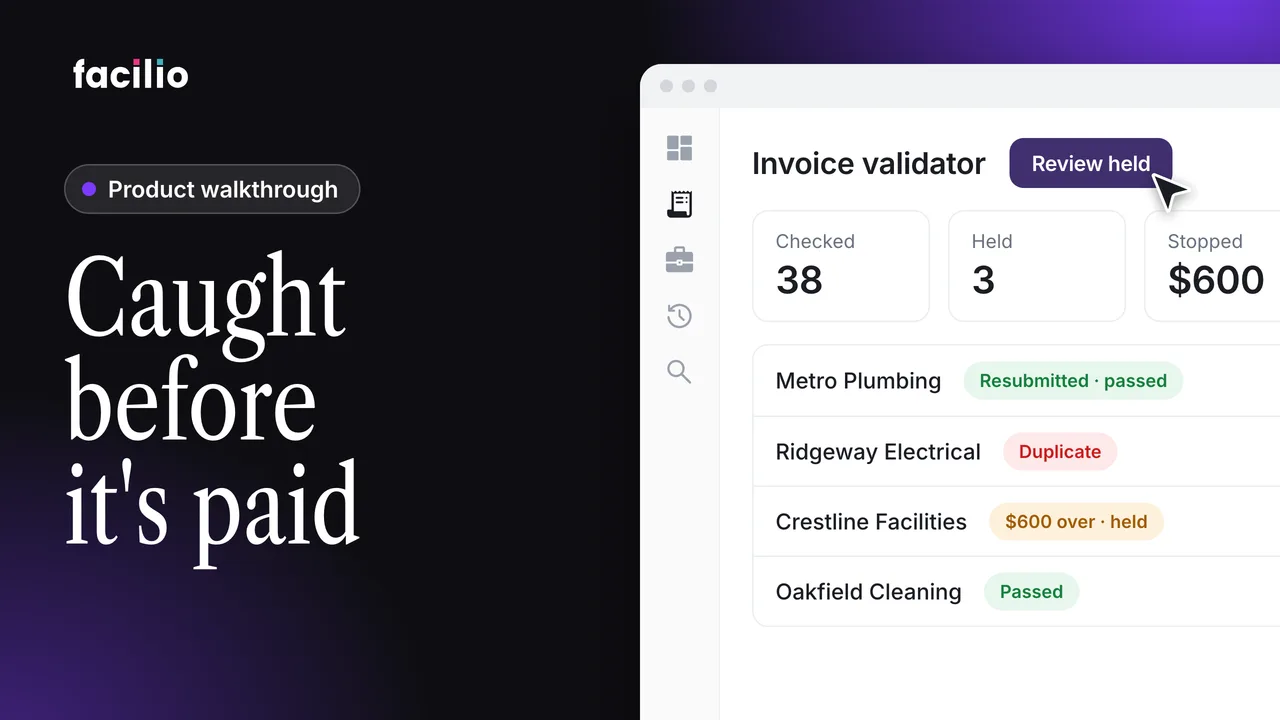
A duplicate, a $600 overcharge and a proposal sent as an invoice, all caught by the AI invoice validator before payment.
Of three invoices, one is a duplicate, one is $600 over and one isn't an invoice at all. This walkthrough follows the invoice validator as it checks every invoice in the same order, so only the real decisions reach the facilities manager.
- Every channel, every format. Invoices are picked up from email, WhatsApp and the vendor portal, and the same fields are read from any layout.
- Not an invoice, not in the queue. A proposal sent as an invoice is discarded and logged before it reaches anyone.
- Duplicates rejected. Same vendor and number as an invoice from October 14th, so it's rejected as a duplicate.
- Fields, then the match. Mandatory fields are checked first, then each line is matched against the PO, quote or rate card.
- $600 over, held for the FM. Labour billed at 32 hours against 20 is held. A $12 difference passes with a note.
- Missing PO, rejected. A missing mandatory field means automatic rejection, and the vendor is told exactly why.
- Resubmitted and checked again. The corrected invoice is linked to the rejected case, every check runs again, and the FM approves it in one click.
Transcript
-
Three invoices. One is a duplicate. One is $600 over. One isn't an invoice at all. Which would you have paid? Invoice validator caught all three. Here's how.
-
Every invoice checked before it's paid. They arrive every day from every vendor in every format. It starts with ingestion. The agent picks them up from email, WhatsApp and the vendor portal in different formats. Then extraction: the same fields pulled from any layout, whatever the template.
-
But what if it isn't an invoice at all? A proposal is discarded and logged and never reaches the queue. And if you've seen it before, same vendor and number as October 14th, so it's rejected as a duplicate. Everything else goes through the same checks in the same order.
-
Mandatory fields come first: invoice number, vendor and PO reference. All here on this one. Next, the match against a PO, a quote or a rate card, line by line. Here, labour is billed at 32 hours against 20. That's $600 over, so it's held for the FM. A small difference, like $12, still passes with a note for the FM. The FM sees the invoice, the PO and the gap side by side and rejects it. $600 stopped before payment.
-
Now, what happens when the PO reference is missing? A missing mandatory field means automatic rejection, and the vendor is told exactly why. So by the end of the morning, only the real decisions reach the FM.
-
And when the vendor sends a corrected invoice, it's checked all over again. Remember Metro Plumbing, rejected for a missing PO? They reply on the same email thread with the PO number added. Same invoice number, but linked to the rejected case: a resubmission, not a duplicate. It's read again, and this time the PO reference is there. Every check runs again. This time, they all pass, so it moves to the FM, who approves it in one click. Invoice validator from Facilio.
Who it's for
Facilities managers
See only the invoices that need a decision, with the gap shown side by side.
Accounts payable
Stop duplicates and overcharges before the payment goes out.
FM service providers
Check every vendor invoice without keying or matching by hand.