Connected CMMS

 Connected Buildings
 Connected Refrigeration


 Download ebook

 Read case study


 Watch now


 Retail
 Healthcare
 FM Services
 Commercial Portfolios
 Corporate Facilities
 Education
 Data-driven Portfolio Ops
 Facility Management Software
 360° Asset Lifecycle
 Continuous Sustainability

 Blogs
Blogs
 Help docs
 Knowledge Hub
 ROI Calculator
 Ebooks & Guides
 Webinars
 Videos
 Case studies


 About us
 Newsroom
 Careers
 Contact us
 Partners
 Events



In asset-intensive industries like utilities, oil and gas, manufacturing, and transportation, Maximo has been the default choice for over 40 years.
So when we see teams searching for alternatives, our experience is that something specific has usually broken down. Nobody leaves Maximo on a whim.
For this review, we read hundreds of verified reviews, spoke with FM operations leads who have actually made the switch, and assessed each platform that consistently came up in those evaluations.
This guide compares 7 IBM Maximo alternatives across pricing, verified user ratings, regional fit, and honest gaps, so you can shortlist based on what your operation actually needs rather than what the platform can theoretically do.
What frustrated you most about Maximo?
Select all that apply
How large is your portfolio or organization?
Pick the closest fit
What best describes your industry?
Select all that apply
Why Teams Are Looking for Maximo Alternatives in 2026
Across the G2 and Gartner Peer Insights reviews we analyzed, four triggers came up again and again:
Version fragmentation: IBM ended base support for Maximo 7.6 on 30 September 2025. Teams still on-prem with 7.6 are now on the clock, and several of the people we spoke to cited this deadline as the reason they were evaluating at all.
Missing FM and property operations workflows: Maximo was built for industrial asset management. There is nothing to improve tenant outcomes or manage vendor performance at the portfolio scale. For the FM operators we interviewed, these are not edge cases. They are the daily job.
Total cost of ownership: The $39,782/year Essentials entry point does not include the $80,000–$100,000+ implementation. By year two, the real cost looks very different from the quote.
These challenges are driving many organizations to evaluate modern alternatives with simpler administration, lower implementation overhead, and stronger facilities management capabilities.
Top IBM Maximo Alternatives at a Glance
The 7 Best IBM Maximo Alternatives in 2026
The top 7 Maximo alternatives are: 1. Facilio, 2. Tractian, 3. SAP S/4HANA Asset Management, 4. IFS Cloud, 5. HxGN EAM, 6. eMaint CMMS, 7. Fiix. Here is how each one earns its place.
1. Facilio
AI-first Facility Management Software for Multi-site property portfolios
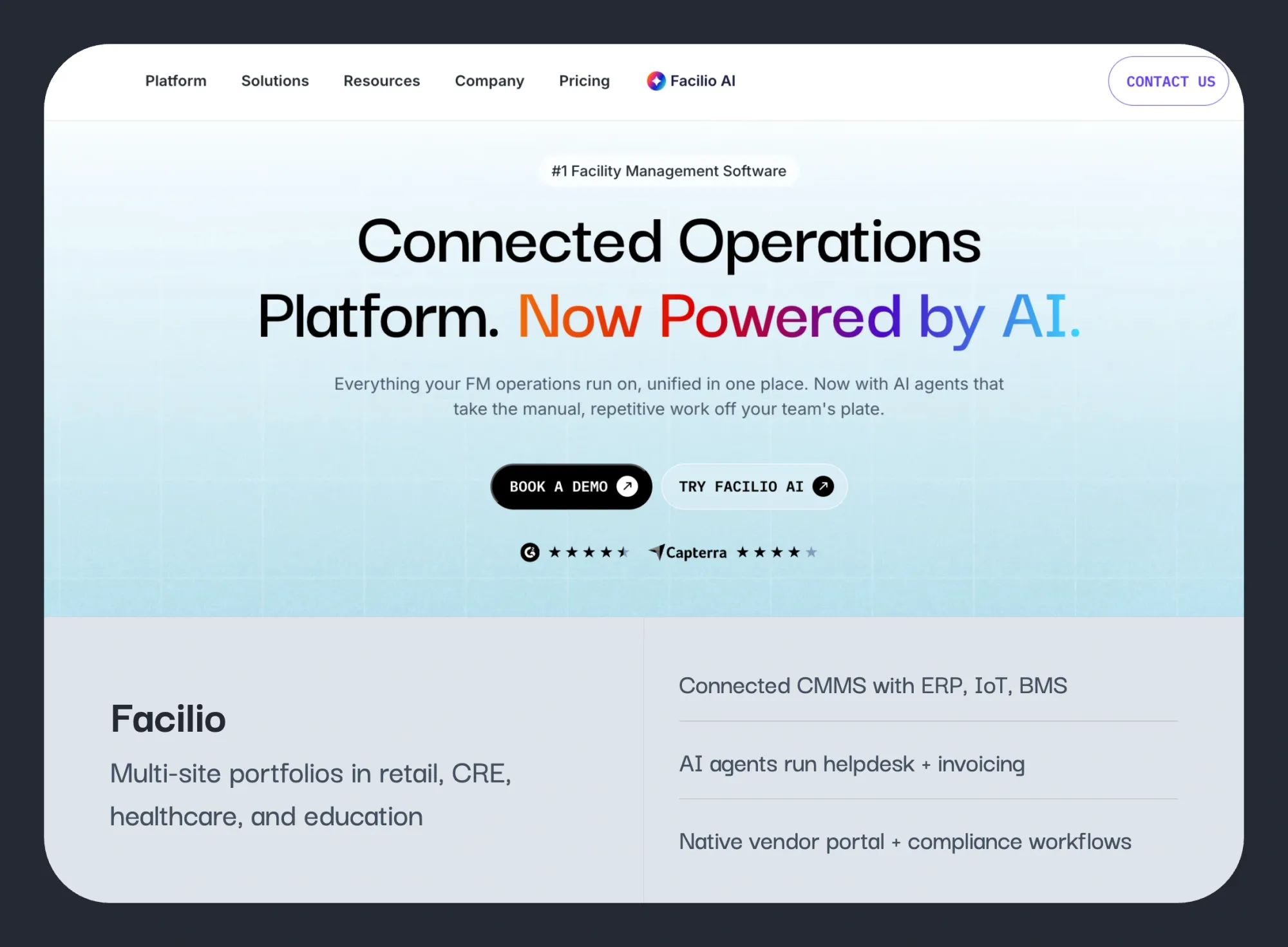
Our shorthand after comparing the two: Maximo was built for the power plant, Facilio for the portfolio.
Maximo is genuinely excellent at industrial asset lifecycle governance. But it was never designed for commercial real estate, FM service providers, or multi-site property management.
The platform covers every aspect of facility maintenance management and also includes energy monitoring, compliance workflows, and a no-code workflow builder that lets FM teams adapt processes without a developer or implementation partner.
What impressed us most was its AI suite, Atom, which turns those missing workflows into automated ones.
Where Maximo stops at asset governance, Facilio goes further, automating tenant helpdesk intake, invoice validation, and vendor performance management at portfolio scale.
Key Features of Facilio
- CMMS: Work orders, preventive maintenance, inspections, and vendor management unified across every site in a portfolio on a unified CMMS platform.
- AI agents in production: Mira resolves up to 80% of helpdesk requests autonomously at Berkeley UAE, and invoice automation caught 619 billing errors before approval at Charter Hall.
- 360° asset lifecycle: Full enterprise asset management software from procurement to retirement, with condition data feeding maintenance decisions.
- Building systems integration: Connects to BMS, IoT, and existing software (including Maximo itself) so live building data drives operations.
- Energy and sustainability: Portfolio-wide energy monitoring, fault detection, and optimization built into the same platform as maintenance.
- Vendor and contract management: Multi-vendor orchestration with SLA tracking, invoicing, and performance scoring across locations.
- No-code configurability: Workflows, approval chains, and dashboards adapt to existing processes without a systems integrator.
Facilio’s AI Capabilities
Facilio's agentic AI suite is the platform's biggest separation from everything else on this list. These are agents doing work in production, not dashboard intelligence:
- Helpdesk AI agent: Captures requests via calls, WhatsApp, chat, and email; creates work orders, assigns technicians, and coordinates dispatch ' resolving up to 80% autonomously at Berkeley UAE.
- Invoice validation AI agent: Cross-references invoices against work orders and contract rates before approval. Caught 619 billing errors across 2,117 invoices at Charter Hall.
- Answering AI agent: Answers operational questions, closes work orders, and reschedules jobs conversationally ' no module-clicking required.
- Reporting AI agent: Spots trends, predicts anomalies, and auto-generates MMRs and SLA summaries ' no one pulls a dashboard.
No Rip-and-Replace
Facilio's agents are system-agnostic. They run on top of Maximo itself during phased migrations, so teams get AI operations before the replatform decision is even made.
Facilio's Pricing
Portfolio-based from $25,000/year; no per-seat fees. AI agents run on a usage-based credit subscription.
Facilio's Pros and Cons
| Pros | Cons |
|---|---|
| Deploys in 2 to 6 weeks versus Maximo's 12 to 24 month implementations | Smaller public review footprint than mass-market CMMS tools, reflecting its enterprise-only customer base |
| AI agents are live in production with named customers, not roadmap promises | Built for property and FM operations, not industrial plant reliability engineering |
| Runs on top of existing systems, including Maximo, so migration can be phased | Unlimited customization options mean admins need time to learn the full depth |
| One platform covers maintenance, energy, tenants, vendors, and compliance | No native condition-monitoring hardware; sensor data comes via integrations |
"Dashboard that can centrally present the live data of the building systems. It's been a game changer to have all disparate systems in one place."
Facilio Ratings
- 4.0/5 on Capterra (24 reviews)
- Reviews on G2 (small but enterprise-specific review pool; reviewers include operators running 140+ locations)
What Facilio Is Best For
- Commercial real estate portfolios replacing Maximo for building operations rather than plant maintenance
- Retail, healthcare, and FM service providers running maintenance across dozens or hundreds of sites
- Enterprises that want AI doing real operational work, not a chatbot bolted onto a legacy CMMS
Facilio's customer success stories:
Facilio manages 200M+ sq ft globally, with customers including ICD Brookfield Place, Dubai World Trade Centre, British Land, Investa, and Cushman & Wakefield. That list gave us confidence it holds at enterprise scale.
80%
Helpdesk requests resolved autonomously: 276 calls in 30 days
FM service provider · UAE · 9,000+ workforce · Multi-client portfolio
Berkeley UAE · Read case study →40%
Reduction in asset downtime · 1,250+ spaces centralized · 120+ automated FDD rules
Commercial office · Dubai · 54-storey · 990,000 sq ft Grade A space
ICD Brookfield Place · Read case study →10,000+
Retail stores unified on one O&M platform across North & Latin America
Retail FM · North America · Multi-site convenience stores · IoT-connected
Tuten Labs · Read case study →Regions Facilio Serves
Global: active in the United States, North America, UK and Europe, the Middle East, and Australia.
What's Missing in Facilio
- Not suited for single-site facilities or small teams with simple work order needs
- Not built for heavy-industrial reliability programs centered on vibration analysis and machine diagnostics
- No proprietary condition-monitoring sensors; teams wanting bundled hardware should look at Tractian
Maximo takes 12 to 24 months to deploy. Facilio takes 2 to 6 weeks.
See it running on your portfolio, not a sandbox.
2. Tractian
CMMS with sensors and AI diagnostics included
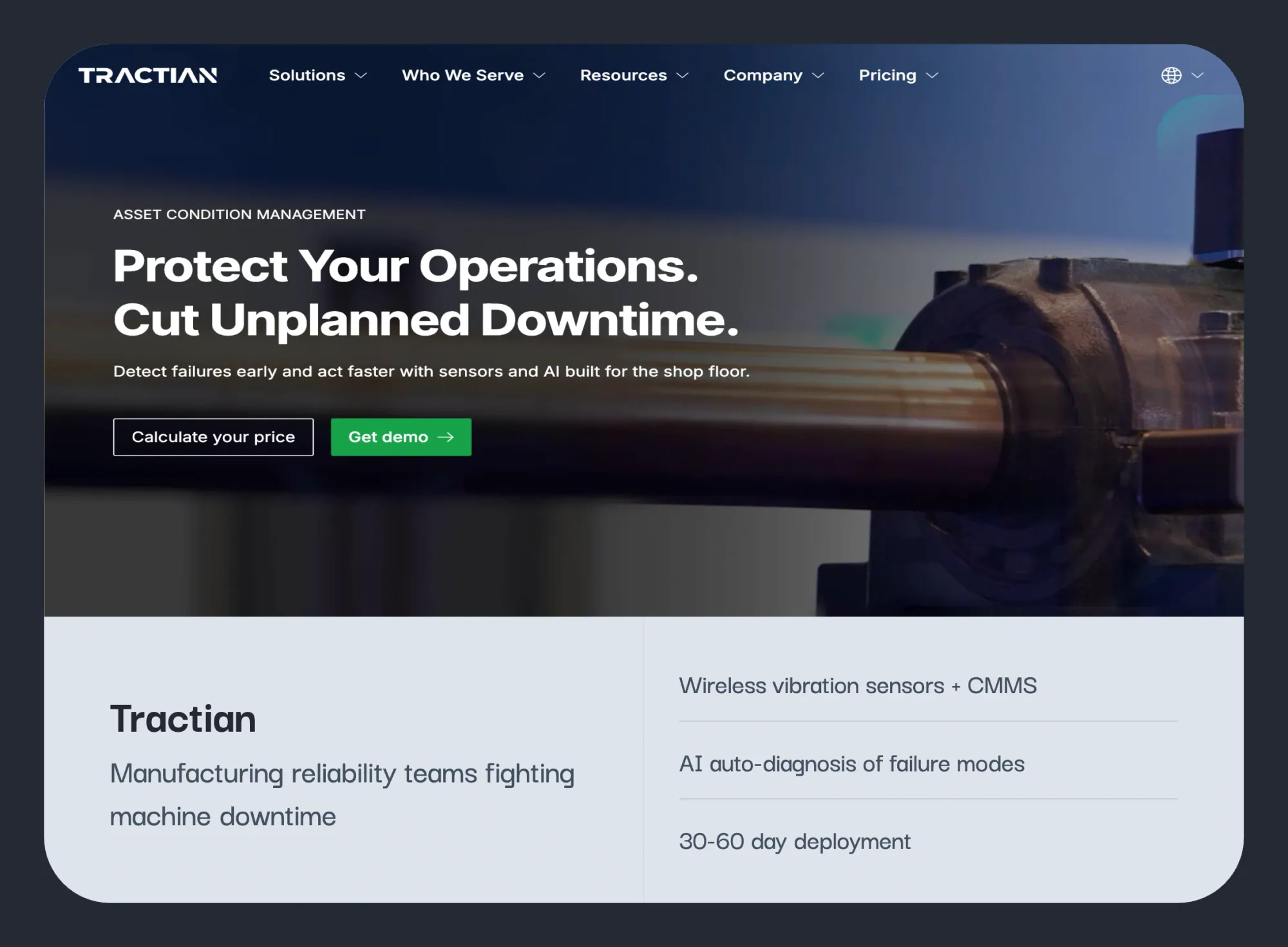
The strongest pick we found for manufacturing and reliability teams who want AI-powered condition monitoring without Maximo's overhead.
Tractian ships its own wireless vibration sensors wired directly into its CMMS, closing the loop from fault detection to completed work order in one platform. Deployments run 30 to 60 days; customers report ROI within 12 months.
That said, Tractian is an industrial IoT platform first, CMMS second. No vendor management, no tenant workflows, no portfolio tooling. For reliability engineers, we rate it highly. For FM operators, it is not the right fit.
Key Features of Tractian
- AI auto-diagnosis: Patented algorithms identify failure modes from vibration, temperature, and runtime data with plain-language repair guidance.
- Smart Trac sensors: Industrial-grade wireless sensors capturing triaxial vibration up to 32 kHz, IP69K-rated with 3 to 5 year battery life.
- Native CMMS: Sensor alerts automatically generate prioritized work orders; no integration project between monitoring and maintenance.
- Reliability suite: FMEA tools, root cause analysis, and asset health scoring in the same environment.
- Real-time KPIs: MTBF, MTTR, and backlog calculated automatically from operational data.
Tractian AI Capabilities
An AI-forward industrial option with:
- Patented auto-diagnosis: Identifies specific failure modes (imbalance, misalignment, bearing wear) from vibration, temperature, and runtime data.
- AI-prioritized work orders: Alerts convert to work orders ranked by asset criticality automatically.
- Compounding model: Diagnostics continuously improve using failure data from 1,500+ deployments.
Tractian Pricing
Quote-based; per-sensor rental plus per-user CMMS licensing.
Tractian Pros and Cons
| Pros | Cons |
|---|---|
| Unified sensors + CMMS eliminates the integration projects legacy EAM requires | Sensors are rented, not purchased, which several reviewers find cost-prohibitive |
| 30 to 60 day deployments with documented sub-4-month payback periods | Launch can be bumpy; one reviewer reported 3 to 6 weeks of unreliable early data |
| AI diagnostics replace specialist vibration analysts for routine fault detection | Manufacturing-centric design; facility and property teams face fit gaps |
"It generates warnings in which the machine is not yet in a critical state, but notifies you to be able to perform a more detailed inspection with your vibration team."
Tractian Ratings
- 4.7/5 on G2 (53 reviews in CMMS category)
- Reviews on Capterra
What Tractian Is Best For
- Manufacturing reliability teams where rotating equipment failure is the core cost
- Operations that want AI diagnostics without hiring vibration specialists
Regions Tractian Serves
North America and Latin America, with US headquarters in Atlanta.
What's Missing in Tractian
- Property, FM, and multi-building portfolio workflows; the platform is built around machines, not buildings
- Enterprise asset accounting depth (capital planning, depreciation) found in full EAM suites
3. SAP S/4HANA Asset Management
Asset management software inside SAP's ERP
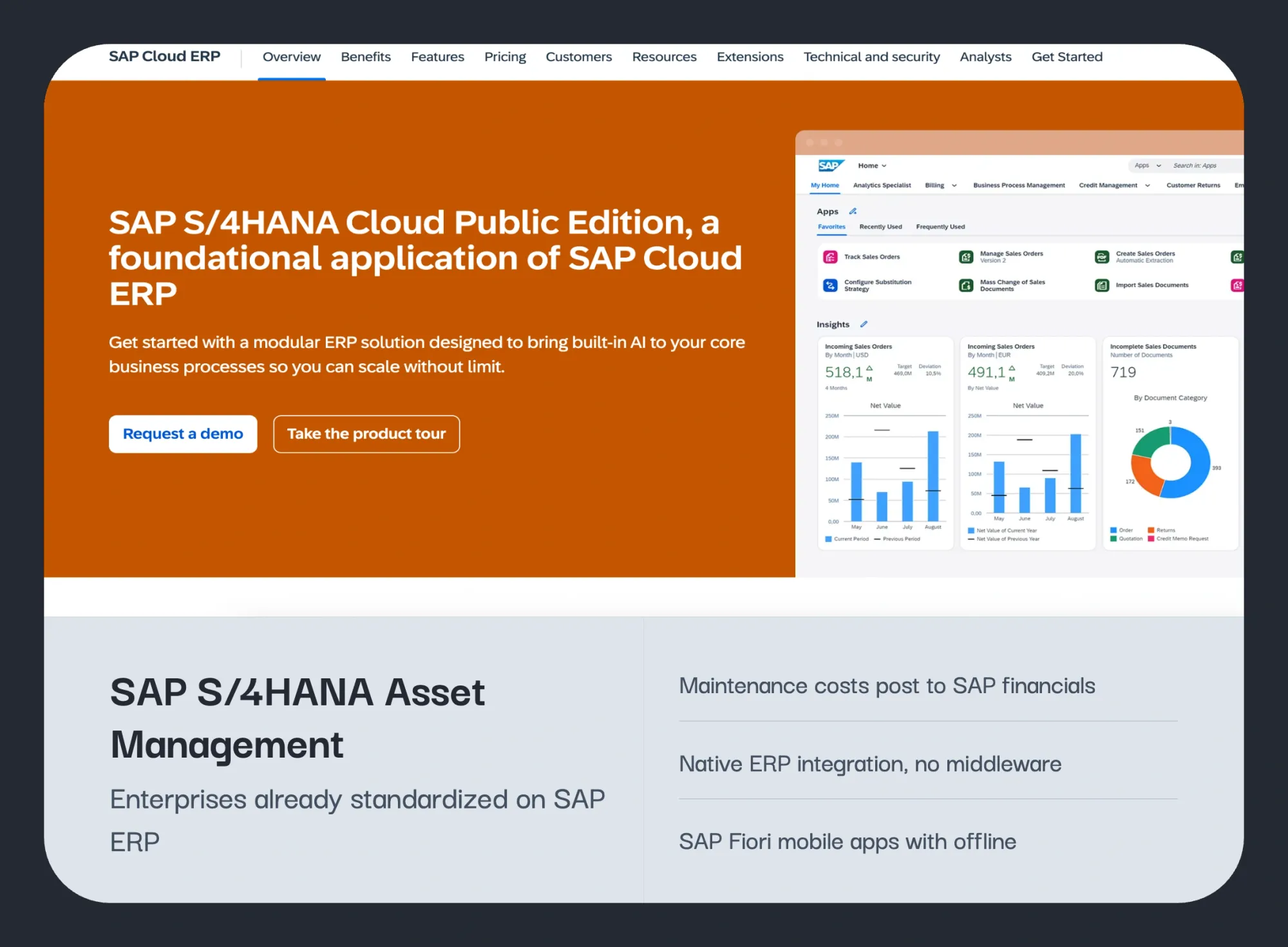
The logical path if you are already on SAP S/4HANA, and frankly the only scenario we would recommend it. Native to the SAP ecosystem means no integration project to fund.
The trade-off is EAM depth: Maximo's failure hierarchy, APM, and sector-specific modules have no equivalent here. B
But for organizations where procurement and financial alignment matter more than maintenance specialization, consolidating onto one platform is defensible.
One caution: SAP Asset Manager inherits SAP's own complexity and cost. A different trade-off, not an easier one.
Key Features of SAP S/4HANA Asset Management
- Native ERP integration: Maintenance transactions flow directly into SAP finance, procurement, and inventory with no middleware.
- Work order processing: Enterprise-grade work order management with layered approvals and cost tracking.
- SAP Fiori mobile apps: Field access to maintenance tasks through SAP Service and Asset Manager, with offline mode.
- Asset Performance Management hooks: Condition data can trigger work orders via separately licensed SAP APM.
- Priority matrix and failure-mode capture: Newer releases add structured failure data for reliability analysis.
SAP S/4HANA’s AI Capabilities:
AI lives outside the core module: predictive maintenance, asset health scoring, and anomaly detection come through separately licensed SAP APM, and the Joule assistant adds conversational help across S/4HANA. Capable, but every layer is an additional licensing and integration decision.
SAP S/4HANA Pricing: Quote-based, bundled into SAP ERP licensing; budget separately for consultant-led implementation.
Common Pros and Cons of SAP S/4HANA
| Pros | Cons |
|---|---|
| Deepest ERP integration available; maintenance costs post straight to SAP financials | Asset management functions depend on foundational SAP components and licensing; non-SAP shops face a massive entry barrier |
| Centralized governance across finance, procurement, and maintenance for global organizations | Configuration changes typically require SAP-certified consultants and formal change processes |
| Large global partner and talent ecosystem | Reviewers consistently cite high setup costs and expensive licensing |
"I had to use people from another company which made me spend a lot on setup. Also the license is very high."
SAP S/4HANA Ratings
- 4.5/5 on G2 (900 reviews, S/4HANA Cloud)
What SAP S/4HANA Is Best For
- Global enterprises already running SAP ERP that want maintenance inside the same governance model
- Organizations where maintenance spend must reconcile to financials in real time
Regions SAP S/4HANA Serves
Global, with implementation partners in every major market.
What's Missing in SAP S/4HANA Asset Management
- No standalone path; the module's value depends entirely on an existing SAP commitment
- Technician-facing usability lags mobile-first CMMS platforms, which hurts frontline adoption
4. IFS Cloud
Platform with ERP, EAM, and service management combined
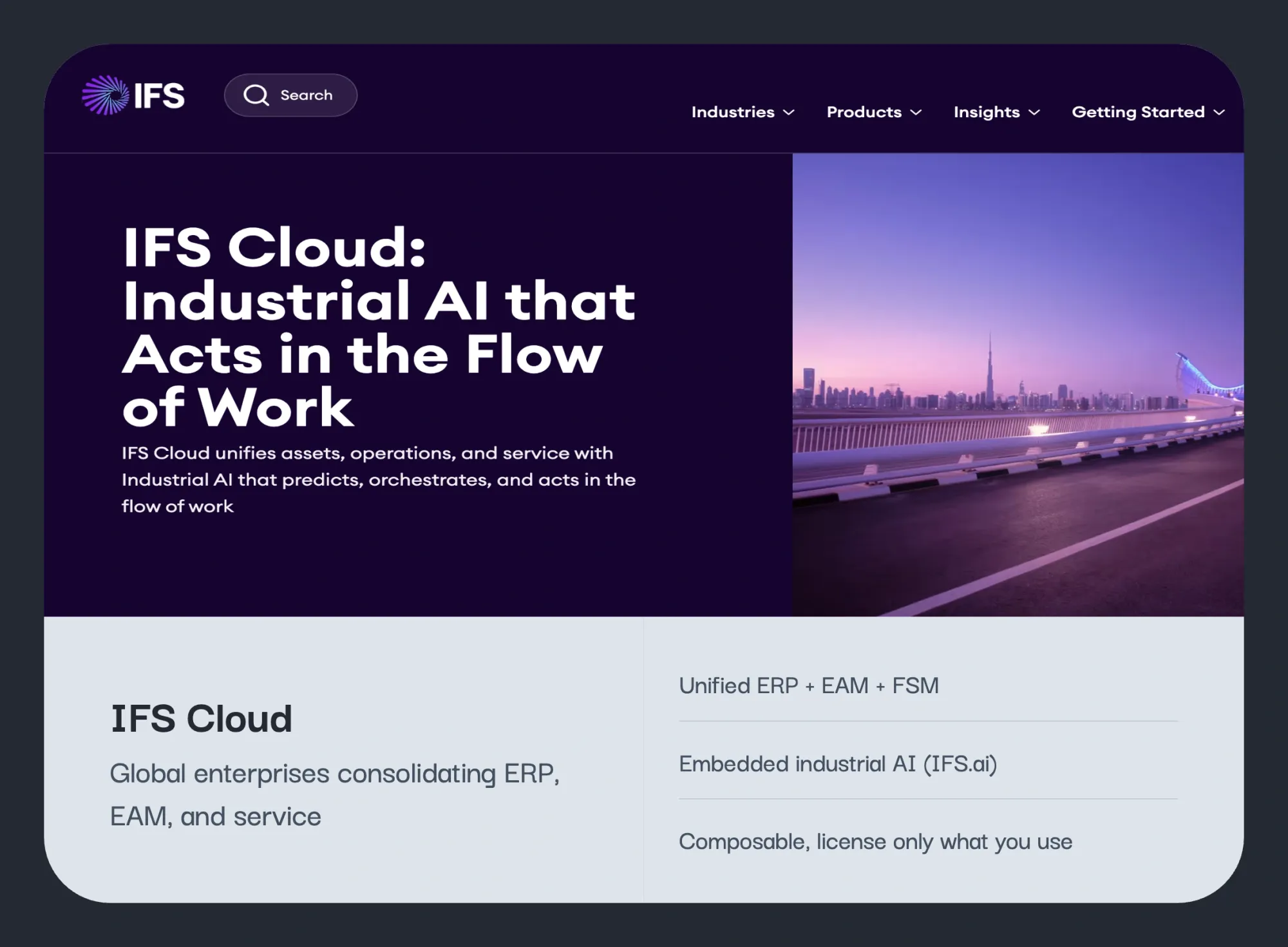
The closest like-for-like enterprise alternative at scale. IFS combines EAM, ERP, and service management in one cloud-native platform for energy, manufacturing, defence, and infrastructure.
The key differentiator is architecture: IFS was built cloud-first, while Maximo is a legacy platform moving to SaaS.
For Maximo-level depth without the legacy technical debt, it is worth shortlisting.
Temper expectations on effort though: implementation is still enterprise-grade. This is a modern equivalent to Maximo, not a simpler one.
Key Features of IFS Cloud
- Unified ERP + EAM + FSM: One product and one data model across resource planning, asset management, and service.
- Industrial AI (IFS.ai): Embedded AI capabilities across modules for forecasting, scheduling, and asset insights.
- Asset lifecycle management: Deep functionality for complex, long-lived assets in energy and infrastructure.
- Composable architecture: Organizations license and deploy only the capabilities they need.
- Cloud-first delivery: Updates without the legacy upgrade projects of on-premise EAM.
IFS Cloud AI Capabilities
IFS.ai is embedded across the platform: anomaly detection on asset data, AI-assisted scheduling and resource optimization, and simulation-based planning. One of the stronger enterprise AI roadmaps here, though most of the value assumes broad platform adoption rather than standalone EAM use.
Pricing: Quote-based, module-by-module; expect ERP-scale implementation budgets.
IFS Cloud Pros and Cons
| Pros | Cons |
|---|---|
| Strong depth in asset-intensive sectors like energy, utilities, and aerospace | Implementation is an ERP-scale project with timelines and budgets to match |
| Customization without deep technical skills, per reviewer feedback | Some long-time users report preferring the older Apps 10 version after migrating |
| 4.5x ROI over 18 months reported by reviewers on PeerSpot | Configuration to match specific workflows creates a steep learning curve |
"Our operations are under IFS Cloud umbrella, from the EAM, FSM, ERP, among many and they all bring high results."
IFS Cloud Ratings
- 4.0/5 on G2 (269 reviews)
What IFS Cloud Is Best For
- Large global enterprises consolidating ERP, EAM, and field service onto one platform
- Organizations replacing both Maximo and a legacy ERP in one program
Regions IFS Cloud Serves
Global, with particular strength in Europe and the Nordics.
What's Missing in IFS Cloud
- Not viable as a standalone maintenance tool; the value case assumes broad platform adoption
- Property and FM operations are not a design focus; building portfolios get an industrial-shaped tool
5. HxGN EAM
Mature EAM software for regulated industries
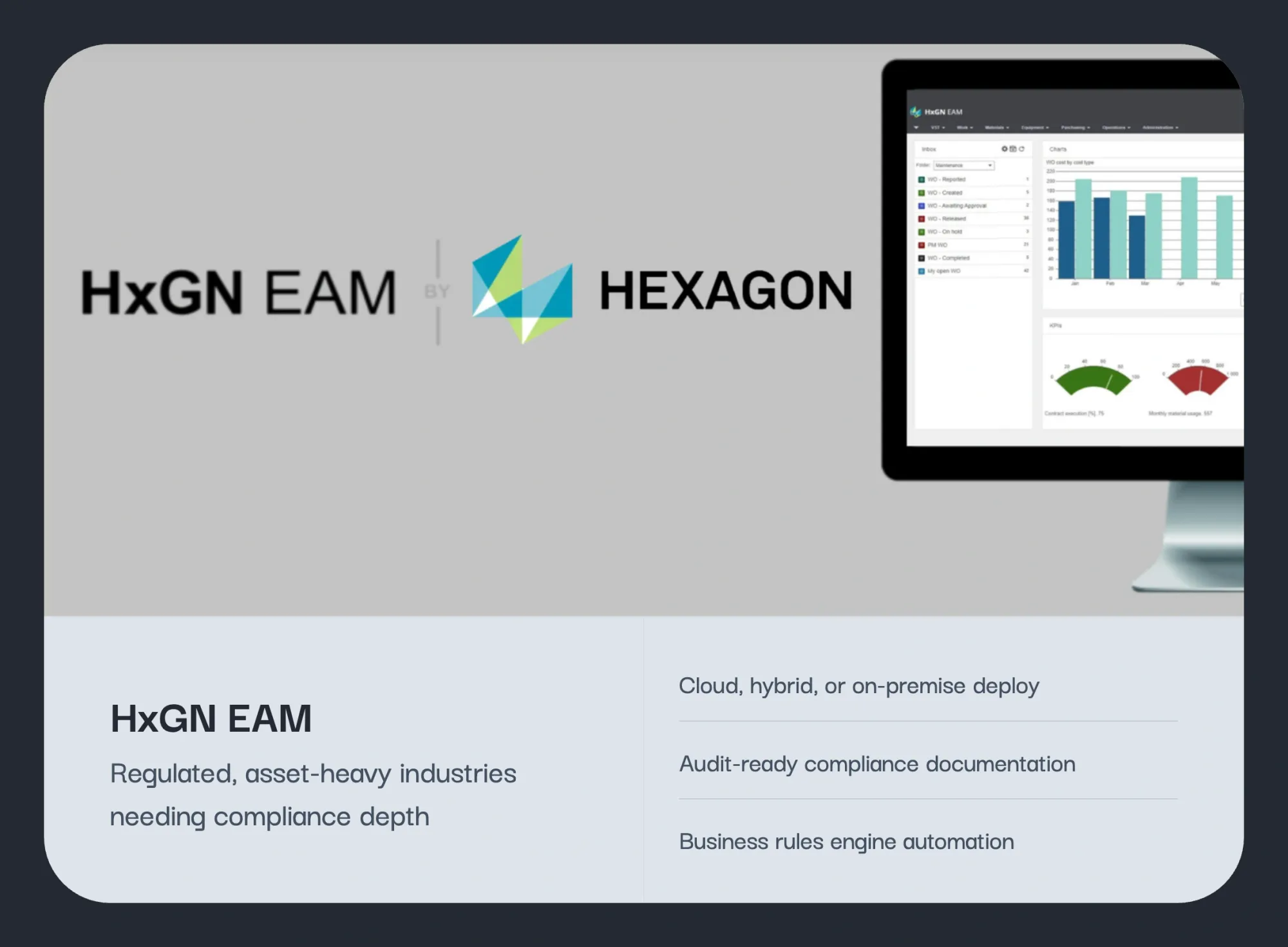
The closest structural alternative for industrial enterprises that want full EAM depth without IBM lock-in.
Asset lifecycle, work orders, preventive maintenance, compliance, GIS and BIM integration, condition monitoring: it covers the same ground as Maximo.
Two reservations worth noting: the platform has changed hands three times (Datastream to Infor to Hexagon), which raises reasonable questions about product direction, and configuration requires real technical expertise.
For FM operators specifically, HxGN has no native FM workflow layer. Its use case is industrial asset governance, the same as Maximo's.
Key Features of HxGN EAM
- Asset hierarchy management: Parent-child relationships across equipment, locations, and systems for complex estates.
- Compliance documentation: Audit trails and regulatory reports generated from maintenance activity.
- HxGN EAM Digital Work: Mobile application for field access to work orders and asset data.
- Business rule injection: Dynamic rules automate user experience and workflows within the platform.
- GIS and BIM integration: Available through the wider Hexagon ecosystem for spatial asset context.
HxGN EAM’s AI Capabilities
Native AI is thin. Automation inside HxGN EAM relies on its business rules engine rather than machine learning, and predictive capability comes from pairing with Hexagon's separate APM products at additional cost.
HxGN EAM’s Pricing:
Quote-based, tiered by asset volume and deployment model (cloud, hybrid, or on-premise).
HxGN EAM Pros and Cons
| Pros | Cons |
|---|---|
| Three decades of asset lifecycle depth trusted in regulated environments | Multiple ownership transitions (Datastream, Infor, Hexagon) raise product direction questions |
| Hospital users report reduced equipment downtime and better audit compliance | Custom reporting is described by one reviewer as next to impossible without vendor help |
| Business rules engine enables deep automation | Debugging injected rules can impact performance and require vendor support |
"We're using HxGN EAM to manage preventive maintenance schedules and asset life cycles at a hospital. It has helped reduce equipment downtime and improves compliance tracking for audits."
HxGN EAM Ratings
- 4.3/5 on G2 (42 reviews)
- 3.5/5 on Capterra (23 reviews)
What HxGN EAM Is Best For
- Utilities, transportation, and public infrastructure agencies with strict compliance oversight
- Organizations that require on-premise or hybrid deployment for policy reasons
Regions HxGN EAM Serves
Global, across the Americas, Europe, the Middle East, and Asia-Pacific.
What's Missing in HxGN EAM
- Frontline usability; new and occasional users consistently report a steep learning curve
- Native condition monitoring; sensor-to-workflow paths require separate Hexagon products and licenses
Maximo starts at $3,150/month. First-year costs routinely cross $100K.
Facilio runs entire portfolios from $25,000/year. No per-seat fees.
6. eMaint CMMS
Deeply configurable CMMS from Fluke
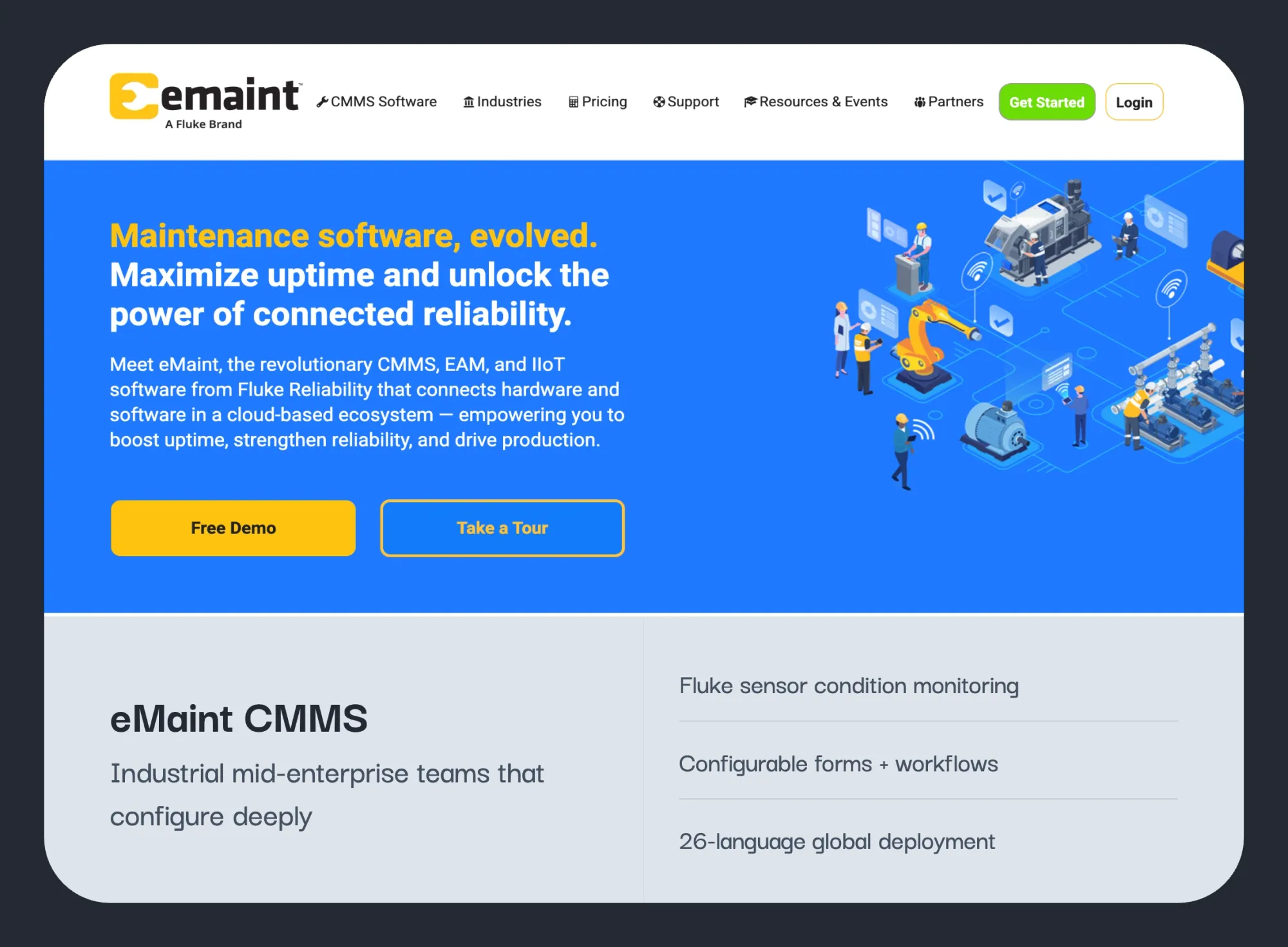
eMaint came up repeatedly among teams stepping down from Maximo's complexity.
It covers the CMMS fundamentals with a configurable interface that does not need an implementation partner every time a workflow changes.
Its differentiator is depth of configuration plus native integration with Fluke condition-monitoring sensors. We've covered its costs in detail in our eMaint pricing breakdown.
Its ceiling is clear though: eMaint is not an EAM. No lifecycle depth, no capital planning, no regulatory modules.
For mid-enterprise manufacturing and facilities teams who need the CMMS core without EAM overhead, it is a well-proven, low-risk option.
Key Features of eMaint CMMS
- Configurable forms and workflows: Work order forms, fields, and processes adapt to how each operation runs.
- Fluke sensor integration: Vibration and condition data from Fluke hardware feeds maintenance triggers.
- Regulatory compliance reporting: Quick generation of audit documentation for regulated industries.
- Spare parts and inventory: PM scheduling tied to parts availability for upcoming work orders.
- 26-language support: Genuine global deployment capability with 150,000+ users.
eMaint CMMS AI Capabilities
AI arrives through the Fluke side of the house: AI-assisted alarms on vibration data from Fluke 3563 sensors and LIVE-Asset condition monitoring feed maintenance triggers into the CMMS.
Inside eMaint itself, automation is workflow-based rather than agentic.
eMaint Pricing:
From $69/user/month with a 3-user minimum; implementation services typically run $5,000 to $15,000+.
eMaint Pros and Cons
| Pros | Cons |
|---|---|
| 40-year track record with users running it 10 to 16 years across multiple sites | Reviewers describe the system as clunky and very technical to set up or modify |
| Customer support consistently rated a standout across platforms | Implementation beyond clean greenfield data runs $5,000 to $15,000+ in services |
| Strong compliance documentation for regulated industrial environments | Interface feels dated next to mobile-first rivals, hurting technician adoption |
"With it being my 3rd CMMS I have used, eMaint is the most user-friendly and configurable option and easiest to train on."
eMaint CMMS Ratings
- 4.5/5 on G2 (276 reviews)
- 4.5/5 on Capterra (409 reviews)
What eMaint CMMS Is Best For
- Manufacturing plants, utilities, and energy operations with the appetite to configure deeply
- Teams already using Fluke tools that want sensors and CMMS from one vendor
Regions eMaint CMMS Serves
Global, with 26 supported languages; strongest in North America.
What's Missing in eMaint CMMS
- Quick-start deployment; organizations unwilling to invest in configuration and training upfront struggle
- Portfolio-level property operations like tenant, energy, and vendor management
7. Fiix
Multi-plant CMMS for manufacturing environments
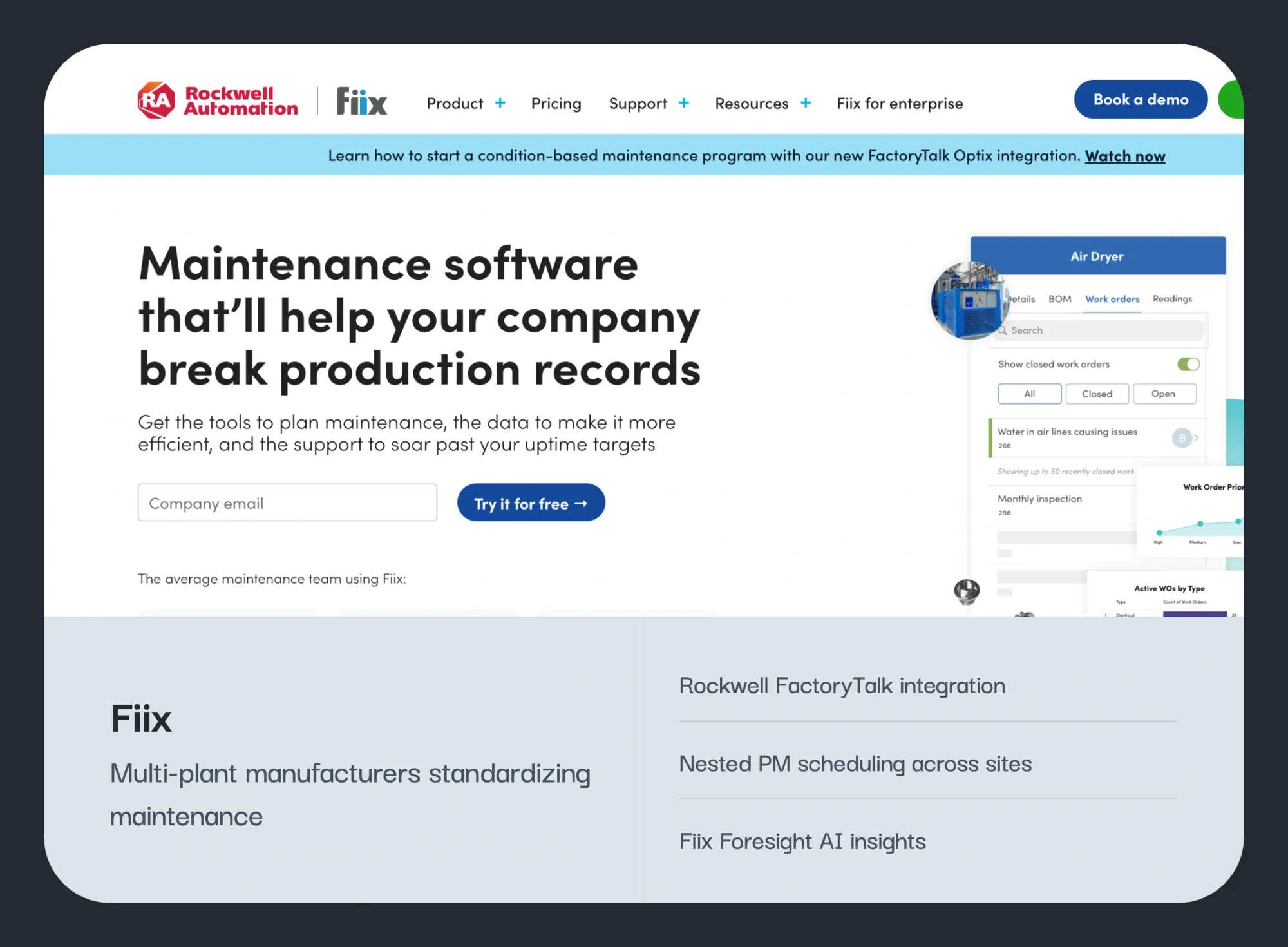
Fiix CMMS, owned by Rockwell Automation, is a cloud CMMS strong in multi-site manufacturing.
It pairs solid PM scheduling and asset hierarchy with AI-driven insights, and its Rockwell connection gives it unique value in FactoryTalk environments.
Key Features of Fiix
- PM scheduling depth: Time, meter, and condition-based maintenance with nested schedules across sites.
- Asset hierarchy: Multi-level asset structures that standardize records across distributed plants.
- Fiix Foresight AI: Machine learning insights on asset risk and maintenance patterns.
- Rockwell FactoryTalk integration: Direct PLC and machine data connection unavailable elsewhere.
- Fast initial setup: Reviewers report being operational in hours, not days, for core workflows.
Fiix AI Capabilities
Fiix Foresight applies machine learning to work order and asset data for risk insights and PM optimization, and the Rockwell connection feeds real machine data into the models.
Useful signal, but it informs decisions rather than executing them.
Fiix Pricing
Fiix pricing structure includes a free plan with paid tiers from $45/user/month, Professional at $75/user/month.
Fiix Pros and Cons
| Pros | Cons |
|---|---|
| FactoryTalk Optix integration adds unique value in Rockwell plants | Mobile app quality is the most consistent complaint, with glitches and reload issues |
| PM scheduling and asset hierarchy depth praised by multi-site manufacturers | Reporting weak link per reviewers; reports often do not pull all data |
| Free tier lets small teams start without procurement | Support deterioration documented in 2024-2025 reviews |
| Purchasing module drives data into ERP accounting processes | Professional tier pricing sits at the high end of mid-market CMMS |
"No longer do we have to use pen and paper to find and sort through our old WO's. With all of our maintenance records stored in one easy and accessible location our speed and efficiency has improved drastically."
Fiix Ratings
- 4.6/5 on G2 (476 reviews)
- 4.5/5 on Capterra (628 reviews)
What Fiix Is Best For
- Multi-site manufacturers standardizing maintenance and inventory across plants
- Rockwell Automation environments that can use the FactoryTalk integration
Regions Fiix Serves
Primarily North America, with global cloud availability.
What's Missing in Fiix
- A reliable mobile experience; recurring app complaints directly undercut frontline data capture
- Building operations workflows like tenant requests, vendor SLAs, and energy management
How to Choose Among Maximo Alternatives
The right choice depends on the operational challenge driving the evaluation.
- Managing facilities, real estate, or a multi-site portfolio? Facilio covers maintenance, vendors, tenants, energy, and AI-driven operations in one platform. WebTMA is the stronger fit for healthcare, education, and government estates.
- Need to stay within an existing ERP? SAP S/4HANA Asset Management if the organization is already standardized on SAP. IFS Cloud if the goal is consolidating ERP and EAM onto a single platform.
- Running regulated industrial assets? HxGN EAM for utilities, transportation, and public infrastructure. eMaint for configurable industrial maintenance programs with Fluke condition monitoring.
- Trying to reduce manufacturing downtime? Tractian combines condition monitoring sensors, AI diagnostics, and a CMMS in one platform. Fiix is better suited to multi-plant standardization, particularly in Rockwell environments.
- Looking to escape Maximo's complexity and cost? Limble, MaintainX, and UpKeep offer faster deployment and stronger frontline adoption. IFS Ultimo suits teams that still need enterprise EAM structure with less administrative overhead.
For operations centered on buildings and portfolios, one platform on this list was purpose-built for exactly that challenge.
Why Facilio Is the Best IBM Maximo Alternative
Every platform on this list is capable. The real question is whether it was built for the challenges you're trying to solve.
- One platform instead of multiple systems: Manage maintenance, vendors, tenants, energy, compliance, and financial workflows from a single platform instead of stitching together separate tools.
- AI that executes work: Facilio's AI agents automate helpdesk intake, invoice validation, reporting, and other operational tasks, not just provide insights and dashboards.
- Faster deployment, lower cost: Typical implementations take 2–6 weeks, not 12–24 months. Portfolio pricing starts at $25,000/year, without the six-figure implementation projects common with enterprise EAM platforms.
- Built for facilities operations: Designed for facility managers, FM service providers, commercial real estate operators, and corporate real estate teams.
- Portfolio-wide visibility: Connect building operations, maintenance, vendors, occupants, and energy performance across all sites in one system.
- Recognized by industry analysts: Named a Verdantix Leader (2026) for facilities and connected operations technology.
- Proven at scale: Trusted by organizations including Berkeley UAE, Charter Hall, ICD Brookfield Place, and Tuten Labs, with 150M+ sq ft managed globally.
Maximo earned its reputation over four decades. For power grids and aircraft fleets, it remains the right call.
For organizations managing buildings, stores, and portfolios, the cost and complexity no longer reflect the problem being solved.
If that describes your situation, the next step is seeing what a purpose-built alternative looks like on your portfolio.
Your next step
Ready to move on from Maximo?
Not yet? Run AI on top of it first.
Most Maximo replacements stall on data migration and change management. Facilio's team has done this before — see how portfolio operators have made the switch without the usual disruption.
FAQs About Maximo Alternatives
What Is a Maximo Alternative?
A Maximo alternative is any enterprise asset management (EAM) or computerized maintenance management system (CMMS) that replaces IBM Maximo Application Suite for maintenance, asset, and operations management.
What is the best alternative to IBM Maximo?
The best alternative to IBM Maximo depends on your operation: Facilio for multi-site property and FM portfolios, Tractian or Fiix for manufacturing plants needing predictive maintenance, and Limble or UpKeep for teams escaping Maximo's complexity. Facilio deploys in 2 to 6 weeks with portfolio-based pricing from $25,000/year.
Can Facilio replace IBM Maximo?
Yes, Facilio can replace IBM Maximo for property, facilities, retail, and commercial real estate operations, covering work orders, preventive maintenance, vendors, energy, compliance, and AI-driven operations across portfolios. For heavy-industrial plant reliability centered on machine diagnostics, a manufacturing platform like Tractian fits better.
Why do companies replace IBM Maximo?
Companies replace IBM Maximo for four main reasons: 12 to 24 month implementations, total cost of ownership (the $3,150/month entry tier excludes $80,000 to $100,000+ implementations), poor technician adoption due to dated usability, and dependence on specialized consultants for every configuration change.
How much do Maximo alternatives cost?
Maximo alternatives cost from $20 to $28 per user per month for mobile-first CMMS tools, $69 per user per month for mid-market platforms like eMaint, and $25,000 per year portfolio-based for Facilio with no per-seat fees. Enterprise suites like SAP and IFS are quote-based and can match Maximo's cost.
Is IBM Maximo a CMMS or an EAM?
IBM Maximo is a full EAM: it covers asset lifecycle, capital planning, procurement, and deep ERP integration on top of CMMS work order functions. That breadth is exactly why it is oversized for organizations that only need maintenance management. Our IBM Maximo review breaks down what each tier actually includes.
How long does it take to switch from Maximo?
Switching from Maximo takes days for mobile-first CMMS tools, 2 to 6 weeks for Facilio, 30 to 60 days for Tractian, and multiple quarters for ERP-based suites like SAP or IFS. Phased switches are also possible: Facilio's AI agents run on top of Maximo before any migration begins.
About the Author

More from Facilio