Connected CMMS

 Connected Buildings
 Connected Refrigeration


 Download ebook

 Read case study


 Watch now


 Retail
 Healthcare
 FM Services
 Commercial Portfolios
 Corporate Facilities
 Education
 Data-driven Portfolio Ops
 Facility Management Software
 360° Asset Lifecycle
 Continuous Sustainability

 Blogs
Blogs
 Help docs
 Knowledge Hub
 ROI Calculator
 Ebooks & Guides
 Webinars
 Videos
 Case studies


 About us
 Newsroom
 Careers
 Contact us
 Partners
 Events



When a simple facilities question becomes a CMMS search
A facilities manager receives a quick request.
“When was the HVAC unit on Level 4 last serviced?”
It sounds like a question that should take seconds to answer. The asset history exists. The work orders are recorded. Technician notes and vendor records are already in the CMMS.
But finding the answer rarely takes seconds.
The manager opens the asset register, checks linked work orders, filters recent maintenance records, and scans technician notes for context. Sometimes the final detail sits in a vendor record or attached report.
A simple question turns into a search across multiple modules.
The issue is not missing data. Most facilities systems already hold the operational record. The challenge is retrieving the right information quickly.
This hidden search overhead is where an AI copilot for facilities management starts to matter.
Why operational answers are hard to retrieve in CMMS
Search overhead rarely appears as a single large task. It shows up in small moments throughout the day. Each search may take only a few minutes, but together they add up quickly.
In practice, four types of operational questions create most of this search burden.
A. Asset history lookups
Managers frequently need to check when an asset was last serviced, whether it has recurring failures, or if it is still under warranty. The information exists in the CMMS, but retrieving it usually requires navigating asset records, linked work orders, and technician notes to piece together the full history.
B. Work order status checks
Questions like “Which preventive maintenance tasks are overdue in Building B?” seem simple. Yet answering them often means filtering work orders, reviewing priorities, and reading technician updates to understand what is actually happening on the ground.
C. SOP and documentation retrieval
Safety procedures, compliance checklists, and maintenance instructions are essential in daily operations. But these documents often live in shared drives or separate systems, making them difficult to surface quickly when teams need them.
D. Vendor service context
Understanding vendor performance often requires cross-checking contractor records with service tickets. Managers may need to verify when a vendor last attended, what issues were identified, and whether follow-up work is still pending.
Individually, each search may take five to ten minutes. Across a typical day, facilities managers can spend one to two hours retrieving operational context.
The systems already contain the answers. The challenge is how quickly teams can access them.
Why CMMS systems record operations but don't answer questions
Facilities management systems were designed to record operations. They capture work orders, store asset histories, track vendor activities, and maintain compliance documentation. In that role, most top CMMS platforms work exactly as intended.
The challenge appears when teams need to retrieve information quickly.
Most systems require users to know where the information lives and how to navigate to it. A manager often moves between asset registers, work order lists, vendor records, and document repositories before assembling the full picture.
This isn’t a design flaw. It’s how transaction systems work. They are built to store operational records, not to answer open-ended questions in plain language.
A useful way to think about it: a CMMS platform without AI is like a technical library. The information is well organized, but finding the right answer still requires knowing where to look and how to connect multiple records.
Three limitations make this especially noticeable in daily FM operations.
A. Cross-module queries are difficult
Many operational questions span multiple data areas. Understanding the maintenance context of an asset may require reviewing asset history, related work orders, technician notes, and vendor records.
B. Historical patterns are hard to see
Recurring failures or repeated service issues often only become visible after reviewing long work order histories or exporting reports.
C. Operational documents remain disconnected
SOPs, safety procedures, and compliance documentation often live in separate folders or document systems, making them difficult to surface when teams need them.
The operational record already contains the answers. What’s been missing is a faster way to retrieve them.
See how FM Copilot turns operational data into instant answers.
Explore FM CoPilotWhat changes when your CMMS can answer operational questions
AI copilots change how facilities teams interact with operational systems. Instead of navigating modules and running reports, managers can ask questions in plain language and receive answers drawn from the operational record.
FM Copilot reads asset histories, work orders, vendor records, and documentation together, allowing teams to retrieve operational context instantly.
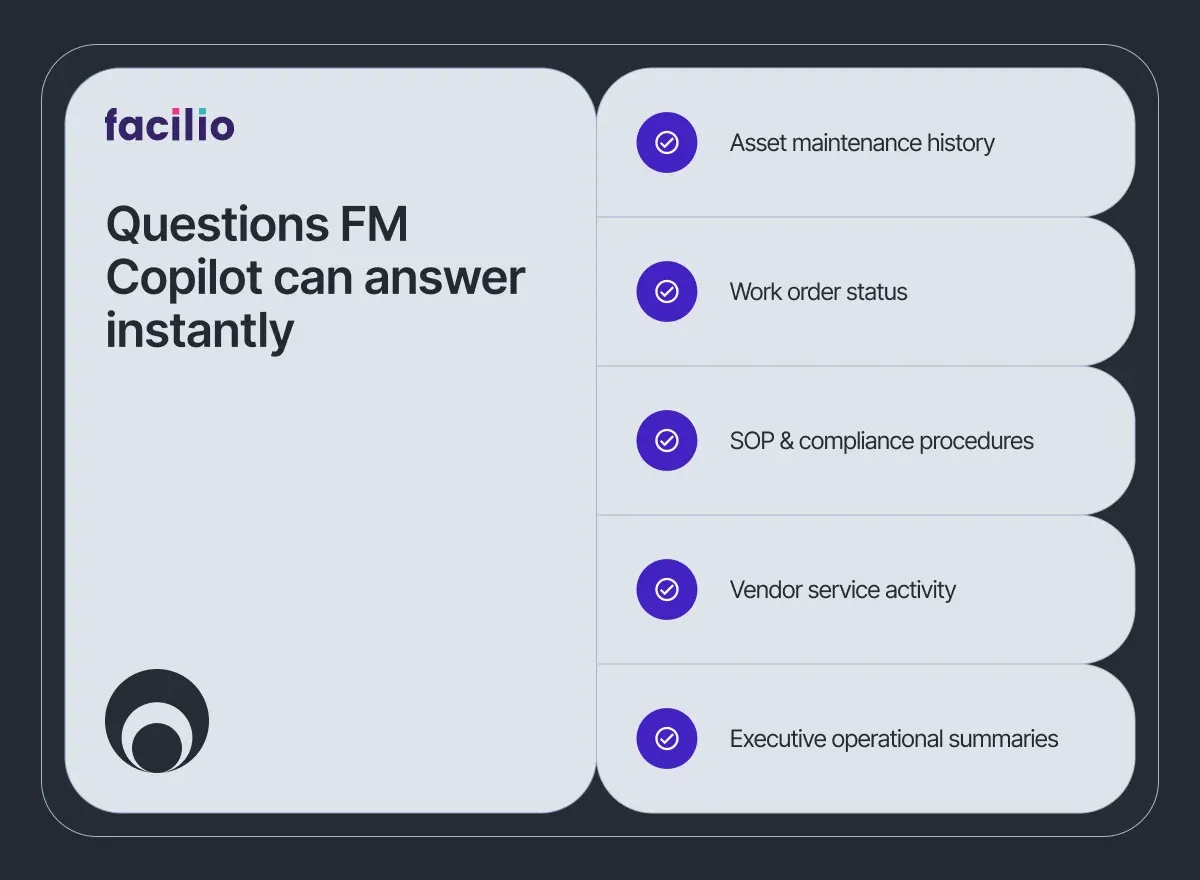
In practice, most operational questions fall into five common categories.
A. Asset intelligence
Example query “Show the maintenance history for AHU-04 in Building C and flag recurring failures.”
Without an AI copilot, managers navigate asset records, work orders, and technician notes to assemble the full history. With FM Copilot AI, the system surfaces the complete maintenance context within seconds.
B. Work order status
Example query “Which high-priority work orders have been open for more than five days?”
Instead of filtering tickets and reviewing multiple screens, the copilot scans the work order database and highlights overdue tasks instantly.
C. SOP and documentation retrieval
Example query “What is the lock-out tag-out procedure for the main switchboard?”
FM Copilot retrieves the relevant procedure directly from the documentation library, eliminating the need to search across folders or shared drives.
D. Vendor and contractor activity
Example query “When did the lift contractor last attend Building 3 and what issues remain open?”
The copilot connects vendor records with service tickets and provides a quick summary of recent contractor activity.
E. Executive operational summaries
Example query “Summarize reactive maintenance trends across critical HVAC assets.”
What previously required manual reporting can now be generated instantly from the operational record.
When operational answers arrive this quickly, the impact is immediate. Facilities managers can recover one to two hours each day that would otherwise be spent searching systems. Operational decisions that once required 20–30 minutes of investigation can happen in under a minute, and leadership teams gain faster visibility into portfolio performance without assembling manual reports.
The operational data was always there. AI copilots simply make it accessible when the question is asked.
Watch how FM Copilot answers operational questions in seconds.
Explore FM CoPilotHow FM Copilot turns CMMS operational data into instant answers
Facilities teams already generate the operational data needed to run buildings effectively. Asset histories, work orders, vendor records, and compliance documentation are continuously captured inside CMMS platforms.
The challenge has never been data availability. It has been accessing the right information quickly enough to support decisions.
FM Copilot addresses this by working as an AI overlay on top of your CMMS, reading the operational record that already exists and making it instantly accessible through natural-language queries. Your CMMS remains the system of record. The copilot simply removes the search layer between the data and the decision.
For Facilio customers, FM Copilot can start answering questions immediately. For teams using other systems, lightweight integrations typically allow organizations to deploy AI for FM operations in weeks.
If you'd like to see how this works in practice, you can see FM Copilot live, book a short demonstration, or simply explore how your operations data can start answering questions instantly.
Your CMMS already holds the answers. See how FM Copilot helps your team access them instantly.
See FM Copilot in action.
Frequently asked questions about AI copilots in facilities management
1. What is an AI copilot for facilities management?
An AI copilot for facilities management is a natural-language intelligence layer that reads operational data such as asset histories, work orders, and vendor records. Instead of navigating CMMS modules, facilities teams can ask questions in plain language and receive contextual answers instantly from the operational record.
2. How does an AI copilot differ from standard CMMS search?
Standard CMMS search requires users to know where information lives and how to filter it. An AI copilot understands natural-language questions and retrieves answers across multiple data sources, allowing teams to access operational insights without navigating multiple modules.
3. Does an AI copilot replace the CMMS?
No. The CMMS remains the system that records operational activity such as maintenance tasks and asset histories. The AI copilot works as an intelligence layer on top of it, helping teams retrieve and interpret information faster.
4. What operational data can an AI copilot read?
AI copilots typically read asset records, maintenance histories, work orders, technician notes, vendor activities, and operational documentation. By analyzing these sources together, they provide contextual answers to everyday facilities management questions.
5. How long does it take to deploy an AI copilot?
For organizations already using Facilio, deployment can be immediate because the operational data already sits inside the platform. For other systems, lightweight integrations usually allow teams to deploy the AI layer within a few weeks.
6. Can an AI copilot handle compliance and audit queries?
Yes. AI copilot can retrieve inspection records, certification status, and maintenance documentation. This helps facilities teams quickly respond to compliance checks or audit requests using information already stored in their operational systems.
7. Is an AI copilot suitable for non-technical users?
Yes. AI copilots are designed for everyday operational users. Facilities managers and technicians can ask questions in plain language without needing to understand CMMS filters, reports, or technical data structures.
About the Author

More from Facilio