Connected CMMS

 Connected Buildings
 Connected Refrigeration


 Download ebook

 Read case study


 Watch now


 Retail
 Healthcare
 FM Services
 Commercial Portfolios
 Corporate Facilities
 Education
 Data-driven Portfolio Ops
 Facility Management Software
 360° Asset Lifecycle
 Continuous Sustainability

 Blogs
Blogs
 Help docs
 Knowledge Hub
 ROI Calculator
 Ebooks & Guides
 Webinars
 Case studies


 About us
 Newsroom
 Careers
 Contact us
 Partners
 Events



Facilities teams in commercial real estates and other facilities deal with endless documents: work orders, vendor reports, inspection records, compliance files. They arrive via email, portals, drives, and paper.
Finding the right file for audits, payments, or reviews takes hours. Vendors delay submissions. Missing records risk fines or disputes.
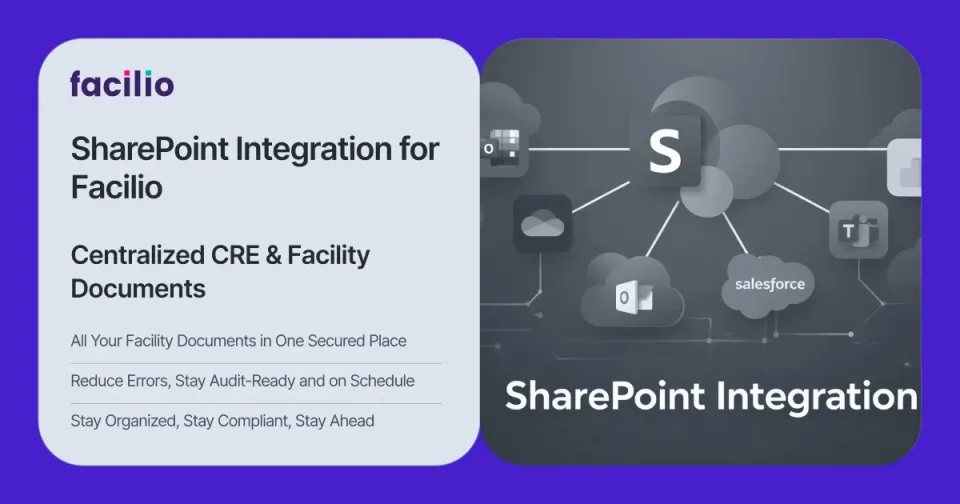
SharePoint is already the default document system inside many enterprises. When you connect it directly to your facility management software, documents can be auto-saved to structured folders and teams find what they need fast, without manual cleanup.
This article breaks down why this specific integration is needed, how it works in practice, and what day‑to‑day operations look like once it is in place.
Why the Current Way of Handling Documents is Inefficient
Most CRE and facilities teams grew into their document setup, rather than designing it. That shows up as a predictable pattern:
- Documents flood in from different sources.
Work orders, vendor reports, compliance documents, and audit records arrive via emails, file servers, shared drives, and physical documents. - Critical information is everywhere and nowhere at the same time.
Technicians attach photos to emails. Vendors send PDFs to inboxes. Compliance teams save reports on local drives. No single structure exists. - Facility managers struggle to track work order completions.
No one knows which jobs actually finished. Vendor reports get delayed or lost. Status updates scatter across systems. - Audits and disputes expose gaps
When an auditor, insurer, or finance team asks for proof, you discover missing or incomplete documentation. FM teams then scramble to rebuild the trail from memory.
Because of this, facility managers and coordinators spend hours each week searching, re‑saving, and renaming files. Time that should go into improving operations is spent cleaning up documents instead.
For many teams, this is more than an inefficiency or an inconvenience. It's a risk.
Missing inspection reports can mean failed compliance audits. Incomplete vendor documentation leads to disputes and operational slowdowns.
Looking for an FM software that Connects with your Tech Stack Easily?
Talk to usThe Solution: Integrating SharePoint with your FM software
Integrating SharePoint with your computer-aided facility management (CaFM) software eliminates scattered documents and manual filing, bringing structure and accessibility to your facility data.
Facilio does this effectively through its SharePoint integration which closes the gap between document management and real-time facility operations.
Files attach directly in Facilio and auto-save to SharePoint folders mapped by building, asset, or service type. Each document links back to its operational record. Permissions, search, and version history work natively in SharePoint.
Here’s how this integration helps facility teams achieve better compliance, enhanced searchability, and seamless collaboration:
What operations look like for facility teams with the “SharePoint for Facilio” integration
Once the integration is in place, daily work starts to feel different. You do not introduce a new system to log into; you make the ones you already use work better together.
1. Work order documents stay organized
Before integration, work order documentation often breaks down into a mix of email threads, local folders, and manual uploads. It is hard to know whether a vendor report was ever sent, or where a technician’s photos ended up.
With SharePoint integration, closing a work order in Facilio prompts the user to attach any supporting documents—photos, checklists, service reports.
As soon as they do, those files are saved into a SharePoint folder path that mirrors your portfolio structure (for example, region → site → building → asset → year). The work order record keeps a reference to those files.
The next time someone opens that work order in Facilio, they can jump directly to the associated documents in SharePoint without asking where they were saved.
2. Inspection and compliance reports stay audit ready
Compliance audits no longer need to be a stressful, time-consuming ordeal. Whether it’s a fire safety inspection, HVAC maintenance check, or building evacuation drill, all reports are instantly logged in SharePoint under designated compliance folders.
Reports are stored in a predictable folder: typically under the correct site, system, and year. Over time, this builds a clear history for each building and asset.
During an audit, teams can search by building name, system, and year and retrieve the entire trail of inspection reports without trawling through inboxes.
Need to pull up last year’s sprinkler system inspection? Simply type “Sprinkler Inspection - 2024” in SharePoint, and it appears in seconds—no more digging through endless folders or requesting reports from multiple teams.
3. Collaboration across teams gets simpler
Facilities work rarely lives in a single department. Technicians, CRE managers, HSE and compliance teams, finance, and vendors all interact with the same set of documents. Without shared structure, each group maintains its own version of records.
Using SharePoint’s real-time editing and Facilio’s task tracking, team members collaborate efficiently. Comments, notes, and approvals can happen where they make sense, without duplicating files per team.
Work orders, lease agreements, and compliance documents can be updated in one central repository, with automated notifications ensuring that relevant personnel are always informed.
4. Repetitive document tasks are handled by automation
Much of the friction in document handling comes from repetitive, low‑value tasks that people do inconsistently: saving files in the right folder, renaming them, and checking whether anything is missing.
One of the most significant benefits of SharePoint for Facilio is process automation. Here’s how automation enhances efficiency:
- Auto-filing of reports: When a vendor submits a completion report in Facilio, it’s auto-categorized and stored in SharePoint under the correct building and service type.
- Automated compliance tracking: Missing a required document for an audit? The system flags incomplete records, ensuring compliance deadlines aren’t missed.
- Scheduled maintenance logs: Preventative maintenance records are systematically stored, with reminders sent to ensure no lapse in equipment upkeep.
The goal is not to remove people from the loop but to remove the need for them to remember every filing step.
5. Searchability & access to critical information is improved
When something serious happens—a major fault, a safety incident, or a regulator request—speed matters. Teams cannot afford to spend hours trying different folders and filenames to find what they need.
With Facilio’s SharePoint integration, teams have access to SharePoint’s advanced search and metadata tagging.
Because SharePoint understands your structure and metadata from Facilio, users can search in ways that make sense to them. Typing a combination such as a building name, asset type, and year can surface all relevant reports and documents.
For instance, if a power outage occurs and an engineer needs to access the generator’s maintenance records, they can simply search “Generator - Building A - 2024” in SharePoint. Within seconds, they have the latest reports, past servicing logs, and compliance certificates at their fingertips.
6. Data security and access control stay intact
While easy access is crucial, so is security. Not every document should be visible to every user.
Lease agreements, vendor contracts, incident reports, and legal correspondence need tighter access than general work order photos. At the same time, auditors and partners may need temporary access to specific folders.
With role-based permissions, SharePoint for Facilio ensures that sensitive documents are only visible to authorized personnel.
Access can be aligned with existing groups and roles, so operational teams can see what they need without exposing sensitive information. When external stakeholders are involved, you can share a controlled subset of folders instead of granting broad access.

Want Full Visibility of your Documents and Audit Records in a Single System?
See How Facilio HelpsOutcomes of having a seamless SharePoint + Facilio setup
SharePoint + Facilio integration delivers concrete wins for corporate real estate (CRE), property, and facility teams—streamlining operations across portfolios.
- Less time spent searching – Teams locate work orders, reports, and certificates in minutes instead of hours.
- Cleaner audit preparation – Inspection and compliance records follow a consistent pattern, so audits rely on exports rather than manual hunts.
- Stronger vendor governance – Completion reports and documentation are part of the workflow, not optional extras buried in email.
- Better use of existing tools – SharePoint, which many organisations already pay for, becomes the single, structured home for facilities documents.
- More reliable history – Work and documentation stay linked over years, supporting better maintenance, capital planning, and facility management KPIs.
These gains foster efficiency, compliance, and seamless collaboration for CRE and facility management teams.
Why integrated platforms are the future of facilities & CREs
Integrating SharePoint with a facility management tool, like a CaFM software, solves document chaos, but integration matters far beyond files. In facility management and commercial real estate operations, disconnected systems create silos that slow teams down and obscure visibility.
When your FM platform connects seamlessly with ERP, BMS, IoT, and vendor systems, each tool continues doing what it does best, while one operational layer brings everything together. Facilio does this best.
Designed with open APIs and built-in integrations, Facilio connects with document platforms like SharePoint, as well as ERP systems, BMS, IoT platforms, and vendor tools. Instead of replacing your existing investments, it unifies them, giving you a single interface to operate, monitor, and optimize your portfolio with full visibility.
The result isn’t just smoother workflows. It’s faster audits, stronger vendor governance, cleaner compliance trails, better capital planning, and measurable operational outcomes across buildings and portfolios.
A connected approach to facility management isn’t optional anymore — it’s the way forward.
Experience Seamless Facility Management with Facilio's API Integrations
Talk to our Expert
About the Author