Connected CMMS

 Connected Buildings
 Connected Refrigeration


 Download ebook

 Read case study


 Watch now


 Retail
 Healthcare
 FM Services
 Commercial Portfolios
 Corporate Facilities
 Education
 Data-driven Portfolio Ops
 Facility Management Software
 360° Asset Lifecycle
 Continuous Sustainability

 Blogs
Blogs
 Help docs
 Knowledge Hub
 ROI Calculator
 Ebooks & Guides
 Webinars
 Videos
 Case studies


 About us
 Newsroom
 Careers
 Contact us
 Partners
 Events


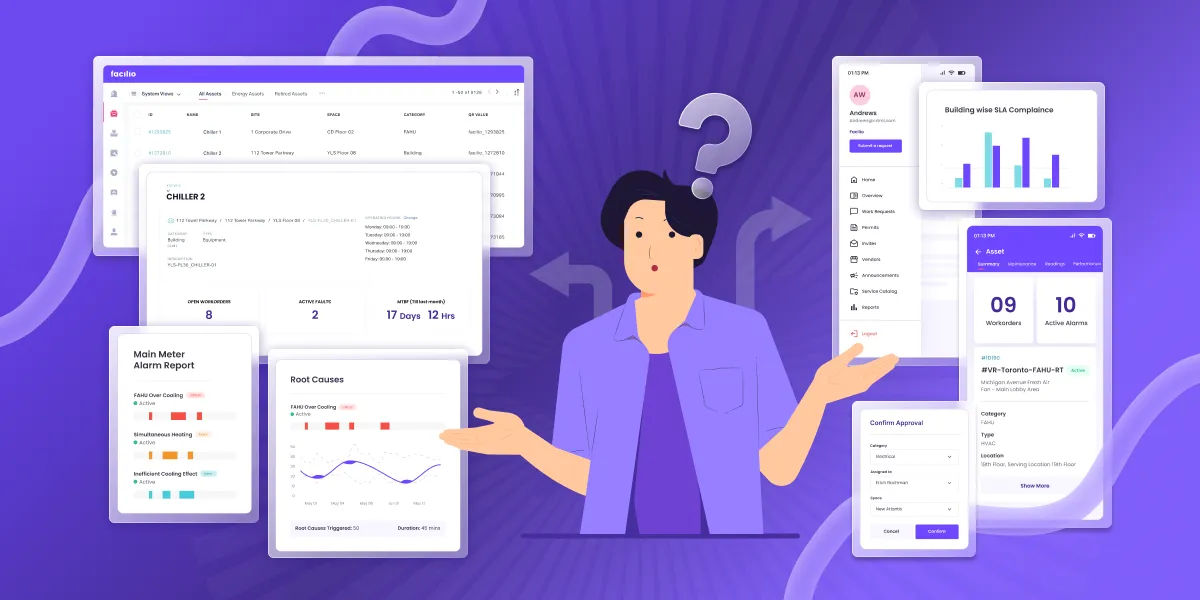
The 9 best service order software for facility management in 2026: 1) Facilio, 2) MaintainX, 3) ServiceChannel, 4) Corrigo, 5) UpKeep, 6) Limble, 7) Fiix, 8) FMX, 9) eMaint.
If you run buildings, a service order is the whole job in miniature: a request comes in, someone is assigned, a vendor or technician is dispatched, the repair happens, and it is closed out and reported.
The right service order software turns that lifecycle into one tracked, auditable flow instead of a chain of emails, calls, and spreadsheets, which keeps SLAs met and equipment running. One clarification: contractor and home-services tools optimize for invoicing and getting paid, while facility management tools optimize for maintenance requests, asset history, and vendor coordination across a portfolio.
This guide is for that second buyer, the in-house FM team and the facilities service provider, and compares the nine best options with current ratings, pricing, and verified reviews so you can shortlist in one read. For adjacent rosters, see the best work order software and the best field service management software.
The quick verdict: the best service order management software
- Facilio: best for commercial real estate owner-operators and FM providers who need portfolio-wide service orders tied to assets and AI.
- MaintainX: best for teams that want the fastest frontline mobile adoption and a free tier to start.
- ServiceChannel: best for multi-site retail and commercial brands running an outsourced contractor network.
- Corrigo: best for large, multi-site corporate portfolios that live or die on vendor accountability.
- UpKeep: best for maintenance teams that want a mobile-first CMMS with published per-user pricing.
- Limble: best for lean in-house teams that prize ease of use and fast setup.
- Fiix: best for asset-heavy, data-driven operations that want deep analytics and integrations.
- FMX: best for schools, campuses, and mid-size facilities that want configurable request forms.
- eMaint: best for regulated, quality-driven maintenance teams inside a broader reliability program.
Service order software for facility management, compared at a glance
This comparison lines up all nine tools on fit, entry price, standout strength, current review score, and free trial, so you can narrow the field before reading the full profiles below.
Ratings are the blended G2 and Capterra picture as of September 2026 and shift over time, so re-check before you buy.
| Software | Best for | Starting price | Key strength | Rating (G2 / Capterra) | Free trial |
|---|---|---|---|---|---|
| Facilio | CRE owner-operators and FM providers | Custom quote | Connected, agentic portfolio platform | Limited G2 sample / 4.0 (25) | Demo, no self-serve trial |
| MaintainX | Frontline mobile adoption | Free; paid from 20 dollars per user per month | Mobile-first work orders | 4.8 (1,560+) / 4.8 (1,066) | Yes, free tier |
| ServiceChannel | Multi-site retail and commercial | Custom quote | Contractor network and vendor management | 4.1 (127) / 4.4 (125) | No |
| Corrigo | Large multi-site portfolios | Custom quote | Vendor accountability at scale | Limited G2 sample / 4.4 (28) | No |
| UpKeep | Mobile-first maintenance teams | From 24 dollars per user per month | Ease of use and mobile | 4.5 (1,090+) / 4.6 (1,331) | Yes |
| Limble | Lean in-house teams | Quote via calculator | Fast setup, high satisfaction | 4.8 (678) / 4.8 (757) | Yes |
| Fiix | Asset-heavy, data-driven ops | Free; paid from 45 dollars per user per month | Analytics and integrations | 4.6 (476) / 4.5 (629) | Yes, free tier |
| FMX | Schools and mid-size facilities | Custom quote (approx. 3,000 dollars per year) | Configurable request forms | 4.7 / 4.7 (426) | Demo |
| eMaint | Regulated, reliability-led teams | From about 69 dollars per user per month | Compliance and reporting depth | 4.5 (276) / 4.5 (429) | Demo |
How we evaluated these service order management tools
Our ranking comes from working each tool the way a facility buyer does, weighing the full maintenance lifecycle, mobile and offline usability, and how well it scales from one building to a portfolio.
We weighed five things, in the order a service order actually moves through a building.
- Lifecycle automation: we followed a request from intake to closeout and favored tools that route, triage, assign the right technician or vendor, and produce a clean closeout report without anyone rekeying data, over ones that only store tickets.
- Mobile and offline access: we put each tool in a technician's hands, because a service order that cannot be created, updated, or closed from a phone in a basement or a stairwell stalls in the field.
- Asset and vendor integration: we checked whether each order connects to equipment history, warranties, and repair-versus-replace cost, and whether outside vendors, SLAs, insurance compliance, and GPS check-ins live in the same system rather than a separate spreadsheet.
- Reporting and visibility: we valued real-time dashboards that surface open backlog, technician utilization, and the reactive-versus-preventive ratio instead of manual exports.
- Portfolio scalability: we confirmed each platform grows from one building to many with role-based access rather than a fresh instance per site.
We combined that hands-on read with current pricing from each vendor and live, named reviews from G2, Capterra, TrustRadius, Gartner Peer Insights, and Software Advice, all captured in September 2026, and where a review sample is thin, we say so plainly.
The 9 best service order software for facility management, reviewed
Each profile below follows the same shape, a snapshot, an in-depth feature read, honest pros and cons, pricing, and a real named review, so you can compare like for like.
1. Facilio
Facilio leads because it treats the service order as connected tissue across assets, tenants, vendors, and compliance rather than an isolated ticket in a queue.
Best for: commercial real estate owner-operators and facilities service providers that need service orders tied to assets, tenants, and vendors across a portfolio.
Why it ranks first: it is the only pick built as a connected platform, so an order links to the asset, the lease, the vendor contract, and the compliance record, and increasingly to AI agents that act on it.
| Snapshot | Detail |
|---|---|
| Best for | CRE owner-operators and FM providers |
| Starting price | Custom quote |
| Key strength | Connected, agentic portfolio platform |
| Rating | Limited G2 sample, Capterra 4.0 (25) as of September 2026 |
| Free trial | Guided demo, no self-serve trial |
Facilio treats the service order as the connective tissue of building operations. A tenant or technician raises a request, the platform routes it against the right asset and vendor, tracks it through dispatch and repair, and closes it out with the invoice, the compliance evidence, and the performance data attached.
Because the same platform also runs assets, energy, inspections, and vendor payments, facility teams see the whole portfolio in one place instead of a service queue bolted onto everything else, which is why it fits owner-operators and providers managing many buildings more than a single-site team.
Key features:
- Service request lifecycle: captures intake from a tenant portal, email, or mobile app, then tracks priority, status, and closeout in one thread, so nothing falls between the request and the sign-off.
- Asset-linked work orders: every order attaches to the equipment record, surfacing serial numbers, warranty status, and prior repair notes before a technician arrives, which cuts repeat visits and informs repair-versus-replace calls.
- Vendor and contractor management: dispatches multi-trade vendors, tracks SLA adherence and insurance compliance, and ties completion to invoicing and payment, so outsourced work stays accountable.
- Mobile and offline field access: technicians update statuses, scan asset tags, log labor hours, and upload photos even with poor connectivity, so field work is not lost when the signal is.
- Preventive maintenance: schedules recurring inspections and PM against each asset, shifting the mix from reactive breakdowns toward planned upkeep and longer asset life.
- Agentic AI:Atom AI assistants triage incoming requests, draft work orders, and validate vendor invoices, moving the platform from recording work to acting on it.
- Reporting and analytics: real-time dashboards expose open backlog, response time, technician utilization, and the reactive-versus-preventive ratio without manual exports, so managers act on live data.
- Connected buildings and fault detection: IoT signals and fault detection can open a service order automatically when equipment drifts out of spec, catching issues before a tenant calls, the payoff of connected buildings.
- Portfolio scalability: role-based access and portfolio dashboards extend from one building to hundreds without a new instance per site.
Pros:
- It unifies service orders, assets, vendors, tenants, and compliance on one platform, which removes the swivel-chair work of stitching point tools together.
- It runs at genuine commercial real estate portfolio scale, with live dashboards spanning many buildings and thousands of vendor records.
- Its AI agents act on requests and invoices rather than only charting them, a capability few tools ship in production today.
- Connected building data lets equipment faults open orders on their own, which shortens the path from problem to work order.
Cons:
- Pricing is quote-based and begins with a scoping conversation and a guided rollout rather than a self-serve signup, so budgeting takes a sales conversation.
- As a newer platform than several long-established names on this list, its public review base is still growing, so there is less aggregator history to lean on.
- The breadth is built for multi-building portfolios, so a single small site may not need the full platform.
Pricing: custom quote based on portfolio size, sites, and modules; see the Facilio pricing page for how it is structured.
Customer proof
Investa, one of Australia's largest commercial real estate operators, reports a 40 percent reduction in equipment downtime across 22 buildings after moving to Facilio's connected CMMS.
See it on your buildings: walk a live service order from intake to closeout.
Book a Facilio demo →What reviewers say: Facilio holds a Capterra 4.0 across 25 reviews as of September 2026, a small but growing sample. Anirudh N., a CMO in real estate, rated it 5.0 and noted you can "create workflows that help you detect equipment problems before they happen" (Capterra).
Verdict: the strongest choice when service orders must live inside a connected, portfolio-wide FM system rather than a standalone ticket queue.
2. MaintainX
MaintainX ranks second on the strength of frontline adoption, pairing a mobile-first work order app with a free tier that lets a team start the same day.
Best for: teams that want the fastest frontline mobile adoption and a free tier to prove value before paying.
Why it ranks here: it is one of the most popular picks in the category, widely used for pairing robust work order tracking with an interface technicians actually adopt.
| Snapshot | Detail |
|---|---|
| Best for | Frontline mobile adoption |
| Starting price | Free; Essential from 20 dollars per user per month |
| Key strength | Mobile-first work orders and procedures |
| Rating | G2 4.8 (1,560+), Capterra 4.8 (1,066) as of September 2026 |
| Free trial | Yes, free tier |
MaintainX earns its reputation on speed to value. Frontline technicians pick up the app quickly, and the free tier lets a team start capturing work orders and messages the same day.
It combines reactive and preventive maintenance, asset tracking, and parts inventory in one interface, which suits general facilities that want a clean CMMS without a long rollout.
Key features:
- Mobile work orders: technicians create, assign, and close orders with photos and comments from any phone, so the record is captured at the point of work rather than back at a desk, the hallmark of a strong mobile CMMS app.
- Procedures and digital checklists: SOPs, inspections, and safety checks become repeatable digital forms, which standardizes how jobs get done across shifts and sites.
- Preventive maintenance scheduling: recurring PM triggers by calendar date or meter reading, so time-based and usage-based upkeep both fire without someone remembering.
- Parts and inventory management: stock levels and consumption track against work orders with reorder alerts, so a job is not stalled waiting on a part.
- Real-time messaging: requesters and technicians stay in one thread per order, which cuts the back-and-forth phone calls that lose detail.
- Reporting and analytics: dashboards cover work order status, cost, and completion time, giving supervisors a quick read on throughput.
- Enterprise controls: multi-site management, SSO, IoT integrations, and AI features arrive on the higher tiers for organizations that outgrow single-site use.
Pros:
- Adoption is fast because the mobile app is genuinely simple, so rollout does not stall on training.
- The free tier and low entry price lower the risk of proving it on one site first.
- Procedures and checklists standardize frontline work in a way that scales across teams.
Cons:
- Advanced reporting, IoT, and AI features sit behind the higher-priced Premium and Enterprise tiers.
- It is a maintenance CMMS first, so portfolio-level tenant, lease, and energy context is out of scope.
- Per-user pricing can climb as larger teams move past the free tier.
- Vendor and contractor governance is lighter than the contractor-network platforms on this list.
Pricing: free basic plan, Essential at 20 dollars per user per month, Premium at 65 dollars per user per month, and Enterprise by quote; see the MaintainX pricing breakdown.
What reviewers say: MaintainX holds 4.8 on G2 (1,560+) and 4.8 on Capterra (1,066). Casey B., in food and beverages, rated it 5.0 in August 2026, writing that it "saved me hours and hours of paperwork while also helping analyze costs" (Software Advice). Read the full MaintainX review.
Verdict: the safest starting point for a mobile-first team, as long as the deepest features and portfolio context are not the point.
3. ServiceChannel
ServiceChannel is the reference tool for brands that run maintenance through outside contractors, built around a vetted vendor network rather than in-house crews.
Best for: multi-site retail and commercial brands that run maintenance through an outsourced contractor network.
Why it ranks here: for teams that manage vendors more than technicians, its contractor marketplace and vendor governance are hard to match.
| Snapshot | Detail |
|---|---|
| Best for | Multi-site retail and commercial |
| Starting price | Custom quote (around 1,000 dollars per month cited) |
| Key strength | Contractor network and vendor management |
| Rating | G2 4.1 (127), Capterra 4.4 (125) as of September 2026 |
| Free trial | No |
ServiceChannel is built around the outsourced service order: raise the request, dispatch it to a vetted contractor, track the work against the SLA, and reconcile the invoice. For a brand with hundreds of locations and few on-site staff, that network is the product.
The tradeoff is that the value concentrates in large, mature portfolios; smaller operators and the contractors themselves are more divided, and the platform rewards process discipline.
Key features:
- Contractor marketplace: sourcing, vetting, and dispatching third-party providers across sites happens inside the platform, so a location manager taps a governed network rather than a personal contact list.
- Work order lifecycle management: requests are created, assigned, tracked, and closed from a central dashboard with real-time status, giving head office one view across every store, the backbone of any service management software.
- Vendor and SLA management: contractor performance, insurance compliance, and GPS check-ins are tracked per job, which keeps outsourced work honest and auditable.
- Asset performance tracking: orders link to equipment history so repair-versus-replace decisions rest on cost and failure data, not a hunch.
- Invoicing and spend management: completed work reconciles against invoices and budgets, so finance sees committed and actual spend by site.
- Refrigerant and compliance tracking: built-in support for retail refrigeration and regulatory tracking suits grocery and food-service estates with EPA obligations.
- Mobile access: field teams and vendors update order status and check in from site, so head office sees progress without chasing calls.
- Enterprise analytics: reporting on spend, response time, and vendor scorecards supports procurement and finance stakeholders.
Pros:
- The contractor network and vendor governance are among the strongest for outsourced, multi-site operations.
- Spend transparency and scorecards give finance and procurement a real handle on third-party cost.
- It scales cleanly to hundreds or thousands of locations under one program.
- Refrigerant and compliance tracking fit regulated retail and food-service estates out of the box.
Cons:
- Value depends on scale, so smaller operators may not see the payoff.
- Implementation is complex and rewards a dedicated internal program owner.
- The mobile experience and contractor-side costs are common friction points.
- It lacks the built-in agentic automation that newer platforms are shipping.
Pricing: subscription priced by business size, number of locations, and features, with no public tiers; see the ServiceChannel pricing breakdown for what to expect in a quote.
What reviewers say: ServiceChannel holds 4.1 on G2 (127) and 4.4 on Capterra (125). Ed, in restaurants, rated it 5.0 in June 2026 for the ability to "organize all work orders in one centralized location" (Capterra). Read the full ServiceChannel review.
Verdict: the default for outsourced, multi-site vendor management, provided you have the scale and the program discipline to run it.
4. Corrigo
Corrigo, the facilities hub of JLL Technologies, is engineered for enterprise vendor coordination across large corporate and retail portfolios.
Best for: large, multi-site corporate portfolios where vendor accountability is the make-or-break requirement.
Why it ranks here: it automates order routing between internal teams and outside contractors at a scale few tools attempt.
| Snapshot | Detail |
|---|---|
| Best for | Large multi-site portfolios |
| Starting price | Custom quote, enterprise |
| Key strength | Vendor accountability and routing at scale |
| Rating | Limited G2 sample, Capterra 4.4 (28) as of September 2026 |
| Free trial | No |
Corrigo automates the routing of service orders between internal teams and external contractors, then centralizes the communication and the business intelligence around them. It is aimed squarely at corporate real estate and retail portfolios with heavy vendor spend.
The reviewer base on the public aggregators is small, so weigh the enterprise pedigree against thinner third-party validation and a genuine enterprise price tag.
Key features:
- Automated work order routing: incoming orders route to the right internal team or external provider by rules, so dispatch does not depend on a coordinator working a phone list, a clear case for CMMS workflow automation.
- Vendor management and scorecards: contractor compliance and performance are scored per job, and the free contractor-facing CorrigoPro app pulls vendors onto the same system.
- Asset and warranty tracking: orders tie to equipment and repair history so warranty coverage and failure patterns inform each decision.
- Business intelligence: deep reporting is tuned for enterprise portfolios that need to slice spend and performance many ways.
- Multi-site controls: role-based access spans large location counts without losing site-level accountability.
- Mobile field app: technicians and vendors manage assigned orders on mobile, keeping status current from the field.
- Enterprise integrations: connectors reach into broader corporate real estate and finance systems for a joined-up record.
Pros:
- Vendor accountability and routing are built for a scale that trips up lighter tools.
- The free contractor app improves adoption on the provider side of the network.
- Enterprise reporting supports portfolio-level spend and performance decisions.
Cons:
- Public review volume is thin, so there is limited independent signal to lean on.
- Pricing is firmly enterprise, with year-one cost commonly in the tens of thousands.
- It is heavier than a mid-market or single-site team needs.
Pricing: custom enterprise pricing by facility size and volume, with independent estimates putting 25 users in the high tens of thousands per year; see the Corrigo pricing breakdown.
What reviewers say: Corrigo holds a Capterra 4.4 across 28 reviews. Sharon S., a project manager in facilities services, rated it 5.0 in January 2026, saying it keeps "all our customer's work orders in one place" (Capterra). Read the full Corrigo review.
Verdict: a strong enterprise option for vendor-heavy portfolios, best judged on a hands-on evaluation given the light public review base.
5. UpKeep
UpKeep pairs a mobile-first CMMS with published entry pricing, which makes it an easy first step for in-house teams leaving spreadsheets behind.
Best for: maintenance teams that want a mobile-first CMMS with transparent per-user pricing.
Why it ranks here: it combines one of the largest, most consistent review bases in the category with pricing you can read before a sales call.
| Snapshot | Detail |
|---|---|
| Best for | Mobile-first maintenance teams |
| Starting price | Essential from 24 dollars per user per month |
| Key strength | Ease of use and mobile checklists |
| Rating | G2 4.5 (1,090+), Capterra 4.6 (1,331) as of September 2026 |
| Free trial | Yes |
UpKeep is a mobile-first maintenance platform that brings work order management, preventive maintenance, asset tracking, and inventory into one place, a comfortable fit for in-house teams making the jump off spreadsheets.
Published pricing for the first two tiers makes budgeting easier than most enterprise tools, though costs rise per user and the deepest analytics are gated to higher plans.
Key features:
- Mobile work order management: technicians create, assign, and track orders with checklists from a phone, so the field and the office see the same live status.
- Preventive maintenance scheduling: recurring PM runs against each asset, moving routine upkeep off memory and onto a schedule, as any building maintenance software should.
- Asset and inventory tracking: equipment history and parts stock live together, so a technician knows the machine and whether the spare is on the shelf.
- Requester portal: non-technical staff submit and follow requests without an account seat, which widens intake without adding licenses.
- AI-assisted summaries: work order activity condenses into readable summaries, saving supervisors a manual read of long threads.
- Reporting dashboards: maintenance cost and performance dashboards give a quick read on where time and money go.
- Business and accounting integrations: connectors push completed work into common finance systems for cleaner invoicing.
- Signature and photo capture: technicians capture sign-off and photo evidence on completion, which tightens the audit trail.
Pros:
- The mobile-first design drives quick technician adoption on day one.
- Two published price tiers make early budgeting straightforward without a sales call.
- Work orders, PM, assets, and inventory sit in a single, approachable system.
- The requester portal widens intake without adding paid seats.
- It suits teams graduating from spreadsheets to a real CMMS.
Cons:
- Per-user pricing gets expensive as the team grows.
- Deeper analytics and custom dashboards are reserved for higher tiers.
- Depth for complex, multi-level asset hierarchies trails enterprise EAM tools.
Pricing: Essential at 24 dollars per user per month, Premium at 55 dollars per user per month, and Professional and Enterprise by quote; see the UpKeep pricing breakdown.
What reviewers say: UpKeep holds 4.5 on G2 (1,090+) and 4.6 on Capterra (1,331). Janapher S., in facilities services, rated it 4.0 in July 2026, noting it "combines work order management, preventive maintenance, asset tracking, and inventory management into one system" (Software Advice). Read the full UpKeep review.
Verdict: a dependable, well-reviewed CMMS for mobile maintenance teams that value published pricing over portfolio breadth.
6. Limble
Limble wins on ease of use, getting a maintenance team productive quickly with a work order flow that non-technical staff learn fast.
Best for: lean in-house maintenance teams that prize ease of use and fast setup.
Why it ranks here: it posts some of the highest satisfaction scores in the category, driven by an interface people adopt without a manual.
| Snapshot | Detail |
|---|---|
| Best for | Lean in-house teams |
| Starting price | Quote via pricing calculator |
| Key strength | Fast setup and high user satisfaction |
| Rating | G2 4.8 (678), Capterra 4.8 (757) as of September 2026 |
| Free trial | Yes |
Limble focuses on getting a maintenance team productive fast. The work order flow is clean, and adoption is quick because employees learn to create and complete orders without heavy training.
The main friction is pricing transparency: Limble routes buyers to a calculator rather than publishing flat per-user rates, and some capabilities surface only at higher tiers.
Key features:
- Work order management: creating, assigning, and tracking orders is deliberately simple, with mobile support, so frontline staff are productive on the first day, the promise of approachable facility management software.
- Preventive maintenance scheduling: recurring schedules fire automated reminders, keeping planned upkeep from slipping.
- Asset management: equipment history, QR-code tagging, and downtime tracking give a clear record per machine, which supports repair-versus-replace calls.
- Parts inventory: stock tracks against work orders with low-stock alerts, so a repair is not held up waiting on a part.
- Mobile and offline access: technicians create and close orders from the field, including offline, so poor connectivity does not lose the record.
- Automated workflows: rules route and escalate orders, so aging or high-priority requests do not sit unseen.
- Custom dashboards and reporting: teams build reports on the maintenance KPIs they actually track rather than a fixed template.
Pros:
- Setup and everyday use are genuinely easy, which drives adoption without a long rollout.
- Asset and PM management are solid for in-house maintenance teams.
- QR-code tagging speeds up asset lookups and on-the-spot order creation.
- Custom dashboards let each team report on the KPIs that matter to them.
Cons:
- Pricing is not published upfront, which slows apples-to-apples comparison.
- Some capabilities are gated to tiers teams reach only after committing.
- It is oriented to in-house maintenance rather than outsourced vendor networks.
Pricing: a free trial is available and paid plans are quoted through a calculator rather than published flat rates; see the Limble pricing breakdown.
What reviewers say: Limble holds 4.8 on both G2 (678) and Capterra (757). John O., a parts manager in food production, rated it 5.0 in June 2026, saying the interface is intuitive and "most employees can quickly learn how to create work orders" (Capterra). Read the full Limble review.
Verdict: an excellent, high-satisfaction choice for lean in-house teams, if you are comfortable getting pricing by quote.
7. Fiix
Fiix, part of Rockwell Automation, is built for asset-heavy operations that treat maintenance data as a decision-making asset.
Best for: asset-heavy, data-driven operations that want deep analytics and strong integrations.
Why it ranks here: it brings cloud, AI-assisted work order handling and robust spare-parts control, with multi-site views for large equipment bases.
| Snapshot | Detail |
|---|---|
| Best for | Asset-heavy, data-driven ops |
| Starting price | Free; Basic from 45 dollars per user per month |
| Key strength | Analytics and integrations |
| Rating | G2 4.6 (476), Capterra 4.5 (629) as of September 2026 |
| Free trial | Yes, free tier |
Fiix is built for operations that treat maintenance data as a decision-making asset. Its analytics, integrations, and spare-parts control suit teams with large, complex equipment fleets.
That industrial center of gravity is also its limit for pure FM: it shines on asset reliability more than on tenant service or vendor-network coordination.
Key features:
- Cloud work order management: AI-assisted creation and prioritization help a busy team triage a heavy order queue by urgency and impact rather than first-in-first-out.
- Asset management: hierarchies, history, and multi-site plant views give a structured picture of a large, distributed equipment base, the domain of enterprise asset management software.
- Spare parts inventory: detailed stock control and reorder logic keep critical spares available for high-value assets.
- Preventive maintenance libraries: reusable recurring-task libraries roll out standardized PM across many similar sites quickly.
- Analytics and reporting: deep reliability and performance reporting supports data-driven budgeting and failure analysis.
- Mobile app: field access covers work orders and asset lookups, so technicians work from the equipment rather than the office.
- ERP and operational integrations: strong connectivity ties maintenance into ERP and plant systems for a joined-up operational record.
- Multi-site toggle views: switching between plants keeps a distributed operation in one console instead of separate logins.
Pros:
- Analytics and integration depth are a genuine differentiator for data-driven teams.
- Multi-site asset views suit larger, distributed equipment bases.
- The free tier lowers the barrier to a first trial.
Cons:
- The orientation is industrial reliability more than facilities and tenant service.
- Annual contracts can be rigid, with limited mid-term flexibility, so scrutinize terms before signing.
- Getting full value depends on the analytics depth you are willing to pay for.
- Per-user pricing rises quickly on the higher, analytics-rich tiers.
Pricing: a free tier plus Basic at 45 dollars per user per month, Professional at 75 dollars per user per month, and Enterprise by quote; see the Fiix pricing breakdown.
What reviewers say: Fiix holds 4.6 on G2 (476) and 4.5 on Capterra (629). Jeff P., a director of fleet in construction, rated it 5.0, saying "no longer do we have to use pen and paper" to sort through old work orders (Capterra). Read the full Fiix review.
Verdict: a strong analytics-led CMMS for asset-heavy operations, less of a fit for tenant-facing or vendor-network FM.
8. FMX
FMX is a facilities-native tool popular in education and mid-size operations, with configurable request forms and a modular model that keeps entry cost in check.
Best for: schools, campuses, and mid-size facilities that want configurable request forms and scheduling.
Why it ranks here: it is built for facilities work, with an approachable interface and modules you buy only as you need them.
| Snapshot | Detail |
|---|---|
| Best for | Schools and mid-size facilities |
| Starting price | Custom quote (approx. 3,000 dollars per year) |
| Key strength | Configurable request forms and scheduling |
| Rating | G2 4.7, Capterra 4.7 (426) as of September 2026 |
| Free trial | Guided demo |
FMX is popular in education and mid-size facility operations, where configurable request forms, facility scheduling, and an approachable interface matter more than heavy enterprise machinery.
Its modular pricing means you assemble the pieces you need, from work orders to preventive maintenance to room and event scheduling, which keeps entry cost reasonable for a single campus.
Key features:
- Configurable request forms: intake forms tailor to different request types and buildings, so a classroom repair and a grounds request each capture the right detail up front.
- Work order management: orders are assigned, tracked, and closed with clear status, giving a facilities office one queue across a campus.
- Preventive maintenance scheduling: recurring schedules cover safety inspections and asset upkeep, which matters for compliance-heavy school estates, where inspection management software also earns its keep.
- Facility and event scheduling: room and space reservations live alongside maintenance, so a booking and the setup work stay connected.
- Asset tracking: equipment records and maintenance history give context for each repair and warranty check.
- Reporting dashboards: activity and cost dashboards help a lean facilities team show where budget goes.
- History import: strong data import brings legacy records in during setup, which smooths the switch from an old system.
Pros:
- Configurable forms and scheduling fit education and mixed-use facilities well.
- Modular purchasing keeps entry cost predictable for a single site.
- History import eases the migration from a legacy tool or spreadsheets.
Cons:
- Pricing is quote-based, so comparison requires a sales conversation.
- Depth for large, multi-site portfolios is more limited than enterprise platforms.
- The scheduling breadth can be more than a pure maintenance team needs.
Pricing: custom quote, commonly cited starting around 3,000 dollars per year depending on modules and size; see the FMX pricing breakdown.
What reviewers say: FMX holds 4.7 on both G2 and Capterra (426). Michael M., in education management maintenance and operations, rated it 5.0 in December 2025, saying the software "has changed the way we do business at our school" (Software Advice). Read the full FMX review.
Verdict: a strong facilities-native pick for schools and mid-size operations that want configurability without enterprise weight.
9. eMaint
eMaint, Fluke Reliability's CMMS, is a highly configurable, audit-friendly platform for regulated, reliability-led maintenance teams.
Best for: regulated, reliability-led maintenance teams that need compliance and reporting depth.
Why it ranks here: it is configurable and audit-ready, which suits quality-driven and industrial-leaning facilities inside a broader reliability program.
| Snapshot | Detail |
|---|---|
| Best for | Regulated, reliability-led teams |
| Starting price | From about 69 dollars per user per month |
| Key strength | Compliance and reporting depth |
| Rating | G2 4.5 (276), Capterra 4.5 (429) as of September 2026 |
| Free trial | Guided demo |
eMaint is a highly configurable CMMS with deep roots in reliability and compliance-driven maintenance. Teams that need documented processes, audit trails, and detailed reporting tend to value its depth.
That configurability is double-edged: it rewards teams willing to invest in setup, and can feel heavy for a small facility that wants something turnkey.
Key features:
- Configurable work orders: fields, workflows, and forms bend to your process, so a regulated operation can enforce its own steps rather than a vendor's default.
- Preventive maintenance scheduling: recurring tasks are scheduled and documented, which is what an auditor expects to see for critical assets.
- Asset and inventory management: equipment history and spare-parts control sit together for a complete maintenance record per asset.
- Compliance and audit trails: documented, time-stamped activity suits regulated environments where you must prove what was done and when.
- Workflow automation: rules route, escalate, and approve orders, so approvals and sign-offs follow a controlled path.
- Reporting and dashboards: detailed, customizable analytics give reliability engineers the depth they need to spot trends.
- Condition-monitoring integration: connections to Fluke condition-monitoring feed sensor data toward predictive work, linking readings to orders, adjacent to fault detection and diagnostics.
- Business system integrations: connectors tie maintenance into wider operational and finance systems.
- Mobile app: field access lets technicians act on orders and capture evidence away from a desk.
Pros:
- Configurability and compliance depth suit regulated, quality-led operations.
- Reporting is detailed enough for teams that must document performance.
- Fluke Reliability backing links it to a broader condition-monitoring and reliability toolset.
- Workflow automation enforces controlled approvals and escalations.
Cons:
- Setup and configuration require real investment to reach full value.
- Higher tiers move to custom quotes, so total cost needs scoping.
- The reliability and industrial lean makes it less tenant-service oriented.
Pricing: an entry tier commonly cited around 69 dollars per user per month with a small user minimum, and higher tiers by quote; see the eMaint pricing breakdown.
What reviewers say: eMaint holds 4.5 on both G2 (276) and Capterra (429). David Z., a technical manager in pharmaceuticals, rated it 5.0 in August 2025, reporting the team has been "working successfully with the system, the mobile app and training" (Capterra). Read the full eMaint review.
Verdict: a deep, compliance-ready CMMS for reliability-led teams, best for those who will invest in configuration.
Key features to look for in service order management software
Match features to the maintenance lifecycle rather than to the longest checklist, because these are the capabilities that decide whether a service order actually gets resolved cleanly and on time.
- Work order ticketing: a centralized intake that captures location, priority, the asset, photos, and status in one record, so nothing is lost between the request and the sign-off.
- Preventive maintenance scheduling: automated recurring schedules for inspections and asset upkeep, which shifts the mix from reactive breakdowns to planned work and longer asset life.
- Asset and equipment history: digital logs of serial numbers, warranties, and prior repairs that give technicians context before they arrive and inform repair-versus-replace decisions.
- Inventory and parts management: stock tracking with automated reorder alerts, so a job is not stalled waiting on a part that no one reordered.
- Mobile and offline field access: real-time updates, digital checklists, equipment-tag scanning, and photo uploads from the field, including places with poor connectivity.
- Vendor and contractor management: third-party performance, SLA adherence, insurance compliance, GPS check-ins, and multi-trade dispatch tracked in one place rather than a spreadsheet.
- Reporting and analytics: completion rates, labor cost, response time, and the reactive-versus-preventive ratio, so budgeting rests on real numbers.
- System integrations: connections to ERP or accounting for automated invoicing and financial tracking, plus building systems for fault-triggered orders.
For the product view of these capabilities, see Facilio's work order software.
How to choose service order software: a 5-step framework
Rather than compare feature counts, work through a short framework that ranks the tools against your own portfolio, your team, and your primary maintenance challenge.
Call it the 5-step service order software selection framework.
- Map your portfolio: decide whether you run a single building or many, because a single site can start with a mobile CMMS like MaintainX or Limble, while a multi-site portfolio needs role-based access and portfolio dashboards from the outset.
- Name your labor model: if outside vendors do most of the work, weight contractor-network tools like ServiceChannel or Corrigo, and if technicians are in-house, weight CMMS usability and mobile adoption.
- Match your maintenance challenge: tenant and vendor-facing FM points to Facilio or ServiceChannel, while asset reliability and analytics point to Fiix or eMaint, so lead with the problem you feel most.
- Set your budget model: decide whether published per-user pricing or an enterprise quote fits how you buy, and factor add-ons and implementation into the real total cost, not just the entry number.
- Test with the frontline: run a short pilot with the technicians and requesters who will live in the tool, because a system they will not open fails no matter how strong the feature list.
If service orders need to connect to assets, tenants, and AI across many buildings, start with a connected facility management software platform rather than a standalone ticket tool.
Service order software integrations and compliance systems
A service order rarely lives alone, so weigh how each tool connects to your other systems and how well its records hold up when an auditor asks for proof.
- ERP and accounting: integration with systems like NetSuite, SAP, or QuickBooks lets completed orders flow into automated invoicing and financial tracking rather than manual rekeying.
- Building systems and IoT: connections to a BMS, sensors, and fault detection can open service orders automatically from equipment signals, catching issues before a tenant reports them.
- Vendor and procurement: links to vendor management and purchase orders keep dispatch, completion, and payment in one chain, so outsourced spend stays visible.
- Identity and access: SSO and role-based access control matter once multiple sites and teams share the platform, keeping each site accountable for its own work.
- Compliance and audit: look for documented audit trails, SLA and insurance-compliance tracking, and reporting that stands up to a regulatory or client review.
Common service order software mistakes to avoid
Most regrets in this category trace back to a handful of avoidable errors, so keep these in view before you commit to a platform and a rollout.
- Buying on feature count: a long list means little if frontline staff will not use the tool, so adoption beats specs every time.
- Ignoring mobile and offline: if technicians cannot work in a basement or a stairwell, orders stall in the field and the data arrives late or not at all.
- Overlooking vendor management: outsourced portfolios that skip SLA and compliance tracking quietly lose control of spend and quality.
- Skipping asset context: service orders detached from equipment history repeat the same repairs and miss repair-versus-replace signals.
- Underestimating rollout: enterprise tools reward a named program owner, and without one, even strong platforms underdeliver.
- Treating price as the entry number: per-user rates, add-ons, and implementation shape the real total cost, so scope it before you sign.
How to switch service order software without downtime
Switching tools does not have to interrupt live work if you stage the cutover, so use a simple phased framework that protects orders that are already in flight.
Call it the four-phase service order migration framework.
- Phase one - Audit and map: inventory open orders, assets, vendors, and SLAs, and map them to the new system's data model before anything moves.
- Phase two - Configure and integrate: set up workflows, roles, and integrations to ERP, accounting, and building systems, then validate with sample orders.
- Phase three - Migrate and parallel-run: import historical data, then run the old and new systems together for a set period so nothing in flight is lost.
- Phase four - Cut over and optimize: retire the legacy tool, train the frontline on the live system, and tune reporting once real data accumulates.
The bottom line: choosing your service order software
The choice comes down to one question, whether your team can see and act on every maintenance request across every building without dropping the vendor, the asset, or the invoice.
Mobile-first CMMS tools like MaintainX, UpKeep, and Limble win on speed and simplicity for single sites. ServiceChannel and Corrigo own outsourced, multi-site vendor networks. Facilio is the pick when service orders must live inside a connected, portfolio-wide platform with AI that acts on the work, not just a queue that stores it.
See a service order run end to end on your own buildings
Book a Facilio demo →Service order software FAQs
These are the questions facility teams ask most when they shortlist service order software, answered briefly so you can settle the basics before a demo.
What is service order software?
Service order software digitizes the maintenance request lifecycle for facilities, tracking each order from intake and assignment through vendor dispatch, repair, and final reporting. In facility management it ties the order to the asset, the vendor, and the compliance record rather than treating it as a standalone ticket, so a request carries its equipment history, warranty status, and SLA from intake through to closeout.
Is service order software the same as work order software or a CMMS?
They overlap heavily but are not identical. A service order is the request-to-completion record, work order software manages the task itself, and a CMMS wraps both with asset management and preventive maintenance scheduling. In practice many facility teams run all three from one platform, which is why the categories blur; the underlying cmms software shows where a service order sits in the wider maintenance system.
What is the best service order software for facility management?
It depends on your portfolio and labor model. For connected, portfolio-wide FM, Facilio leads because service orders tie to assets, vendors, and AI in one platform. For fast mobile adoption on a single site, MaintainX is a common pick, while outsourced multi-site vendor networks lean on ServiceChannel or Corrigo, and asset-heavy reliability teams favor Fiix or eMaint. The winner follows your primary maintenance challenge, not a universal pick.
What is the best software for service maintenance in multi-site operations?
Multi-site operations should weight portfolio dashboards, role-based access, and vendor management above single-site convenience. Facilio, ServiceChannel, and Corrigo are built for that scale, with central visibility across every location and governance over outside contractors, while MaintainX, UpKeep, and Limble suit single-site or smaller teams. The deciding factor is whether head office needs one live view across many buildings and their vendors.
Can service order software integrate with accounting tools like QuickBooks?
Yes. Most platforms connect to ERP or accounting systems such as QuickBooks, NetSuite, or SAP, so completed orders flow into automated invoicing and financial tracking instead of manual rekeying. Confirm whether the connector is native or runs through a middleware layer, and check which fields sync, because the depth of the integration decides how much finance work it actually removes from your month-end.
How much does service order software cost?
Entry pricing ranges from free tiers and roughly 20 to 75 dollars per user per month for mobile CMMS tools, up to custom enterprise quotes for portfolio and contractor-network platforms that price by sites, users, and modules. Per-user rates, add-ons, and implementation shape the real total cost, so a low headline price can rise quickly at scale. Scope the full cost over a two to three year horizon before you compare tools on price alone.
How do I get portfolio-wide visibility to triage work orders faster?
Choose a platform with real-time dashboards that expose open backlog, technician utilization, and compliance across every building, rather than one that relies on manual exports and end-of-week spreadsheets. Connected platforms go further, opening orders automatically from equipment faults and ranking them by asset criticality, so your team triages by impact instead of by whoever shouted loudest, which is how response times actually improve.
About the Author

More from Facilio