Connected CMMS

 Connected Buildings
 Connected Refrigeration


 Download ebook

 Read case study


 Watch now


 Retail
 Healthcare
 FM Services
 Commercial Portfolios
 Corporate Facilities
 Education
 Data-driven Portfolio Ops
 Facility Management Software
 360° Asset Lifecycle
 Continuous Sustainability

 Blogs
Blogs
 Help docs
 Knowledge Hub
 ROI Calculator
 Ebooks & Guides
 Webinars
 Videos
 Case studies


 About us
 Newsroom
 Careers
 Contact us
 Partners
 Events


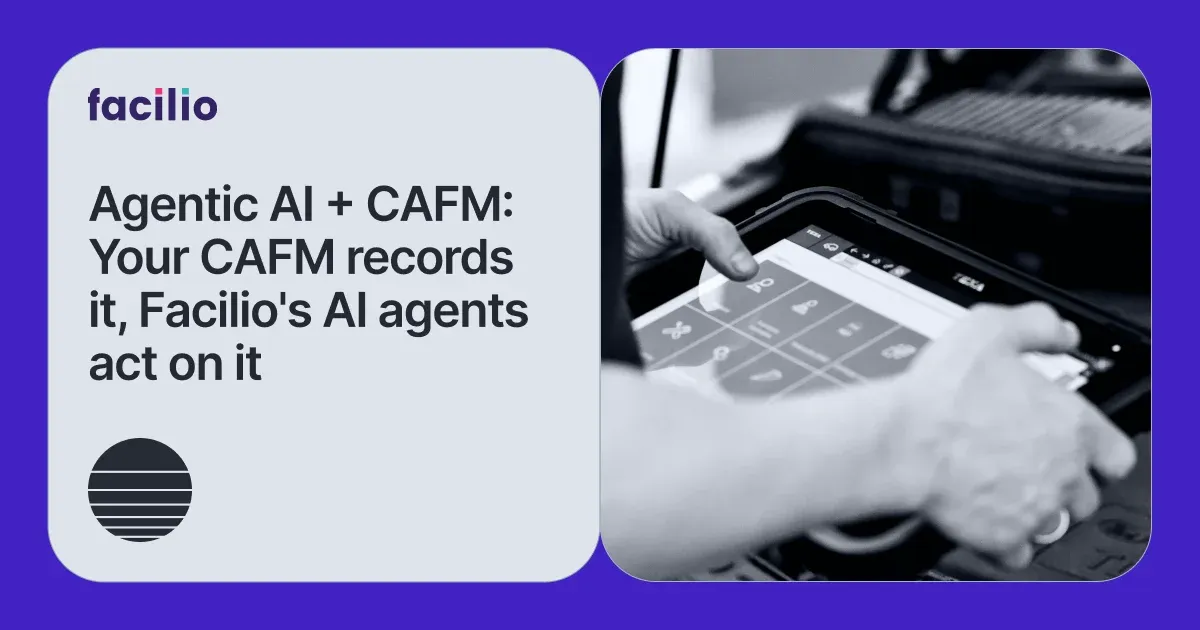

Most facility teams we speak with are not short on data. Their CAFM platform records every work order, tracks every asset, logs every vendor SLA. Years of operational history, all captured, all organised.
And yet the question "why does Site 12 keep generating reactive work orders?" still takes an afternoon to answer. The monthly board report is still built manually. Vendor performance is still compared by someone pulling exports.
Clearly, the data exists, but the intelligence does not.
This is the gap we see consistently across enterprise FM operations and it is not a CAFM failure. These platforms do exactly what they were built to do. What they were never built to do is act on your behalf.
Facilio's AI agents sit on top of your existing CAFM as an autonomous execution layer, reading the same data and doing something about it, without waiting for someone to log in.
But to understand where AI agents add the most value, it helps to be precise about what a modern CAFM actually handles and where it structurally stops.
What a Modern CAFM Platform Actually Handles?
CAFM, Computer-Aided Facility Management, is the operational backbone of building management.
A well-configured CAFM system manages assets and their maintenance schedules, tracks work orders from creation to closure, stores vendor contracts and SLA performance data, and gives facility teams a centralized place to report on what is happening across their portfolio.
These are the areas where CAFM performs well. The structural limitation is not what CAFM tracks, it is what it still expects humans to do with that information.
How Facilio's AI Agents Connect to Your Existing Tech Stack
The first question we hear from almost every FM team evaluating AI agents is the same: what happens to the CAFM, ERP, and communication tools we already have?
The answer is straightforward; nothing changes. The agents are built to connect to your existing stack, not replace it.
There are two paths depending on your setup.
a) If You Are Already on Facilio's CAFM
Facilio's Atom Suite, is a series of AI agents that are natively built on the same data layer as Facilio's Connected CAFM. There is no separate integration project. The agents have direct access to work orders, asset records, vendor data, and compliance logs the moment they are enabled. Configuration is handled by Facilio's team based on your specific modules, data fields, and workflow rules. Your IT team is not required to build anything.
b) If You Are on a Third-Party CAFM or CMMS
Atom connects to any external CMMS or ERP through three standard integration methods: HTTP API connectors (using your platform's API documentation or Swagger/OpenAPI spec), SQL database connectors, and file/SFTP integrations for systems that export data in structured formats.
For systems that do not have an accessible API — older on-premise CAFM platforms included — Atom uses Facilio Relay, a lightweight on-premises bridge that establishes a secure read/write connection without requiring changes to your system's architecture. Relay supports both browser-based and OS-level connections, meaning it works even where conventional API access is restricted.
Important: Facilio's AI agents do not require you to migrate data, change your CAFM, or run a parallel system. Your existing platform stays exactly as it is.
Across all active agents, deployment typically takes a few weeks. You designate a technical point of contact, share API documentation or credentials, and we handle the rest.
With the connection question answered, the more interesting question is what the agents actually do once they are in and which CAFM functions each one is built to extend.
Security note: All connections are governed by role-based access controls, a credential vault, and monitoring logs. Facilio's AI agents read and write only the modules and fields explicitly scoped during onboarding.
The Gap AI Fills: What Augmenting CAFM Actually Means
Augmenting CAFM with AI is not about replacing the system. It is about adding an execution layer on top of it. The CAFM records what happened and what needs to happen next. The AI agent layer decides and acts, without waiting for a facility manager to log in, pull a report, or send a follow-up email.
The distinction matters because the value of a CAFM system scales with data, but the cost of acting on that data scales with headcount. An AI agent removes that constraint. It operates 24 hours a day, across every site simultaneously, handling the high-volume, time-sensitive, and repetitive tasks that consume the most FM team capacity.
CAFM Without Atom vs. CAFM With Atom
Think of it this way: CAFM is the system of record; Facilio's AI agents are the system of action.
See How Atom Works Alongside Your Existing CAFM
Book a DemoHow Facilio's AI Agents Map to Your CAFM's Core Functions
Each agent in Facilio's Atom AI suite is purpose-built for a specific operational domain. Here is how each one extends what your CAFM already tracks.
a) Service Request Intake: Helpdesk AI
CAFM tracks service requests from the moment they are logged. The gap is everything before that — the call at 11pm, the WhatsApp from a tenant, the email buried in a shared inbox over the weekend.
Facilio's Helpdesk AI for facility services handles the entire front-end of service delivery across calls, chat, WhatsApp, and email. It triages the request, creates the work order, and dispatches the right technician, without a human dispatcher in the loop. SLA clocks start from the moment the request is made, not from when someone checked the inbox.
b) Operational Reporting: Reporting AI
Generating a report and understanding what it means are two different tasks. At portfolio scale, the second task is where manual review consistently falls short.
The Reporting AI monitors operational data continuously across every site. It spots anomalies in asset behaviour before they become failures, detects SLA drift before it becomes a breach, and surfaces patterns a periodic review would miss — giving facility directors early visibility while there is still time to act.
c) Work Order Execution: FM Copilot
Work order creation is the easy part. The follow-up in chasing technicians, rescheduling delays, closing completed tasks, maintaining audit trails is where FM team hours quietly disappear.
FM Copilot handles that execution layer autonomously. It closes work orders, adds contextual comments, reschedules jobs when delays occur, and flags tasks approaching SLA breach before they actually breach.
d) Invoice Validation: Invoice AI
CAFM stores vendor SLA records and tracks service completion. But reconciling an invoice against those records, confirming the work was done, matching to the PO, building the approval packet, is still manual for most teams.
Our Invoice Validation AI automates 3-way matching against CAFM service data, flags discrepancies, and assembles approval documentation automatically, eliminating the back-and-forth that invoice disputes typically create between FM and finance.
The value of each agent is real at a single site. What changes the operational equation entirely is what happens when they run across a large portfolio simultaneously.

See Helpdesk AI, Invoice Validation Agent, Answering AI, Reporting AI in Action
See Facilio AI Suite in ActionWhy the Value Multiplies Across Large Portfolios
A single AI agent saving two hours a day at one site is a useful gain. The same agent running across 100 sites, without the additional headcount, is a structural advantage.
The challenges that compound fastest as portfolios grow are precisely the ones that demand constant human attention:
- Incoming service requests at all hours across every site
- Daily invoice reconciliation against hundreds of vendor records
- Work order follow-up across thousands of open jobs simultaneously
- Keeping leadership informed without pulling analysts off strategic work
These are exactly the tasks the agents handle and the reason the value isn't additive at scale, it's multiplicative.
Margin leakage, the cumulative drain of invoice overbilling, SLA penalties, and vendor underperformance is also hardest to catch manually at portfolio scale.
AI agents make it visible and recoverable.
The key insight: CAFM scales your data. Facilio's AI agents scale your ability to act on it.
What This Means for Facility Leaders and FM Teams
CAFM gave facility teams the infrastructure to manage buildings at scale. The data is there, the records are clean, the workflows are defined. What has never scaled as easily is the human capacity to act on all of it consistently, across every site, at every hour.
That is the gap Facilio's AI agents close. They connect to your existing stack, deploy in weeks, and operate within the security boundaries your IT team defines. No disruption to what is already working.
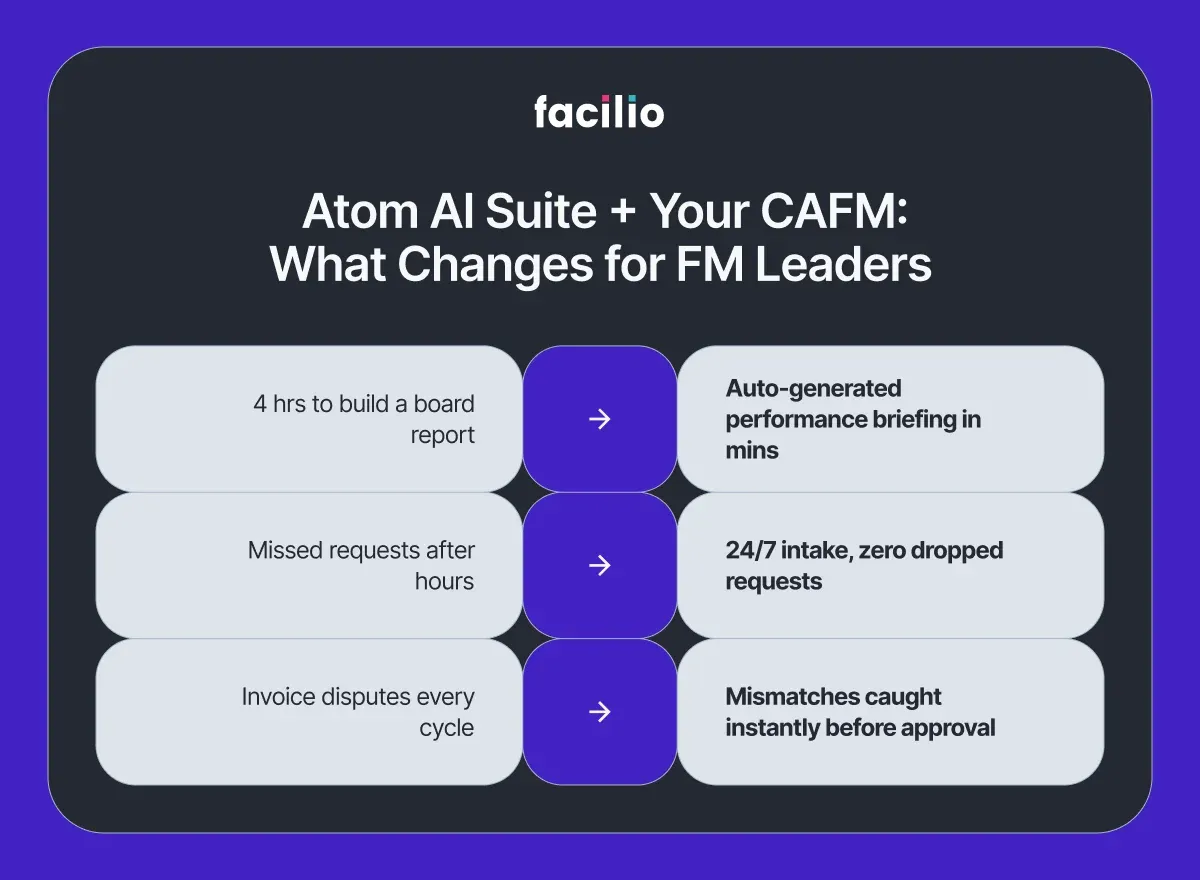
What changes is the ceiling. Each agent handles a specific domain autonomously — service intake, operational reporting, work order execution, invoice validation — so your team's attention goes where it actually matters: decisions that require judgment, relationships that require presence, strategy that requires experience.
Remembers, the best-run FM operations we work with are not the ones that hired more people to keep pace with portfolio growth. They are the ones that gave their existing teams the intelligence layer to do more with what they already have.
That shift from a CAFM that records operations to one that runs them is where the next decade of FM performance is won.
See Facilio's AI agents running on a live CAFM environment.
Shcedule a Live Demo
Frequently Asked Questions
1. Does Atom AI suite replace my existing CAFM?
No. Atom augments your CAFM by adding an AI agent layer on top of it. Your CAFM remains the system of record. Atom handles the execution tasks service intake, reporting analysis, work order follow-up, and invoice validation that would otherwise require manual team effort.
2. Does Atom only work with Facilio's CAFM?
No. Atom connects to most CMMS and ERP platforms through HTTP API connectors, SQL database connectors, and file/SFTP integrations. For systems without an accessible API, Facilio Relay provides an on-premises connection bridge that works even with older or restricted systems.
3. What does the integration process actually require from my IT team?
Typically: a designated technical point of contact, your platform's API documentation or Swagger/OpenAPI spec, and field mapping for the modules Atom will interact with. Channel-specific requirements are minimal — SIP trunk configuration for voice, four credential fields for WhatsApp, a DNS record for email, and a JavaScript snippet for web chat.
4. How long does deployment take?
Deployment across active agents typically takes a few weeks. The agents connect to your existing stack without requiring architectural changes, and Facilio's team manages the configuration. No training period is required on the user side for core agent functions.
5. What is the difference between Atom AI Suite and a regular CMMS chatbot?
A chatbot only responds to your queries. Whereas Facilio's Atom agents take actions; they can create work orders, match invoices, reschedule jobs, generate performance flags, etc. They operate autonomously within defined parameters rather than waiting for a user to ask a question.
About the Author

More from Facilio