
Home
Your jobs at a glance. Home shows today's tickets, the latest conversations, how they went, and how many open jobs each technician has.
Find it inHome
03.1What's on Home
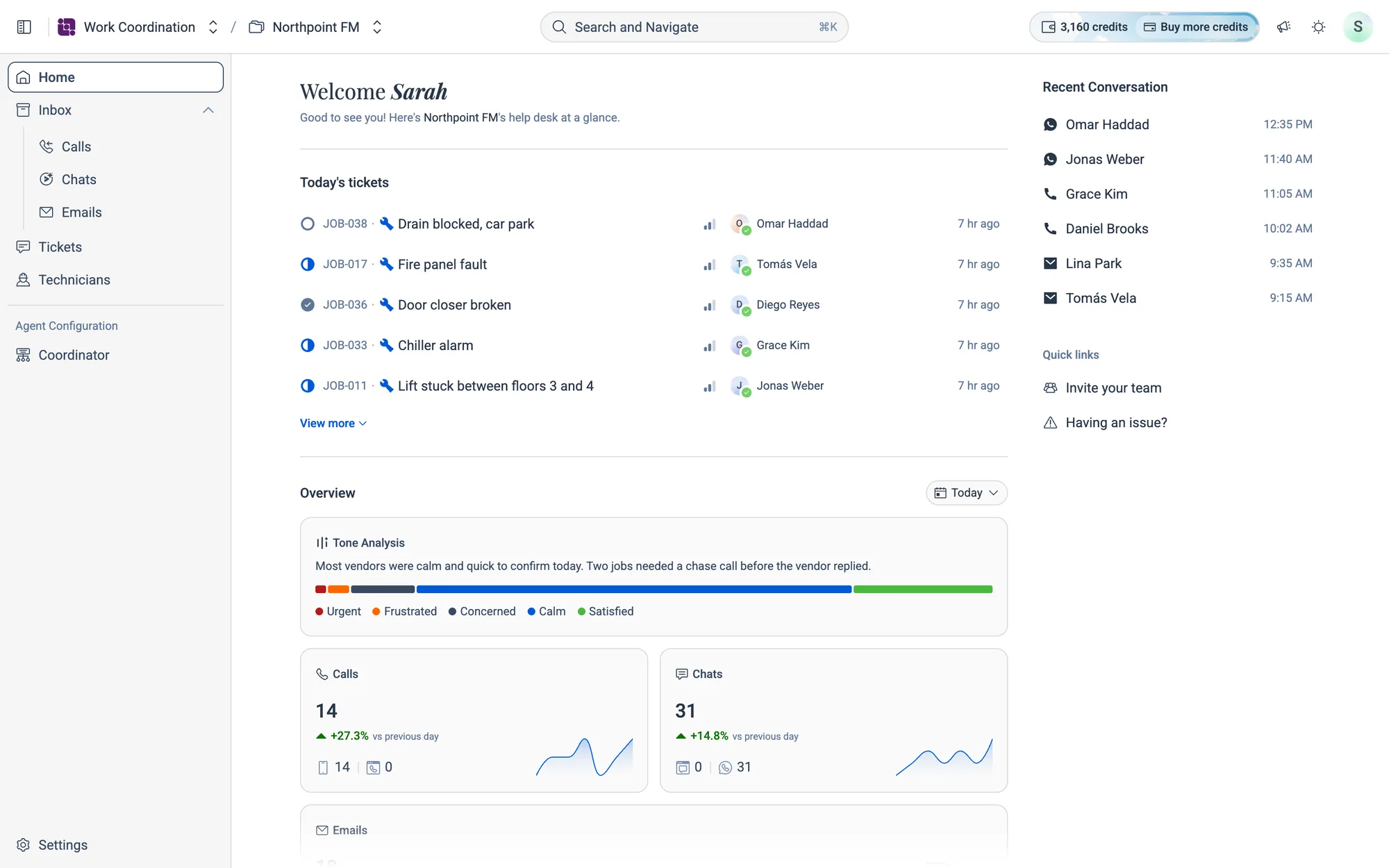
Home is the page you land on when you open Work Coordination. From top to bottom it shows:
- Today's tickets. The jobs that came in today, newest first.
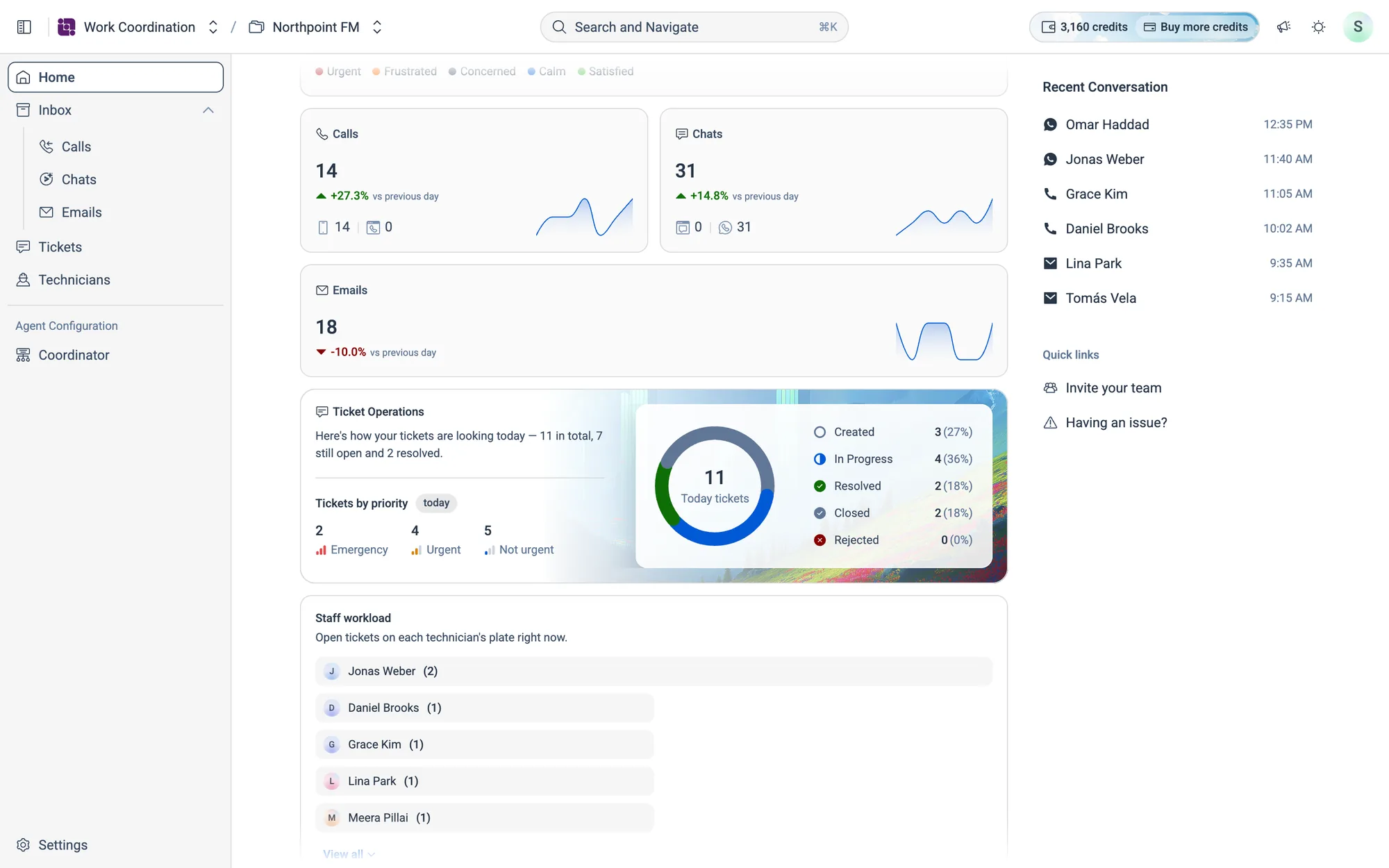
- Overview. Tone, call, chat and email volume, ticket status and staff workload, for the period you choose.
- Recent Conversation and Quick links. These are in the right-hand column on wider screens.
03.2Today's tickets
Each row shows the ticket's status, its code, the subject, the urgency, who has the job and how long ago it came in. Click a row to open the ticket. Five tickets show at first. Click View more to see more, and View less to fold them away.
03.3Overview
The Overview section sums up activity for one period. Click the period chip on the right (it starts on Today) to change it. Everything in Overview updates together.
| Card | What it shows |
|---|---|
| Tone Analysis | How conversations went, split across five tones (Urgent, Frustrated, Concerned, Calm and Satisfied), with a one-line summary |
| Calls, Chats, Emails | The total for the period, the change from the previous period and a small trend line |
| Ticket Operations | Tickets by priority, and by status around the donut |
| Staff workload | Open tickets on each technician's plate right now, busiest first. Click View all for the whole team |
03.4Recent Conversation and Quick links
- Recent Conversation lists the latest calls, chats and emails. Click one to open it in the Inbox.
- Invite your team takes you to Settings › Users.
- Having an issue? opens a short form to report a problem to Facilio.