
Getting started
The first time you open Work Coordination, give it your website. Atom reads it, sets up your agent and drafts the rules it will follow for every job. You then check those rules and change anything that isn't how your team works.
02.1How first-time setup works
Setup happens in three parts, in this order:
- 1Onboarding. Give Work Coordination your website. Atom reads it and drafts your Coordinator's rules.
- 2Setting up. Atom sets up your agent. This takes a moment, and the page moves on by itself.
- 3Review your rules. Open Coordinator and check the rules Atom drafted. Change anything by telling Atom in plain words.
Until onboarding is finished, every page of the app opens onboarding instead. Once it's done, onboarding doesn't open again.
02.2Step 1 · Give Atom your website

How to set up Work Coordination from your website
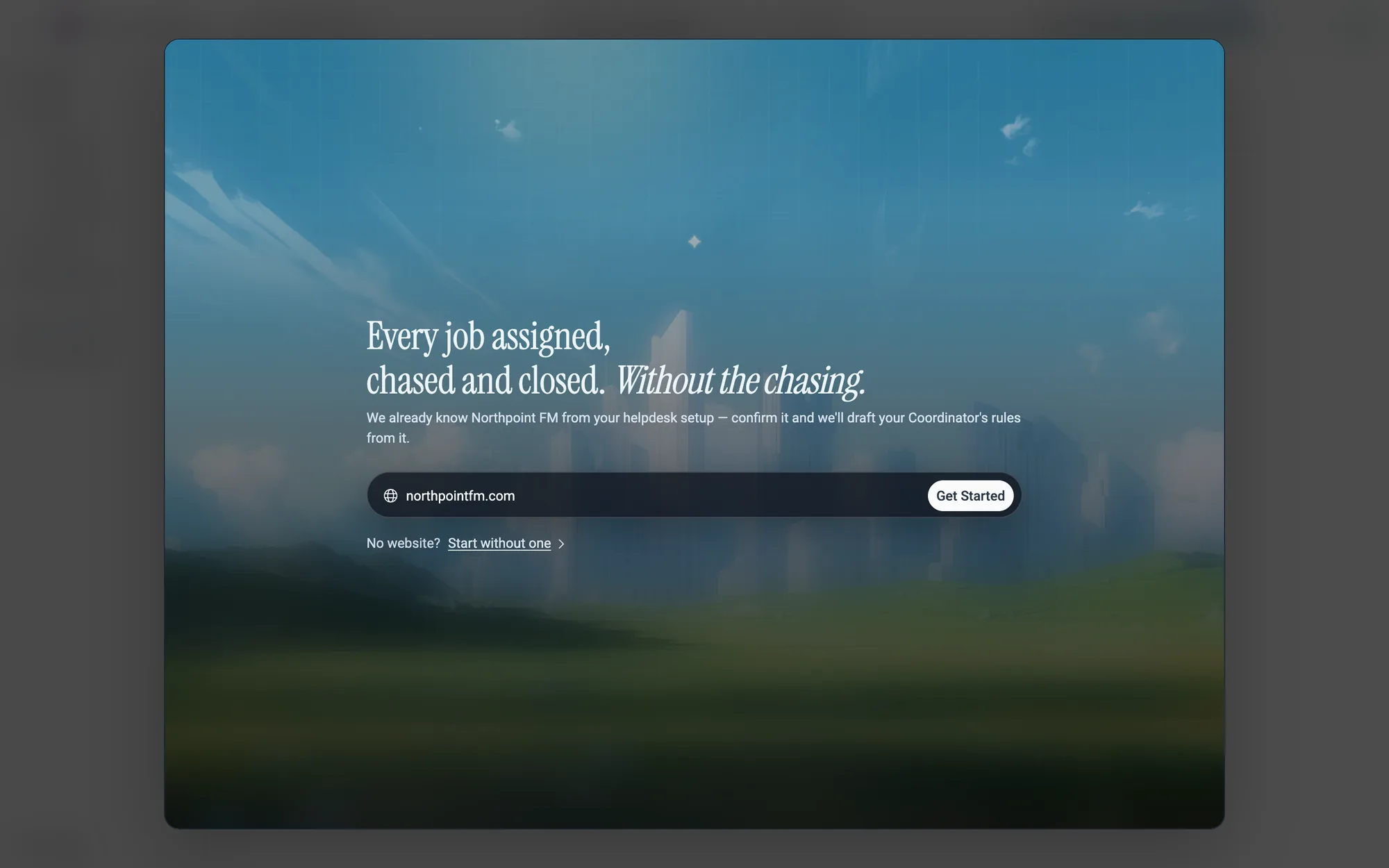
- 1Open Work Coordination. Onboarding opens full screen.
- 2Type your company's website into the your-website.com field.
- 3Click
Get Started, or press Enter. The button stays greyed out until the field has an address in it.
If your company already uses Facilio Helpdesk
If your team already set up Facilio Helpdesk, Work Coordination already knows your website. The field is filled in for you, and the line above it says so.
Get Started.02.3Step 2 · Atom sets up your agent

There's nothing to click on this screen. It checks every few seconds, and as soon as your agent is ready, Work Coordination opens on Home.
If setup doesn't finish
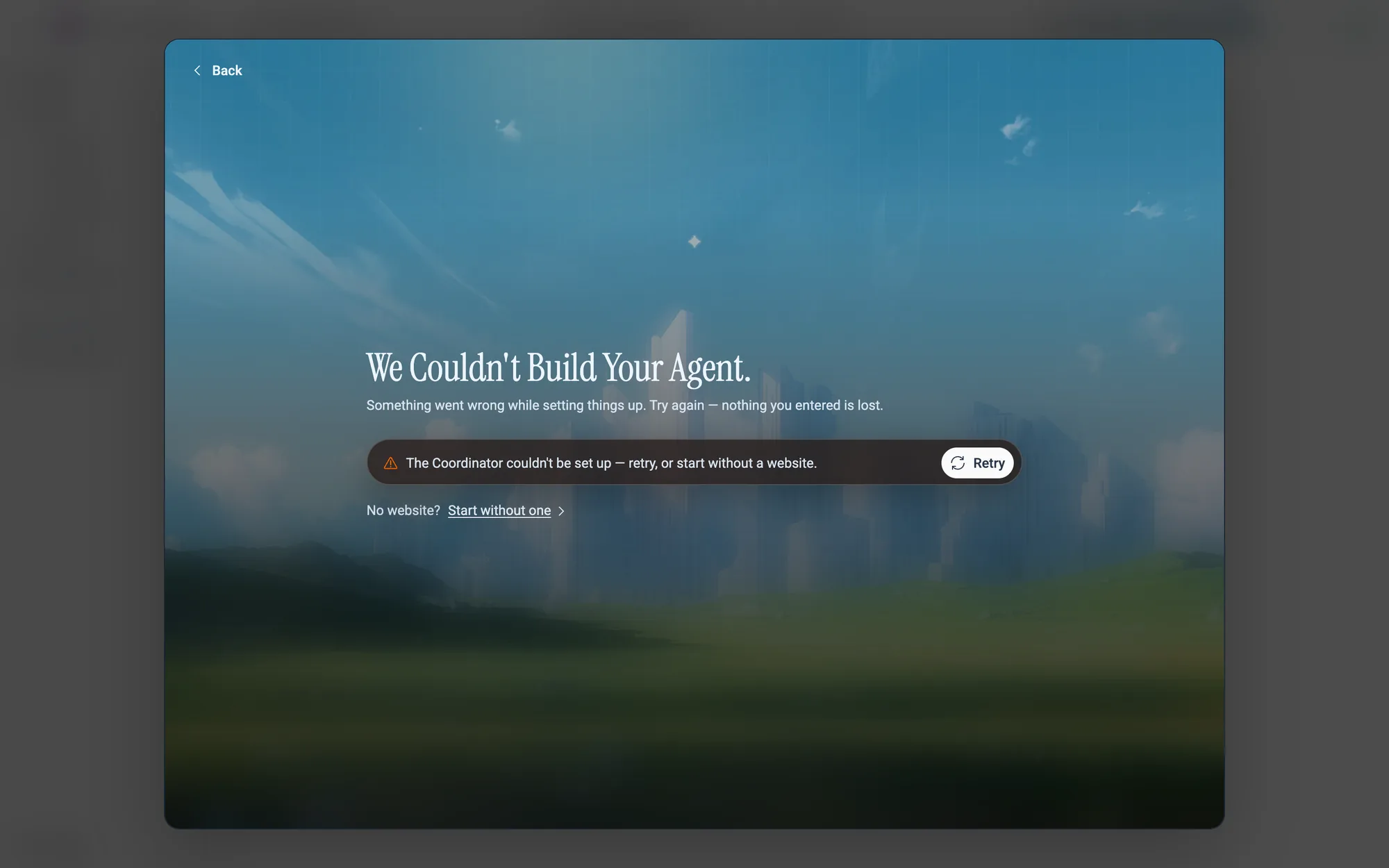
- 1Click
Retryto try again with the same website. - 2To change the address, click
Backat the top left. You return to the first screen. - 3Or click
Start without oneto set up without a website.
02.4Step 3 · Review the rules Atom drafted
Atom drafts a first set of rules from your website, one for each stage of a job. For Northpoint FM, that's when a job is assigned, when the vendor goes quiet, when they're on site, when the work is done and when the invoice comes in.
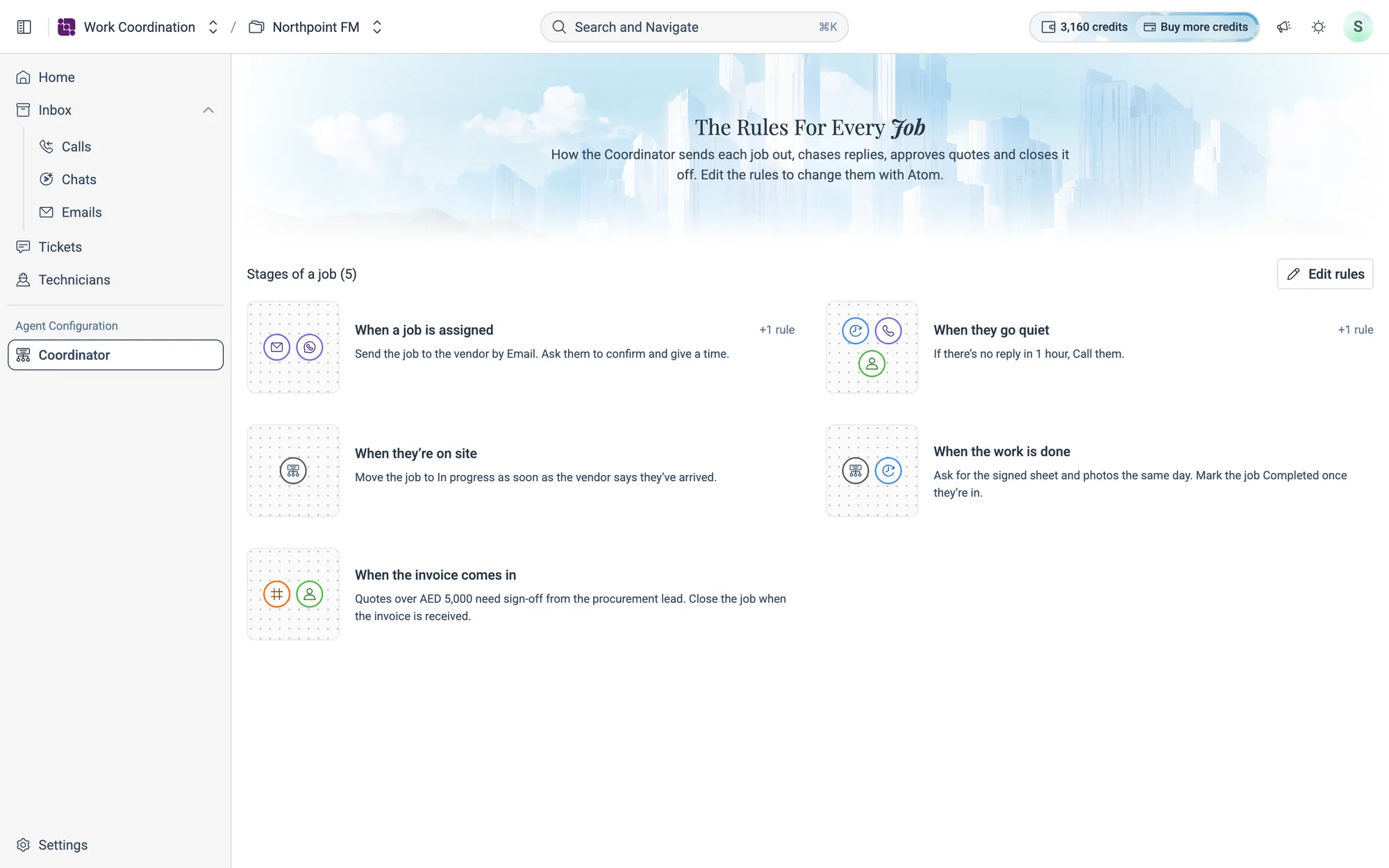
- 1Open Coordinator under Agent Configuration in the menu.
- 2Read each stage. Click one to see all of its rules.
- 3If something isn't how your team works, click
Edit rulesand tell Atom. See How to change a rule.
02.5What to set up next
- Invite your team in Settings › Users.
- Check your channels. Atom sends jobs and chases vendors on the email, WhatsApp and voice channels in Settings. If a rule names a channel that isn't connected, the Coordinator tells you.
- Bring in your tickets and technicians from Facilio through Data Sources.