Assigning Operating Hours
The operating hours created in this module can be used while assigning operating hours for sites, assets, and buildings across the application. This section illustrates a sample configuration in the Assets module. To assign operating hours,
Navigate to the asset module and click the asset name for which the operating hours must be assigned.

The SUMMARY screen of the asset appears as shown below.

Click Assign Operating Hours. The Operating Hours window with the list of operating hours is displayed.
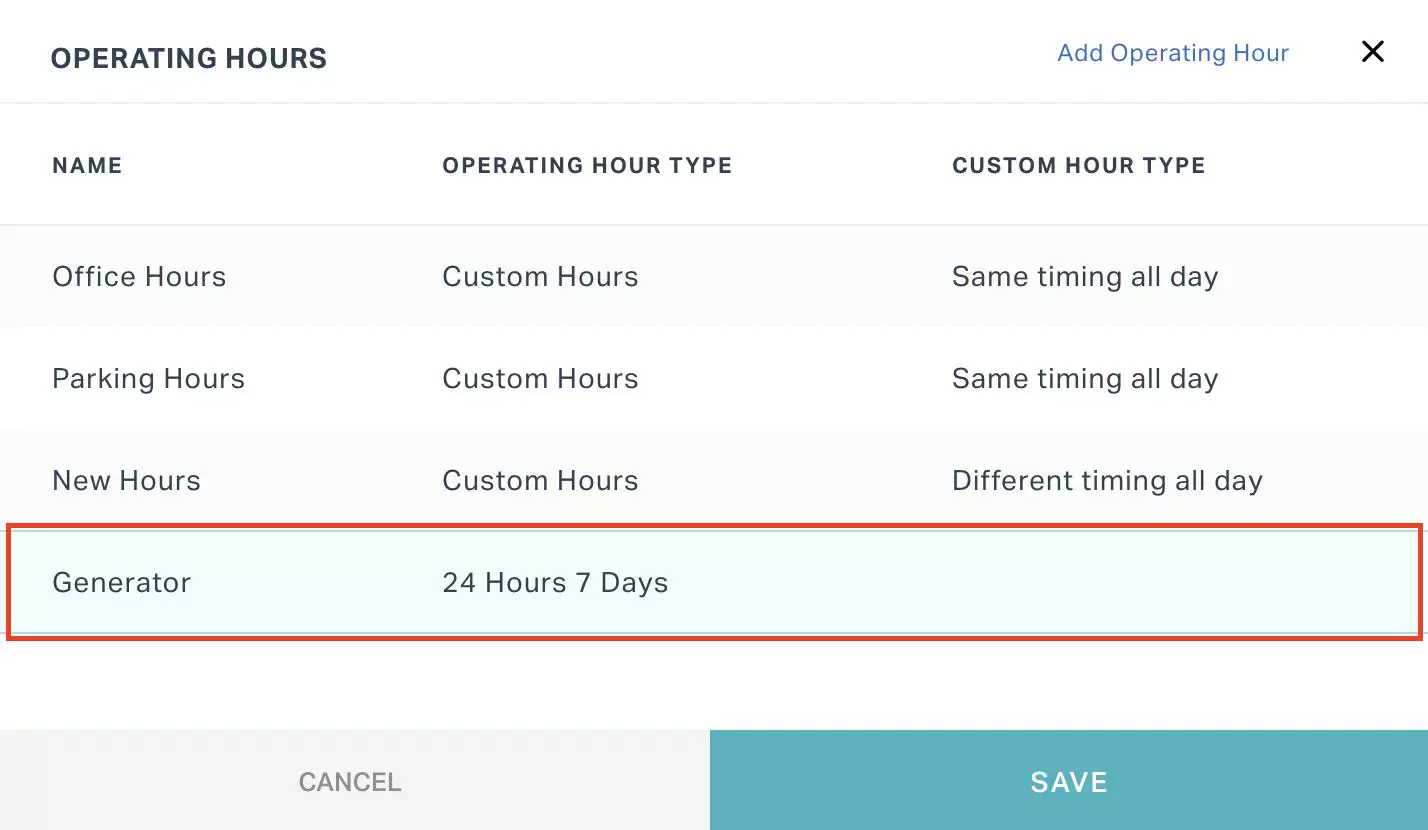
Select the required option.
Note: You can use the Add Operating Hour link at the top right to directly configure the required operating hours. The operating hours created from any module will be added to the list of operating hours.Click SAVE. The operating hours are configured successfully for the asset and appear as shown below.
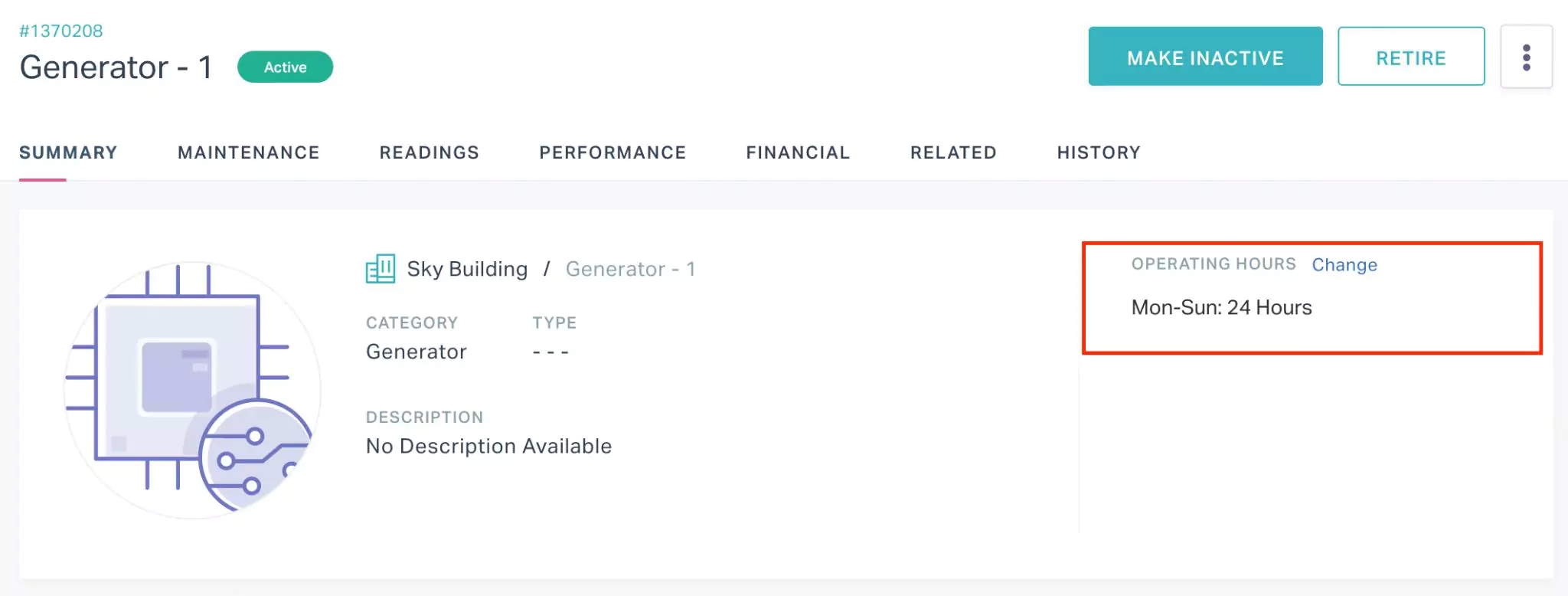
Note: You can use the Change link corresponding to OPERATING HOURS in the SUMMARY screen to update the operating hours assigned.