Dialer

The Dialer widget renders as a floating popup in the bottom-right corner of the Facilio interface. It's designed for telephony integrations, click-to-call functionality, or any persistent utility that users interact with without leaving their current page.
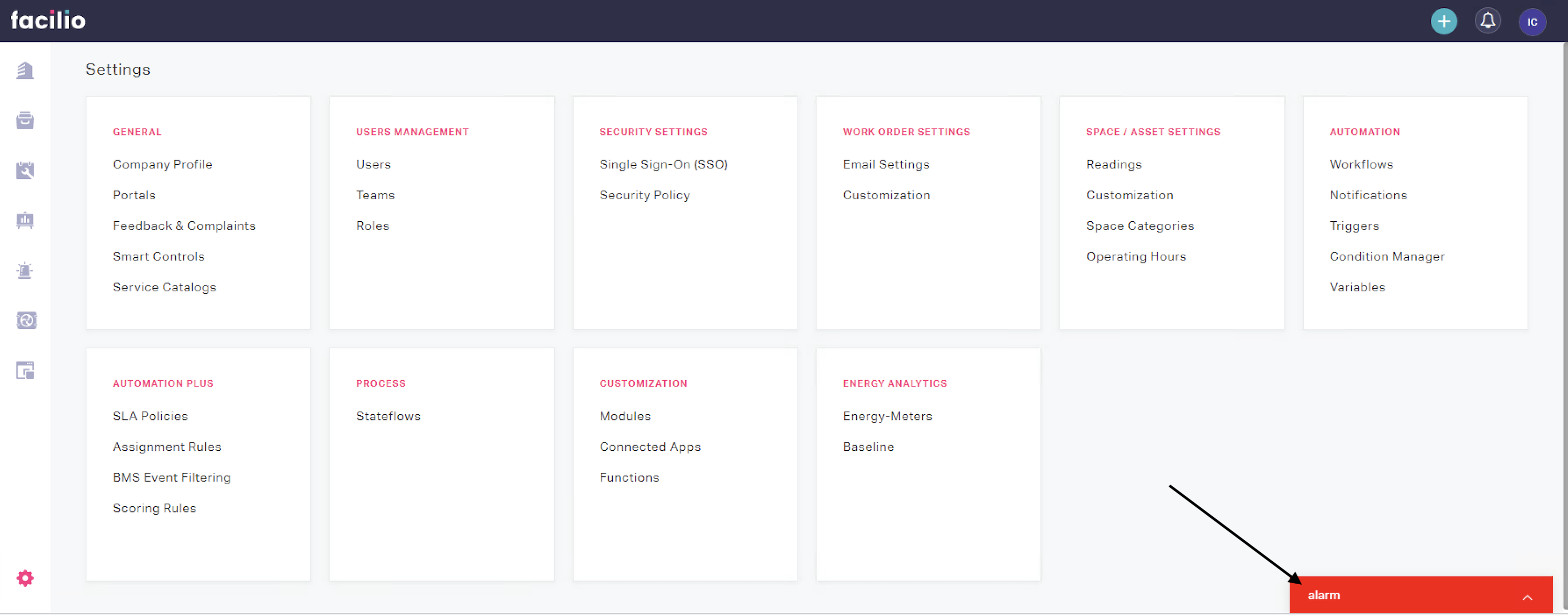
Availability#
| Apps | Mobile |
|---|---|
| Maintenance, Vendor, Requester, Client, Tenant | No |
Single widget per account
Only one Dialer widget is supported per account. Whichever loads first is used; multiple instances are not supported (e.g., you cannot add two dialers per account).
When to use#
- Integrating a VoIP or telephony system (click-to-call, call logging)
- Building a persistent utility panel (quick notes, timers, chat)
- Any tool that needs to stay visible across page navigations
Triggers#
| Function | Description | Example |
|---|---|---|
| open | Opens the dialer popup | window.facilioApp.interface.trigger('open'); |
| close | Closes the dialer popup | window.facilioApp.interface.trigger('close'); |
| maximize | Maximizes the dialer popup | window.facilioApp.interface.trigger('maximize'); |
| minimize | Minimizes the dialer popup | window.facilioApp.interface.trigger('minimize'); |
| resize | Resizes or repositions the dialer popup | See example below |
| setBadge | Sets a badge on the dialer icon | See example below |
| setTitle | Sets the dialer popup title | window.facilioApp.interface.trigger('setTitle', { title: 'Call' }); |
| setTheme | Sets the dialer theme color. Pass { color } (hex, with or without #). Omit or pass null to reset to default. | See example below |
| startRinging | Starts the ringing state (e.g. for incoming call UI) | window.facilioApp.interface.trigger('startRinging'); |
| stopRinging | Stops the ringing state | window.facilioApp.interface.trigger('stopRinging'); |
Resize — All params optional. Defaults: width 300px, height 450px, bottom 0px, right 20px.
window.facilioApp.interface.trigger('resize', { width: '320px', height: '480px', top: null, bottom: '0px', left: null, right: '20px'});setTheme — Pass { color: string } (hex, e.g. '#3498db' or '3498db'). Omit params or pass color: null to reset to default.
window.facilioApp.interface.trigger('setTheme', { color: '#3498db' });window.facilioApp.interface.trigger('setTheme'); // reset to defaultsetBadge — content, max (default 100), shape (default 'circle'), color (default 'iconSemanticRed')
window.facilioApp.interface.trigger('setBadge', { content: '5', max: 99, shape: 'circle', color: 'iconSemanticRed'});Events#
| Event | Description | Example |
|---|---|---|
| dialer.active | Fires when the dialer popup is opened or maximized | app.on('dialer.active', callback); |
| dialer.inactive | Fires when the dialer popup is closed or minimized | app.on('dialer.inactive', callback); |
| navigation.change | Fires when the app URL changes. Payload: { url } — current app URL. | app.on('navigation.change', callback); |
app.on('dialer.active', () => {  console.log('Dialer opened — start loading call data');});
app.on('dialer.inactive', () => {  console.log('Dialer closed — pause updates');});
app.on('navigation.change', ({ url }) => { console.log('App navigated to:', url);});Example — Click-to-call dialer#
var app = new Vue({  el: '#app',  data: {    callLogs: []  },  created() {    window.facilioApp = FacilioAppSDK.init();    window.facilioApp.on('app.loaded', () => {      window.facilioApp.interface.trigger('resize', {        width: '320px',        height: '480px',        bottom: '0px',        right: '20px'      });    });
    window.facilioApp.on('dialer.active', () => {      this.loadRecentCalls();    });  },  methods: {    async loadRecentCalls() {      try {        const { list } = await window.facilioApp.api.fetchAll('custom_calllogs', {          viewName: 'all',          perPage: 10        });        this.callLogs = list || [];      } catch (error) {        console.error('Failed to load call logs:', error);      }    },    makeCall(phoneNumber) {      window.facilioApp.interface.trigger('setTitle', { title: 'Calling...' });      console.log('Initiating call to:', phoneNumber);    }  }});